Bubuka
Welcome to the PowerLocus P3 Bluetooth Headphones user manual. This guide provides comprehensive instructions for setting up, operating, and maintaining your new headphones. The PowerLocus P3 headphones are designed for superior audio performance, comfort, and versatility, offering up to 50 hours of playtime and multiple EQ modes.

Image: PowerLocus P3 Bluetooth Headphones in Black/Gold, showcasing desain sleek maranéhna.
Naon dina Box
Upon opening your PowerLocus P3 package, you should find the following items:
- Headphone Nirkabel Over-Ear P3
- Kabel Audio 3.5mm
- Kabel Ngecas USB-C
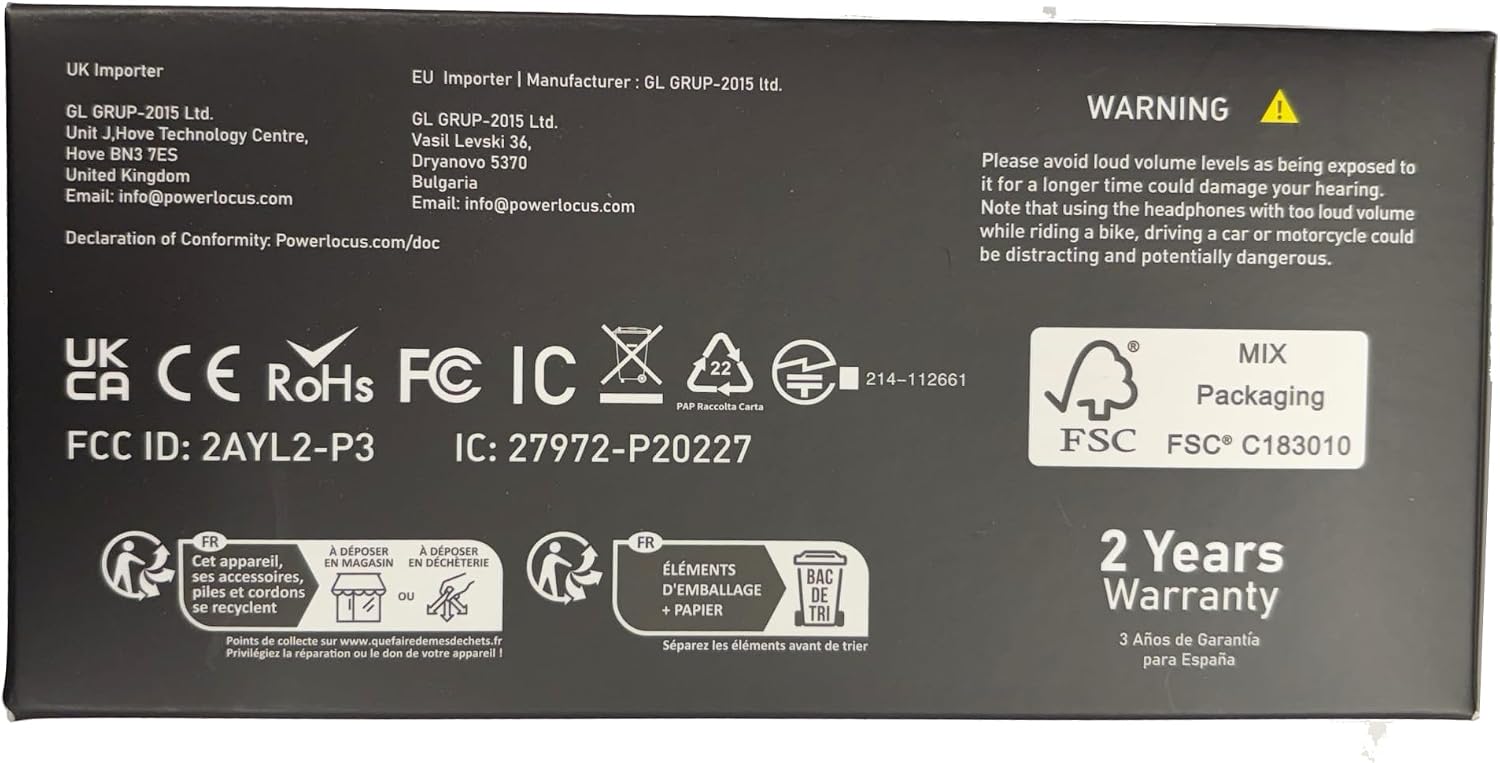
Image: The back of the PowerLocus P3 packaging, detailing the included accessories.
Fitur produk
The PowerLocus P3 headphones are equipped with advanced features for an enhanced listening experience:
- Pangalaman Sora Hi-Fi: Equipped with 40mm audio drivers for rich, superior audio performance with deep bass and extended treble. Features 4 EQ Music Modes: Pop, Bass, Vocal, and Rock.
- Kanyamanan Unggul: Ergonomic design with soft memory foam earmuffs and a softly padded headband for a secure and comfortable fit during extended use.
- Waktu Maén Anu Panjang & Modeu Kabel: Offers more than 50 hours of wireless playtime. Includes a 3.5mm wired mode for continued use when the battery is depleted. USB-C fast charging technology is supported.
- Bluetooth 5.3 sareng Mikropon internal: Industry-leading Bluetooth 5.3 technology ensures instant pairing with all Bluetooth-enabled devices (phones, tablets, laptops, TV). Noise-cancelling microphones enhance call quality.
- Sambungan Multi-titik: Ngamungkinkeun pikeun masangkeun dua alat sakaligus.
- Desain anu tiasa dilipat: Lightweight and foldable for easy portability and storage.

Image: A user demonstrating the comfortable fit and adjustable features of the headphones.

Image: The headphones offer over 50 hours of playtime, ideal for travel.

Image: Experience immersive audio with 4 distinct EQ modes.

Image: Multi-point connection allows seamless switching between devices.
Produk Leuwihview Video
Video: Hiji leuwihview of the PowerLocus P3 Bluetooth Headphones, highlighting key features and design.
Disetél
Ngecas Headphone
Before first use, fully charge your PowerLocus P3 headphones. Use the provided USB-C charging cable.
- Connect the USB-C end of the charging cable to the USB-C charging port on the headphones.
- Sambungkeun tungtung USB-A kana adaptor daya USB anu cocog (henteu kalebet) atanapi port USB komputer.
- Indikator LED bakal némbongkeun status ngecas. Ngecas pinuh peryogi waktos sakitar 2 jam.

Image: The headphones feature USB-C fast charging for quick power-ups.
Masangkeun sareng Alat Bluetooth
Turutan léngkah-léngkah ieu pikeun nyapasangkeun headphone anjeun sareng alat anu diaktipkeun Bluetooth:
- Pastikeun headphone dicas sareng dipareuman.
- Pencét jeung tahan tombol Daya nepi ka indikator LED hurung biru jeung beureum, nuduhkeun mode papasangan.
- Dina alat anjeun, aktipkeun Bluetooth sareng milarian alat anu sayogi.
- Pilih "PowerLocus P3" tina daptar alat.
- Sakali disambungkeun, indikator LED bakal némbongkeun lampu biru padet.
For multi-point connection, pair with the first device, then disable Bluetooth on the first device. Put the headphones back into pairing mode and connect to the second device. Re-enable Bluetooth on the first device, and the headphones should connect to both.

Image: The multi-point connection feature allows simultaneous pairing with two devices.
Parentah Operasi
Headphone PowerLocus P3 ngagaduhan kontrol intuitif anu aya dina earcup:

Image: An illustration detailing the intuitive controls on the headphone earcup.
| Tombol / Port | Fungsi |
|---|---|
| Tombol Daya | Press and hold to Power ON/OFF. Short press to Play/Pause music, Answer/End calls. Double press for Siri/Google Assistant activation. |
| Volume Naik (+) | Short press to increase volume. Long press to skip to the next song. |
| Volume Turun (-) | Short press to decrease volume. Long press to go to the previous song. |
| Tombol Mode EQ | Short press to cycle through 4 EQ modes: Pop, Bass, Vocal, Rock. |
| Port Ngecas USB-C | Pikeun ngecas headphone. |
| 3.5mm Audio Jack | For wired audio connection when battery is low or for non-Bluetooth devices. |
| Indikator LED | Indicates power status, pairing mode, and charging status. |
Ngagunakeun Mikropon Built-in
The integrated noise-cancelling microphone allows for clear hands-free calls and voice assistant commands.
- Ngawalon / Ngeureunkeun Telepon: Pencét pondok tombol Daya.
- Nolak Telepon: Pencét lila tombol Daya.
- Aktipkeun Asisten Sora: Pencét dua kali tombol Daya.

Image: The built-in microphone ensures clear communication during wireless calls.
Modeu kaulinan
For an optimized gaming experience with low latency, activate Gaming Mode:
- Hold the Play/Pause button for 3 seconds to enter Low Latency Gaming Mode.

Image: Activate Gaming Mode for low-latency audio during gameplay.
Sambungan kabel
If the battery is depleted or you prefer a wired connection, use the provided 3.5mm audio cable:
- Colokkeun hiji tungtung kabel audio 3.5mm kana colokan audio headphone.
- Plug the other end into your audio source's 3.5mm port.

Image: The headphones support both wireless and wired connections for versatile use.
Pangropéa
To ensure the longevity and optimal performance of your PowerLocus P3 headphones, follow these maintenance guidelines:
- beberesih: Use a soft, dry cloth to clean the exterior of the headphones. Do not use abrasive cleaners or solvents.
- Panyimpenan: When not in use, store the headphones in a cool, dry place, preferably in their protective case. The foldable design allows for compact storage.
- Perawatan batré: Avoid fully depleting the battery frequently. For long-term storage, charge the headphones to about 50% every few months.
- Hindarkeun Kaayaan Ekstrim: Ulah ngalaan headphone ka suhu ekstrim, kalembaban, atawa sinar panonpoé langsung.

Image: The foldable design and included case make the headphones easy to store and transport.
Pamérésan masalah
If you encounter issues with your PowerLocus P3 headphones, refer to the following common solutions:
| Masalah | Solusi |
|---|---|
| Headphone moal hurung | Pastikeun headphone tos dicas pinuh. Pencét terus tahan tombol Daya salami 3-5 detik. |
| Teu tiasa dipasangkeun sareng alat | Ensure Bluetooth is enabled on your device. Make sure headphones are in pairing mode (flashing blue/red LED). Move headphones closer to the device. Forget previous pairings on your device and try again. |
| Teu aya sora atanapi volume handap | Check volume levels on both headphones and your connected device. Ensure headphones are properly paired. If using wired mode, ensure the 3.5mm cable is fully inserted. |
| Poor sound quality/distortion | Move closer to your device to avoid interference. Ensure no physical obstructions are between the headphones and the device. Try a different audio source or file. |
| Mikropon teu jalan | Ensure headphones are connected via Bluetooth. Check microphone settings on your device to ensure PowerLocus P3 is selected as the input device. |
spésifikasi
| Fitur | Rincian |
|---|---|
| Ngaran modél | P3 Anyar |
| Téhnologi konektipitas | Nirkabel (Bluetooth 5.3) |
| Rentang Bluetooth | Nepi ka 36 Feet |
| Kahirupan batré | 50 Jam |
| Waktu Ngecas | 2 Jam |
| Ukuran Supir Audio | 40 milimeter |
| Rentang Frékuénsi | 20 Hz - 20,000 Hz |
| Impedansi | 32 ohm |
| Headphone Jack | 3.5 mm Jack |
| Kontrol bising | Pembatalan Noise Pasip |
| Item Beurat | 181 Gram (6.4 ons) |
| Produsén | PowerLocus |
Garansi sareng Rojongan
Headphone PowerLocus P3 dilengkepan ku 2 Years Full Warranty. For any questions or problems, our friendly customer support team is available 24/7.
Please refer to the contact information provided in your product packaging or visit the official PowerLocus websitus pikeun rojongan.
penting: Please avoid loud volume levels as being exposed to it for a longer time could damage your hearing. Note that using the headphones with too loud volume while riding a bike, driving a car or motorcycle could be distracting and potentially dangerous.


