Bubuka
This manual provides detailed instructions for the setup, operation, and maintenance of your KSIX Compass Smartwatch. Designed for active lifestyles, this smartwatch features integrated GPS, call functionality, notification alerts, and comprehensive health monitoring. Please read this manual thoroughly to ensure proper use and to maximize your device's capabilities.
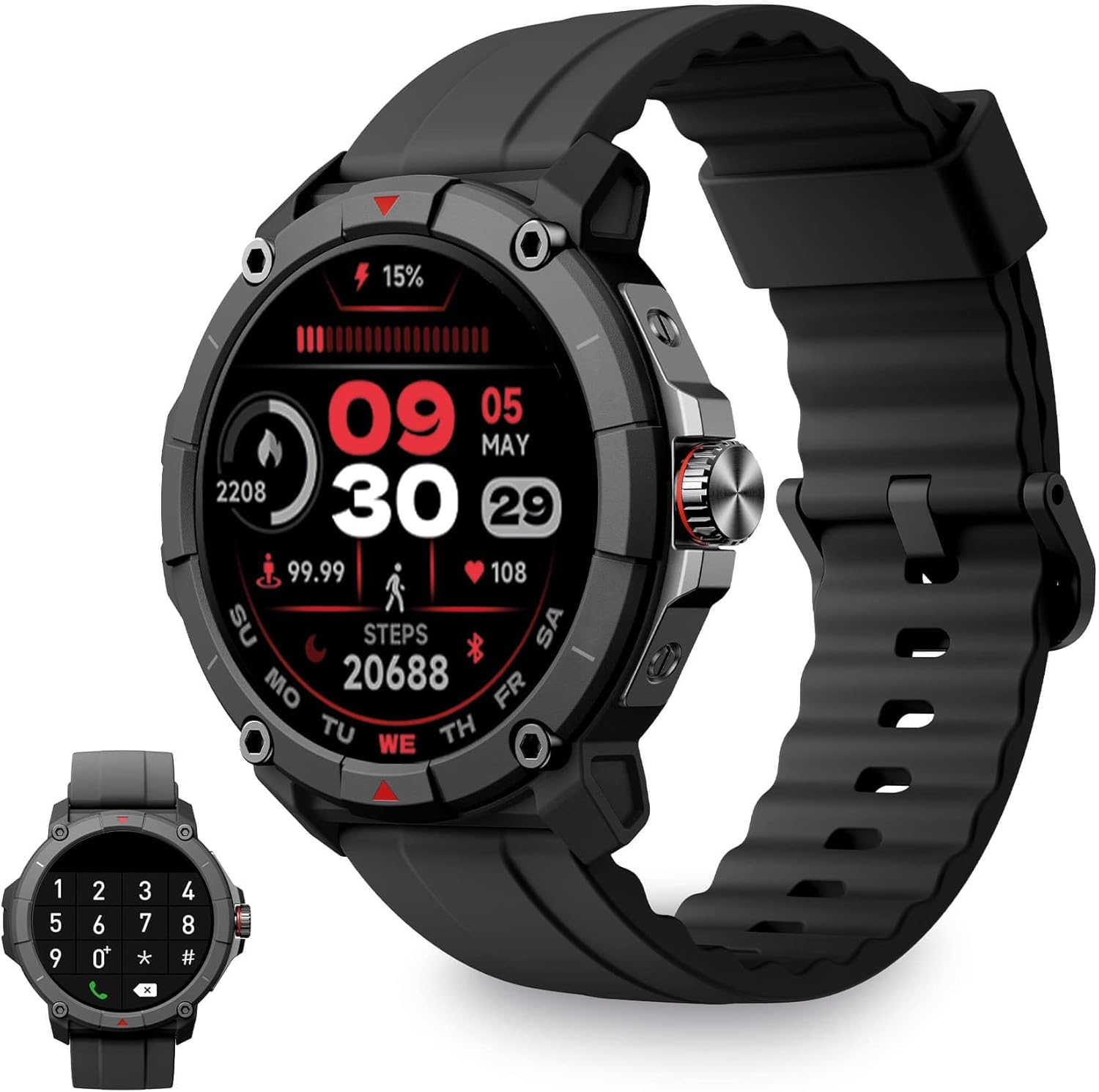
Image: KSIX Compass Smartwatch, front view showing the round display with a digital watch face, and the black silicone strap. A smaller inset image shows the dial pad on the watch screen.
1. Setélan
1.1 Ngecas Alat
Before initial use, fully charge your KSIX Compass Smartwatch.
- Sambungkeun kabel ngecas kana port ngecas di tukangeun jam tangan pinter.
- Sambungkeun tungtung kabel anu sanés ka adaptor kakuatan USB (teu kalebet) atanapi port USB komputer.
- Pintonan arloji bakal nunjukkeun status ngecas.
A muatan pinuh biasana nyokot kira-kira 2.5 jam and provides up to 7 dinten of battery life, depending on usage.

Image: Close-up of the KSIX Compass Smartwatch's side, highlighting the rotating crown. Text overlays indicate "Charging Time: 2.5h" and "Battery Life: 7 days".
1.2 Masangkeun sareng Smartphone Anjeun
To unlock all features, pair your smartwatch with the companion app.
- Unduh Pas pisan app from the App Store (iOS 9.0 and above) or Google Play Store (Android 6.0 and above).
- Pastikeun Bluetooth diaktipkeun dina smartphone Anjeun.
- Open the VeryFit app and follow the on-screen instructions to create an account or log in.
- Select "Add Device" or similar option within the app and choose your KSIX Compass Smartwatch from the list of available devices.
- Konfirmasi pamundut papasangan dina smartphone Anjeun sareng smartwatch.
The watch uses Wireless BLE 5.3 for a stable connection.
2. Parentah Operasi
2.1 Napigasi Dasar
- Layar cabak: Gesek ka kenca, ka katuhu, ka luhur, atawa ka handap pikeun napigasi ngaliwatan ménu jeung fitur. Ketok pikeun milih.
- Makuta Nu Ngarobah: Rotate the crown on the side of the watch to scroll through lists or adjust settings. Press the crown to return to the home screen or confirm selections.

Image: The KSIX Compass Smartwatch displaying its 1.38-inch full-color TFT-LCD touchscreen. Several customizable watch faces are shown below, demonstrating different layouts and information displays.
2.2 Fungsi Telepon
The KSIX Compass Smartwatch allows you to make and receive calls directly from your wrist using its built-in microphone and speaker.
- Nelepon: Access the dial pad or contact list on the watch screen to initiate a call.
- Narima Telepon: Nalika aya telepon asup, anjeun tiasa ngajawab atanapi nolak telepon éta langsung ti jam tangan.
2.3 Bewara
Receive notifications from various applications (e.g., WhatsApp, Instagram, Twitter) directly on your smartwatch when connected to your phone.

Image: The KSIX Compass Smartwatch displaying a call screen with options for frequent contacts and a dial pad. Below, icons for various social media and messaging apps (WhatsApp, Instagram, Twitter, Facebook, Gmail) are shown, representing notification capabilities.
2.4 Asistén Sora
The smartwatch is compatible with your preferred voice assistant (Alexa, Siri, or Google Assistant). Activate the voice assistant feature on your watch and speak your commands.
2.5 Sport Modes and GPS Tracking
The KSIX Compass Smartwatch includes integrated GPS for tracking your routes during outdoor activities like running and hiking. It supports over 100 sport modes.
- Pilih modeu olahraga nu dipikahoyong ti menu lalajo.
- Ensure GPS connection is successful before starting your activity.
- Track your route and performance data in real-time.
- Review detailed activity logs in the VeryFit app after your workout.

Image: The KSIX Compass Smartwatch display showing "GPS connection successful" with a green pin icon, ready to start an activity. A blurred outdoor path is visible in the background.
2.6 Pangimeutan Kaséhatan
Monitor various health metrics directly from your wrist.
- Monitor Detak Jantung: Terus ngalacak denyut jantung anjeun.
- Monitor Oksigén Darah (SpO2): Ukur tingkat jenuh oksigén getih.
- Monitor Tekanan Darah: Nyadiakeun bacaan tekanan darah.
- Monitor Saré: Ngalacak pola sareng kualitas bobo.
- Pedometer: Ngitung léngkah-léngkah sadinten.
- Stress Meter: Ngawaskeun tingkat setrés.
- Latihan pernapasan: Guides you through relaxation breathing.
- Nyukcruk siklus menstruasi: Ngabantosan ngalacak sareng ngaduga siklus menstruasi.
Sadaya data kaséhatan tiasa viewed in detail within the VeryFit app.
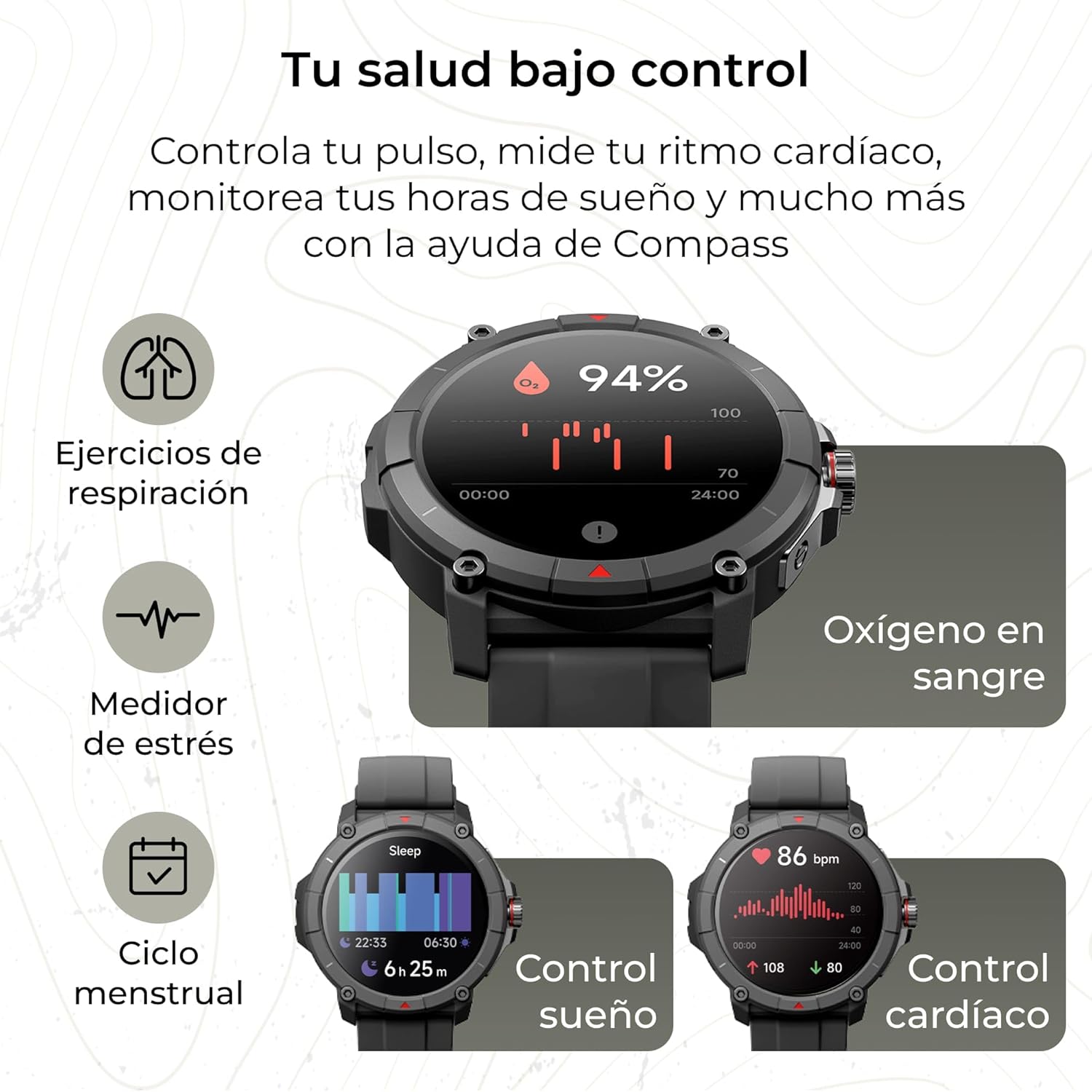
Image: The KSIX Compass Smartwatch displaying various health monitoring features. These include blood oxygen saturation (94%), heart rate control (86 bpm), sleep tracking (6h 25m), stress measurement, breathing exercises, and menstrual cycle tracking.
2.7 Fitur tambahan
- Senter: Access a quick flashlight function.
- Jauh Kaméra: Kontrol kaméra smartphone anjeun tina jarak jauh.
- Dial anu tiasa disaluyukeun: Choose from multiple watch faces to personalize your device.
3. Pangropéa
3.1 Ngabersihan Smartwatch Anjeun
Bersihkeun jam tangan pinter anjeun sacara rutin pikeun mastikeun kinerja sareng kabersihan anu optimal.
- Ngusap layar sareng awak nganggo lawon anu lemes sareng teu aya serat.
- Keur kokotor bandel, rada dampen lawon jeung cai.
- Hindarkeun ngagunakeun bahan kimia anu kasar atanapi bahan abrasive.
- Pastikeun kontak ngecas beresih jeung garing saméméh ngecas.
3.2 Tahan cai
The KSIX Compass Smartwatch is water-resistant up to 2 meters for 30 minutes, with an IP68 and 2ATM protection rating.
- Ieu cocog pikeun dianggo sapopoé, sapertos ngumbah leungeun, hujan, sareng ngojay di tempat anu déét.
- Avoid hot water, saunas, or high-pressure water jets.
- Ulah mencét tombol atanapi ngoperasikeun layar rampa di jero cai.
- Tegalan arloji sacara saksama saatos kakeunaan cai.

Gambar: Témbongkeun gambar kompositcasing various features of the KSIX Compass Smartwatch. Key elements include "100+ Sport Modes", "Integrated GPS", "2ATM Submersible" (with an image of the watch partially submerged in water), "7 Days Battery Life", "Hands-free Calling", "Customizable Dials", "Voice Assistants", and "24h Health Monitoring".
4. Cara ngungkulan
4.1 Masalah konektipitas
- Lalajo Disconnects Remen:
- Ensure the smartwatch is within Bluetooth range of your phone.
- Check if the VeryFit app is running in the background and has necessary permissions.
- Restart both your phone's Bluetooth and the smartwatch.
- If issues persist, try unpairing and re-pairing the device through the VeryFit app.
- Teu Bisa Dipasangkeun:
- Make sure the smartwatch is charged.
- Verify Bluetooth is enabled on your phone.
- Ensure no other devices are currently paired with the smartwatch.
- Restart your phone and the smartwatch, then try pairing again.
4.2 Akurasi GPS
- Bacaan GPS anu teu akurat:
- Pastikeun anjeun aya di daérah luar anu kabuka kalayan jelas view langit pikeun panarimaan sinyal GPS optimal.
- Wait for the "GPS connection successful" message before starting your activity.
- Sync the watch with the VeryFit app regularly to update GPS assistance data.
4.3 Optimasi Kahirupan Batré
- Ngurangan kacaangan layar.
- Pareuman terus ngawaskeun denyut jantung upami henteu diperyogikeun.
- Batasi jumlah bewara aplikasi.
- Turn off "Always-On Display" if available.
- Use power-saving modes if offered by the device.
5. Spésifikasi
| merek | KSIX smart your tech |
| Ngaran modél | Kompas |
| Nomer modél | BXSW18N |
| Warna | Hideung |
| Sistem operasi | Wear OS [UNCERTAIN] (Compatible with iOS 9.0+ and Android 6.0+) |
| Ukuran layar | 1.38 Inches (TFT-LCD Touchscreen) |
| Konektipitas | Wireless Bluetooth (BLE 5.3) |
| Fitur husus | Compass, GPS, Heart Rate Monitor, SpO2, Blood Pressure, Sleep Tracker, Pedometer, Voice Assistant, Call Functionality, Notifications, Flashlight, Camera Remote |
| Alat nu cocog | Smartphone, Tablet |
| Komposisi batré | Litium-ion |
| Kahirupan batré | Nepi ka 7 poé (pamakéan has) |
| Waktu Ngecas | Kira-kira. 2.5 jam |
| Tahan cai | 2ATM, IP68 (up to 2 meters for 30 minutes) |
6. Émbaran Kasalametan
Mangga perhatikeun tungtunan kaamanan di handap ieu:
- Ulah nyobian ngabongkar atawa ngaropéa alat.
- Jauhkeun alat tina suhu ekstrim sareng sinar panonpoé langsung.
- Hindarkeun alat ka tabrakan atanapi tetes anu kuat.
- Consult a medical professional before starting any new exercise regimen or if you have health concerns. The health monitoring features are for informational purposes and not for medical diagnosis.
- Buang alat sareng batréna sacara tanggung jawab nurutkeun peraturan lokal.


