Bubuka
This manual provides essential information for the installation, operation, and maintenance of your innr Smart Outdoor Spot Light Extension (Model: OSL 132 C spot). This product is designed to expand an existing innr Outdoor Spot Lights Colour (OSL 132 C) base set, allowing you to enhance your outdoor lighting setup with additional smart, color-changing spotlights. Please read this manual carefully before use to ensure proper functionality and safety.
Émbaran Kasalametan
- This product is an extension and requires an existing innr Outdoor Spot Lights Colour (OSL 132 C) base set with a Bridge for operation.
- Ensure all connections are secure and waterproof (IP67 rated) before exposing to outdoor elements.
- Operates on a safe low-voltage power supply. Do not connect directly to mains voltage.
- Do not attempt to open or modify the product. This will void the warranty and may cause damage or injury.
- Jauhkeun tina jangkauan barudak.
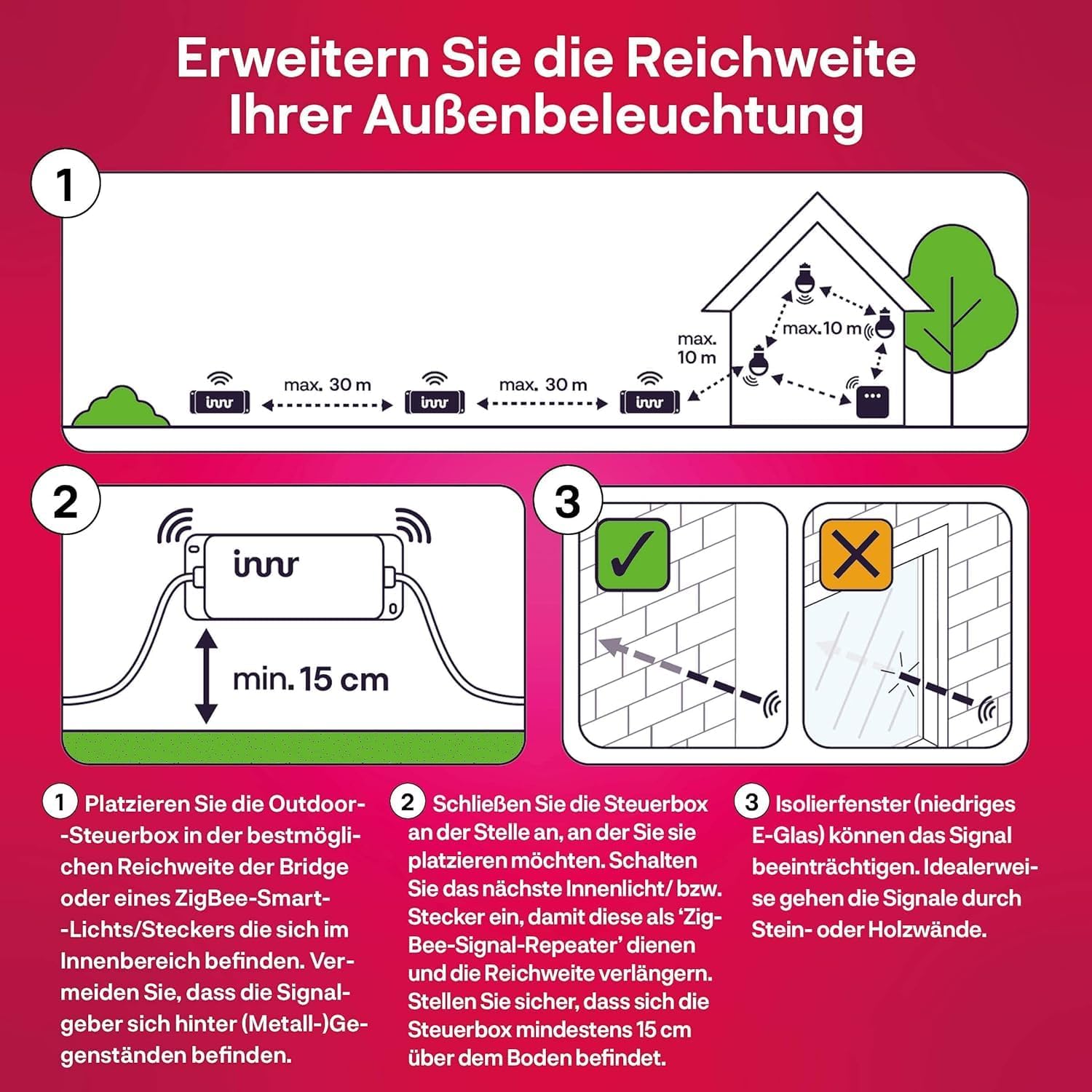
- Avoid placing the control box near metal objects as this can interfere with the signal. Maintain a minimum distance of 15 cm from the ground.
- Insulating windows (low-E glass) can impair the signal. Ideally, signals should pass through stone or wooden walls.
Eusi pakét
The innr Smart Outdoor Spot Light Extension package includes:
- Outdoor Spotlight (1 unit)
- 2m Extension Cable (1 unit)
- Ground Spike (for installation)
- Wall Mount Bracket (for installation)
Setup sareng Instalasi
This spotlight is designed as an extension unit. It must be connected to an existing innr Outdoor Spot Lights Colour (OSL 132 C) base set.
1. Positioning the Spotlight
You can install the spotlight in two ways:
- Using the Ground Spike: Attach the ground spike to the spotlight and firmly insert it into the soil in your garden.
- Pamasangan témbok: Use the provided wall mount bracket to secure the spotlight to a wall or fence.

2. Connecting the Extension
Connect the extension spotlight to your existing innr Outdoor Spot Lights Colour base set using the provided 2m extension cable. The connectors are designed for easy and secure, waterproof connection.

3. Extending Range and System Capacity
To extend the range of your outdoor lighting system, ensure proper placement of the Outdoor Control Box and other smart lights.
- Place the Outdoor Control Box within optimal range of your Bridge. Avoid placing signal-emitting lights/plugs behind metal objects.
- Sambungkeun kotak kontrol where you want to place the next light/plug. Turn on the next light/plug to act as a ZigBee signal repeater and extend the range. Ensure the control box is at least 15 cm above the ground.
- Note on Signal Interference: Insulating windows (low-E glass) can impair the signal. Ideally, signals should pass through stone or wooden walls.
The connection cable of your spotlight extension set can be extended with the optional innr Outdoor Extension Cable (OEC 120, 2m or OEC 150, 5m). This allows for optimal positioning of your spotlights and illumination of larger garden areas.

With the optionally available 48W power supply (OPS 142), it is possible to expand your system to up to 10 spotlights.
Operating the Smart Spotlight
Once connected to your innr base set and Bridge, your new spotlight extension can be controlled wirelessly using your preferred smart home app.
1. Smart Control via App
Use your favorite smart home app (e.g., innr app, Philips Hue app, SmartThings app) to control the spotlight. You can easily set scenes, automations, and dimming modes from your mobile phone.

With this smart garden lighting, you can choose from up to 16 million different LED light colors. Find the perfect color for every moment, whether you are enjoying a quiet summer evening on the terrace or hosting a garden party.
2. Kontrol sora
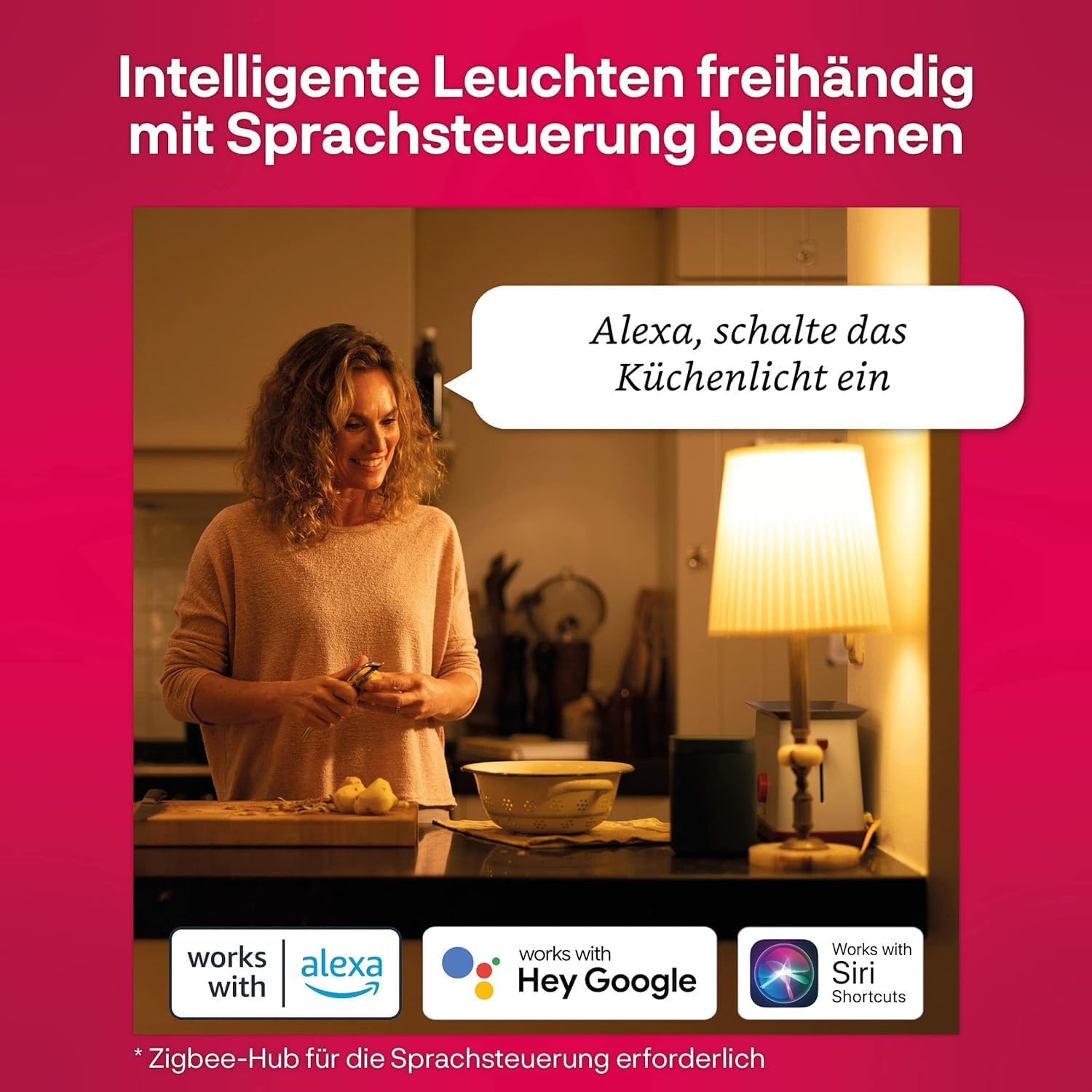
Voice control with Alexa, Google Assistant, or Siri Shortcuts is possible (requires a compatible Zigbee-Hub and Bridge). Simply use voice commands to turn the lights on/off, dim them, or change colors.

Pangropéa
The innr Smart Outdoor Spot Light Extension is designed for outdoor use and is IP67 waterproof.
- beberesih: Clean the spotlight and cables periodically with a soft, damp lawon. Ulah make cleaners abrasive atawa pangleyur.
- Pamariksaan: Regularly inspect cables and connections for any signs of damage or wear. Ensure all waterproof seals are intact.
- Panyimpenan: If storing the lights for an extended period, ensure they are clean and dry. Store in a cool, dry place.
Pamérésan masalah
If you encounter issues with your innr Smart Outdoor Spot Light Extension, refer to the following common problems and solutions:
| Masalah | Mungkin Cukang lantaranana | Solusi |
|---|---|---|
| Spotlight not turning on. | Not properly connected to the base set; power supply issue; not paired with Bridge. | Check all cable connections. Ensure the base set's power supply is working. Re-pair the spotlight with your Zigbee Bridge via the app. |
| Connection to Hub/Bridge is lost intermittently. | Interference from metal objects; too far from Bridge or other signal repeaters; corroded connectors. | Ensure the Outdoor Control Box is at least 15 cm above ground and not near large metal objects. Consider adding more innr smart lights/plugs to act as signal repeaters to extend range. Check connectors for corrosion and ensure they are clean and dry. |
| Screws or metal parts are rusting. | Exposure to harsh weather conditions over time. | While the product is designed for outdoor use, some metal components may show signs of wear over time. Regular cleaning and inspection can help. Consider applying a rust-inhibiting coating if necessary. |
| Cannot change colors or dim. | Not properly paired; app issue. | Ensure the spotlight is correctly paired and recognized by your smart home app. Try restarting the app or the Bridge. |
spésifikasi
| Fitur | Rincian |
|---|---|
| Nomer modél | OSL 132 C spot |
| Dimensi produk | 6 x 8 x 8 cm |
| Beurat produk | 170 gram |
| Aplikasi husus | Garden, Path, Fence |
| Komposisi Bahan | palastik |
| Tipe rengse | Dilapis bubuk |
| Sertifikasi | CE |
| Majelis Diperlukeun | Sumuhun |
| Jumlah Potongan | 1 |
| Batré Diperlukeun | No |
| Warna | Hideung |
| Light Source Form | Sorotan |
| Kelas Énergi Énergi | G (Patalina EPREL) |

Garansi sareng Rojongan
Produk ieu hadir kalawan a 2-taun jaminan produsén urang. Punten tahan bukti pameseran anjeun pikeun klaim garansi.
For further support, frequently asked questions, or to explore other innr smart lighting products, please visit the official innr brand store: innr Brand Store on Amazon.


