
Cuifati H310 LGA 1151 Micro ATX DDR4 Motherboard
Cuifati H310 LGA 1151 Micro ATX DDR4 Motherboard Instruction Manual
Model: Cuifati H310 LGA 1151 Micro ATX DDR4 Motherboard
Brand: Cuifati
1. Bubuka
This manual provides comprehensive instructions for the Cuifati H310 LGA 1151 Micro ATX DDR4 Motherboard, covering installation, operation, maintenance, troubleshooting, and detailed technical specifications. Please read this manual thoroughly before installing or operating your motherboard to ensure proper functionality and longevity.
Fitur konci:
- Wide CPU Compatibility: Supports 8th and 9th generation Intel Core CPUs (LGA 1151 socket).
- Dual Channel DDR4 Memory: Features two DDR4 DIMM slots, supporting up to 32GB total memory at speeds of 1066, 1333, and 1600MHz.
- Catu daya stabil: Equipped with a three-phase power supply and all solid-state capacitors for reliable power delivery to motherboard components.
- High-Speed Chipset: Utilizes the Intel H310 chipset for stable and efficient performance across various computing tasks.
- Grafik Terpadu: Includes an integrated graphics processor with DVI, HDMI, and VGA display ports for multi-monitor setups.

Gambar 1: Top-handap view of the Cuifati H310 LGA 1151 Micro ATX DDR4 Motherboard.
2. Setup jeung Instalasi
Follow these steps carefully to install your Cuifati H310 motherboard and its components.
2.1 Tata Letak Motherboard

Figure 2: Detailed layout of the Cuifati H310 motherboard with key components labeled, including power connectors, memory slots, PCIe slots, and I/O interfaces.
2.2 Pamasangan CPU
- Tangtukeun lokasi stop kontak LGA 1151 CPU dina motherboard nu.
- Gently nyorong ka handap uas beban sarta narik eta jauh ti stop kontak pikeun muka pigura ingetan CPU.
- Align the triangular mark on your Intel LGA 1151 CPU with the corresponding mark on the socket. Carefully place the CPU into the socket without forcing it.
- Tutupkeun pigura panahan teras pencét tuas beban deui kana posisi anu dikonci.
- Pasang cooler CPU anjeun nurutkeun parentah produsén na.

angka 3: Tutup-up view of the LGA 1151 CPU socket on the motherboard, ready for CPU installation.
2.3 Mémori (RAM) Pamasangan
- Manggihan dua liang DIMM DDR4.
- Buka klip dina kadua tungtung slot mémori.
- Align kiyeu dina modul memori DDR4 jeung konci dina slot DIMM.
- Selapkeun modul memori pageuh kana slot nepi ka jepitan snap kana tempat. Pastikeun duanana klip ditutup pinuh.

Figure 4: Illustration highlighting the DDR4 memory slots, supporting dual-channel architecture.
2.4 Storage Device Installation (SATA)
- Locate the four SATA 3.0 (6Gb/s) ports on the motherboard.
- Sambungkeun hiji tungtung kabel data SATA ka port Kang Tata dina motherboard nu.
- Sambungkeun tungtung séjén kabel data SATA ka hard drive SATA Anjeun atawa SSD.
- Sambungkeun kabel daya SATA tina unit catu daya (PSU) anjeun ka alat panyimpenan.
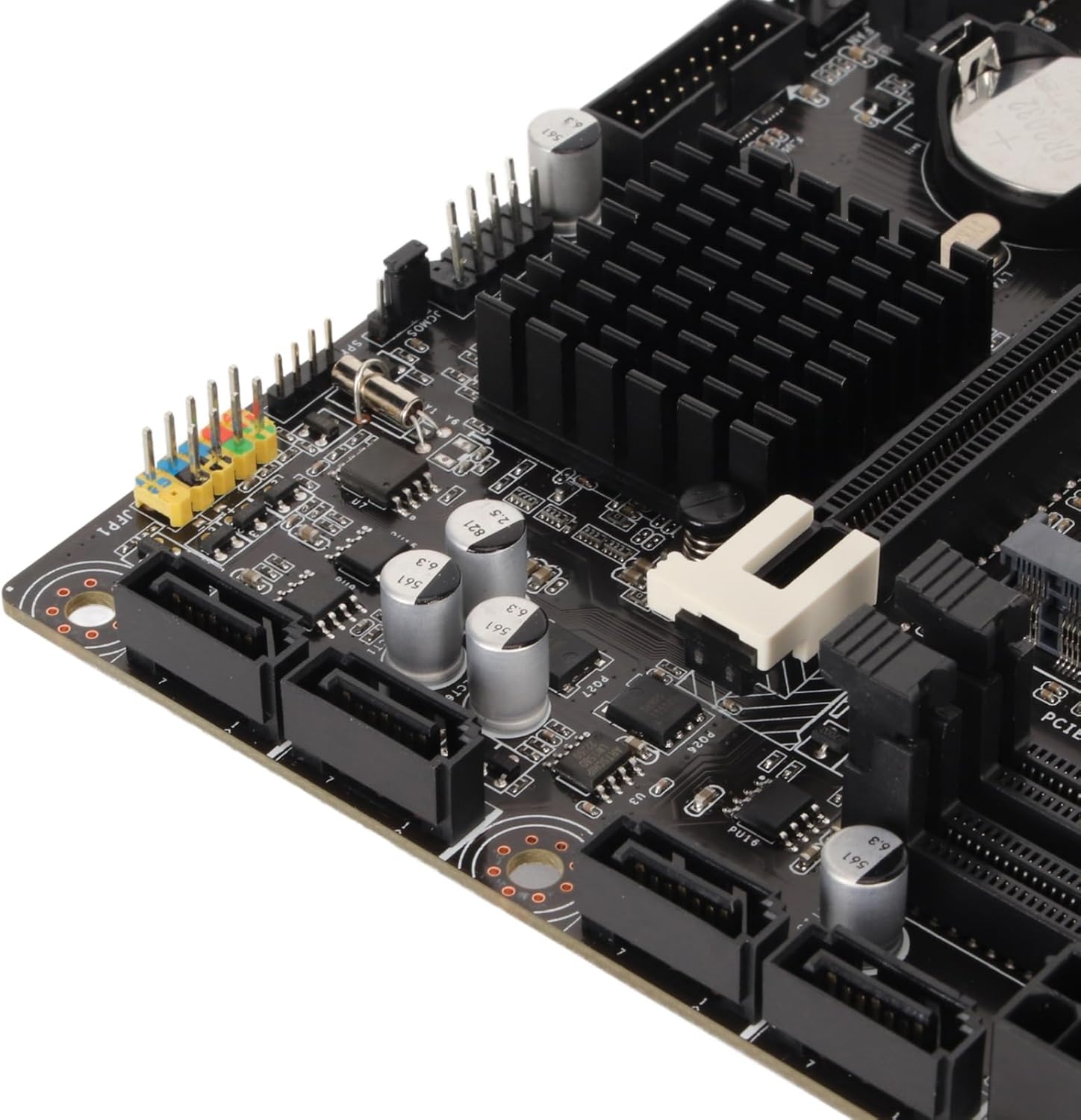
angka 5: Tutup-up view of the four SATA 3.0 ports on the motherboard, used for connecting storage devices.
2.5 Pamasangan Kartu Grafika (PCIe).
- Locate the PCIe x16 slot (the longest PCIe slot).
- Leupaskeun panutup slot ékspansi pakait tina hal PC Anjeun.
- Align your graphics card with the PCIe x16 slot and press down firmly until it is securely seated and the retention clip locks.
- Secure the graphics card to the PC case with a screw.
- Connect any necessary PCIe power cables from your PSU to the graphics card.
2.6 Nyambungkeun Daya
- Sambungkeun konektor kakuatan utama 24-pin ATX ti PSU anjeun ka motherboard nu.
- Connect the 8-pin ATX 12V power connector from your PSU to the motherboard.
2.7 I/O Shield Installation
Before mounting the motherboard into your PC case, ensure you install the I/O shield into the case's rear opening. This protects the rear ports and prevents dust ingress.

Figure 6: Rear I/O panel of the Cuifati H310 motherboard, showing various ports including USB, LAN, and audio jacks.
3. Parentah Operasi
3.1 Mimiti boot jeung BIOS Setup
- Saatos assembling PC Anjeun, sambungkeun monitor, keyboard, jeung mouse.
- Power on your system. During startup, repeatedly press the DEL key (or as indicated on screen) to enter the BIOS/UEFI setup.
- In the BIOS, configure settings such as boot order, date/time, and enable XMP for your RAM if applicable. Save changes and exit.
- Pasang sistem operasi anjeun (contona, Windows 10) tina drive USB atanapi DVD anu tiasa di-boot.
3.2 Pamasangan Supir
After installing your operating system, install the necessary drivers for your motherboard components. These typically include chipset drivers, audio drivers, LAN drivers, and integrated graphics drivers. Drivers can usually be found on the Cuifati support website or on an included driver CD/USB drive.
3.3 Integrated Graphics Output
The motherboard supports multiple display outputs (DVI, HDMI, VGA). You can connect up to three monitors simultaneously using these ports, provided your CPU has integrated graphics capabilities.

angka 7: Tutup-up view of the DVI, HDMI, and USB ports on the rear I/O panel.
4. Pangropéa
- Tetep beresih: Regularly clean your PC case and motherboard to prevent dust buildup, which can lead to overheating and component failure. Use compressed air to gently remove dust.
- Pembaruan BIOS: Periodically check the Cuifati website for BIOS updates. BIOS updates can improve system stability, compatibility, and performance. Follow the update instructions carefully.
- Pembaruan supir: Tetep supir anjeun diropéa pikeun mastikeun kinerja optimal sarta kasaluyuan jeung software anyar jeung hardware.
5. Cara ngungkulan
Upami anjeun mendakan masalah sareng motherboard anjeun, pertimbangkeun léngkah-léngkah ngungkulan umum ieu:
- Henteu Kakuatan / Henteu Boot:
- Pastikeun sadaya kabel kakuatan (24-pin ATX, 8-pin ATX 12V) disambungkeun aman.
- Verify your PSU is switched on and functioning correctly.
- Check front panel connections (power button, reset button).
- Henteu aya tampilan:
- Confirm your monitor is connected to the correct graphics output (integrated or dedicated GPU).
- Reseat your graphics card and RAM modules.
- If using a dedicated GPU, ensure it is properly powered.
- Instabilitas Sistem / Kacilakaan:
- Pariksa suhu CPU sareng GPU.
- Pastikeun modul RAM dipasang kalayan leres sareng cocog.
- Apdet mios jeung drivers.
- BIOS Q-Flash Plus Button: The motherboard features a BIOS Q-Flash Plus button on the rear I/O panel, allowing you to update the BIOS without a CPU, RAM, or graphics card installed. Refer to the manufacturer's websitus pikeun parentah lengkep dina ngagunakeun fitur ieu.
6. Spésifikasi
| Fitur | Rincian |
|---|---|
| merek | Cuifati |
| CPU Socket | LGA 1151 |
| Prosesor cocog | Intel Core i3/i5/i7/i9 8th/9th Gen |
| Tipe Chipset | Intel H310 |
| Téhnologi Mémori RAM | DDR4 |
| Mémori Jam Speed | 1600 MHz (Supports 1066, 1333, 1600MHz) |
| Kamampuh RAM Max | Up to 32GB (2 x 16GB DIMM slots) |
| Alat nu cocog | Komputer Pribadi |
| Platform | Windows 10 |
| Panyimpenan Interfaces | 4 x SATA 3.0 (6Gb/s) ports |
| Kaluaran tampilan | DVI, HDMI, VGA |
| Port USB (Patukangan) | 4 x USB 2.0, 2 x USB 3.2 Gen 1, 1 x USB 3.2 Gen 2, 1 x USB 3.2 Gen 1 Type-C |
| LAN | 1 x Gigabit Ethernet |
| Audio | Integrated High Definition Audio |
| Item Beurat | 1.13 pon |
| Ukuran Paket | 10.24 x 7.87 x 1.97 inci |
| Nomer modél | Cuifati0ohk6rbtdm |
7. Garansi jeung Rojongan
For warranty information, technical support, and the latest driver/BIOS downloads, please visit the official Cuifati websitus. Simpen resi pameseran anjeun pikeun klaim jaminan.
For additional product information and visual guides, please refer to the product overview pidéo di handap ieu:
Pidéo 1: Produk Resmi parantos réngséview for the Cuifati H310 Motherboard. This video provides a visual guide to the motherboard's features and components.
Ask a question about this manual
Ask about setup, troubleshooting, compatibility, parts, safety, or missing instructions. Manuals+ will review the question and use this page’s manual context to help answer it.