Bubuka
The Jebao Smart Marine LED Light (Model AL-90) is an advanced lighting system designed for reef aquariums and fish tanks. It utilizes proprietary technology to offer a wide range of color spectrums without compromising efficiency. This light can be controlled remotely via the cloud-based Syna-G App, providing comprehensive control over color profiles, intensities, lighting schedules, and automated lunar cycles.
fitur konci ngawengku:
- Syna-G Cloud Smart Control App, AP, and Manual control options.
- High efficiency (95-100%) across all color profiles.
- Acclimation schedule feature to help corals adapt to lighting changes.
- Adjustable stand for flexible mounting.
- Passive cooling for quiet operation.
Émbaran Kasalametan
Please read all safety instructions carefully before operating the Jebao Smart Marine LED Light. Failure to follow these instructions may result in electric shock, fire, or serious injury.
- Pamakéan jero rohangan wungkul: This product is designed for indoor use in a dry environment. It is not waterproof.
- Sumber Daya: Paké ngan adaptor kakuatan disadiakeun. Pastikeun voltage cocog catu daya lokal Anjeun.
- Kontak cai: Do not immerse the light fixture or power adapter in water. If the light falls into water, unplug it immediately before attempting to retrieve it.
- Ventilasi: Ensure adequate ventilation around the light fixture to prevent overheating. Do not block cooling vents.
- Barudak jeung Pets: Jauhkeun alat tina jangkauan barudak sareng piaraan.
- Pangropéa: Pegatkeun sambungan kakuatan sateuacan ngalakukeun pangropéa atanapi beberesih.
Naon dina Box
Carefully unpack all components and verify that all items are present and undamaged.
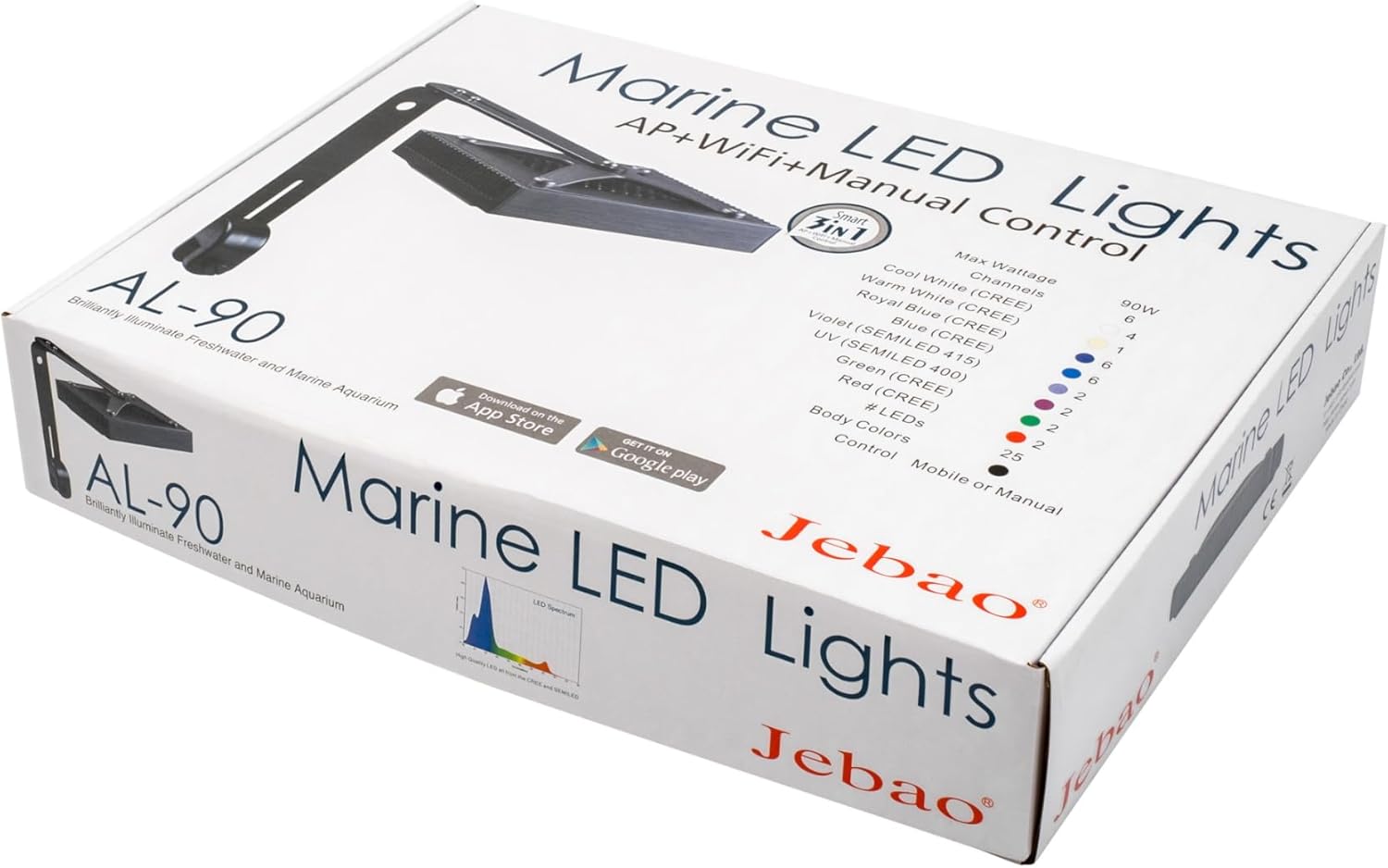
Image: All components included with the Jebao Smart Marine LED Light. This includes the main light unit, power supply, power cord, mounting bracket, and various screws for assembly.
- Jebao Smart Marine LED Light Fixture (AL-90)
- Adaptor kakuatan
- Mounting Arm and Bracket
- Sekrup sareng Hardware Pemasangan
- Manual pangguna (dokumén ieu)
Disetél
1. Assembling the Mounting Arm
- Attach the main light fixture to the mounting arm using the provided screws. Ensure a secure fit.
- Connect the L-shaped bracket to the mounting arm. This bracket will secure the light to your aquarium.
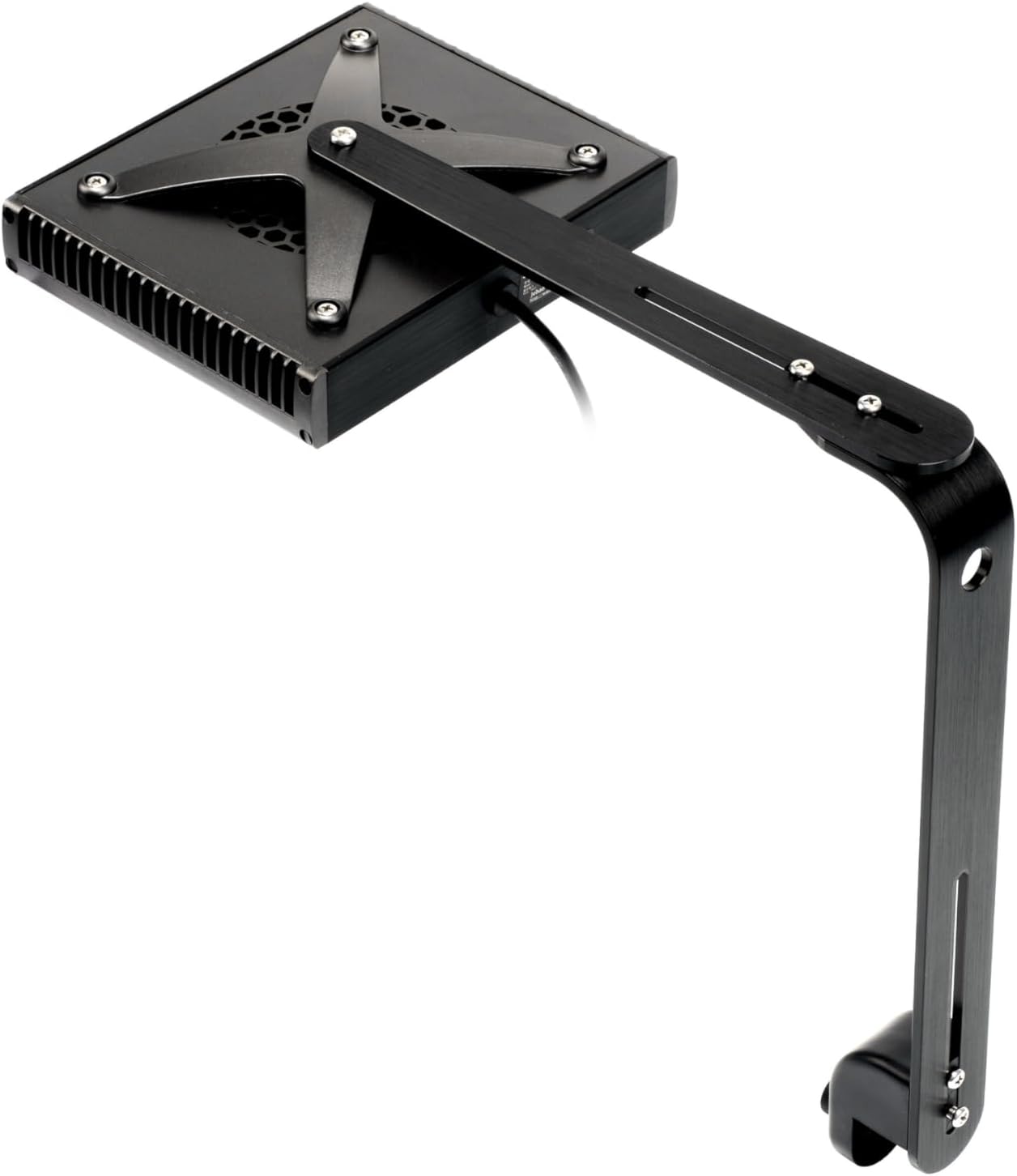
Gambar: luhur-handap view of the Jebao AL-90 light fixture with the mounting arm attached, showing the screw points.
2. Mounting the Light to Your Aquarium
- Position the L-shaped bracket on the rim of your aquarium.
- Kencengkeun konci anu tiasa diaturamp screw on the bracket to firmly secure the light to the tank. Ensure the light is stable and level.
- Adjust the height and angle of the light using the adjustment points on the mounting arm to achieve optimal light coverage for your aquarium.

Gambar: Sisi view of the Jebao AL-90 light, demonstrating how the adjustable mounting arm allows for positioning over an aquarium.
3. Sambungan Daya
- Connect the power adapter to the light fixture's power input port.
- Colokkeun adaptor kakuatan kana stop kontak listrik anu cocog.
- The light should power on, indicated by a small LED indicator on the unit.

Image: Close-up of the Jebao AL-90 light showing the power cable connection point on the side of the unit.
Ngoperasikeun Lampu
1. Syna-G App Control (Recommended)
The Syna-G App provides the most comprehensive control over your Jebao Smart Marine LED Light. Download the app from the App Store (iOS) or Google Play Store (Android).

Gambar: Underside view of the Jebao AL-90 light, showcasing the various LED bulbs that produce different color spectrums.
- Setup Awal: Follow the in-app instructions to connect your light to your home Wi-Fi network. This typically involves putting the light into pairing mode and selecting its Wi-Fi signal from your device.
- Warna Profile & Intensity: Use the app to adjust the intensity of each LED channel (Cool White, Warm White, Royal Blue, Blue, Violet, UV, Green, Red) to create your desired color spectrum.
- Jadwal: Create custom lighting schedules throughout the day, simulating sunrise, daylight, sunset, and moonlight phases.
- Lunar Cycles: The app can simulate automated lunar cycles, providing natural light patterns for your aquarium inhabitants.
- Acclimation Schedule: Utilize the acclimation feature to gradually increase light intensity over time, helping new corals adapt to the lighting environment.
- Kontrol Grup: If you have multiple Jebao Smart Marine LED Lights, the app allows you to group and control them simultaneously.
2. Kontrol Manual
The light also supports basic manual control, typically through a button on the unit itself for simple on/off or preset mode cycling. Refer to the quick start guide included in the box for specific manual control functions.
Pangropéa
Regular maintenance ensures optimal performance and longevity of your Jebao Smart Marine LED Light.
- beberesih: Periodically wipe the light fixture and LED lenses with a soft, damp cloth to remove salt creep, dust, or water spots. Salawasna cabut lampu sateuacan beberesih. Ulah make cleaners abrasive atawa pangleyur.
- Sistim cooling: The light uses passive cooling. Ensure that the heat sink fins on the fixture are free from obstructions to allow for efficient heat dissipation.
- Pamariksaan kabel: Regularly inspect the power cord and adapter for any signs of damage. If damaged, discontinue use and contact customer support.
Pamérésan masalah
If you encounter issues with your Jebao Smart Marine LED Light, try the following troubleshooting steps:
| Masalah | Mungkin Cukang lantaranana | Solusi |
|---|---|---|
| Lampu henteu hurung. | No power, faulty connection, or power adapter issue. |
|
| Cannot connect to Wi-Fi / App control issues. | Incorrect Wi-Fi password, out of range, app glitch, or network interference. |
|
| Lampu kedip-kedip atanapi redup teu disangka-sangka. | Unstable power supply, overheating, or internal component issue. |
|
spésifikasi
| Fitur | Rincian |
|---|---|
| Modél | AL-90 |
| Max Watts | 90 Watt |
| Saluran | 6 |
| LED Composition |
|
| Warna awak | Hideung |
| Kontrol | WI-FI + AP + Manual |
| Dimensions (Main Light) | 7.5 x 6.25 x 1.5 inci (19.05 x 15.88 x 3.81 cm) |
| Bahan | Plastic, Aluminum (Base) |
| Téhnologi konektipitas | Wifi |
| Tipe Pamasangan | Nangtung Gunung |
| Efisiensi | 90-100% (across color profiles) |
Garansi sareng Rojongan
For warranty information and technical support, please refer to the warranty card included with your product or visit the official Jebao websitus. Simpen resi pameseran anjeun salaku bukti pameseran.
Optional protection plans may be available for extended coverage. Please check with your retailer for details on 3-Year or 4-Year Protection Plans.
If you experience any issues not covered in this manual, please contact Jebao customer service for assistance.


