Produk Leuwihview
The CHUWI GemiBook Plus is a 15.6-inch business laptop designed for efficient daily computing. It features an Intel N100 CPU, 8GB of LPDDR5 RAM, and a 256GB SSD, running on Windows 11. This laptop is built for portability and performance, suitable for both work and entertainment.

Gambar: Hareupeun view of the CHUWI GemiBook Plus laptop displaying the Windows 11 logo on its screen, highlighting its operating system.
Naon dina Box
- CHUWI GemiBook Plus Laptop
- 38Wh Li-ion Battery (integrated)
- Adaptor kakuatan
- Documentation (User Manual, Warranty Card)
Guide Setup
1. Ngecas Awal
Before first use, connect the power adapter to the laptop's charging port and a power outlet. Charge the laptop until the battery indicator shows a full charge. This ensures optimal battery performance.
2. Ngahurungkeun
Press the power button located on the keyboard to turn on the laptop. The power button is typically found in the top right corner of the keyboard area.

Gambar: luhur-handap view of the CHUWI GemiBook Plus laptop, showing the full keyboard layout and touchpad, indicating the power button location.
3. Setelan Windows 11
Follow the on-screen prompts to complete the Windows 11 initial setup. This includes selecting your region, language, connecting to a Wi-Fi network, and creating a user account. Ensure you have an active internet connection for this process.
Parentah Operasi
Kibor sareng Touchpad
The laptop features a full-sized keyboard and a responsive touchpad for navigation. The touchpad supports multi-touch gestures for enhanced control.

Image: A hand demonstrating the use of the touchpad on the CHUWI GemiBook Plus laptop, highlighting its multi-touch capabilities.
Nyambungkeun Periferal
Laptop ieu dilengkepan ku sababaraha port pikeun nyambungkeun alat éksternal:
- Port USB: Connect USB devices such as mice, keyboards, or external storage drives. The laptop has 1 USB 2.0 port.
- Port HDMI: Sambungkeun ka monitor éksternal atanapi TV pikeun tampilan anu langkung ageung.
- Jack audio: Sambungkeun headphone atanapi spéker éksternal.
Konéktipitas Wireless
The CHUWI GemiBook Plus supports Wi-Fi 6 (802.11ax) for high-speed internet access and Bluetooth 5.2 for connecting wireless accessories like headphones or speakers.
Webcam Privacy Switch
For enhanced privacy, the laptop includes a physical switch to block the webcam lens. Slide the switch to cover or uncover the camera as needed.
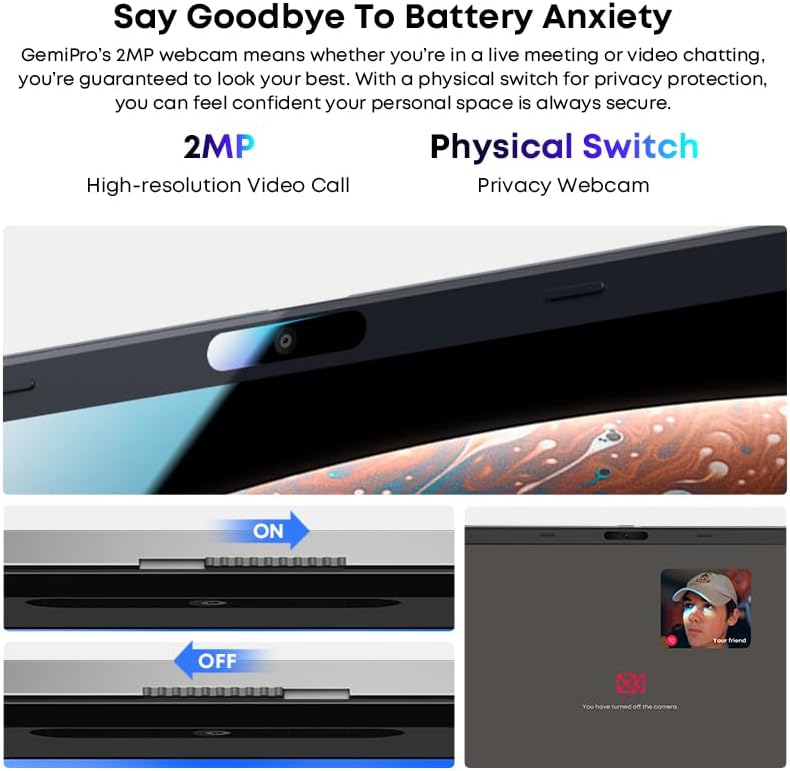
Gambar: Deukeut view of the laptop's webcam, illustrating the physical privacy switch in both open and closed positions.
Pangropéa
Ngabersihkeun Laptop
Use a soft, lint-free cloth to clean the screen and exterior surfaces. For stubborn marks, slightly dampen lawon kalayan cai atanapi solusi beberesih layar. Hindarkeun bahan kimia anu kasar atanapi bahan abrasive.
Perawatan batré
The laptop is equipped with a 38Wh Li-ion battery. To prolong battery life, avoid extreme temperatures and fully discharging the battery frequently. It takes approximately 3 hours for a full recharge.
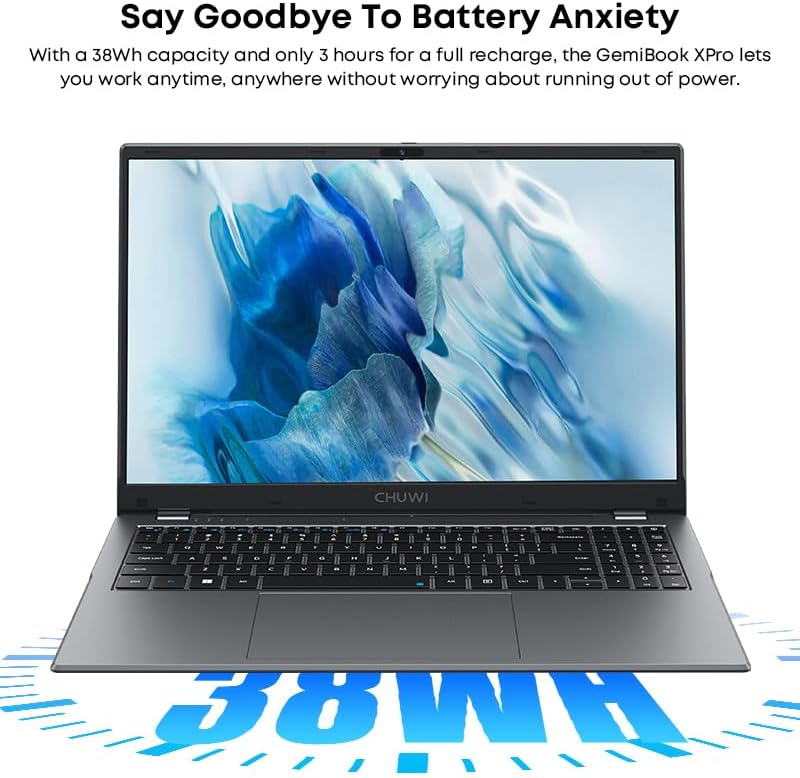
Image: The CHUWI GemiBook Plus laptop with an overlay indicating its 38Wh battery capacity, emphasizing its power endurance.
Software Apdet
Pariksa sareng pasang apdet Windows sareng apdet supir sacara rutin pikeun mastikeun kinerja sareng kaamanan anu optimal.
Pamérésan masalah
Laptop Teu Dihurungkeun
- Pastikeun adaptor kakuatan disambungkeun sacara aman ka laptop sareng stopkontak listrik anu tiasa dianggo.
- Pariksa naha stop kontak listrik berpungsi ku cara nyolokkeun alat sejen.
- Upami batréna tos lemes, peryogi sababaraha menit ngecas sateuacan laptop tiasa hurung.
Henteu aya sambungan Wi-Fi
- Pariksa yén Wi-Fi diaktipkeun dina setélan Windows.
- Balikan deui router Wi-Fi anjeun sareng laptop.
- Ensure you are within range of a Wi-Fi network and have entered the correct password.
Performance Lalaunan
- Tutup aplikasi anu teu perlu jalan di latar tukang.
- Pariksa sareng pasang apdet Windows anu ditangguhkeun.
- Run a disk cleanup and defragmentation (for HDD) or optimize drives (for SSD).
- Pastikeun rohangan kosong anu cekap dina SSD.
spésifikasi
| Fitur | Rincian |
|---|---|
| merek | CHUWI |
| Ngaran modél | GemiBook Plus |
| Ukuran layar | 15.6 inci |
| Resolusi layar | 1920 x 1080 piksel (FHD) |
| Prosesor | Intel N100 CPU (up to 3.4GHz) |
| Ram | 8 GB LPDDR5 |
| Hard Drive | 256 GB SSD (M.2 2280 SSD expansion up to 1TB supported) |
| Sistem operasi | Windows 11 |
| Kartu Grafis | Integrated Intel UHD Graphics for 12th Gen Intel Processors |
| Tipe Wireless | Wi-Fi 6 (802.11ax) |
| Bluetooth | Bluetooth 5.2 |
| Palabuhan | 1x USB 2.0, HDMI, Audio Jack |
| Item Beurat | 3.85 pon (1.74 kg) |
| Dimensi produk | 14.1 x 9.5 x 0.78 inci (35.8 x 24.1 x 1.98 cm) |
| Batré | Batré Li-ion 38Wh |
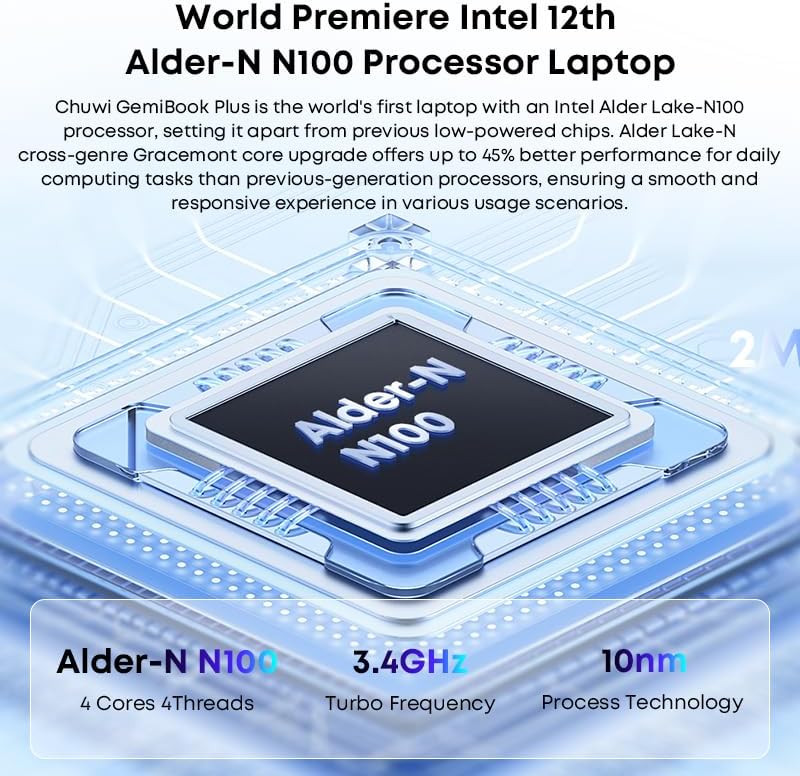
Image: Diagram illustrating the Intel Alder-N N100 processor with details on its 4 Cores 4 Threads, 3.4GHz Turbo Frequency, and 10nm Process Technology.
Garansi sareng Rojongan
Émbaran jaminan
The CHUWI GemiBook Plus laptop comes with a 1-Taun Garansi valid immediately after purchase. This warranty covers manufacturing defects and ensures product reliability.
Rojongan Palanggan
CHUWI offers lifetime factory professional support and 24 hours of online support to assist with any issues or questions you may have. For support, please refer to the contact information provided in your product documentation or visit the official CHUWI websitus.
Anjeun oge bisa nganjang ka CHUWI Store on Amazon pikeun inpo nu leuwih lengkep jeung sumber.


