Bubuka
This manual provides detailed instructions for the setup, operation, maintenance, and troubleshooting of your AGPTEK W1S 16GB MP3 Player. Please read this manual thoroughly before using the device to ensure proper functionality and to maximize your user experience.
Émbaran Kasalametan
- Entong ngalaan alat ka suhu anu ekstrim, sinar panonpoé langsung, atanapi kalembaban anu luhur.
- Hindarkeun ragrag atanapi ngagentoskeun alat kana tabrakan anu kuat.
- Ulah nyobian ngabongkar atawa ngalereskeun alat sorangan. Kontak rojongan customer pikeun pitulung.
- Paké ngan kabel ngecas disadiakeun jeung adaptor kakuatan cocog.
- Jauhkeun alat tina cai sareng cairan sanés.
Alat Langkungview
The AGPTEK W1S features a 3.5-inch high-resolution touchscreen and an intuitive interface for easy navigation.

Gambar: Hareup jeung tukang view of the AGPTEK W1S MP3 Player, showcasing its sleek design and physical buttons.
Fitur konci:
- Layar Toél HD 3.5 inci: Provides a clear display and responsive touch control.
- Sistem Operasi Android 8.1: Ensures faster and smoother operation.
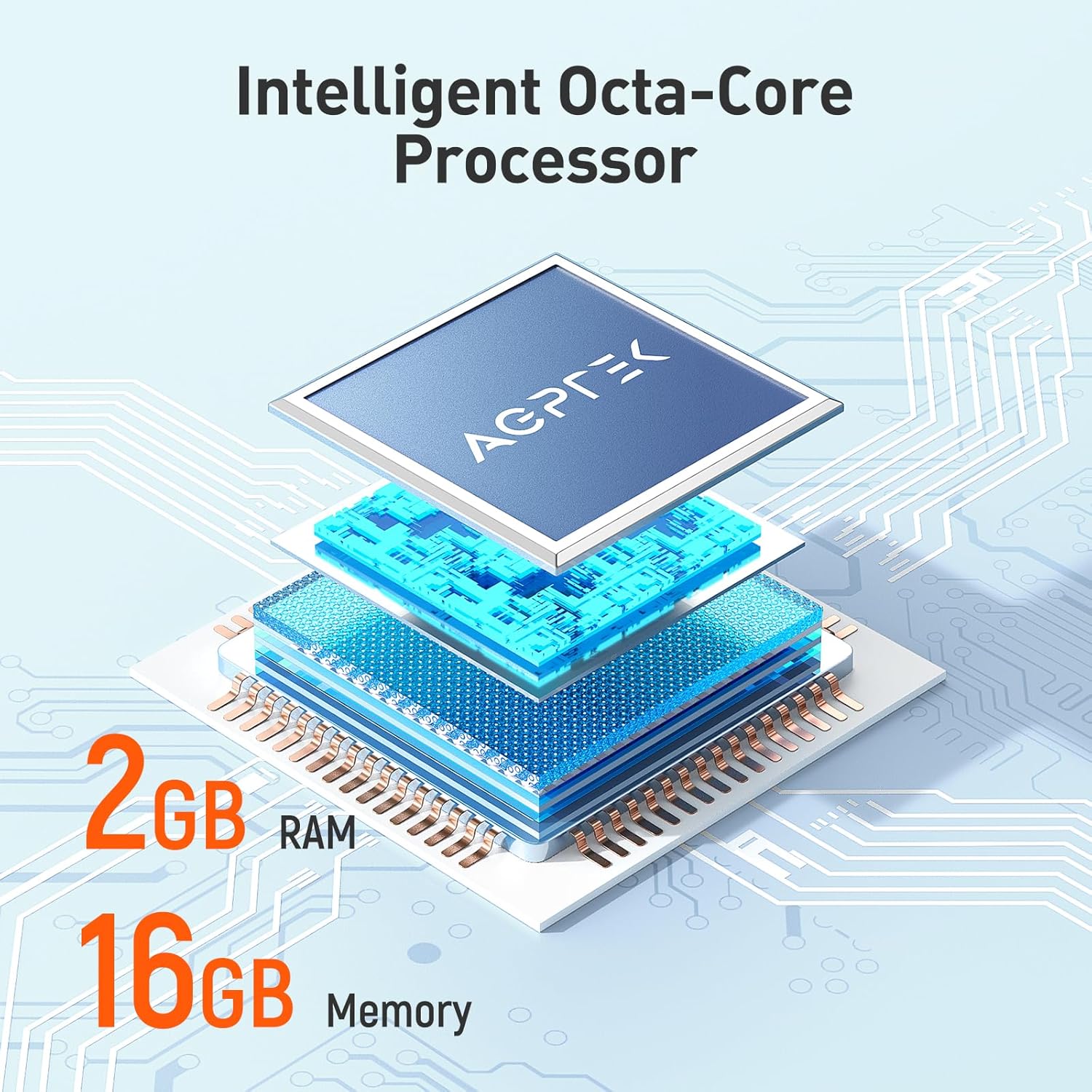
- 2GB RAM, 16GB ROM: Ample memory for system performance and internal storage.
- Panyimpenan anu tiasa dilegakeun: Ngarojong kartu microSD nepi ka 128GB.
- Bluetooth 4.0: For wireless audio connections.
- Konektipitas Wi-Fi: For online music streaming and browsing.
- Aplikasi anu tos dipasang: Includes Spotify, Deezer, Amazon Music, Audible, YouTube, Pandora, TikTok, Google Chrome, and more.
- Format audio: Supports MP3, WAV, WMA, OGG, APE, FLAC, ACC-LC, etc.
Disetél
1. Ngecas Alat
Before first use, fully charge your AGPTEK W1S MP3 player. Connect the device to a power source using the provided USB cable. A full charge typically takes 2 to 2.5 hours.

Gambar: The AGPTEK W1S MP3 Player connected to a laptop via USB-C for charging, displaying a 90% battery level and indicating a 2-2.5 hour charging time.
2. Daya Hurung / Pareum
- Pikeun Ngahurungkeun: Pencet jeung tahan kenop daya dugi layar hurung.
- Pikeun mareuman: Pencét jeung tahan tombol daya, teras pilih "Pareuman" tina pilihan dina layar.
3. Setup Awal
Upon first power-on, follow the on-screen prompts to select your language, connect to a Wi-Fi network, and set up basic preferences.
4. Installing a MicroSD Card (Optional)
The device supports microSD cards up to 128GB for expanded storage. Locate the microSD card slot on the side of the player. Gently insert the card until it clicks into place. To remove, push the card in slightly until it springs out.
5. Transferring Music and Files
- Sambungkeun pamuter MP3 ka komputer anjeun nganggo kabel USB.
- Alat éta bakal némbongan salaku drive panyimpenan anu tiasa dicabut.
- Drag and drop your music, video, or e-book files into the appropriate folders on the device or inserted microSD card.
- Cabut alat tina komputer anjeun kalayan aman sateuacan nyabut kabelna.
Parentah Operasi
1. Napigasi Dasar
The AGPTEK W1S features a responsive touchscreen. Swipe left/right to navigate between screens, tap icons to open applications, and use the physical buttons for volume control and power.
2. Puterkeun Musik
Access your music library through the pre-installed music player app. The device supports various audio formats including MP3, WAV, WMA, OGG, APE, FLAC, and ACC-LC.

Gambar: The AGPTEK W1S MP3 Player displaying a music playback screen with album art and controls, held by a person dancing in a group, illustrating high-fidelity lossless sound quality.
3. Konektipitas Bluetooth
Pikeun nyambung ka headphone atanapi speaker Bluetooth:
- Pindah ka Setélan > Bluetooth.
- Hurungkeun Bluetooth On.
- Pastikeun alat Bluetooth anjeun dina mode papasangan.
- Pilih alat Anjeun tina daptar alat nu sadia pikeun dipasangkeun.
Gambar: The AGPTEK W1S MP3 Player shown alongside a white Bluetooth speaker, black over-ear headphones, and white wireless earbuds, demonstrating its Bluetooth 4.0 connectivity for wireless audio enjoyment.
4. Wi-Fi and Pre-installed Applications
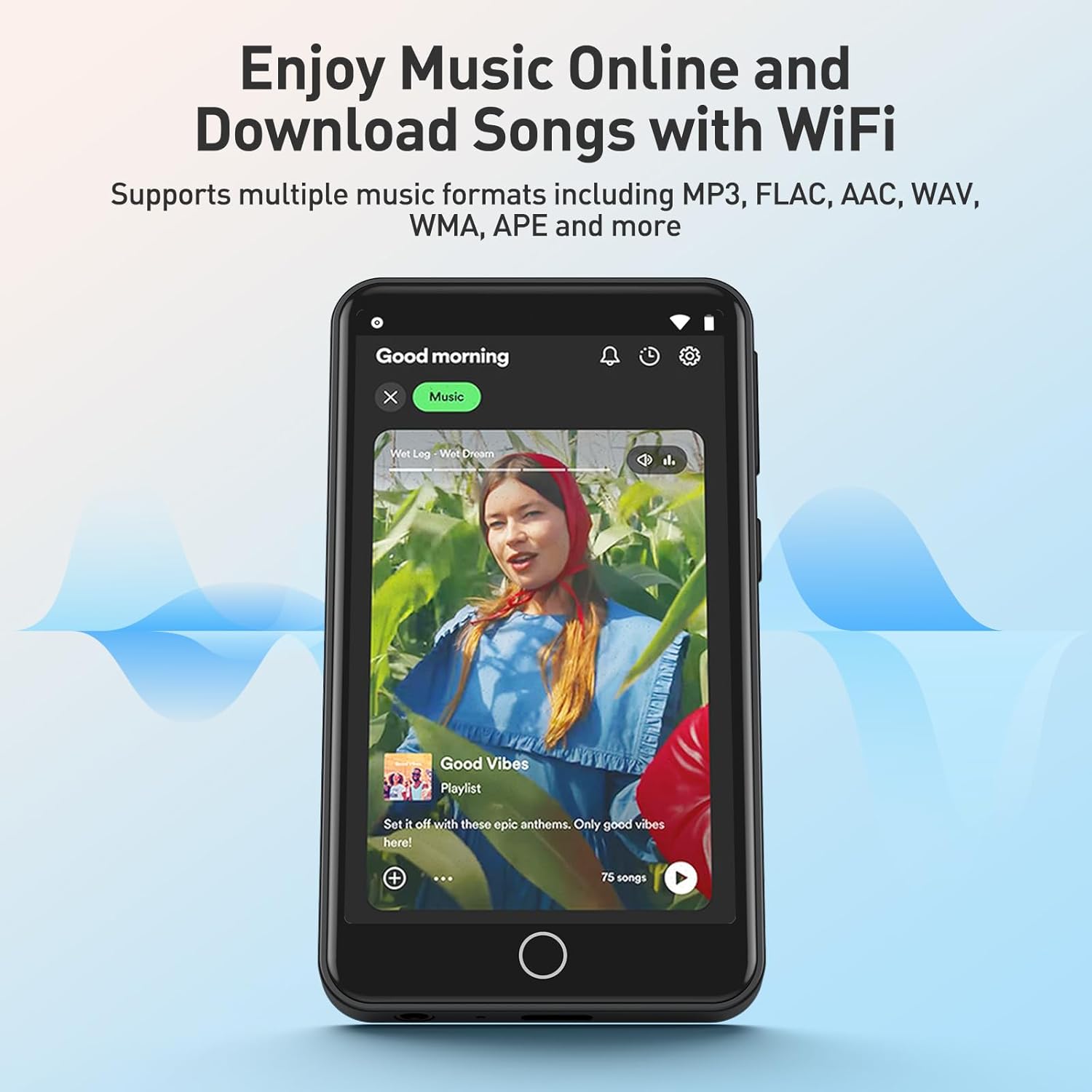
Connect to a Wi-Fi network via Setélan > Wifi to access online streaming services and browse the internet. The device comes with pre-installed apps like Spotify, Deezer, Amazon Music, Audible, YouTube, Pandora, TikTok, and Google Chrome.

Gambar: The AGPTEK W1S MP3 Player screen displaying icons for various pre-installed mainstream music and media applications such as Spotify, Pandora, Amazon Music, Deezer, Audible, YouTube, FM Radio, Sound Recorder, Gallery, and Google Chrome.
Catetan: Wi-Fi is primarily for browsing websites, listening to music, and watching videos online. It is not suitable for downloading and installing other applications beyond those pre-installed.
Gambar: The AGPTEK W1S MP3 Player screen showing a music streaming interface with album art and playback controls, demonstrating the ability to enjoy music online and download songs using Wi-Fi.
5. Audible and E-books
The pre-installed Audible app allows you to enjoy audiobooks. You can also transfer and read e-books on the device's 3.5-inch HD screen.
Gambar: The AGPTEK W1S MP3 Player's 3.5-inch HD screen displaying a high-definition video scene, emphasizing its capability to play video without lag.
Pangropéa
- beberesih: Anggo lawon anu lemes sareng garing pikeun ngabersihkeun alat. Hindarkeun pembersih cair.
- Apdet parangkat lunak: Pariksa sacara périodik apdet parangkat lunak dina setélan alat pikeun mastikeun kinerja anu optimal sareng aksés kana fitur-fitur anyar.
- Manajemén Panyimpenan: Atur rutin anjeun files to free up storage space. Delete unnecessary files or transfer them to a computer.
Pamérésan masalah
| Masalah | Solusi |
|---|---|
| Alat teu hurung. | Ensure the device is fully charged. If the battery is depleted, connect it to a charger for at least 15 minutes before attempting to power on again. |
| Teu bisa nyambung ka Wi-Fi. | Check if Wi-Fi is enabled in settings. Ensure you are within range of a known Wi-Fi network and have entered the correct password. Try restarting the device and your Wi-Fi router. |
| Alat Bluetooth teu dipasangkeun. | Ensure Bluetooth is enabled on both the player and the accessory. Place devices close to each other and ensure the accessory is in pairing mode. Try restarting both devices. |
| Kartu MicroSD teu dikenal. | Ensure the card is inserted correctly. Try reinserting it. Format the card on a computer if it's new or if issues persist (this will erase all data on the card). Ensure the card is not larger than 128GB. |
| Alatna lalaunan atanapi henteu ngaréspon. | Close unused applications. Clear cache if possible. Restart the device. If issues persist, consider a factory reset (backup your data first). |
spésifikasi
| Fitur | Rincian |
|---|---|
| merek | AGPTEK |
| Ngaran modél | W1S |
| Nomer modél | APMPW1SB-CA |
| Warna | Hideung |
| Ukuran layar | 3.5 inci |
| Sistem operasi | Android 8.1 |
| Ram | 2GB |
| Panyimpenan internal (ROM) | 16GB |
| Panyimpenan Expandable | Supports MicroSD up to 128GB |
| Konektipitas | Bluetooth 4.0, Wi-Fi |
| Jenis Batré | Litium-polimér |
| Compatible Audio Formats | MP3, WAV, WMA, OGG, APE, FLAC, ACC-LC |
| Alat nu cocog | Headphone |

Gambar: An exploded diagram illustrating the internal components of the AGPTEK W1S, highlighting the intelligent octa-core processor, 2GB RAM, and 16GB internal memory for fast and smooth performance.
Garansi sareng Rojongan
AGPTEK is committed to providing reliable products and excellent customer service.
- Garansi: 2-Taun Garansi
- Bantuan Téknis: Rojongan Téknis hirupna
- Palayanan Online: 24/7 Rojongan Online
For further assistance, please refer to the official AGPTEK websitus atanapi ngahubungan rojongan customer maranéhanana langsung.

Gambar: An infographic detailing AGPTEK's customer service offerings, including a 2-year warranty, lifetime technical assistance, and 24/7 online service.


