
1. Bubuka
This manual provides essential instructions for the safe operation and maintenance of your Cuifati S99 4K Camera Drone. Please read this manual thoroughly before operating the drone to ensure proper usage and to prevent damage or injury. Keep this manual for future reference.
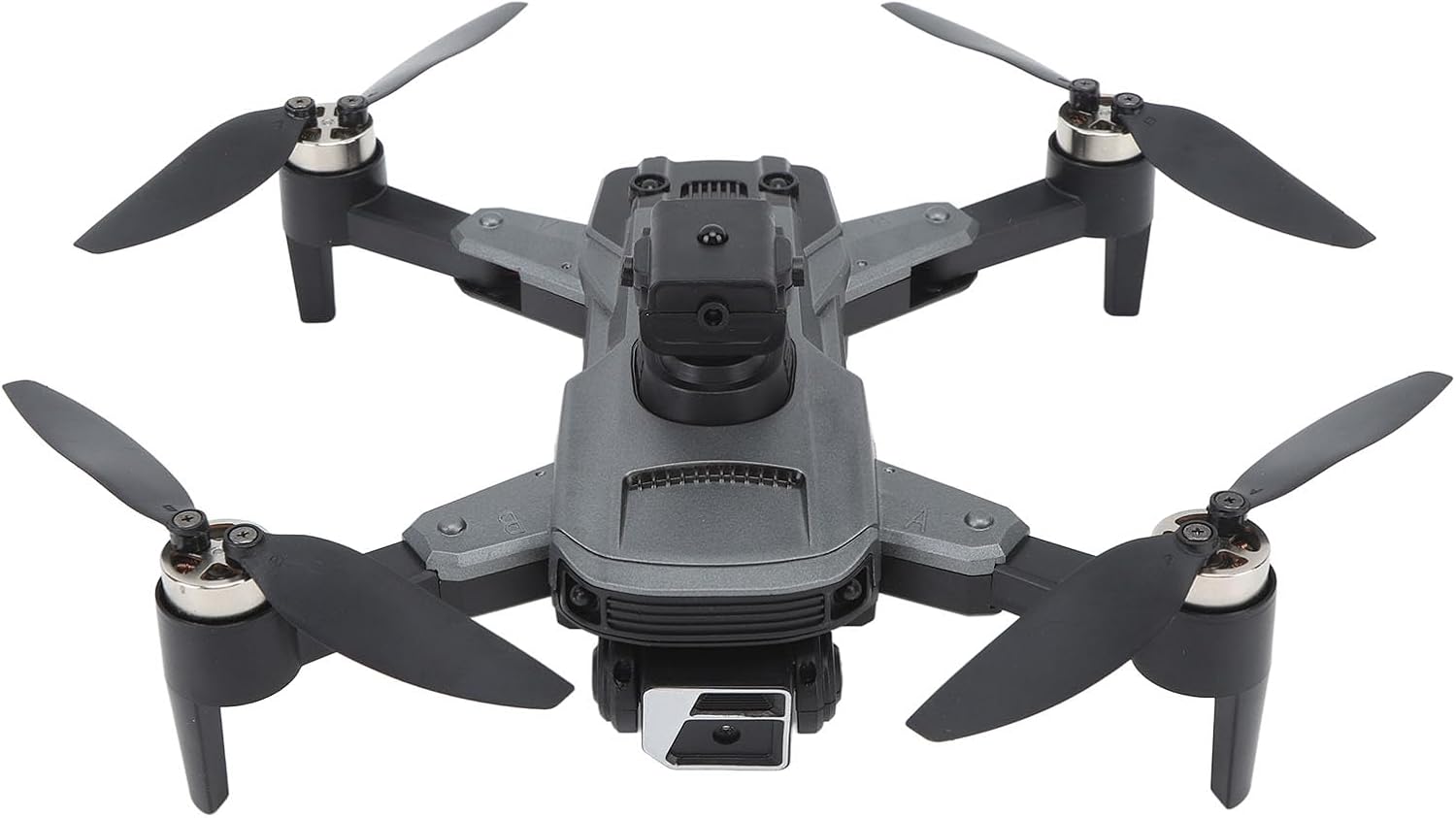
Image 1.1: The Cuifati S99 4K Camera Drone, showcasing its four propellers and central body with camera.
2. Émbaran Kasalametan
Operating a drone requires attention to safety. Adhere to the following guidelines:
- Pariksa Pra-Hiber: Always inspect the drone, propellers, and battery before each flight.
- Kaayaan Lingkungan: Avoid flying in strong winds, rain, or snow. Maintain clear line of sight.
- Kasalametan batré: Use only approved batteries and chargers. Do not overcharge or puncture batteries.
- Ngahindarkeun halangan: Utilize the drone's obstacle avoidance features, but always remain vigilant of surroundings.
- Saran umur: Produk ieu disarankeun pikeun pangguna anu umurna 14 taun ka luhur.
- Hormat Privasi: Be mindful of privacy laws when using the camera feature.
3. Eusi Paket
Pastikeun yén sadaya item aya dina bungkusan:
- Cuifati S99 Drone
- Kadali jauh
- Batré Rechargeable
- Kabel Ngecas USB
- Baling-balik cadang
- Obeng
- Manual pamaké

Image 3.1: Visual representation of the drone, remote control, battery, and accessories included in the package.
4. Setélan
4.1. Pamasangan Batré sareng Ngecas
- Pastikeun drone dipareuman.
- Manggihan kompartemen batré dina drone nu.
- Insert the modular battery firmly until it clicks into place.
- To charge, remove the battery and connect it to the USB charging cable. Connect the cable to a suitable USB power source. The charging indicator will show the charging status.

Image 4.1: Illustration of the modular battery being inserted into the drone, highlighting its easy installation and removal.
4.2. Pamasangan Baling-Baling
If propellers are not pre-installed or need replacement, attach them according to the markings (A and B) on the propellers and motor arms. Use the provided screwdriver to secure them.
4.3. Jauh Control Setup
- Install required batteries (not specified in product data, assume standard AA/AAA) into the remote control.
- Extend the phone holder on the remote control to mount your smartphone.
4.4. Pamasangan Aplikasi
Download the official Cuifati drone application from your smartphone's app store (iOS or Android). This app is essential for accessing advanced features and real-time viewing.
5. Parentah Operasi
5.1. Power On sareng Pasangan
- Tempatkeun drone dina permukaan anu rata, rata.
- Power on the drone, then power on the remote control.
- The drone and remote control will automatically pair. Refer to the remote control's indicator lights for pairing status.
- Open the drone app on your smartphone and connect to the drone's Wi-Fi network for real-time viewing and advanced controls.
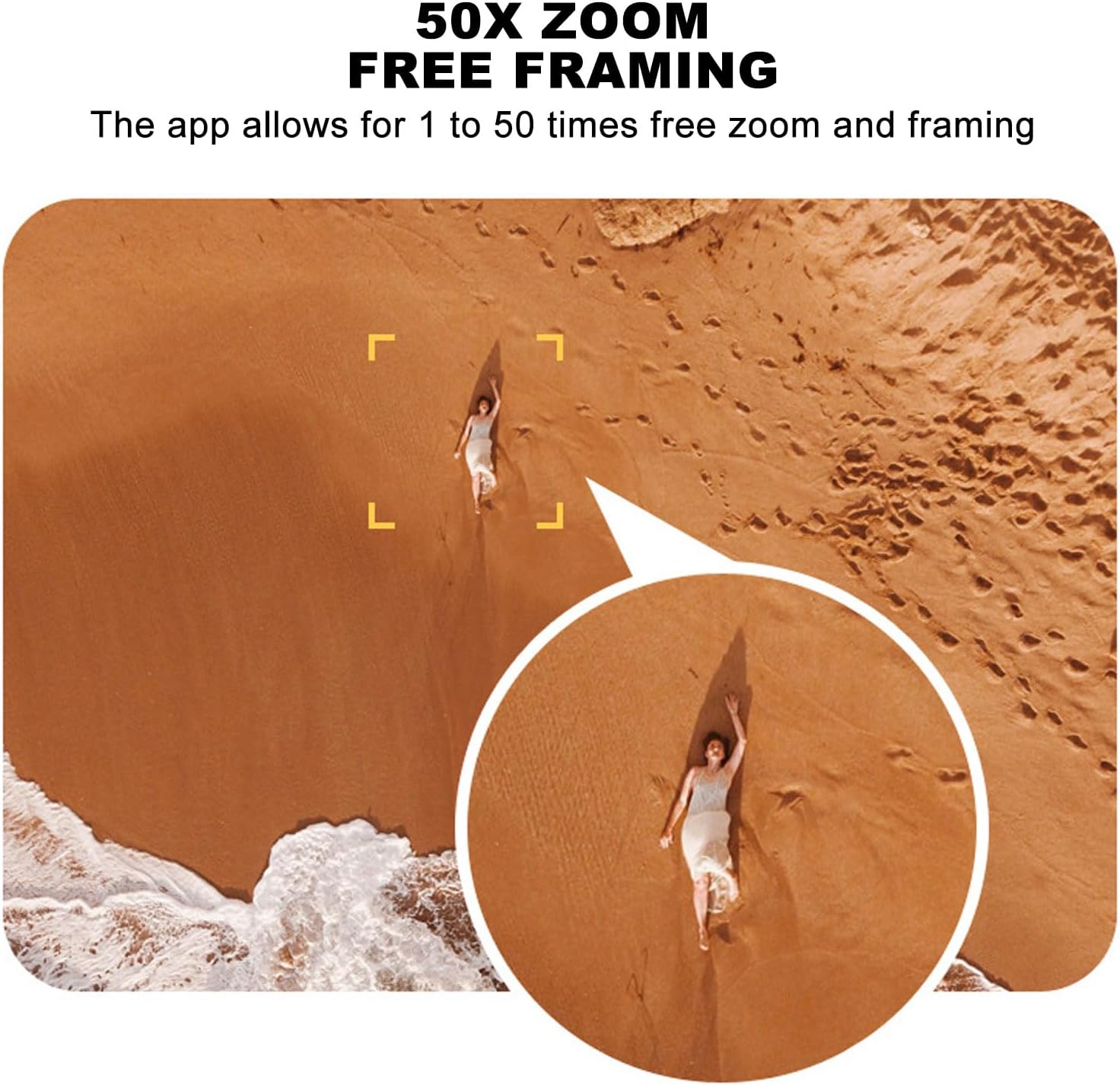
Image 5.1: A smartphone mounted on the remote control displaying real-time video feed from the drone's camera.
5.2. Takeoff jeung badarat
- Takeoff Hiji-Konci: Press the designated one-key takeoff button on the remote control or in the app. The drone will automatically ascend to a safe hovering altitude.
- Landing Hiji-Konci: Press the designated one-key landing button. The drone will automatically descend and land.
5.3. Kadali hiber
- Kadali jauh: Use the joysticks on the remote control for directional flight (forward, backward, left, right, ascend, descend, rotate).
- Induksi Gravitasi: In the app, activate gravity induction mode to control flight by tilting your smartphone.
- Optical Visual Hovering: The S99 drone features optical visual hovering, allowing it to maintain a stable position without constant throttle input.
- 360-Degree Roll: Execute aerial stunts with a single button press for a 360-degree roll.
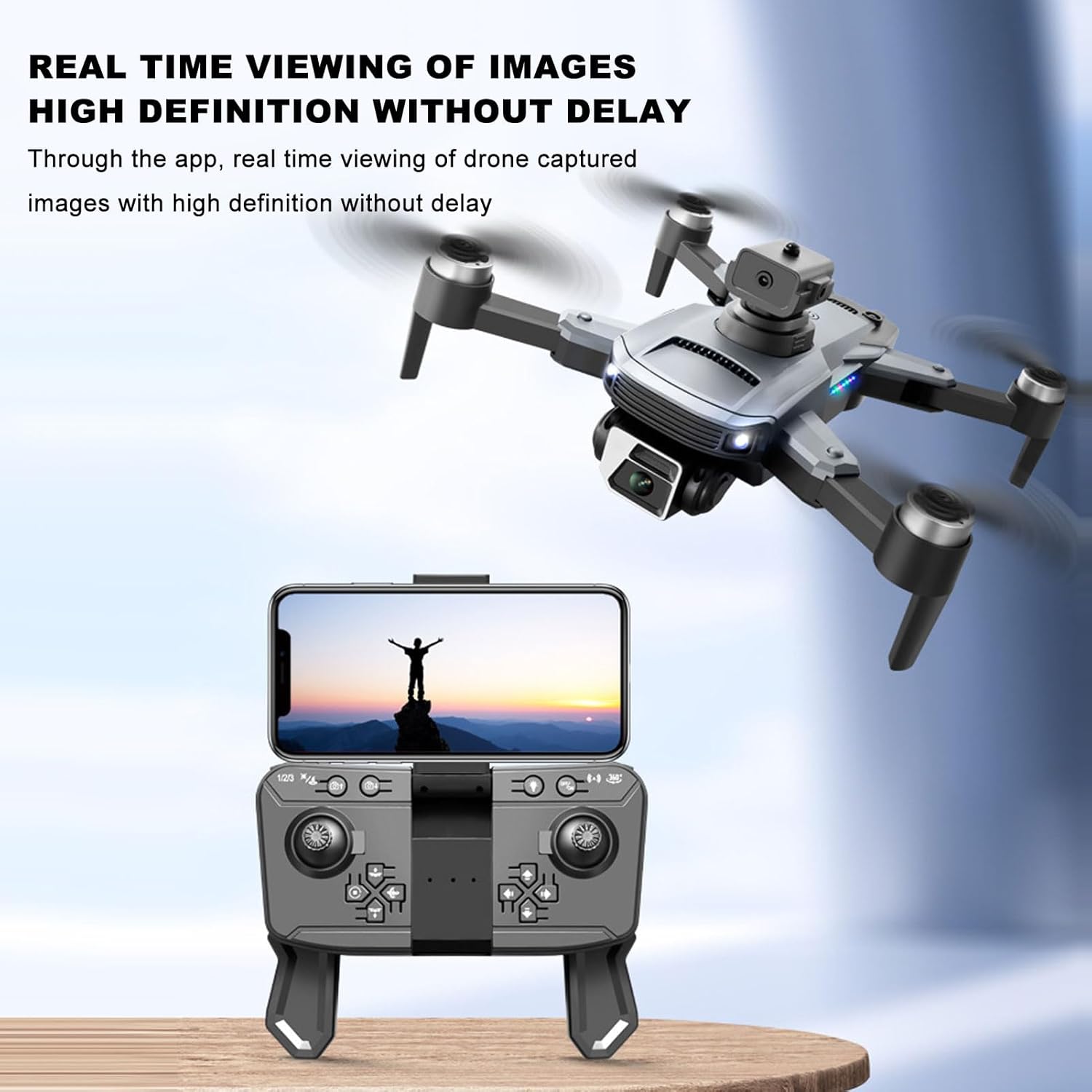
Image 5.2: A user demonstrating gravity induction control by tilting a smartphone to maneuver the drone.
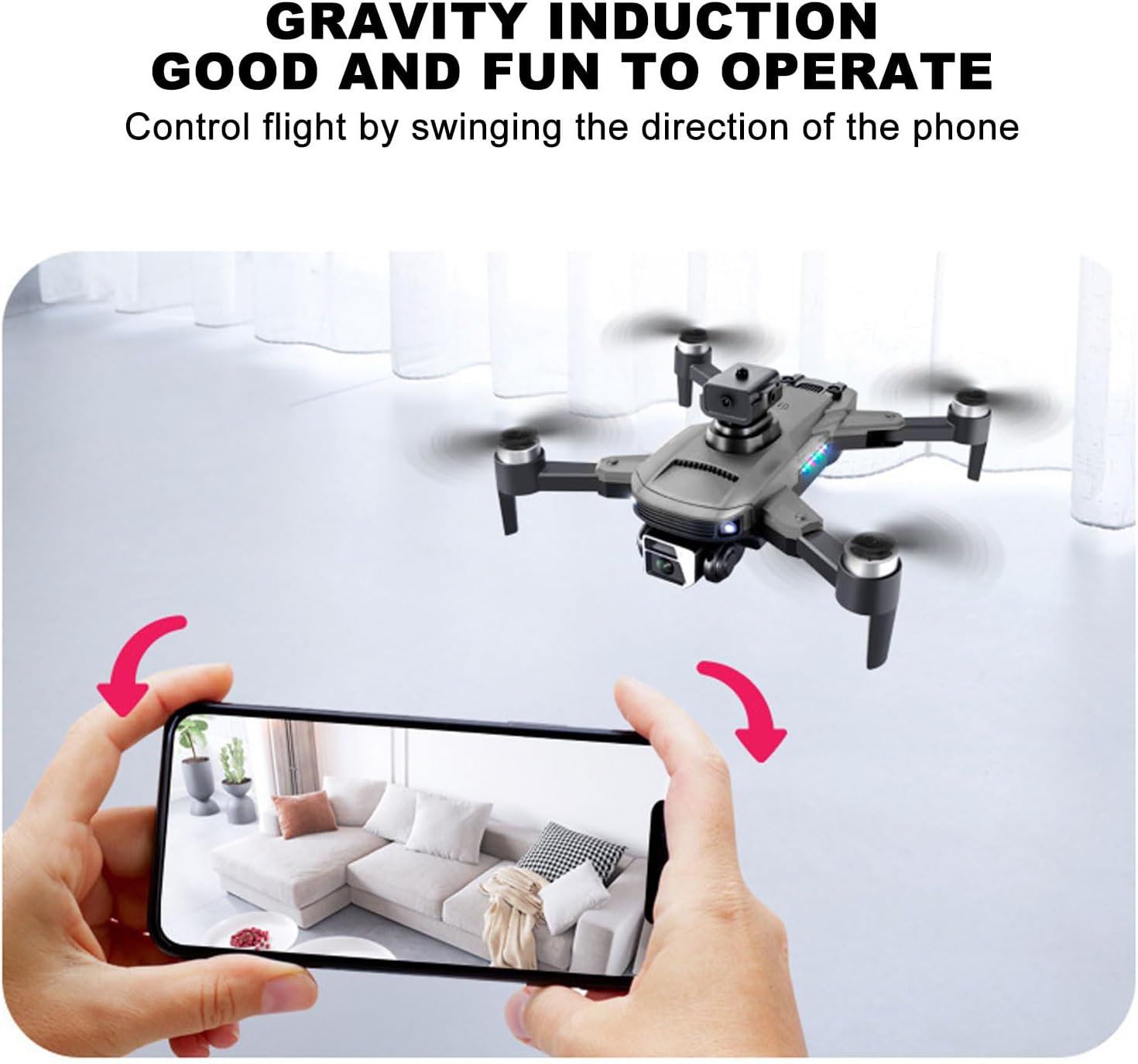
Image 5.3: Multiple drones performing a synchronized 360-degree roll, illustrating the stunt capability.
5.4. Operasi kaméra
- Kaméra Ganda 4K: The drone is equipped with a high-definition 4K camera.
- 90-Degree Electric Angle Adjustment: Adjust the camera angle remotely via the app or remote control.
- 50x Digital Zoom: Utilize the app to zoom up to 50 times for detailed shots.
- Fotografi Gerakan: Perform specific hand gestures to trigger photo or video recording.
- Real-Time FPV: View hirup footage tina kaméra drone langsung dina telepon pinter anjeun ngalangkungan aplikasi.
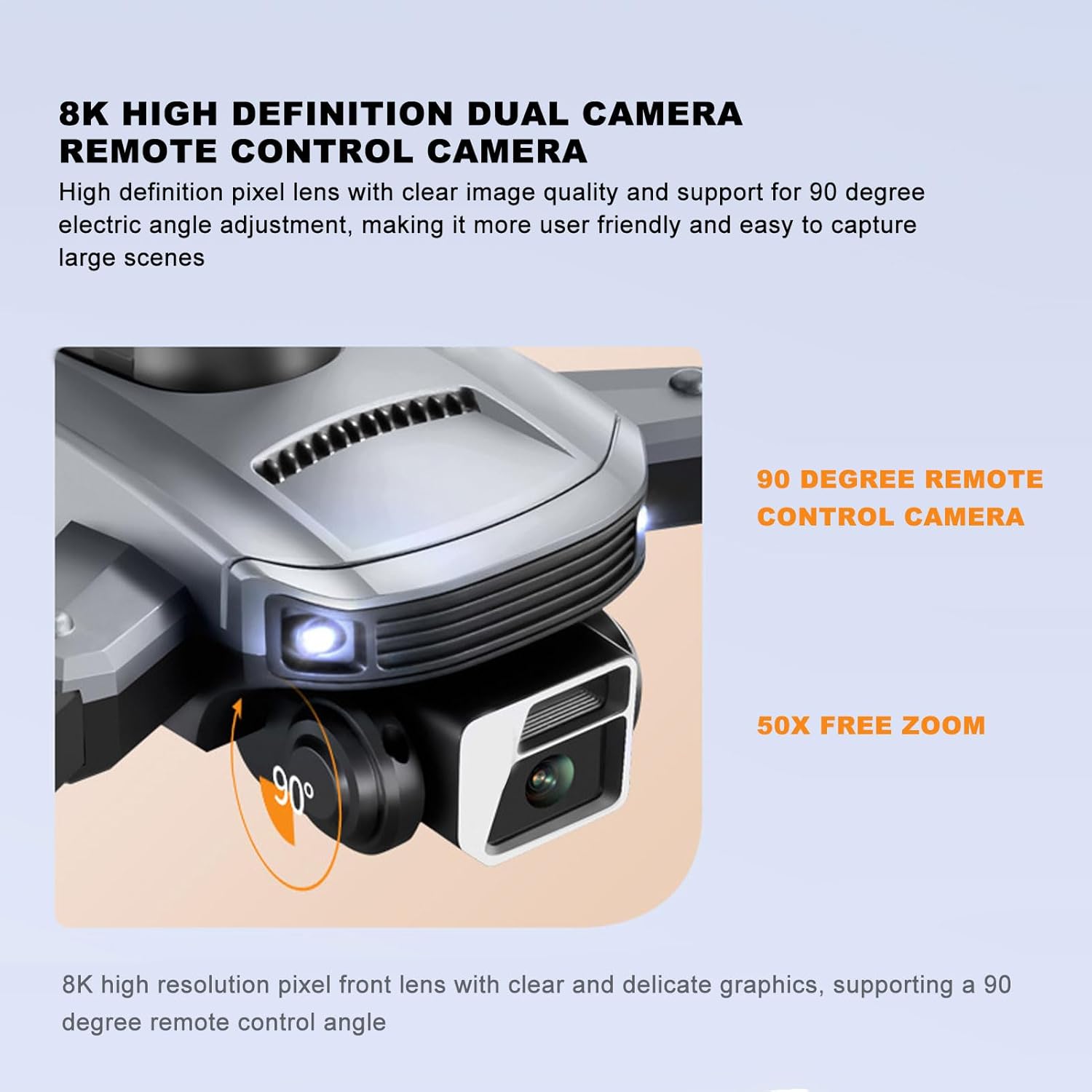
Image 5.4: Close-up of the drone's 4K camera, indicating its 90-degree remote control adjustment capability.
Gambar 5.5: Hiji hawa view demonstrating the 50x zoom feature, focusing on a person on a beach.
5.5. Nyingkahan halangan
The S99 drone is equipped with four-way obstacle avoidance sensors (front, rear, left, right) that automatically detect and intelligently avoid obstacles, enhancing flight safety.
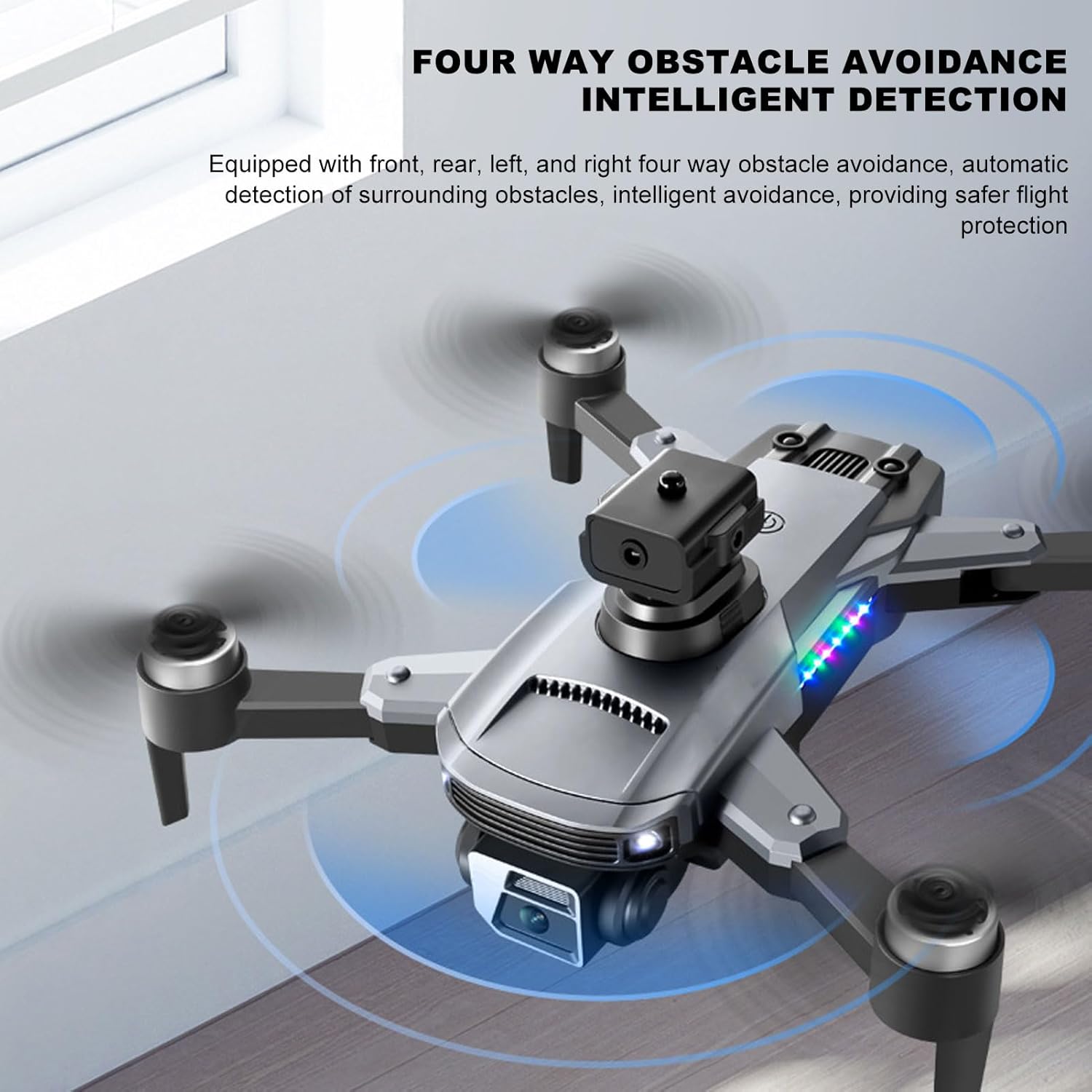
Image 5.6: The drone in flight with visual indicators of its four-way obstacle avoidance system detecting surrounding objects.
6. Pangropéa
- beberesih: Gently wipe the drone body and camera lens with a soft, dry cloth. Avoid using liquids.
- Inspeksi Baling-Baling: Regularly check propellers for damage (cracks, bends). Replace damaged propellers immediately.
- Perawatan batré: Simpen batréna di tempat anu tiis sareng garing. Ulah ngantep batréna kosong salami lami.
- Panyimpenan: When not in use, store the drone and remote control in a protective case to prevent dust and physical damage.
7. Cara ngungkulan
| Masalah | Mungkin Cukang lantaranana | Solusi |
|---|---|---|
| Drone teu hurung | Batré teu dipasang leres atanapi discharged | Pastikeun batre tos dicas pinuh sareng diselapkeun leres. |
| Drone fails to pair with remote | Remote control or drone not powered on, or too far apart | Ensure both devices are on and within close proximity. Restart both if necessary. |
| Unstable flight or drifting | Propellers damaged, drone not calibrated, or strong wind | Check propellers for damage and replace if needed. Perform drone calibration as per app instructions. Avoid flying in windy conditions. |
| No real-time video feed | Smartphone not connected to drone's Wi-Fi, or app issue | Verify Wi-Fi connection. Restart the app and drone. |
| hirup batré pondok | Degradasi batré atanapi ngecas anu teu leres | Ensure proper charging cycles. Consider replacing the battery if performance significantly degrades over time. |
8. Spésifikasi
| Fitur | Rincian |
|---|---|
| merek | Cuifati |
| Ngaran modél | CUIFATImu9824bk0w |
| Resolusi Capture Video | 4K |
| Téhnologi konektipitas | USB, Wi-Fi |
| Kapasitas batré | 2000 Miliamp Jam-jaman |
| Komposisi sél batré | Litium |
| Téhnologi kadali jauh | 2.4 Frékuénsi Radio GHz |
| Rentang maksimum | 100 méter |
| Item Beurat | 1.14 pon |
| Ukuran Paket | 10.12 x 7.05 x 3.7 inci |
| Tingkat kaahlian | Panengah |
| Format Gambar Anu Didukung | JPEG |
| Format Capture Video | MP4 |
| Téhnologi sénsor optik | CMOS |
9. Garansi jeung Rojongan
The Cuifati S99 4K Camera Drone comes with a 90-day warranty. For technical support, warranty claims, or further assistance, please contact Cuifati customer service or visit the official Cuifati store online.
Official Cuifati Store: Visit Cuifati Store

Image 9.1: The Cuifati brand logo, representing the manufacturer.