Bubuka
This instruction manual provides essential information for the Oakley MOD3 Snow Helmet. It covers features such as the Modular Brim System (MBS) for goggle integration, adjustable ventilation for temperature management, and the BOA closure system for a secure fit. The helmet incorporates MIPS technology for enhanced rotational impact protection and includes a removable, machine-washable comfort liner. Designed for all-mountain skiing and snowboarding, the MOD3 helmet offers lightweight, in-mold construction and durable polycarbonate material.
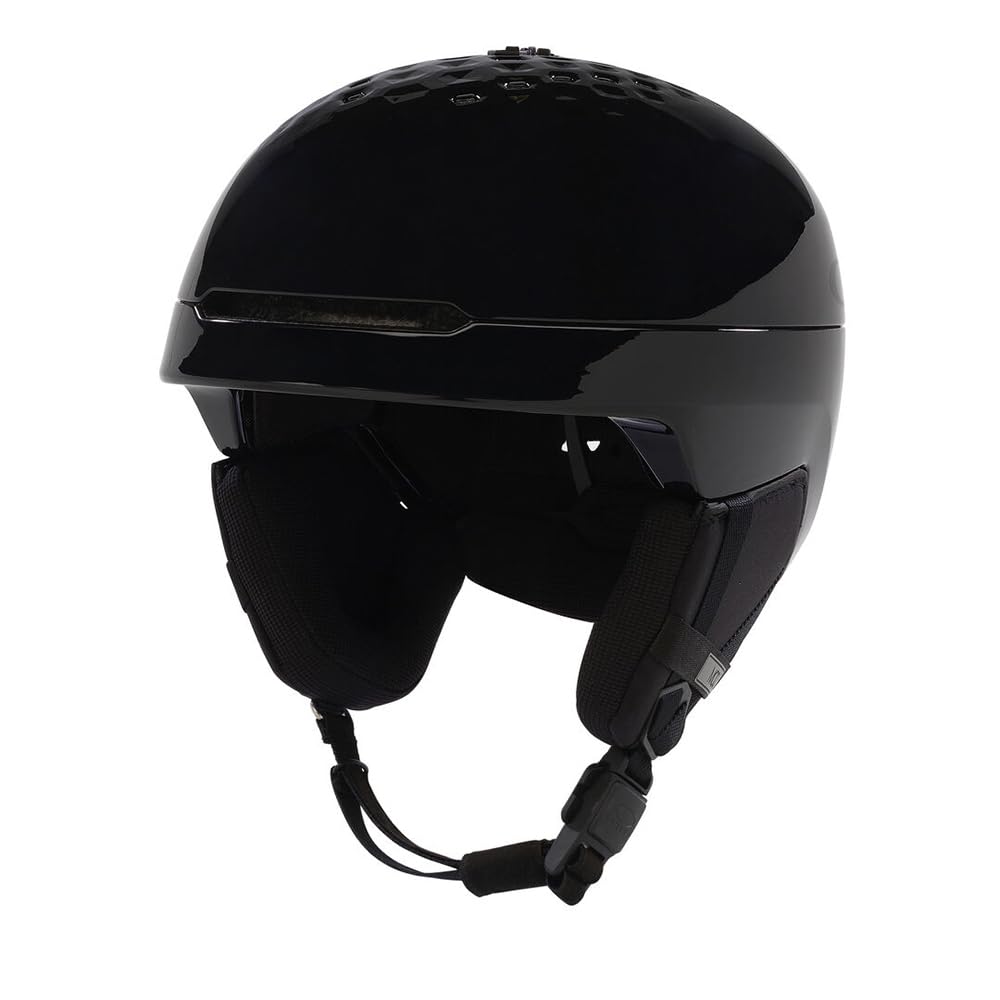
Gambar: Hareupeun view of the Oakley MOD3 Snow Helmet in Blackout color.
Naon dina Box
- Oakley MOD3 Snow Helmet
Fitur
- Modular Brim System (MBS): Designed for seamless helmet and goggle integration, aiding in goggle anti-fog performance.
- In-Mold Construction: Features an outer shell with an EPS impact liner for lightweight protection.
- Adjustable Ventilation: Six static vents facilitate temperature regulation.
- BOA Closure System: Provides 270 degrees of adjustment for a secure and comfortable fit.
- MIPS Integration: Low-friction layer designed to reduce rotational motion transferred to the brain during angled impacts.
- Removable & Washable Liner: Earpads and headliner feature X-Static fabric with odor-eliminating technology, and are machine-washable.
- Audio System Compatibility: Non-pressure, around-ear earpads include a slot for audio systems.

Image: Illustration of MIPS integration within the Oakley MOD3 helmet.
Disetél
- Helmet Sizing and Fit: Ensure the helmet fits snugly without excessive pressure points. The BOA closure system at the back of the helmet can be adjusted to achieve a secure, wraparound fit. Turn the dial clockwise to tighten and counter-clockwise to loosen.
- Modular Brim System (MBS) Adjustment: The helmet features a modular brim. To change the brim aesthetic or optimize goggle integration, refer to the specific instructions provided with your helmet for detaching and reattaching the brim components. This system is designed to prevent goggle fogging.
- Goggle Integration: Place your goggles over the helmet. The rear goggle strap clip is designed to hold your goggle strap securely in place.
- Penyesuaian Tali Dagu: Fasten the chin strap buckle. Adjust the strap length to ensure a comfortable yet secure fit under your chin. There should be enough room for one to two fingers between the strap and your chin.

Image: Close-up of the BOA 270 Fit System on the Oakley MOD3 helmet.
Parentah Operasi
- Adjustable Ventilation: The helmet is equipped with adjustable vents to manage airflow and temperature. Locate the vent slider on the top of the helmet. Slide it open to allow hot air to escape and increase cooling, or close it to retain warmth and keep your head dry in colder conditions.
- Kompatibilitas Goggle: The Modular Brim System ensures optimal compatibility with Oakley goggles, reducing the likelihood of fogging. Ensure your goggles sit flush with the helmet brim for best performance.
- Audio System Use: If using an audio system, insert your speakers into the designated slots within the non-pressure earpads.

Image: Detail showing the adjustable ventilation system on the Oakley MOD3 helmet.
Pangropéa
- Ngabersihan Luar: Use a soft cloth, mild soap, and water to clean the helmet's outer shell. Avoid abrasive cleaners or solvents, as these can damage the finish and materials.
- Ngabersihan Interior: The comfort liner and earpads are removable and machine-washable. Remove them from the helmet and wash according to the care instructions on the label, typically using a gentle cycle and cold water. Allow to air dry completely before reinserting.
- Panyimpenan: Store the helmet in a cool, dry place away from direct sunlight and extreme temperatures. Avoid placing heavy objects on the helmet, which could deform its shape.
- Pamariksaan: Regularly inspect the helmet for any signs of damage, such as cracks, dents, or worn straps. If any damage is found, the helmet should be replaced immediately, as its protective capabilities may be compromised.
Pamérésan masalah
- Helmet feels too loose or too tight: Adjust the BOA closure system at the back of the helmet. Ensure the chin strap is properly tightened.
- Goggles fogging up: Ensure the Modular Brim System is correctly aligned with your goggles. Open the adjustable vents on the helmet to increase airflow.
- Rasa teu nyaman nalika dianggo: Check for any foreign objects inside the helmet. Ensure the comfort liner and earpads are correctly positioned. If discomfort persists, re-evaluate helmet size and fit.
- Unusual noises or rattling: Inspect all removable components, such as the brim and earpads, to ensure they are securely attached.
spésifikasi
| merek | Oakley |
| Ngaran modél | Oakley MOD3 Helmet |
| Warna | Pareum |
| Ukuran | Leutik |
| Rentang umur | Dewasa |
| Bahan Luar | Polikarbonat (PC) |
| Bahan Batin | Polystyrene dimekarkeun |
| Item Beurat | 500 gram |
| Fitur husus | Adjustable Strap, Lightweight, Ventilation, MIPS, BOA Closure System, Modular Brim System |
| Dianjurkeun Mangpaat | Skiing, Snowboarding |
| Negara asal | Cina |
| UPC | 193517804251 |
Garansi sareng Rojongan
The Oakley MOD3 Snow Helmet comes with a garansi 90 poé from the date of purchase. This warranty covers manufacturing defects under normal use. For warranty claims, product support, or further assistance, please contact Oakley customer service through their official website or authorized retailers. Keep your proof of purchase for any warranty-related inquiries.
For additional information and resources, visit the official Oakley websitus: www.oakley.com


