
Longer RAY5-20W
LONGER RAY5 20W Laser Engraver Instruction Manual
Model: RAY5-20W
1. Bubuka
The LONGER RAY5 20W Laser Engraver is a versatile and powerful tool designed for precision engraving and cutting across a wide range of materials. This manual provides essential information for safe operation, setup, maintenance, and troubleshooting to ensure optimal performance and longevity of your device.

Image 1.1: The LONGER RAY5 20W Laser Engraver, showcasing its overall design and working area.
2. Émbaran Kasalametan
Operating a laser engraver requires strict adherence to safety guidelines to prevent injury and damage. Please read and understand all safety warnings before operating the device.
- Perlindungan panon: Always wear the provided protective glasses during operation. The laser head is equipped with a protective shield that filters 95% of laser light.
- Motion Protection: The machine features a move protection design that automatically shuts down if abnormal movement is detected.
- Perlindungan termal: Equipped with thermal protection, the device will automatically shut down in case of overheating.
- Stopan Darurat: An Emergency Stop Device is integrated for immediate shutdown in critical situations.
- Ventilasi: Ensure adequate ventilation in the working area to dissipate fumes and smoke generated during engraving and cutting.
- Kasalametan seuneu: Keep a fire extinguisher nearby. Do not leave the machine unattended during operation, especially when working with flammable materials.

Image 2.1: Illustration of the eye protection design, emphasizing the importance of safety glasses.
3. Setup jeung Majelis
The LONGER RAY5 20W laser engraver is designed for easy assembly. Follow the detailed instructions provided in the quick start guide and user manual. Necessary tools and accessories are included.
Video 3.1: Official assembly guide for the LONGER RAY5 Laser Engraver, demonstrating the step-by-step installation process.
For detailed visual guidance, refer to the official assembly video or the quick start guide included with your product. The quick start guide also contains a test page for initial calibration.
4. komponén Leuwihview
Familiarize yourself with the main components of your LONGER RAY5 20W Laser Engraver:
- Modul laser: The core component, featuring a 20W optical output diode laser with advanced enhancement technology.
- Layar rampa Warna 3.5 inci: For direct control and monitoring of engraving progress, speed adjustments, and other operations.
- Kotak kontrol: Houses the upgraded 32-bit chipset motherboard for smoother and more stable operation.
- X-Axis and Y-Axis Frames: Provide the movement for the laser module across the working area.
- Batesan Saklar: Ensure precise positioning and prevent the laser module from exceeding the working boundaries.
- Palabuhan Konéktip: Includes SD Card slot, USB port, and Wi-Fi module for various connection methods.

Image 4.1: Close-up of the 3.5-inch color touchscreen, highlighting its user-friendly interface.
5. Parentah Operasi
5.1. Cutting and Engraving Capabilities
The RAY5 20W offers strong cutting and detailed engraving capabilities:
- motong: Can cut 0.59" (15mm) pine wood and 0.31" (8mm) acrylic in a single pass. Up to 25mm wood and 35mm acrylic with multiple passes. Precisely cuts 0.002" (0.05mm) stainless steel.
- Ukiran: Achieves a finer engraving result and higher contrast effect with a 0.08 * 0.1mm ultra-fine laser focus area and 256-bit color scale. Supports engraving on over 200 materials.

Image 5.1: Visual representation of the cutting depth capabilities for various materials.
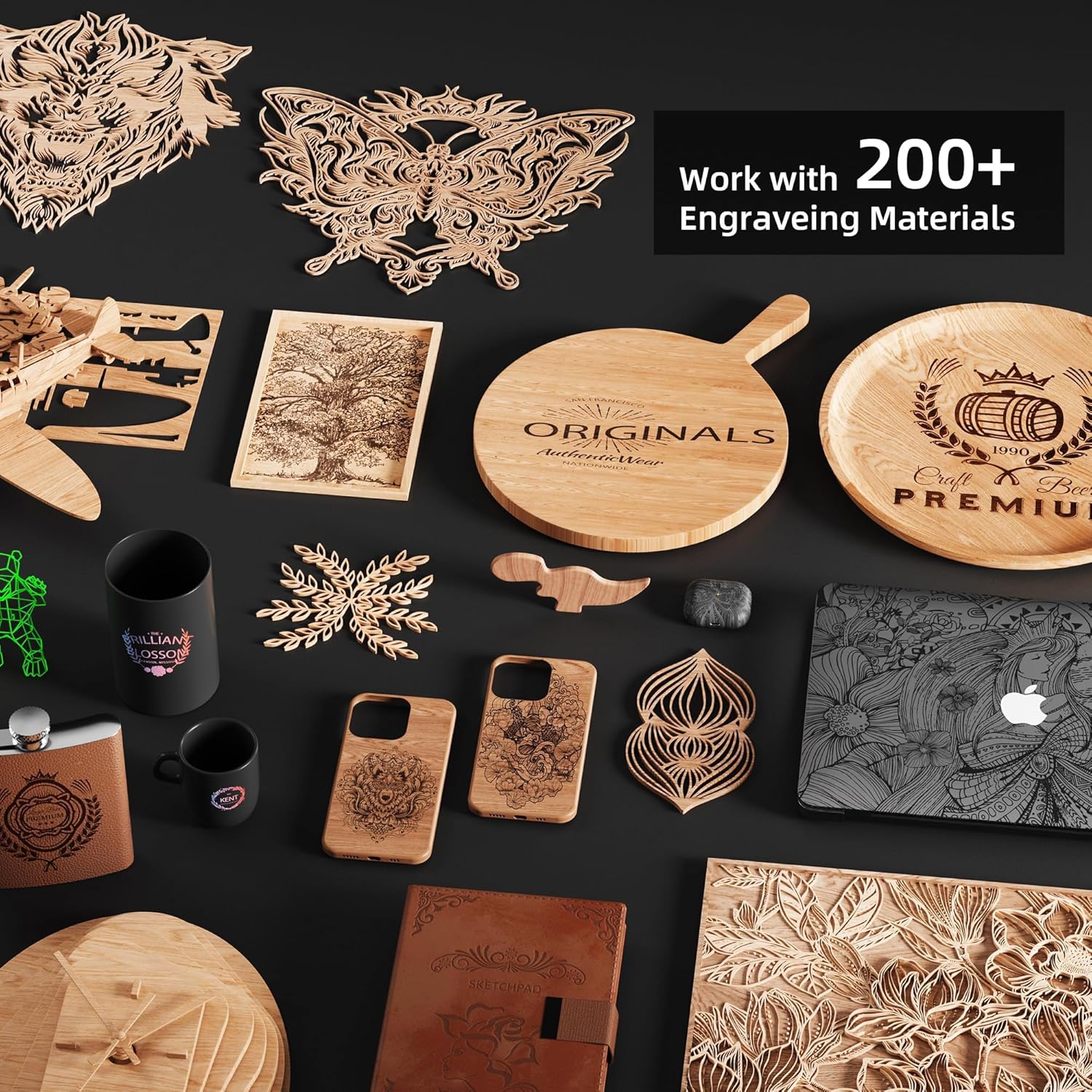
Image 5.2: A collection of items demonstrating the versatility of engraving on different materials.
5.2. Operasi layar rampa
The 3.5-inch color touchscreen allows for direct control without a computer. You can check engraving progress, adjust speed, and perform other operations directly from the screen.
5.3. Métode Sambungan
The engraver supports four connection modes:
- Sambungan Kartu SD
- Sambungan USB
- APP Connection (via Wi-Fi)
- Sambungan Wi-Fi
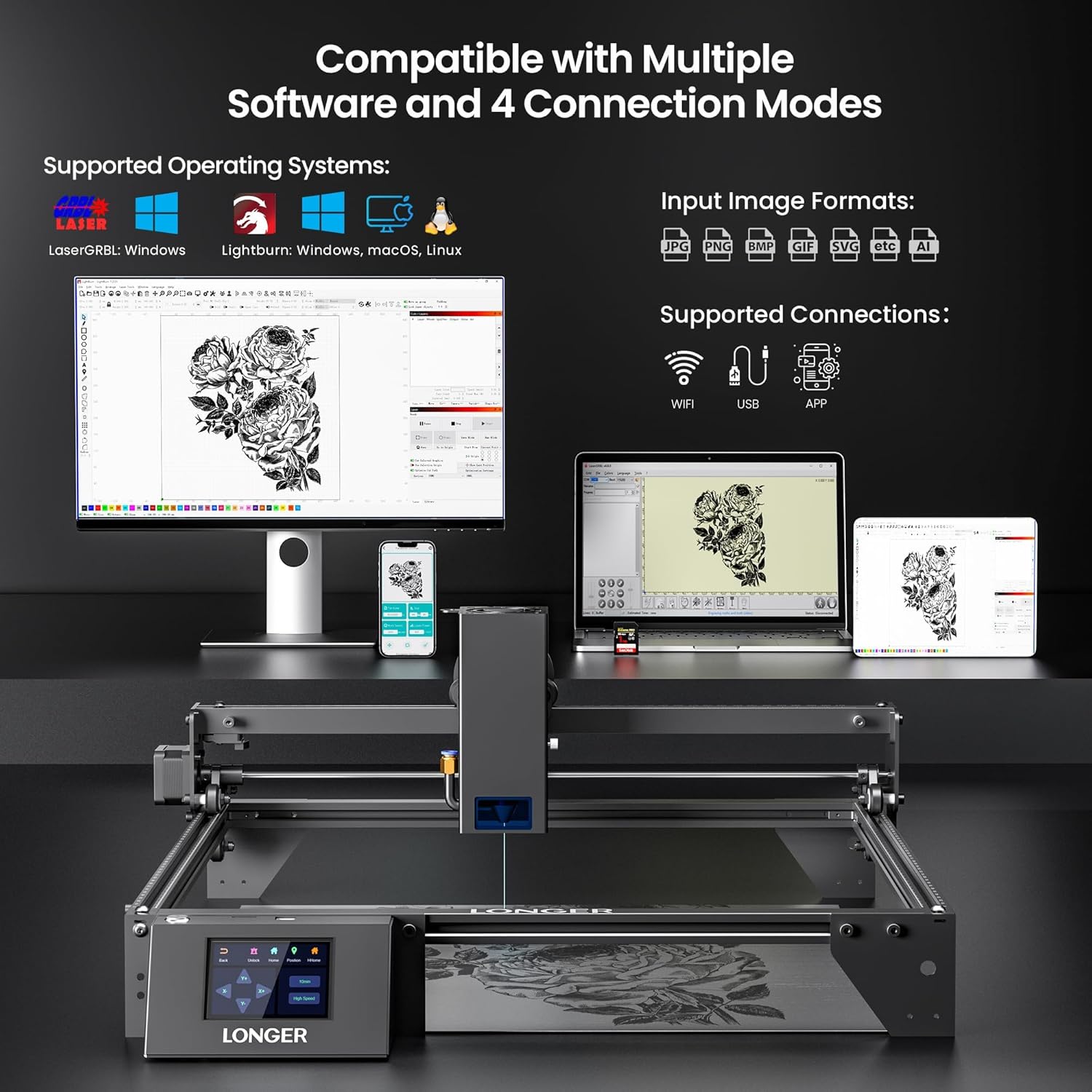
Gambar 5.3: Leuwihview of supported operating systems, input image formats, and connection methods.
5.4. Kompatibilitas Parangkat Lunak
The LONGER RAY5 20W is compatible with popular laser engraving software:
- LaserGRBL (Windows)
- LightBurn (Windows, macOS, Linux)
5.5. Multi-Machine Control
For commercial or high-volume use, one computer can control multiple LONGER RAY5 20W laser engravers simultaneously, allowing for parallel operation and improved production efficiency.

Image 5.4: Depiction of one computer controlling multiple engravers for enhanced productivity.
6. Pangropéa
Pangropéa rutin ngajamin umur panjang sareng kinerja optimal tina engraver laser anjeun.
- beberesih: Regularly clean the laser lens and the working area to prevent debris buildup, which can affect laser performance and accuracy. Use a soft, lint-free cloth and appropriate cleaning solutions.
- Lubrication: Periodically lubricate the moving parts, such as the guide rails and lead screws, according to the manufacturer's recommendations to ensure smooth operation.
- Pembaruan firmware: Check the official Longer websitus wéb pikeun apdet firmware anu sayogi pikeun mastikeun alat anjeun ngagaduhan fitur pangénggalna sareng perbaikan bug.
- Air-Assisted Interface: The device has an air-assisted interface. If using an external air pump, ensure it is properly maintained for clean surfaces during operation.
7. Cara ngungkulan
If you encounter issues with your LONGER RAY5 20W Laser Engraver, refer to the following common troubleshooting tips:
- Engraving/Cutting Quality Issues: Verify laser focus, power settings, and speed. Ensure the material is flat and properly secured. Refer to the test page for optimal settings for different materials.
- Masalah sambungan: Check USB cable connections, Wi-Fi network stability, and ensure the SD card is properly inserted and formatted.
- Mesin teu ngabales: Ensure the power supply is connected and the emergency stop button is not engaged. Restart the machine.
- Abnormal Movement/Shutdown: The safety features (motion protection, thermal protection) may have been triggered. Check for obstructions, overheating, or unusual vibrations.
For more complex issues, please contact Longer customer support.
8. Spésifikasi
| Fitur | Spésifikasi |
|---|---|
| Dimensi produk | 23.07 x 22.95 x 6.95 inci |
| Nomer Modél Item | RAY5-20W |
| Item Beurat | 11.43 pon |
| Produsén | LEUWIH |
| Daya Kaluaran laser | 20W (Optical Output) |
| Laser Focus Area | 0.08 * 0.1 mm |
| Motherboard | Upgraded 32-bit chipset |
| Layar cabak | 3.5 inci Warna Layar rampa |
| Modeu Sambungan | SD Card, USB, APP, Wi-Fi |
| Kasaluyuan software | LaserGRBL, LightBurn |
| Dirojong OS | Windows 7+, macOS, Linux |
9. Garansi jeung Rojongan
LONGER provides lifetime technical support and 24-hour professional customer service. If you have any questions or require assistance, please feel free to contact the Longer customer support team.
For contact information and further details, please visit the official Longer websitus atanapi tingal dokuméntasi anu kalebet sareng produk anjeun.