1. Bubuka
This user manual provides comprehensive instructions for the MoreJoy Smart Projector CUBE2. It covers setup, operation, maintenance, and troubleshooting to ensure optimal performance and longevity of your device. Please read this manual thoroughly before using the projector.
2. Eusi Paket
Saatos muka bungkusan, pariksa yén sadaya item di handap ieu kalebet:
- MoreJoy Smart Projector CUBE2
- dongle TV
- Kadali jauh
- Adaptor kakuatan
- Manual pangguna (dokumén ieu)

Image: The MoreJoy Smart Projector CUBE2 shown with its included accessories, including the remote control and power cable.
3. Fitur Produk
The MoreJoy Smart Projector CUBE2 is equipped with advanced features for an enhanced viewpangalaman:
- 4K Projector & HDR10: Supports 4K resolution input with HDR10 for vibrant and clear images, even in well-lit environments. Features 1300 ANSI lumens brightness.
- Auto Focus & Auto 6D Keystone Correction: Built-in displacement gyroscope and sensor automatically adjust picture clarity and shape without manual intervention.
- 50% Zoom Function: Allows image size reduction from 100% to 50% without moving the projector.
- Tampilan ageung: Capable of projecting up to a 500-inch screen.
- Android TV Integration: Access to over 8000+ apps, including popular streaming services like Prime Video, YouTube, Disney+, and HBO Max. The TV dongle is detachable.
- WiFi6 & Dual-band (2.4G+5G): Provides faster and more stable wireless screen mirroring connections.
- Bluetooth 5.2: Bidirectional Bluetooth for easy connection to headphones, speakers, or other audio devices.
- Fully Sealed Engine: Optical core designed to prevent dust entry, reducing black spots and maintaining image quality.
- USB Presentation: Supports direct reading of PPT, XLSX, and DOCX files via USB.

Image: A visual comparison demonstrating the enhanced brightness and clarity of the MoreJoy projector (1080P Native, Support 4K) compared to other 720P native projectors.

Image: The projector displaying a high-quality image in a room during both daytime and nighttime conditions, highlighting its adaptability to different lighting environments.
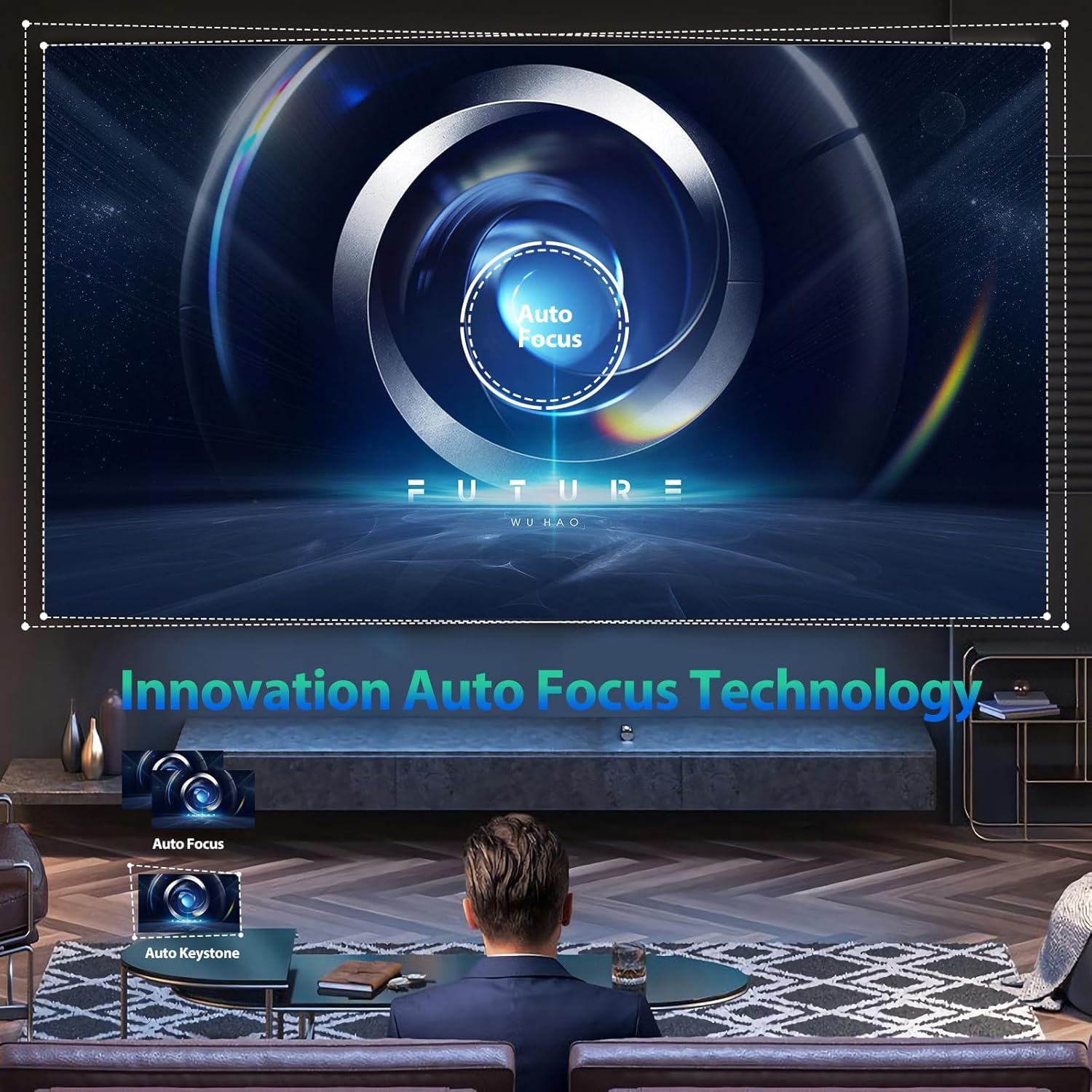
Image: An illustration of the projector's innovative auto-focus and auto-keystone correction technology, showing how it automatically adjusts the image for optimal clarity and shape.

Image: The projector demonstrating its capability to project adjustable screen sizes, ranging from 220 inches at 3.2 meters distance to 500 inches at 8 meters distance.
4. Setélan
4.1 Nempatkeun fisik
Place the projector on a stable, flat surface. Ensure there is adequate ventilation around the device to prevent overheating. Position the projector at a suitable distance from the projection surface (wall or screen) to achieve the desired screen size. Refer to the specifications for recommended projection distances.
4.2 Sambungan Daya
- Sambungkeun adaptor kakuatan ka port input kakuatan proyektor.
- Colokkeun adaptor kakuatan kana stop kontak listrik standar.
- Pencét tombol daya dina proyektor atawa kadali jauh pikeun ngahurungkeun alat.
4.3 Fokus jeung Keystone adjustment
The CUBE2 projector features automatic focus and 6D keystone correction. Upon power-on or movement, the projector will automatically adjust the image for clarity and correct geometric distortion. Manual adjustments are generally not required.
4.4 Sambungan Jaringan (Wi-Fi)
Pikeun ngaksés eusi online sareng layanan streaming, sambungkeun proyéktor ka jaringan Wi-Fi:
- Arahkeun ka menu "Setélan" dina panganteur projector urang.
- Select "Network & Internet" or "Wi-Fi Settings".
- Hurungkeun Wi-Fi sareng pilih jaringan anu dipikahoyong tina daptar.
- Enter the Wi-Fi password if prompted and confirm the connection.

Image: The projector illustrating its 2.4G and 5G dual-band WiFi screen synchronization technology, showing seamless connectivity with Android, iOS, and Windows devices.
4.5 Nyapasangkeun Bluetooth
Pair Bluetooth audio devices (e.g., speakers, headphones) with the projector:
- Buka "Setélan" teras pilih "Bluetooth".
- Ensure Bluetooth is enabled on both the projector and your audio device.
- Pilih alat audio anjeun tina daptar alat anu sayogi kanggo dipasangkeun.

Image: The projector's display showing the Android TV interface with a wide selection of streaming applications such as Netflix, YouTube, Prime Video, and Hulu, indicating its smart capabilities.
5. Parentah Operasi
5.1 Nyambungkeun Alat éksternal
Proyektor ngadukung sababaraha sumber input:
- HDMI: Connect gaming consoles, Blu-ray players, laptops, or other HDMI-enabled devices using an HDMI cable. Select the corresponding HDMI input from the projector's source menu.
- USB: Selapkeun drive USB kana port USB pikeun muterkeun média files (photos, videos, music) or view documents (PPT, XLSX, DOCX).
- Ethernet: Pikeun sambungan internét kabel anu stabil, sambungkeun kabel Ethernet ka port LAN.

Image: The projector highlighting its wide compatibility, showing connections for HDMI devices (Fire TV stick, X-BOX, Switch, PC), 5G WiFi for mobile phones (Android and iOS) and tablets, and USB for photos, videos, music, and office files.
Image: The projector demonstrating its versatility for different applications, including video yoga, competitive gaming, and business office presentations, all projected onto a large 500-inch screen.
5.2 Using Android TV
The integrated Android TV system allows you to stream content directly. Use the remote control to navigate the interface, download apps from the Google Play Store, and access your favorite movies and TV shows.
5.3 Layar pangeunteungan
Pikeun ngeunteung layar smartphone atawa tablet anjeun:
- Pastikeun proyéktor sareng alat sélulér anjeun nyambung ka jaringan Wi-Fi anu sami.
- On the projector, select the "Screen Mirroring" or "Cast" option.
- On your mobile device, enable screen mirroring (e.g., "Smart View" on Android, "Screen Mirroring" on iOS) and select the projector from the list of available devices.
5.4 Nyaluyukeun Setélan
Access the "Settings" menu to customize various aspects of the projector:
- Setélan Gambar: Adjust brightness, contrast, color saturation, and sharpness.
- Setélan sora: Control volume, audio output mode, and equalizer settings.
- Modeu proyéksi: Change projection orientation (front, rear, ceiling front, ceiling rear).
- Basa: Pilih basa anu anjeun pikaresep pikeun antarmuka pangguna.
6. Pangropéa
6.1 beberesih
- Lensa: Anggo lawon anu lemes sareng henteu lint anu dirancang khusus pikeun lénsa optik. Gently ngusap lénsa dina gerak sirkular. Ulah make cleaners abrasive atawa gaya kaleuleuwihan.
- Luar: Ngusap bagian luar proyektor ku kaén anu lembut sareng garing. Pikeun tanda nekad, a rada damp lawon bisa dipaké, dituturkeun ku ngusap garing.
- Port ventilasi: Periodically check and clean the ventilation ports to ensure unobstructed airflow. Use a soft brush or compressed air to remove dust.
Catetan: The CUBE2 features a fully sealed optical engine, which significantly reduces dust accumulation inside the projector, minimizing the need for internal cleaning.

Image: A visual representation highlighting the benefits of the MoreJoy projector's fully sealed optical engine, which prevents light decay and the appearance of black spots, ensuring a longer lifespan compared to normal non-sealed designs.
6.2 Panyimpenan
When not in use for extended periods, store the projector in a cool, dry, and dust-free environment. Use the original packaging or a protective case to prevent damage.
7. Cara ngungkulan
If you encounter issues with your MoreJoy Smart Projector CUBE2, refer to the following common problems and solutions:
| Masalah | Mungkin Cukang lantaranana | Solusi |
|---|---|---|
| Taya Daya | kabel kakuatan teu disambungkeun; Masalah stop kontak. | Pastikeun kabel kakuatan disambungkeun aman. Coba colokan listrik anu béda. |
| Taya Gambar | Sumber input salah; Alat teu nyambung kalawan bener. | Pilih sumber input anu leres (HDMI, USB). Pariksa sambungan kabel. |
| Fuzzy/Blurry Image | Projector moved; Auto-focus issue. | Allow the auto-focus to recalibrate. Ensure the lens is clean. |
| Taya Sora | Volume too low; Incorrect audio output; Bluetooth not paired. | Increase volume. Check audio output settings. Re-pair Bluetooth device. |
| Masalah Sambungan Wi-Fi | Sandi salah; Router jauh teuing; Gangguan jaringan. | Pariksa sandi Wi-Fi. Pindahkeun projector ngadeukeutan ka router. Balikan deui router. |
If the problem persists after trying these solutions, please contact MoreJoy customer support for assistance.
8. Spésifikasi
| Fitur | Rincian |
|---|---|
| merek | MoreJoy |
| Modél | KUBUS 2 |
| Resolusi tampilan | 1920 x 1080 (Native), Supports 4K input |
| Caang | 1300 ANSI Lumens |
| Ukuran proyéksi | Nepi ka 500 inci |
| Pokus | Pokus Otomatis |
| Koréksi Keystone | Auto 6D Keystone Correction |
| Fungsi Zum | 50% Digital Zoom |
| Sistem operasi | Android TV |
| Konektipitas Wi-Fi | WiFi6, 2.4G + 5G Dual-band |
| Bluetooth | Bluetooth 5.2 (Bidirectional) |
| Palabuhan Input | HDMI, USB, Ethernet |
| Fitur husus | Fully Sealed Optical Engine, HDR10, USB Document Playback |
| Item Beurat | 7.87 pon |
| Dimensi produk | 500 x 500 x 500 inches (Note: This dimension seems incorrect for a projector, likely a placeholder or error in source data.) |
9. Garansi jeung Rojongan
The MoreJoy Smart Projector CUBE2 comes with a Lifetime Warranty as stated in the product features. For warranty claims, technical support, or any inquiries not covered in this manual, please contact MoreJoy customer service through the official channels provided at the point of purchase or on the MoreJoy official websitus.
Punten mertahankeun bukti pameseran anjeun pikeun tujuan garansi.


