
Bubuka
This manual provides detailed instructions for the Amazfit Cheetah Square 44mm Smart Watch (Model A2293). It covers product overview, setup, operation, features, maintenance, troubleshooting, and specifications. Please read this manual thoroughly before using your device to ensure proper function and longevity.
The Amazfit Cheetah Square is a lightweight smartwatch designed for runners, featuring advanced GPS, offline maps, personalized training plans, and comprehensive health monitoring.
Produk Leuwihview
The Amazfit Cheetah Square 44mm Smart Watch combines a sleek design with powerful features for fitness enthusiasts. It boasts a vibrant AMOLED display, precise GPS tracking, and AI-powered coaching to enhance your running experience.

Gambar: Hareupeun view of the Amazfit Cheetah Square 44mm Smart Watch, displaying a green watch face with time, steps, and VO2 Max data.
Komponén konci:
- tampilan: 1.75-inch HD AMOLED touchscreen.
- Tombol: Two physical buttons and a crown for navigation and control.
- Sénsor: BioTracker PPG optical sensor, GPS antenna.
- Tali: Interchangeable silicone strap.
- Port ngecas: Pin ngecas magnét di tukang.
Disetél
1. Ngecas Alat:
Before initial use, fully charge your Amazfit Cheetah Square. Connect the magnetic charging cable to the charging pins on the back of the watch and plug the USB end into a power adapter (not included) or a computer's USB port.
- Pastikeun pin pangisi daya bersih sareng garing.
- The watch display will show charging progress.
2. Diaktipkeun:
Press and hold the top physical button (power button) for a few seconds until the Amazfit logo appears.
3. Pairing with the Zepp App:
- Unduh aplikasi Zepp ti App Store (iOS) atanapi Google Play Store (Android).
- Buka aplikasi Zepp sareng jieun akun atanapi log in.
- Tap the "+" icon in the app to add a new device.
- Pilih "Lalajo" teras "Lalajo nganggo kode QR".
- Anggo kaméra telepon anjeun pikeun nyeken kode QR anu dipintonkeun dina layar jam tangan anjeun.
- Turutan pitunjuk dina layar dina aplikasi sareng dina jam tangan pikeun ngalengkepan prosés papasangan.
Pastikeun Bluetooth telepon anjeun diaktipkeun nalika masangkeun.
Parentah Operasi
Napigasi Dasar:
- Gesek ka luhur/handap: Scroll through notifications, quick settings, or widgets.
- Gesek Kénca/Katuhu: Access different watch faces or quick access cards.
- Ketok: Pilih hiji item atawa buka aplikasi.
- Tombol Luhur (Mahkota): Press to return to the watch face, press and hold to power on/off or access the app list. Rotate to scroll through menus.
- Tombol handap: Customizable shortcut for a specific workout or function.
Ngamimitian Latihan:
- From the watch face, press the top button to open the app list.
- Select the "Workout" app.
- Choose your desired workout type (e.g., Outdoor Running, Treadmill, Cycling).
- Wait for GPS signal acquisition (for outdoor activities).
- Tap "GO" to start the workout.
- During the workout, swipe to view layar data béda.
- To pause or end, press the top button and select the appropriate option.

Image: A woman running outdoors, with the Amazfit Cheetah Square watch displaying workout history and various sports modes.
Fitur
Slim and Lightweight Design with 1.75" AMOLED Display
The Amazfit Cheetah Square features a durable fiber-reinforced polymer frame with a stylish metallic bezel. Weighing only 25g and measuring 9.9mm thin, it offers comfort during extended wear. The 1.75-inch HD AMOLED display provides up to 1000 nits brightness, ensuring clear readability even in direct sunlight.

Gambar: Sisi view of the Amazfit Cheetah Square highlighting its slim profile and lightweight design.
MaxTrack Dual-Band GPS
Equipped with industry-leading dual-band circularly-polarized GPS antenna technology, MaxTrack captures nearly 100% of satellite signals. This technology minimizes multi-path interference, providing highly accurate position tracking, even in dense urban environments or areas with tall trees.
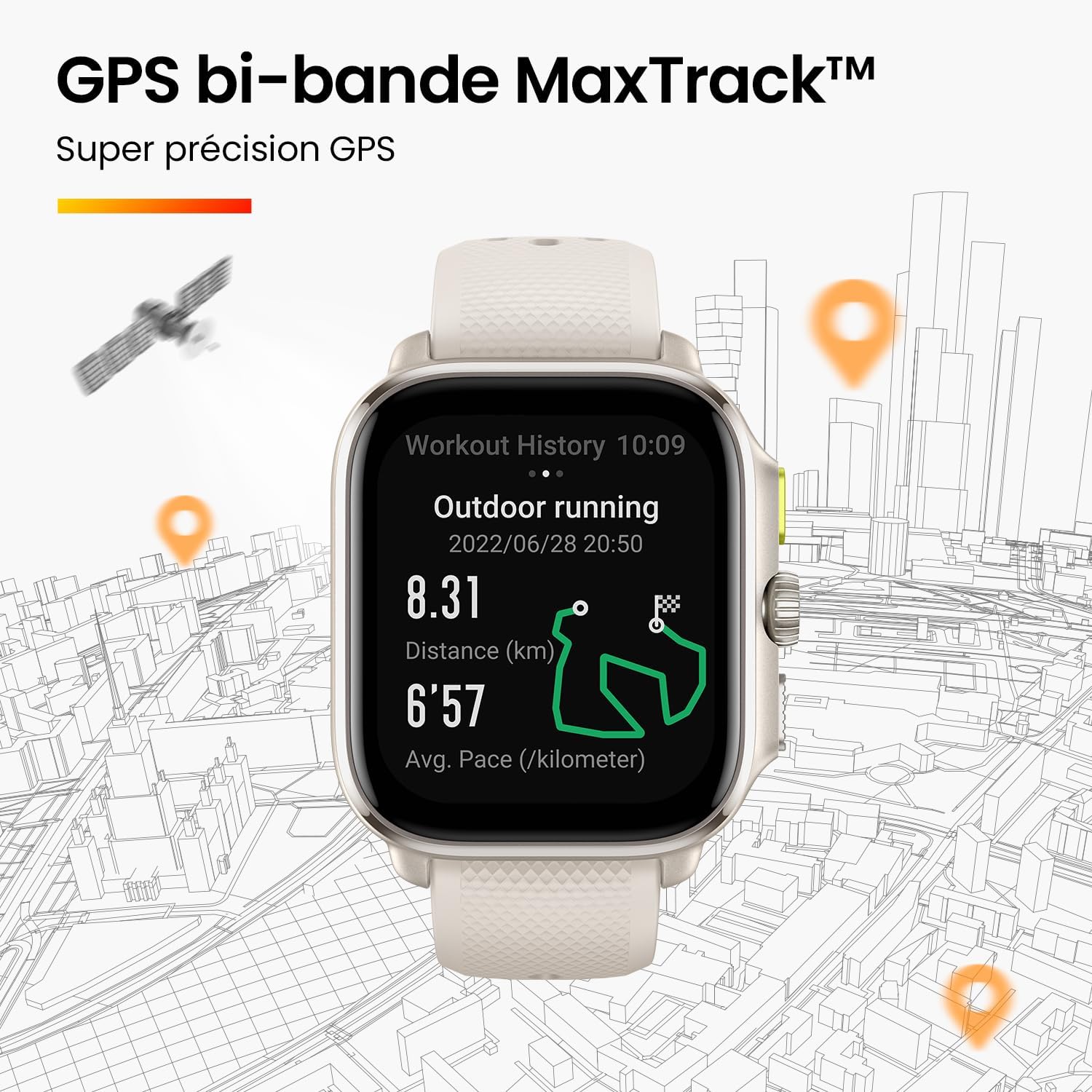
Image: Watch face displaying outdoor running data with a map overlay, illustrating the precision of MaxTrack GPS in an urban setting.
AI-Powered Zepp Coach
Zepp Coach utilizes artificial intelligence to generate personalized running plans. These plans are tailored to your current fitness level, specific goals, target race type, and race date. The coach intelligently adjusts your plan weekly based on your performance, offering scientific guidance to help you reach peak condition for your race day.

Image: Multiple phone screens showing the Zepp Coach interface, demonstrating personalized running plan creation and weekly adjustments.
Precise Route Navigation & Offline Maps
Never lose your way during a run. Download colored offline maps for your planned running area from the Zepp app and transfer them to your watch. Pair these maps with an imported route file for incredibly accurate navigation, providing detailed understanding of your surroundings.

Image: Three watch faces displaying different offline map views and route navigation, set against a cityscape background.
Advanced 24/7 Health & Fitness Monitoring
The BioTracker PPG optical sensor provides highly accurate 24/7 monitoring of your heart rate, blood oxygen saturation (SpO2), stress levels, and sleep quality. The Zepp OS 2.0 also supports robust Bluetooth connectivity, allowing you to connect external heart rate belts for even more precise data during workouts.

Image: A woman running with a heart rate monitor strap, and the watch displaying detailed heart rate zone data.
Music Storage and Playback
Store and play music directly from your watch, allowing you to enjoy your favorite tunes during workouts without needing your phone. Connect your Bluetooth headphones to the watch for a seamless audio experience.
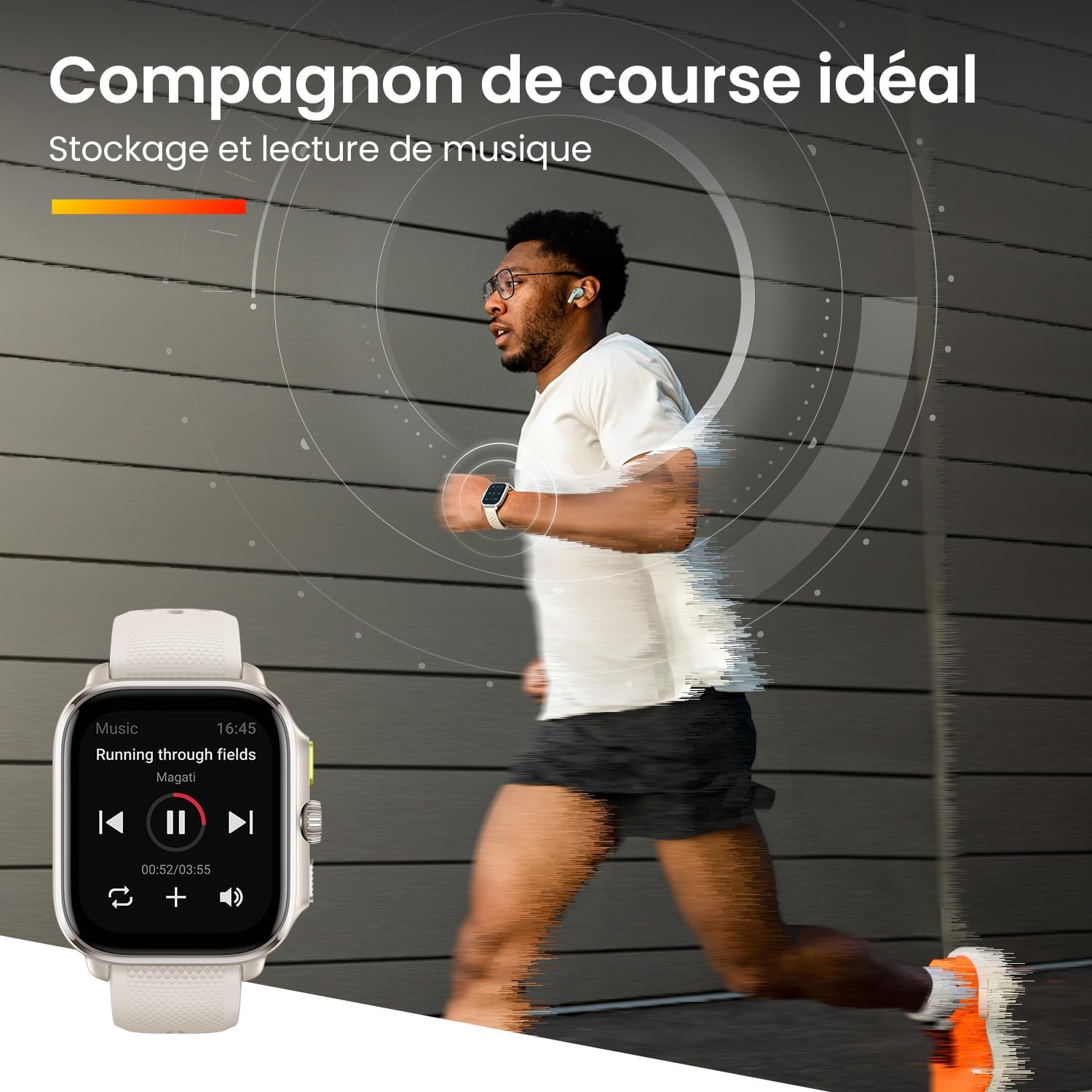
Image: A man running while listening to music, with the watch displaying a music playback interface.
Pangropéa
- beberesih: Regularly wipe the watch screen and body with a soft, lint-free cloth. For stubborn dirt, use a slightly damp lawon. Hindarkeun bahan kimia anu kasar.
- Perawatan Tali: Clean the silicone strap with mild soap and water. Ensure it is completely dry before wearing.
- Pin ngecas: Keep the charging pins on the back of the watch clean and free of debris to ensure proper charging.
- Tahan cai: The watch is water-resistant (check specific rating in specifications). Avoid prolonged exposure to hot water, steam, or high-velocity water. Dry the watch thoroughly after exposure to water.
- Panyimpenan: Simpen arloji dina tempat anu tiis sareng garing upami henteu dianggo. Hindarkeun suhu anu ekstrim.
Pamérésan masalah
| Masalah | Solusi |
|---|---|
| Lalajo teu hurung | Ensure the watch is fully charged. Press and hold the top button for 10-15 seconds to force restart. |
| Teu tiasa dipasangkeun sareng telepon |
|
| Pelacakan GPS anu teu akurat |
|
| Sénsor denyut jantung teu jalan |
|
| Batré gancang boros |
|
spésifikasi
| Fitur | Rincian |
|---|---|
| Nomer modél | A2293 |
| merek | Amazfit |
| tampilan | 1.75-inch HD AMOLED, up to 1000 nits brightness |
| Diménsi | 1.12 x 0.72 x 1.13 cm (approximate, based on product data) |
| Beurat | 25 g (tanpa tali) |
| GPS | Dual-band circularly-polarized GPS antenna (MaxTrack) |
| Sénsor Kaséhatan | BioTracker PPG optical sensor (Heart Rate, SpO2, Stress, Sleep) |
| Sistem operasi | Zepp OS 2.0 |
| Konektipitas | Bluetooth |
| Tahan cai | (Specific ATM rating not provided in source, generally 5 ATM for Amazfit running watches) |
Garansi sareng Rojongan
For warranty information, please refer to the warranty card included with your product or visit the official Amazfit websitus. Simpen resi pameseran anjeun salaku bukti pameseran.
For technical support, frequently asked questions, or further assistance, please visit the Amazfit support page or contact their customer service directly. Contact details can typically be found on the official Amazfit website or within the Zepp app.
Catetan: The product comes with a 15-day return policy as per the buying options. Please check the specific terms and conditions of your retailer.


