
1. Bubuka
Hatur nuhun pikeun meuliasing the Generic BK-3001 Wireless Bluetooth Keyboard. This ultrathin 78-key keyboard is designed for seamless connectivity with various devices, including iPads, iPhones, and other compatible computers and tablets. It utilizes Bluetooth 3.0 technology for a stable and long-distance connection. Please read this manual carefully to ensure proper setup and operation of your new keyboard.
2. Eusi Paket
- 1 x Generic BK-3001 Wireless Bluetooth Keyboard
- 1 x Manual Pamaké
3. Produk Langkungview
The BK-3001 keyboard features a compact design with 78 keys, including function keys and media controls. Its ultrathin profile makes it highly portable and suitable for various environments.

Gambar: luhur-handap view of the BK-3001 Wireless Bluetooth Keyboard, showcasing its 78-key layout and compact design.
4. Setélan
4.1 Pamasangan batré
- Tangtukeun lokasi kompartemen batré dina handapeun kibor.
- Geser muka kompartemen batréna.
- Lebetkeun dua (2) batré AAA (teu kalebet) kana kompartemenna, pastikeun polaritasna (+/-) leres.
- Tutup panutup kompartemen batré aman.

Gambar: Deukeut view of the battery compartment on the underside of the BK-3001 Wireless Bluetooth Keyboard, showing where to insert AAA batteries.
4.2 Nyapasangkeun sareng Alat
- Turn on the keyboard by sliding the ON/OFF switch to the 'ON' position. The power indicator light may briefly illuminate.
- Press the 'CONNECT' button located near the ON/OFF switch. The Bluetooth indicator light will start blinking, indicating the keyboard is in pairing mode.
- On your device (iPad, iPhone, computer, tablet), go to the Bluetooth settings.
- Pastikeun Bluetooth diaktipkeun dina alat Anjeun.
- Milarian pikeun available Bluetooth devices. You should see "Bluetooth Keyboard" or a similar name appear in the list.
- Select the keyboard from the list to initiate the pairing process.
- If prompted, enter the displayed pairing code on the keyboard and press Enter.
- Once successfully paired, the Bluetooth indicator light on the keyboard will stop blinking and turn off, or remain solid, depending on the model. Your keyboard is now ready for use.

Gambar: Deukeut view of the power switch (OFF/ON) and the Bluetooth connect button on the back of the BK-3001 Wireless Bluetooth Keyboard.
5. Parentah Operasi
After successful pairing, your keyboard will function as a standard input device. You can use it for typing, navigating, and executing commands on your connected device.
5.1 Konci Fungsi
The keyboard includes a row of function keys (F1-F12) that may have secondary functions (e.g., media controls, volume, brightness) when pressed in combination with the 'Fn' key. Refer to your device's operating system for specific key mappings.
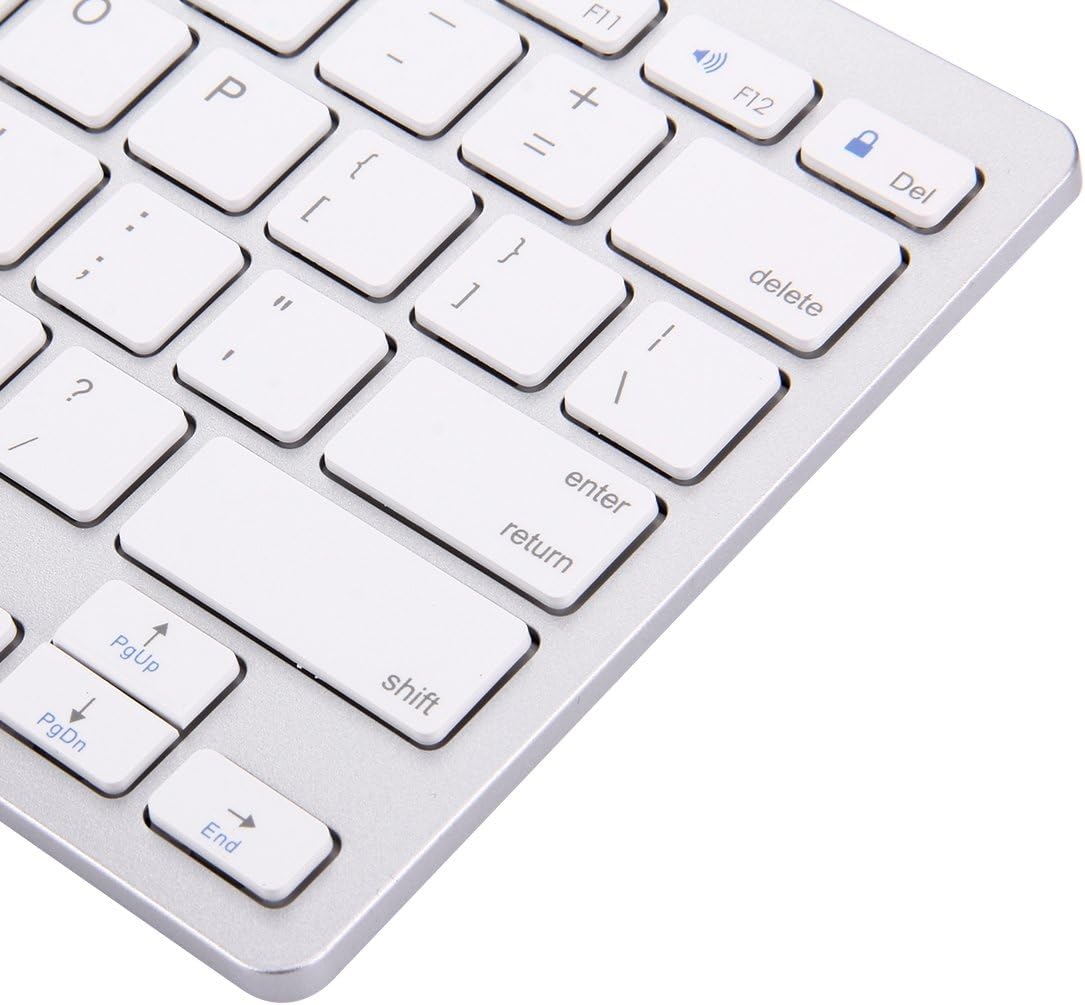
Image: Close-up of the right-hand side keys on the BK-3001 Wireless Bluetooth Keyboard, showing the Enter, Shift, Page Up, Page Down, and End keys.
5.2 Kasaluyuan
The keyboard is compatible with devices supporting Bluetooth 3.0, including but not limited to:
- iPad (all generations with Bluetooth support)
- iPhone (all models with Bluetooth support)
- tablet Android sarta smartphone
- Windows computers and laptops
- Mac computers and laptops
6. Pangropéa
6.1 beberesih
Pikeun ngabersihkeun kibor anjeun, usap permukaanana lalaunan nganggo lawon anu lemes, garing, sareng henteu ngaganggu. Pikeun kokotor anu bandel, usap sakedikampen the cloth with water or a mild, non-abrasive cleaning solution. Avoid excessive moisture and do not immerse the keyboard in liquid. The keyboard features a waterproof design, offering protection against minor spills, but it is not fully submersible.
6.2 Panyimpenan
When not in use for extended periods, turn off the keyboard to conserve battery life. Store the keyboard in a cool, dry place away from direct sunlight and extreme temperatures.
7. Cara ngungkulan
7.1 Keyboard Not Connecting/Pairing
- Ensure the keyboard is turned ON and has fresh batteries.
- Pastikeun Bluetooth diaktipkeun dina alat Anjeun.
- Press the 'CONNECT' button on the keyboard to enter pairing mode.
- Pindahkeun kibor leuwih deukeut ka alat anjeun (dina jarak 10 méter).
- Forget/remove the keyboard from your device's Bluetooth list and try pairing again.
- Restart both the keyboard (turn off and on) and your device.
7.2 Kenop Teu Ngabales
- Pariksa tingkat batré jeung ngaganti lamun perlu.
- Pastikeun kibor disambungkeun kalayan leres kana alat anjeun.
- Coba sambungkeun deui sambungan Bluetooth.
- Clean any debris that might be under the keys.
7.3 Lag or Delayed Response
- Ensure there are no strong interferences (e.g., Wi-Fi routers, other Bluetooth devices) nearby.
- Pindah ngadeukeutan ka alat Anjeun.
- Pariksa tingkat batré.
8. Spésifikasi
| Fitur | Katerangan |
|---|---|
| Modél | BK-3001 |
| Téhnologi konektipitas | Bluetooth 3.0 |
| Jumlah konci | 78 Konci |
| Jarak Operasi | Nepi ka 10 méter (33 suku) |
| Sumber Daya | 2 x Batré AAA (teu kalebet) |
| Alat nu cocog | Laptop, Tablet, iPhone, iPad, Android devices |
| Fitur husus | Ultrathin, Wireless, Waterproof, Ergonomic |
| Item Beurat | 380 gram |
| Produsén Bagian Jumlah | luqin 1 |
9. Émbaran jaminan
This product comes with a standard manufacturer's warranty. Please refer to the product packaging or your point of purchase for specific warranty terms and conditions. Keep your proof of purchase for any warranty claims.
10. Rojongan Palanggan
If you encounter any issues or have questions not covered in this manual, please contact the seller or manufacturer for assistance. Provide your product model number (BK-3001) and a detailed description of the issue when seeking support.