1. Bubuka
The Fanvil I16S SIP Video Intercom is a robust communication device designed for outdoor environments, offering reliable audio and video communication. This manual provides essential information for the proper installation, operation, and maintenance of your Fanvil I16S intercom system.
2. Produk Langkungview
The Fanvil I16S integrates security, audio/video intercom, and broadcasting functionalities. It features a durable design with IP65 waterproof and IK10 anti-collision ratings, making it suitable for various outdoor applications.
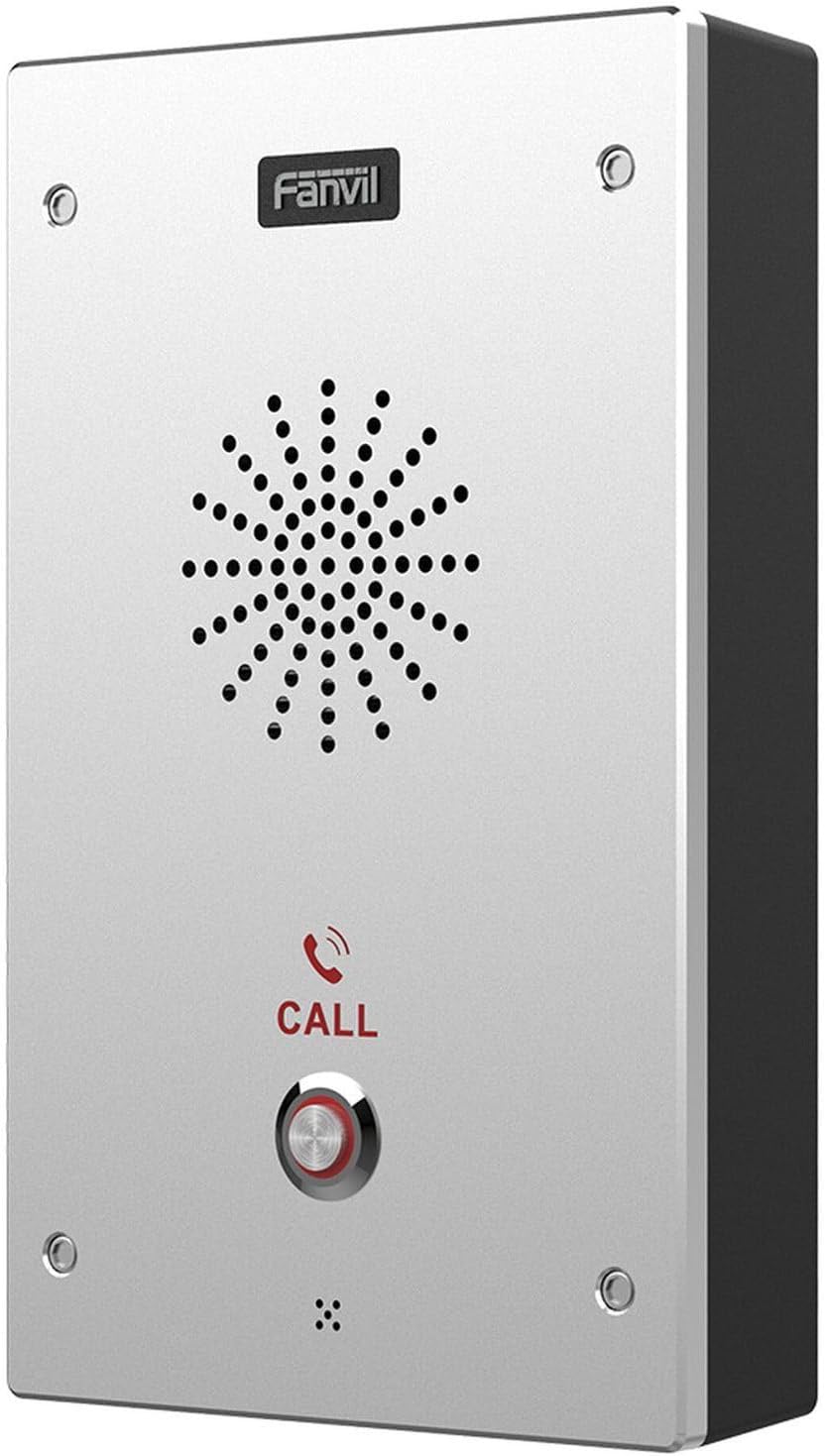
Gambar 1: Hareupeun view of the Fanvil I16S SIP Video Intercom, showing the call button and speaker grille.
3. Fitur konci
- Peunteun tahan cai IP65: Ensures protection against dust and water ingress, suitable for outdoor use.
- IK10 Anti-collision: Robust die-cast aluminum frame provides high resistance against impact.
- HD Voice Speech Quality: Equipped with a built-in 3W speaker and Acoustic Echo Canceller for clear audio.
- Anti tamper Alarm: Triggers an alarm if the cover is separated from the housing.
- Built-in TF Card Slot: Supports data storage or offline audio broadcasting.
- Integrated I/O Ports: Includes 2 short-in detect ports and 2 short-out control ports for external device integration.
- Port Outline Audio: Allows connection to an expandable external active speaker.
- SIP Compatibility: Compatible with various SIP platforms such as Asterisk, Broadsoft, 3CX, Metaswitch, Elastix, and Avaya.
4. Eusi Paket
The Fanvil I16S package typically includes the following items:
- Fanvil I16S SIP Video Intercom Unit
- Asesoris pamasangan (screws, colokan témbok)
- Guide Instalasi Gancang
Note: Specific contents may vary. Please check the packaging for a complete list.
5. Setup jeung Instalasi
The Fanvil I16S is designed for wall-mounted installation. Ensure all connections are secure before powering on the device.
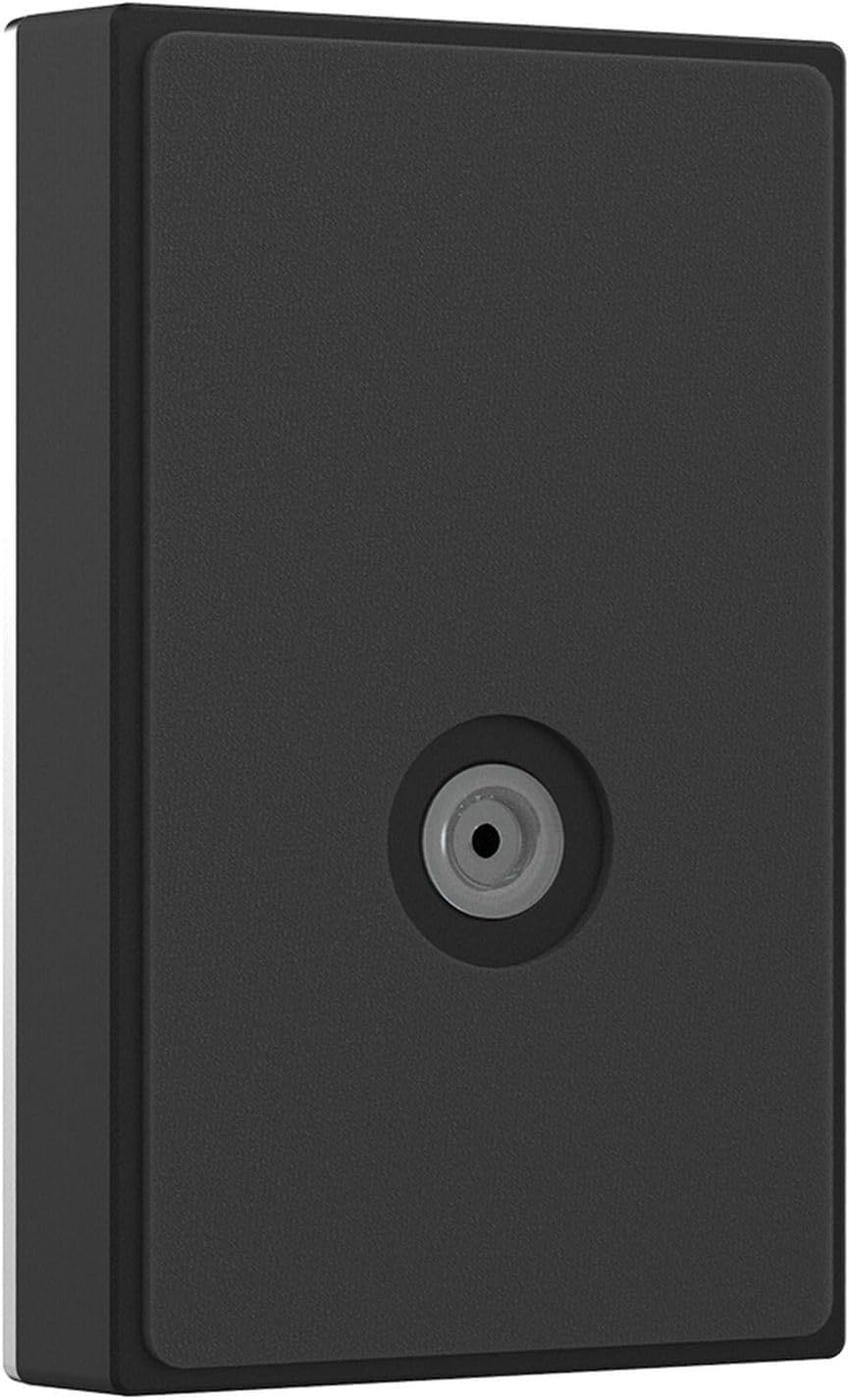
Gambar 2: Samping view of the Fanvil I16S, illustrating connection ports.
5.1 Pamasangan
- Choose a suitable wall location for installation, ensuring it is within reach of network and power cables.
- Use the provided mounting template (if applicable) to mark drilling points on the wall.
- Bor liang jeung selapkeun colokan témbok.
- Secure the intercom unit to the wall using the provided screws.
5.2 Sambungan Wiring
- Sambungan jaringan: Connect an Ethernet cable to the RJ45 port (x1) on the intercom. This provides network connectivity and can supply power if using Power over Ethernet (PoE Class 3).
- Sasayogian tanaga: If not using PoE, connect a DC12V-24V/1A power adapter to the DC port (x1).
- Kartu TF: Insert a TF card into the TF card slot (x1) for data storage or offline audio broadcasting, if desired.
- Port I/O: Connect external devices to the 2 short-in detect ports and 2 short-out control ports as required for your security system integration.
- Jalur Audio kaluar: If connecting an external active speaker, use the audio line out port.
5.3 Konfigurasi Awal
After physical installation and power-up, the device will obtain an IP address. Access the device's web panganteur via a web browser using its IP address to perform initial SIP account registration and network settings. Refer to the detailed configuration guide for specific software setup steps.
6. Parentah Operasi
6.1 Nelepon
To initiate a call, press the 'CALL' button on the front panel of the intercom. The intercom will then attempt to connect to the pre-configured SIP extension or number.
6.2 Audio Dua Arah
Once a call is established, users can engage in two-way audio communication through the built-in speaker and microphone. The HD voice quality and Acoustic Echo Canceller ensure clear conversations.
6.3 Pangimeutan Video
If connected to a compatible SIP video phone or monitoring system, the video feed from the intercom's camera can be viewed.
6.4 Anti-tamper Alarm
The intercom is equipped with an anti-tamper alarm. If the device cover is forcibly removed or separated from the housing, an alarm will be triggered, and an alert can be sent to the monitoring system.
7. Pangropéa
Regular maintenance ensures the longevity and optimal performance of your Fanvil I16S intercom.
- beberesih: Periodically wipe the exterior of the intercom with a soft, damp lawon. Hindarkeun ngagunakeun bahan kimia anu kasar atanapi pembersih abrasive.
- Pamariksaan: Regularly check all cables and connections for any signs of wear or damage. Ensure the mounting is secure.
- Pembaruan firmware: Check the Fanvil official website for any available firmware updates to ensure your device has the latest features and security patches.
- Perlindungan Lingkungan: While the device is IP65 rated, avoid directing high-pressure water jets directly at the unit.
8. Cara ngungkulan
If you encounter issues with your Fanvil I16S, refer to the following common troubleshooting steps:
- Henteu aya kakuatan: Verify that the power adapter is correctly connected and supplying the correct voltage (DC12V-24V/1A) or that the PoE switch is active and providing power.
- Henteu aya konektipitas jaringan: Check the Ethernet cable connection. Ensure the network switch port is active and configured correctly. Verify the device's IP address and network settings.
- Teu Bisa Nelepon/Narima Telepon: Confirm that the SIP account is correctly registered on your IP PBX or SIP server. Check network firewall settings.
- Kualitas Audio goréng: Ensure the microphone and speaker grilles are clear of obstructions. Check network bandwidth and latency.
- Masalah Video: Verify camera settings in the web interface. Ensure sufficient lighting in the area.
For persistent issues, consult the Fanvil support website or contact your system administrator.
9. Spésifikasi
| Fitur | Spésifikasi |
|---|---|
| Ngaran modél | i16S |
| Pamakéan jero rohangan / outdoor | Luar |
| Téhnologi konektipitas | Kabel (Ethernet) |
| Sumber Daya | Corded Electric (DC12V-24V/1A) / PoE (Class 3) |
| Panganteur Jaringan | 1 x RJ45 10/100 Mbps Ethernet |
| Tingkat panyalindungan | IP65 (Waterproof), IK10 (Anti-collision) |
| Bahan Perumahan | Aluminium Galunggung Shell |
| Speaker | Diwangun-di 3W Speaker |
| Fitur Audio | HD Voice, Acoustic Echo Canceller |
| I / O palabuhan | 2 x Short-in detect, 2 x Short-out control |
| Panyimpenan | Built-in TF Card Slot |
| Tipe Pamasangan | Dipasang témbok |
| Ukuran (L x W x H) | 7.68 x 4.72 x 1.57 inci (195 x 120 x 40 mm) |
| Item Beurat | 1.32 pon (600 gram) |
| Resolusi Capture Video | 720 p |
| Métode kontrol | Sora |
10. Garansi jeung Rojongan
Fanvil products typically come with a limited manufacturer's warranty. For detailed warranty information, please refer to the warranty card included with your product or visit the official Fanvil website. For technical support, product inquiries, or service requests, please contact your vendor or Fanvil customer support directly.
Resmi Fanvil Websitus: www.fanvil.com


