Bubuka
This manual provides instructions for the ALLIMITY replacement remote control, designed for various Dyon Enter series television models. Please read this manual carefully before using the remote control to ensure proper operation and to familiarize yourself with its features.
Model cocog
This remote control is compatible with the following Dyon Enter TV models:
- Lebetkeun 20 Pro
- Lebetkeun 32 Pro
- Enter 32 Pro V2
- Enter 32 Pro X2
- Enter 32 Pro X
- Lebetkeun 39 Pro
- Lebetkeun 40 Pro
- Lebetkeun 42 Pro
- Enter 42 PRO-X2
- Lebetkeun 43 Pro
- Lebetkeun 48 Pro
- Enter 48 Pro X
Disetél
Pamasangan batré
- Panggihan kompartemen batré dina tonggong kadali jauh.
- Geser panutup batre ka handap atawa pencét kancing jeung angkat pikeun muka.
- Insert two AAA alkaline batteries (not included), ensuring the positive (+) and negative (-) terminals match the diagrams inside the compartment.
- Tutup panutup batré ku cara ngageser deui kana tempatna dugi ka ngaklik pageuh.
Catetan: No programming is required. Once batteries are installed, the remote control is ready for immediate use with compatible Dyon Enter TV models.
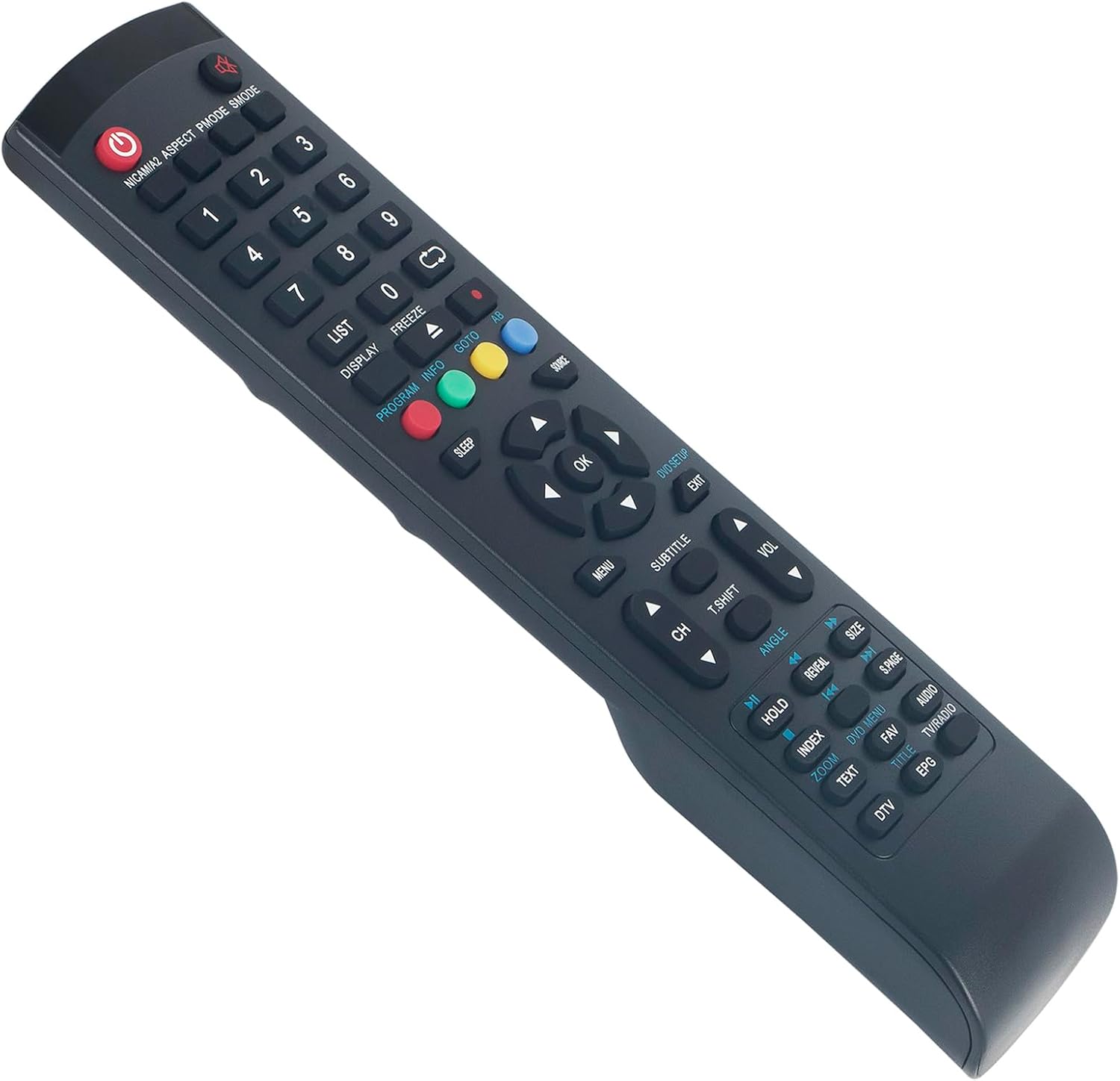
Gambar 1: Luhur-handap view of the ALLIMITY replacement remote control, displaying all functional buttons and their labels.
Parentah Operasi
The remote control functions are designed to replicate the original Dyon remote. Point the remote control directly at the TV's infrared receiver for optimal performance.
Fungsi konci Leuwihview
- Tombol Daya (Beureum): Ngahurungkeun atawa mareuman TV.
- Tombol Jumlah (0-9): Pilihan saluran langsung.
- CH +/-: Robah saluran sacara berurutan.
- VOL +/-: Saluyukeun tingkat polumeu.
- Bisu: Ngajempékeun atanapi nganonaktipkeun sora TV.
- MENU: Ngaksés ménu utama TV.
- OK / Panah Navigasi: Ngonfirmasi pilihan sareng navigasi dina ménu.
- KALUAR: Kaluar tina ménu atanapi pungsi ayeuna.
- SOURCE / INPUT: Milih sumber input (HDMI, AV, jsb.).
- INFO: Némbongkeun informasi program.
- SARE: Nyetél waktos bobo.
- Tombol Warna (Beureum, Héjo, Konéng, Biru): Access specific functions within menus or teletext, as indicated on the TV screen.

Gambar 2: Angled view of the ALLIMITY replacement remote control, highlighting the ergonomic design and button arrangement.
Pangropéa
beberesih
To clean the remote control, use a soft, dry cloth. Do not use liquid cleaners or abrasive materials, as these may damage the surface or internal components.
Ngagantian batré
Replace batteries when the remote control's response becomes sluggish or stops working. Always replace both batteries at the same time with new alkaline batteries of the same type (AAA). Do not mix old and new batteries or different types of batteries.
Panyimpenan
Upami kadali jauh henteu dianggo kanggo waktos anu panjang, cabut batréna pikeun nyegah bocor sareng kamungkinan karusakan.
Pamérésan masalah
- Jauh teu ngabales:
- Pariksa naha batréna diselapkeun leres kalayan polaritasna anu leres.
- Ganti batré heubeul ku nu anyar.
- Pastikeun teu aya halangan antara remot kontrol sareng sénsor infrabeureum TV.
- Confirm the remote control is pointed directly at the TV.
- Sababaraha tombol teu jalan:
- This remote is designed to cover all functions of the original remote. If a specific button does not work, ensure your TV model is listed in the compatible models section.
- Clean the remote control surface, especially around the non-working buttons, to remove any debris.
- TV responds intermittently:
- Weak batteries may cause intermittent response. Replace them.
- Ensure no strong light sources (like direct sunlight or bright fluorescent lights) are interfering with the TV's IR receiver.
spésifikasi
- merek: KAKATAAN
- Jumlah modél: QYSY-32ProV2-QYSY
- warna: Hideung
- Téknologi konektipitas: Infrabeureum
- Alat anu cocog: Dyon Enter 20 Pro, 32 Pro, 32 Pro V2, 32 Pro X2, 32 Pro X, 39 Pro, 40 Pro, 42 Pro, 42 PRO-X2, 43 Pro, 48 Pro, 48 Pro X
- Rentang maksimum: 10 méter
- Jenis Batré: AAA Alkali (2 diperlukeun)
Garansi sareng Rojongan
For warranty information or technical support, please refer to the retailer where the product was purchased or contact ALLIMITY customer service through their official channels. Keep your purchase receipt as proof of purchase.
