Bubuka
Thank you for choosing the TECKNET Wireless Doorbell. This manual provides detailed instructions for setting up, operating, and maintaining your new doorbell system. Please read this manual thoroughly before use to ensure proper functionality and to maximize your product experience.
The TECKNET Wireless Doorbell system is designed for convenience and reliability, featuring a long wireless range, multiple chime options, adjustable volume levels, and a durable, waterproof design suitable for various environments.
Eusi pakét
Punten parios yén sadaya barang anu didaptarkeun di handap kalebet kana pakét anjeun:
- 1 × Pemancar (Tombol Pencét)
- 2 × Panarima Colokkeun
- 1 × Adhesive Tape for Transmitter Mounting
- 2 × Screws for Transmitter Mounting
- 2 × Anchors for Transmitter Mounting
- 1 × User Manual (This Document)

Image: The complete TECKNET Wireless Doorbell kit, including the transmitter and two plug-in receivers.
Fitur konci
- 1300ft Long Wireless Range: Ensures reliable signal transmission through various obstacles like cement, wood, and brick walls, providing extensive coverage for your home or property.
- IP65 Waterproof & Energy-saving: The transmitter is built with eco-friendly ABS materials and features an IP65 waterproof rating, making it suitable for outdoor installation in diverse weather conditions. Intelligent power management provides an ultra-low power consumption and a 4.5-year lifespan for the push button.
- 60 Ringtones & 5 Volume Levels: Choose from 60 pleasant chimes and adjust the volume across 5 levels, from a silent 0dB to a loud 120dB, catering to different needs including those with hearing impairments or when quiet is required.
- 3 Modeu Gawé: Customize the doorbell's operation with options for LED light flashing only (for silent alerts or hearing impaired), ringing only, or a combination of ringing and LED light flashing.
- Expandable & Multifunctional: Utilizes high-frequency electronic technology for strong anti-interference, allowing multiple units to operate independently. Beyond a doorbell, it can serve as a night light or a pager for the elderly.
- Fungsi mémori: The doorbell system retains your last selected melody and volume level even after a power outage, ensuring consistent performance.

Image: Visual representation of the doorbell's features including chime tunes, volume levels, and working modes.

Image: Illustration of the extensive 1300ft wireless range, demonstrating signal penetration through various building materials.

Image: The doorbell transmitter's IP65 waterproof rating and ability to withstand extreme temperatures.

Image: The memory function of the receiver, which saves the last set melody and volume level.
Disetél
1. Pamasangan Pemancar (Tombol Pencét)
The transmitter can be installed using either the provided adhesive tape or screws.
- Method 1: Using Adhesive Tape
Clean the desired mounting surface thoroughly to ensure it is dry and free of dust or debris. Peel off the protective film from one side of the adhesive tape and apply it firmly to the back of the transmitter. Then, peel off the film from the other side and press the transmitter firmly onto the cleaned surface for at least 30 seconds.
- Métode 2: Ngagunakeun Screws
Open the back cover of the transmitter. Mark the desired drilling points on the wall. Drill two holes at the marked positions and insert the provided anchors. Secure the transmitter's back cover to the wall using the screws. Snap the front part of the transmitter onto the secured back cover.

Image: Detailed steps for installing the transmitter using either adhesive tape or screws.

Image: The doorbell transmitter installed and ready for use.
2. Setelan Panarima
Simply plug the receiver into any standard electrical outlet within the wireless range of the transmitter. Ensure the outlet is easily accessible and not obstructed.

Image: The doorbell receiver plugged into a standard wall outlet.
Parentah Operasi
Once installed, your TECKNET Wireless Doorbell is ready for use. The following sections detail how to customize its settings.
Nyaluyukeun Tingkat Volume
The receiver offers 5 adjustable volume levels, ranging from 0dB (mute) to 120dB. To adjust the volume, locate the volume button on the side of the receiver and press it repeatedly until you reach your desired volume level. The LED indicator will flash to confirm the change.
Video: This video demonstrates how to adjust the volume levels on the TECKNET Wireless Doorbell receiver, showcasing the different sound intensities.

Image: Visual guide to the five volume levels, including the mute option, for the doorbell receiver.
Changing Ringtones
Your doorbell comes with 60 unique ringtones. To cycle through the available melodies, press the melody selection button on the side of the receiver. Each press will play the next ringtone. Stop pressing when you find your preferred chime.
Video: This video demonstrates how to change the ringtones on the TECKNET Wireless Doorbell receiver, showcasing a selection of the 60 available melodies.
Selecting Working Modes
The doorbell offers three working modes: LED+Ring tone, Ring tone only, and LED Flash only. To switch between modes, press the mode selection button on the side of the receiver. This allows you to choose the best alert method for your environment, such as silent flashing for sleeping babies or for individuals with hearing impairments.
Video: This video demonstrates how to cycle through the three working modes of the TECKNET Wireless Doorbell receiver: LED+Ring tone, Ring tone only, and LED Flash only.
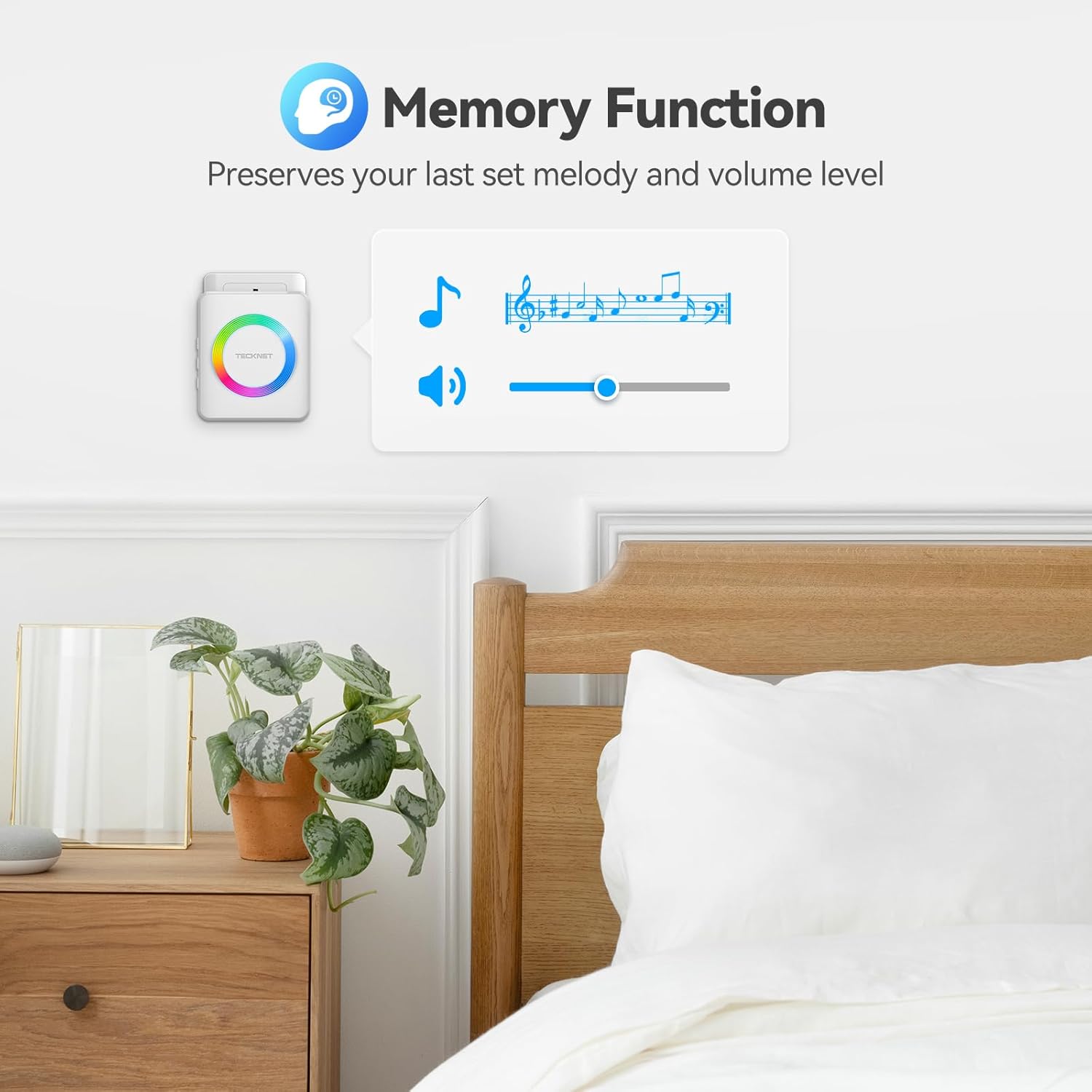
Image: The doorbell's effectiveness in various home environments, highlighting its suitability for individuals with hearing impairments.
Pangropéa
To ensure the longevity and optimal performance of your TECKNET Wireless Doorbell, follow these simple maintenance guidelines:
- beberesih: Wipe the transmitter and receivers with a soft, dry cloth. Avoid using abrasive cleaners or solvents, as they may damage the surface.
- Transmitter Battery Replacement: The push button transmitter is designed for ultra-low power consumption with an estimated 4.5-year battery life. When the battery needs replacement, the LED indicator on the transmitter may dim or fail to light up when pressed, or the signal range may decrease. To replace the battery, carefully open the transmitter casing and replace the CR2032 battery with a new one, ensuring correct polarity.
- Kaayaan Lingkungan: While the transmitter is IP65 waterproof, avoid submerging it in water. Ensure receivers are kept indoors and away from direct moisture.

Image: The long-lasting battery life of the transmitter, highlighting the CR2032 battery type.
Pamérésan masalah
If you encounter any issues with your TECKNET Wireless Doorbell, please refer to the following table for common problems and their solutions:
| Masalah | Mungkin Cukang lantaranana | Solusi |
|---|---|---|
| Receiver does not ring. |
|
|
| Jarak nirkabel anu pondok. |
|
|
| Alarm palsu. |
|
|
spésifikasi
| Fitur | Rincian |
|---|---|
| Nomer modél | WA888 |
| Range nirkabel | Up to 1300ft (400m) in open air |
| Nada dering | 60 lonceng anu tiasa dipilih |
| Tingkat Volume | 5 tingkat (0dB dugi ka 120dB) |
| Modeu Gawé | LED+Ring tone, Ring tone, LED Flash |
| Rating Tahan Cai Pemancar | IP65 |
| Suhu Operasi | -4°F nepi ka 140°F (-20°C nepi ka 60°C) |
| Kahirupan batré pamancar | Approx. 4.5 years (CR2032 battery) |
| Bahan | ABS |
| Diménsi Produk (Pemancar) | 2.8 x 1.6 inci (kira-kira.) |
| Diménsi Produk (Panarima) | 2.9 x 2.9 x 1.18 inci (kira-kira) |
| Item Beurat | 8.4 ons (total pakét) |

Image: Dimensions of the compact transmitter and receiver units.
Garansi sareng Rojongan
TECKNET offers an incredible garansi 3 taun for all customers on this wireless doorbell. This warranty covers manufacturing defects and ensures your peace of mind.
Should you encounter any issues or concerns during the use of your TECKNET Wireless Doorbell, our professional customer service team is always available to assist you and answer your questions. Please contact us through the retailer's support channels or visit the official TECKNET websitus pikeun pitulung.
We are committed to providing high-quality products and ensuring your satisfaction.


