Bubuka
Welcome to the Parsonver Smart Watch user manual. This guide provides comprehensive instructions to help you set up, operate, and maintain your new smartwatch. Designed for a connected and active lifestyle, the Parsonver Smart Watch offers a wide range of features including call management, health monitoring, fitness tracking, and smart notifications.
Please read this manual carefully to ensure optimal performance and longevity of your device.
Naon dina Box
- 1x Smartwatch
- 1x Kabel Ngecas Magnét
- 1x Manual Pangguna Multibasa

Image: The Parsonver Smart Watch, magnetic charging cable, and multilingual user manual laid out on a white background, indicating the contents of the product packaging.
Disetél
1. Ngecas Awal
Before first use, fully charge your smartwatch. Connect the magnetic charging cable to the charging points on the back of the watch. Plug the USB end into a compatible power adapter (not included) or a computer USB port. A full charge typically takes about 2 hours.

Image: A close-up of the Parsonver Smart Watch connected to its magnetic charging cable, illustrating the charging process.
2. App Download & Installation
To unlock all features and sync data, download the companion app. Scan the QR code provided in the user manual or search for "Fitomo" in your phone's app store (Google Play for Android, App Store for iPhone).
Video: Official Parsonver video demonstrating how to connect the smartwatch to an Android phone via the Fitomo app, including app download and initial setup steps.
3. Papasangan Parangkat
Enable Bluetooth on your smartphone. Open the Fitomo app and follow the on-screen instructions to search for and connect to your Parsonver Smart Watch (model SR1). Confirm the pairing request on both your phone and the watch. Ensure the app has necessary permissions for calls, contacts, and notifications.
Video: Official Parsonver video showcasing the seamless pairing process of the SPROD1 Smart Watch with a smartphone, highlighting its user-friendly interface.
Parentah Operasi
Napigasi Dasar
The smartwatch features a responsive 1.32-inch HD circular touch display. Swipe left/right or up/down to navigate through different functions and menus. The side button typically serves as a power/back button.

Gambar: A close-up view of the Parsonver Smart Watch display, illustrating the clear and vibrant interface for time and activity tracking.
Call & Notification Management
Once connected via Bluetooth, you can make and answer calls directly from your wrist. The watch also displays smart notifications for calls, SMS, texts, and various apps (Facebook, WhatsApp, Instagram, Twitter, TikTok, etc.). Note: The watch does not support sending messages.

Image: A woman interacting with her Parsonver Smart Watch to view incoming calls and app notifications, demonstrating its communication features.
Pangimeutan Kaséhatan
The smartwatch continuously monitors your heart rate and blood oxygen levels (SpO2). It also provides detailed sleep analysis (deep sleep, light sleep, REM, wake times) and stress monitoring. Women's health tracking for menstrual cycles is also available.

Image: Three panels showing the Parsonver Smart Watch's health monitoring capabilities: heart rate, blood oxygen saturation, and sleep tracking.
Kabugaran Tracking & Olahraga Mode
Choose from over 100 indoor and outdoor sports modes (walking, running, cycling, basketball, football, etc.). The watch automatically records daily steps, distance, calories burned, and active minutes.

Image: The Parsonver Smart Watch interface displaying over 100 sports modes and a summary of daily activity metrics like steps, calories, and distance.
Custom Watch Dials & Other Features
Personalize your watch with over 200 pre-installed dials or create custom designs using your photos. Additional features include breathing training, real-time weather, music control, stopwatch, camera control, adjustable brightness, sedentary reminders, hydration prompts, and phone finder.
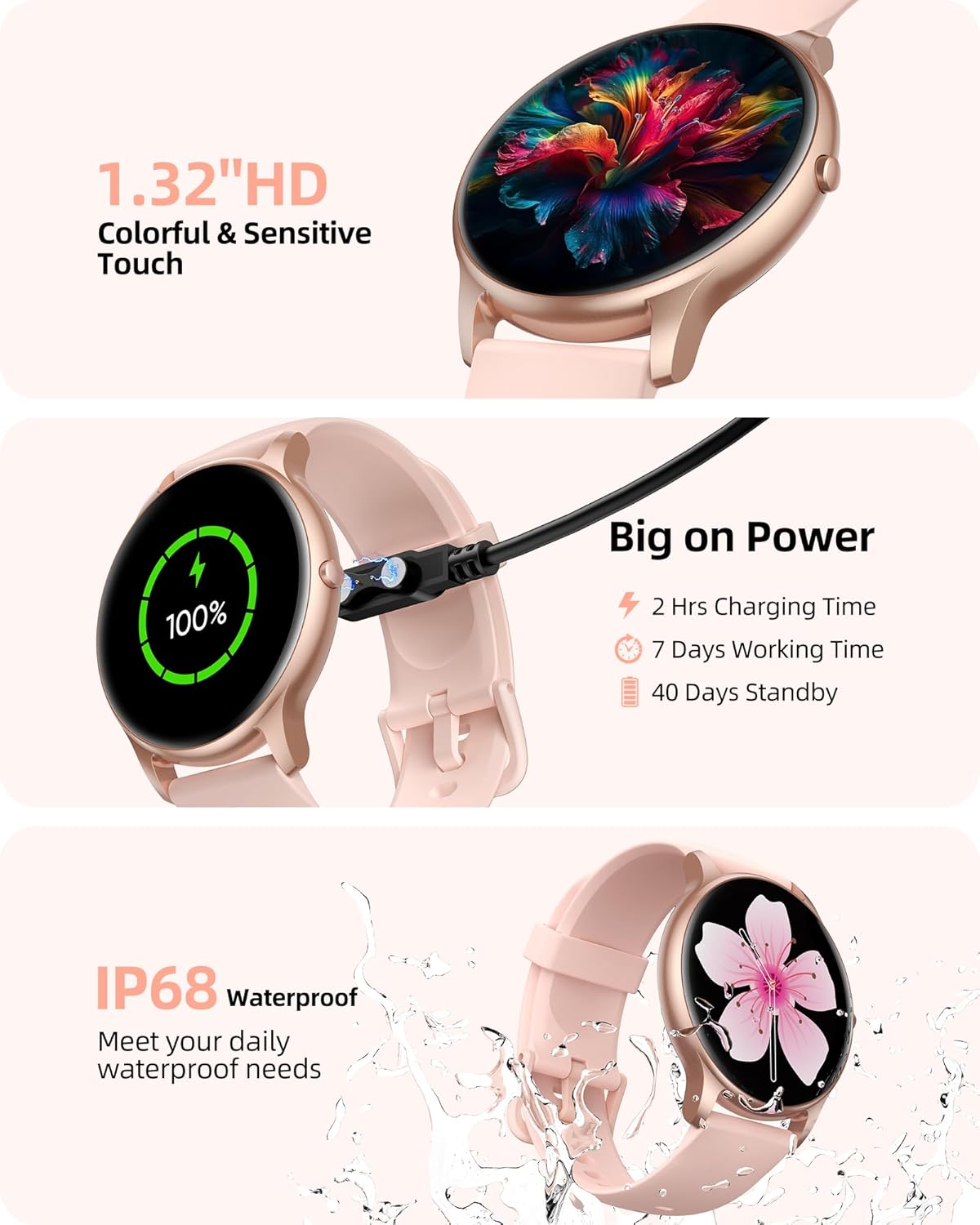
Image: A visual representation of the Parsonver Smart Watch's customizable watch face feature, showing various digital and analog dial options.
Pangropéa
Waterproof & dustproof
The smartwatch has an IP68 waterproof and dustproof rating, making it suitable for daily activities like hand washing, sweating during workouts, and light rain. Avoid prolonged submersion or high-speed water activities like swimming or showering.

Image: The Parsonver Smart Watch being held under running water, illustrating its IP68 waterproof capabilities.
Hirup Batré & Ngecas
The watch offers up to 7 days of usage and 40 days of standby time on a 2-hour charge. Battery life may vary based on usage habits. Use the provided magnetic charging cable for optimal charging.
Pamérésan masalah
If you experience connectivity issues, ensure Bluetooth is enabled on your phone and the Fitomo app has all necessary permissions. For persistent problems or questions, Parsonver offers 24/7 after-sales support.

Image: A graphic depicting a headset icon within a hexagonal shape, symbolizing 24/7 online support availability.
spésifikasi
| Dimensi produk | 10.24 x 1.77 x 0.41 inci |
| Item Beurat | 1.41 ons (40 gram) |
| Nomer Modél Item | SR1 |
| Batré | 1 batré Litium Polimér diperlukeun (kaasup) |
| Kapasitas batré | 250 Miliamp Jam-jaman |
| Ukuran layar | 1.32 inci |
| Sistem operasi | Compatible with iOS 9.0/Android 6.0 or above Smartphones |
| Téhnologi konektipitas | Bluetooth 5.3 |
| Peunteun waterproof | IP68 |
| Produsén | Parsonver |
Garansi & Rojongan
Parsonver is committed to customer satisfaction. Your smartwatch comes with dedicated 24/7 after-sales support. For any inquiries, technical assistance, or feedback, please contact the Parsonver support team. Refer to the official user manual (PDF) for more detailed warranty information.
Buku Panduan Resmi (PDF): Unduh PDF


