Bubuka
This manual provides comprehensive instructions for the MAUL Desktop Calculator Printing MPP 123. It covers everything from initial setup and daily operation to maintenance and troubleshooting, ensuring you can maximize the efficiency and functionality of your calculator. The MPP 123 is a top model with an extensive range of functions, featuring a 12-digit LCD display, 2-colour printing, and important commercial functions.

Image: The MAUL Desktop Calculator Printing MPP 123, showcasing its compact design and the paper roll for printed calculations.
Disetél
Ngabongkar bungkusan
- Carefully remove the calculator and all accessories from the packaging.
- Verify that all components are present: 1 x desktop calculator, 1 x paper roll.
- Simpen bungkusan pikeun neundeun atanapi transportasi ka hareup.
Sasayogian tanaga
The MAUL MPP 123 calculator can be operated using either mains power or battery power.
- Operasi utama: Connect the calculator to a suitable power outlet using the provided power adapter (if included, otherwise it implies direct mains connection). This is the energy-saving mode for continuous use.
- Operasi batré: The calculator includes a CR2032 battery for portable use or as a backup. Ensure the battery is correctly installed in its compartment.
Pamasangan Gulung Kertas
The calculator uses a 58 mm wide paper roll for printing. Follow these steps to install a new roll:
- Buka panutup gulungan kertas, biasana ayana di tukang luhur kalkulator.
- Insert the new paper roll, ensuring the paper feeds from the bottom and up towards the printing mechanism.
- Pull a small length of paper out and close the cover, making sure the paper is aligned with the feed slot.
- Use the FEED button to advance the paper and confirm correct installation.
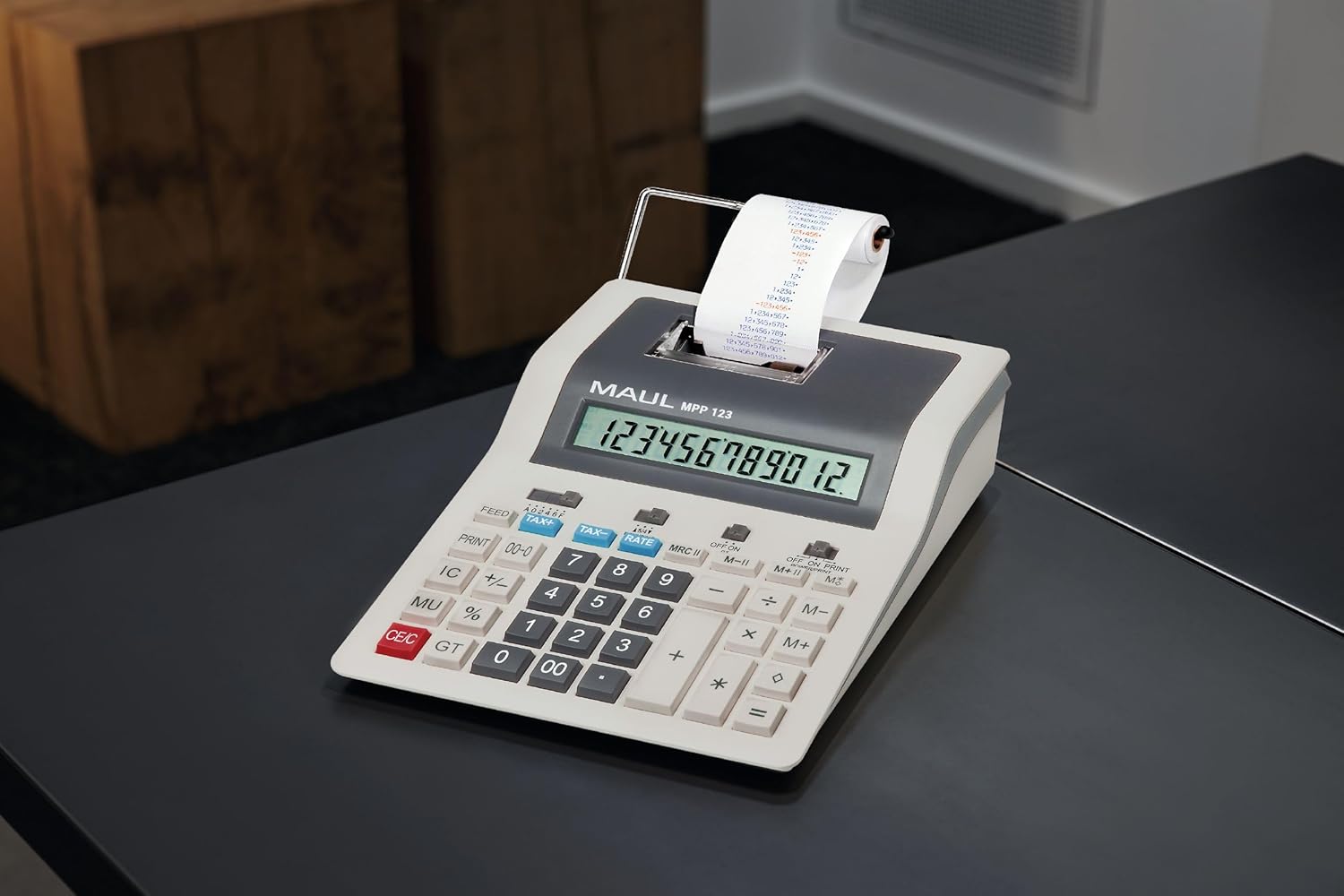
Image: The MAUL Desktop Calculator in an office environment, demonstrating its integration into a workspace.
Parentah Operasi
The MAUL MPP 123 features a PC-like keyboard for intuitive operation and a 12-digit LCD display for clear readability.
Operasi Dasar
- Tambahan (+): Enter the first number, press '+', enter the second number, press '='.
- Pangurangan (-): Enter the first number, press '-', enter the second number, press '='.
- Multiplication (*): Enter the first number, press '*', enter the second number, press '='.
- Divisi (/): Enter the first number, press '/', enter the second number, press '='.
- Clear Entry (CE/C): Clears the last entered number or the entire calculation.
- Total Jumlah (GT): Calculates the sum of all results from previous calculations.
Commercial Functions
- Profit Margin Function (MU %): Used for calculating selling prices based on cost and desired profit margin.
- Automatic Tax Calculation (TAX+, TAX-): Allows calculation of prices with or without tax. The tax rate can be programmed.
- Konversi Mata Uang: Convert currencies with a programmable exchange rate. Refer to the specific buttons for setting and using this function.
Fungsi mémori
- The calculator features a 3-button memory system with 2 memory plans (M+, M-, MRC).
- M+: Nambihan nilai ditampilkeun kana mémori.
- M-: Ngurangan nilai anu ditampilkeun tina mémori.
- MRC: Recalls the memory content. Pressing twice clears the memory.
Fungsi Percetakan
- The calculator supports 2-colour printing at a speed of 2.4 lines per second.
- PRINT ON/OFF: Toggles the printing function. When ON, all calculations are printed on the paper roll.
- Eupan: Ngamajukeun gulungan kertas.
Pangropéa
- beberesih: Anggo lawon anu lemes sareng garing pikeun ngabersihkeun bagian luar kalkulator. Pikeun tanda anu bandel, usap sakedikamp lawon anu dieusi deterjen hampang tiasa dianggo, pikeun mastikeun teu aya cairan anu asup kana alat.
- Ngagantian batré: When the display becomes dim or the calculator behaves erratically on battery power, it's time to replace the CR2032 battery. Refer to the battery compartment for instructions on safe replacement.
- Gulungan kertas: Always use 58mm thermal paper rolls designed for printing calculators. Replace the roll promptly when it runs out to ensure continuous printing functionality.
- Panyimpenan: Store the calculator in a cool, dry place away from direct sunlight and extreme temperatures when not in use for extended periods.
Pamérésan masalah
| Masalah | Mungkin Cukang lantaranana | Solusi |
|---|---|---|
| Kalkulator teu hurung. | No power supply; dead battery. | Ensure mains adapter is connected or replace the CR2032 battery. |
| Pintonan taram atanapi kosong. | Daya batre lemah. | Ganti batré CR2032. |
| Printer is not printing. | Paper roll empty or incorrectly installed; print function off. | Check and replace paper roll; ensure PRINT function is ON. |
| Incorrect calculations. | Incorrect input; memory not cleared. | Double-check entered numbers; clear memory (MRC twice) and try again. |
spésifikasi
| Fitur | Rincian |
|---|---|
| merek | MAUL |
| Ngaran modél | Desktop calculator printing MPP 123 |
| Nomer modél | 7272584 |
| Warna | kulawu |
| Jenis Bahan | palastik |
| tampilan | 1-line, 12-digit LCD display |
| Laju percetakan | 2.4 lines/sec |
| Printing Colour | 2-colour printing |
| Paper Roll Width | 58 mm |
| Sumber Daya | Mains and Battery Operated |
| Jenis Batré | 1 x CR2032 (kaasup) |
| Dimensi produk | 26.6L x 20.2W x 7.7H centimetres (for current model) |
| Produsén | Jakob Maul GmbH |
Garansi sareng Rojongan
MAUL products are known for their precision and reliability, backed by the experience of a German family business with over 110 years of history. We combine sustainability and new technologies with functionality and craftsmanship to ensure high-quality products.
For any technical assistance, troubleshooting beyond this manual, or warranty inquiries, please contact your local MAUL distributor or the point of purchase. Please have your model number (MPP 123) and purchase details ready when contacting support.


