
Bubuka
Thank you for choosing the LaView 4MP Security Camera. This manual provides essential information for setting up, operating, and maintaining your camera to ensure optimal performance and security. This camera offers advanced features including dual-band WiFi connectivity, 2K resolution, color night vision, motion detection, two-way audio, and smart home integration.
Produk Leuwihview & Fitur konci
The LaView 4MP Security Camera is designed for both indoor and outdoor use, providing comprehensive surveillance with its versatile features:
- Wireless & Easy Install: Supports both 5GHz and 2.4GHz dual-band WiFi for smooth operation. Installs easily with a standard E27 bulb base, eliminating complex wiring. ETL certified for safety.
- 4MP HD & Color Night Vision: Captures ultra-clear 4MP HD (2560x1440P) images with 12x digital zoom. Enjoy full-color night vision in low light or darkness up to 30 feet for superior clarity day and night.
- Motion Detection & Motion-Tracking Alerts: Accurately detects and tracks objects with a 355° pan and 17 feet range. Adjustable sensitivity levels (Low/Medium/High) allow the camera to auto-record and follow motion, sending alerts when needed.
- Two-Way Talk & Alarm Siren: Communicate with family or visitors via your mobile device. Set a loud alarm for motion detection and use the built-in microphone and speaker to deter intruders or greet guests.
- Multi-User Sharing & Alexa Compatible: Supports up to 20 simultaneous viewers, allowing you to share security access with family and friends. Compatible with Amazon Alexa and Google Assistant for easy control.

Image: LaView 4MP Security Camera demonstrating 2.4G & 5G Dual-band WiFi connectivity.

Image: Comparison of 4MP HD resolution versus standard resolution.

Image: LaView Starlight Color Night Vision in action.

Image: Motion Detection & Motion Tracking capabilities.

Image: Alarm Function & AI Human Detection Filter.
Eusi pakét
Anjeun LaView 4MP Security Camera package includes the following items:
- 2 x LaView 4MP Security Camera Body
- 1 x Manual Pamaké
- Mounting Accessories (screws, anchors, E27 adapter) - (Inferred from typical camera packages and product images)
Setup sareng Instalasi
Follow these steps to set up your LaView 4MP Security Camera:
- Daya Hurung: Screw the camera into a standard E27 light bulb socket. Ensure the power to the socket is turned off before installation. Once securely screwed in, turn on the power. The camera will initiate its startup sequence.
- Unduh App: Unduh LaView aplikasi ti toko aplikasi smartphone anjeun (ios atanapi Android).
- Nyiptakeun Akun: Buka aplikasi sareng jieun akun énggal atanapi lebet upami anjeun parantos gaduh.
- Tambahkeun Alat: Follow the in-app instructions to add your new camera. This typically involves scanning a QR code on the camera or manually selecting the device type and connecting to your home's 5GHz or 2.4GHz WiFi network.
- Posisi: Adjust the camera's pan and tilt via the app to achieve the desired viewsudut ing.

Image: Easy installation into an E27 light socket.
Video: Official LaView video demonstrating the 4MP Light Bulb Camera's features and ease of installation.
Parentah Operasi
Once your camera is set up and connected to the LaView app, you can access its various functions:
- Hirup View: Tap on your camera in the app to view hirup footage. You can pan (355°) and tilt (62°) the camera remotely to adjust the viewwewengkon.
- Audio Dua Arah: Anggo ikon mikropon dina siaran langsung view interface to speak through the camera's speaker. Tap the speaker icon to hear audio from the camera's location.
- Ngarekam & Playback: The camera supports 24/7 continuous recording (with optional cloud storage or local Micro SD card up to 128GB). Access recorded footage through the 'Playback' or 'Recording' section in the app.
- Tanda Gerak: Enable motion detection in the app settings to receive instant notifications on your smartphone when movement is detected. Adjust sensitivity as needed.
- Sirineu Alarm: Activate the audible alarm siren through the app to deter unwanted visitors.
- Modeu Visi Peuting: Switch between different night vision modes (e.g., color night vision) in the app settings for optimal visibility in low-light conditions.

Image: 24/7 Continuous Recording and Cloud/SD card options.
Video: Seller demonstration of the Wireless Security Camera's app features, including live view, two-way talk, and settings.
App Integration & Multi-User Access
The LaView 4MP Security Camera offers seamless integration and sharing capabilities:
- Kasaluyuan Smart Home: Connect your camera with Amazon Alexa or Google Assistant for voice control and integration into your smart home ecosystem. Refer to the respective smart assistant's app for specific setup instructions.
- Babagi Multi-Pamaké: Share access to your camera's live feed and recordings with up to 20 other users. This feature is ideal for families or small businesses to ensure everyone can monitor the premises.
- Rojongan Multi-Platform: View your camera feed on various devices, including iOS and Android smartphones, tablets, and Windows computers.
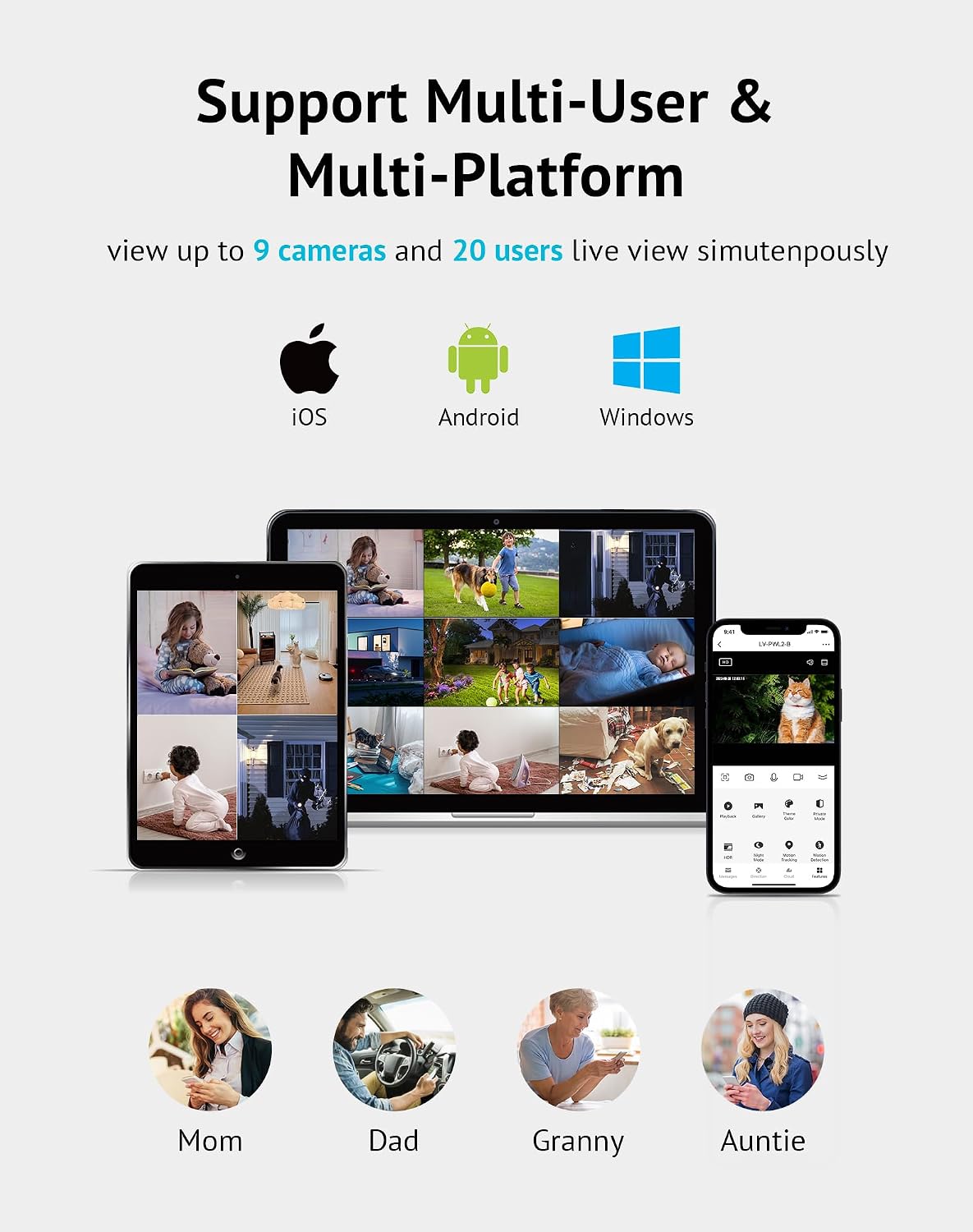
Image: Multi-User & Multi-Platform Support.
Pamérésan masalah
If you encounter issues with your LaView 4MP Security Camera, try the following steps:
- Henteu aya kakuatan: Ensure the E27 light socket has power and the camera is securely screwed in. Test the socket with a regular light bulb if necessary.
- Masalah Sambungan WiFi: Verify your WiFi network is active and within range. Ensure you are connecting to the correct 5GHz or 2.4GHz band as supported by your router and camera. Try restarting your router and the camera.
- App Teu Nyambung: Ensure your smartphone has a stable internet connection. Close and reopen the LaView app. If the issue persists, try reinstalling the app.
- Kualitas pidéo goréng: Check your internet speed. Ensure the camera lens is clean and free from obstructions. Adjust the video quality settings in the app (e.g., switch from SD to HD if your network supports it).
- Deteksi gerak teu jalan: Check the motion detection settings in the app. Ensure the sensitivity is set appropriately and the detection area is configured correctly.
- Reset kaméra: If all else fails, locate the reset button on the camera (refer to the camera body for exact location) and press and hold it for several seconds until you hear a voice prompt or see an indicator light change. This will restore factory settings, and you will need to re-add the device to the app.
spésifikasi
| Ngaran modél | LV-PWL2-B-5G-2PK |
| Resolusi Capture Video | 4 MP (2560x1440P) |
| Téhnologi konektipitas | Nirkabel (Wi-Fi) |
| Téhnologi nirkabel | 5G & 2.4GHz Dual-band Wi-Fi |
| Fitur husus | Motion Sensor, Night Vision (Full Color), Motion Tracking, Two-Way Talk, Audible Alarm |
| Pamakéan jero rohangan / outdoor | Jero rohangan, Luar |
| Alat nu cocog | Smartphone (iOS, Android), Amazon Alexa, Google Assistant |
| Sumber Daya | Corded Electric (E27 Bulb Base) |
| Warna | Hideung |
| Item Dimensi | 10 x 18 x 21 inci |
| Jumlah Unit | 2.0 Ngitung |
| Sertifikasi | ETL Certified |
Garansi sareng Rojongan
LaView is committed to providing high-quality products and customer satisfaction. Your LaView 4MP Security Camera is backed by our standard warranty. For detailed warranty information, please refer to the product packaging or contact LaView rojongan customer.
If you require further assistance, have questions, or need technical support, please reach out to our professional service team. Contact information can typically be found on the LaView website or within the LaView aplikasi.