1. Bubuka
Thank you for choosing the UNI-T UT390H Laser Distance Meter. This device is designed for precise distance measurements, offering high accuracy up to 50 meters. It is lightweight, easy to use, and capable of calculating distance, area, volume, and angles. This manual provides essential information for safe and effective operation, maintenance, and troubleshooting.
Eusi pakét:
- UNI-T UT390H Laser Distance Meter
- Fabric protective case
- Fabric lanyard
- Dua batré 1.5V AAA
2. Émbaran Kasalametan
Please read and understand all safety instructions before using the device. Failure to follow these instructions may result in laser radiation exposure, electric shock, or property damage.
- Radiasi laser: Alat ieu ngaluarkeun radiasi laser Kelas 2. Ulah neuteup kana sinar laser atanapi ngarahkeunana ka jalma sanés.
- Do not attempt to modify or disassemble the device. Unauthorized modifications can lead to hazardous laser radiation exposure.
- Jauhkeun alat tina jangkauan barudak.
- Ulah dianggo alat ieu dina lingkungan anu gampang ngabeledug atanapi caket bahan anu gampang kaduruk.
- Hindarkeun alat ka suhu ekstrim, kalembaban, atanapi sinar panonpoé langsung.
- Use only the specified battery type (AAA 1.5V).
3. Produk Langkungview
Familiarize yourself with the components of your laser distance meter.
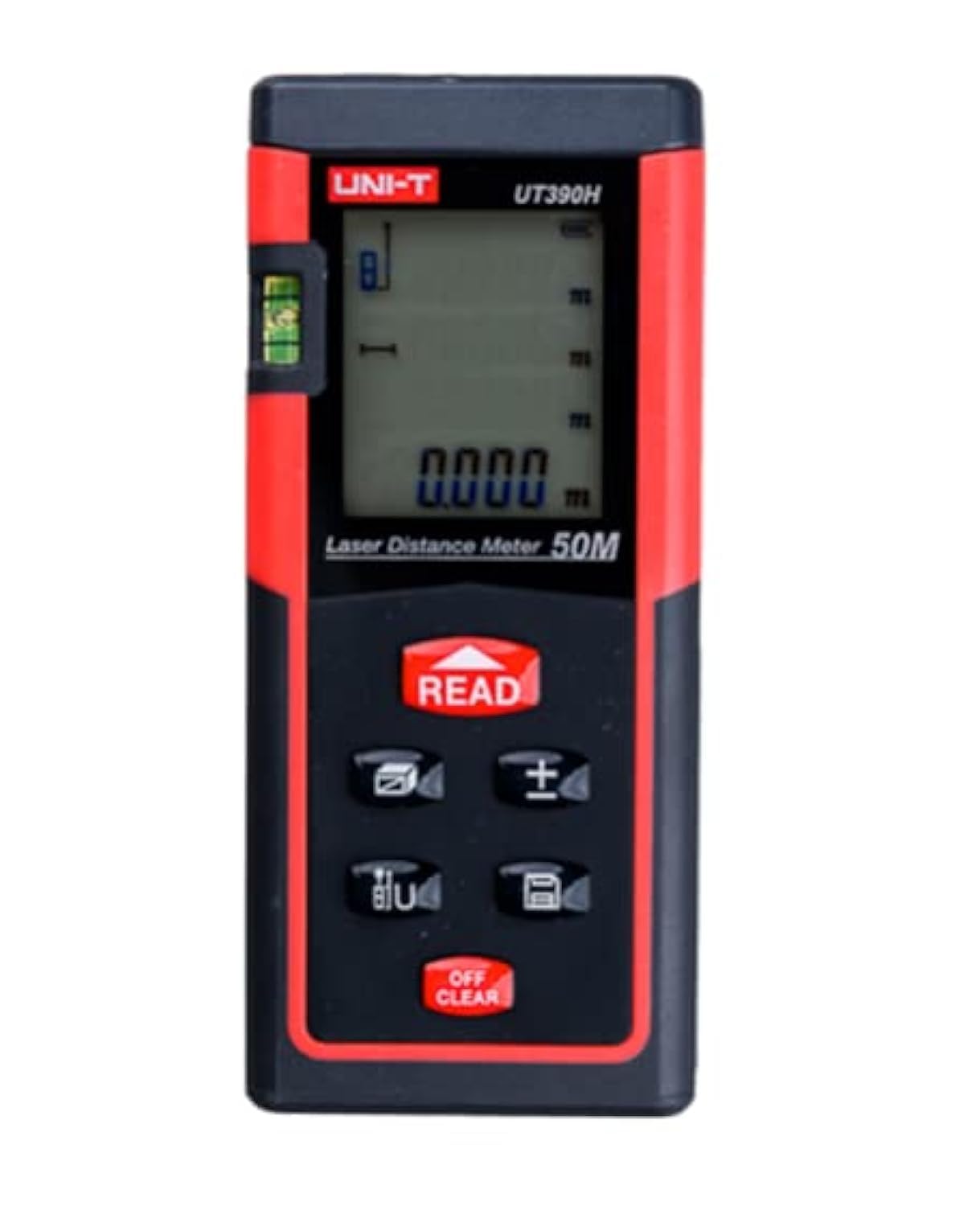
Gambar 1: Hareupeun view of the UNI-T UT390H Laser Distance Meter, showing the display, control buttons, and laser aperture. The device is red and black with a digital screen.
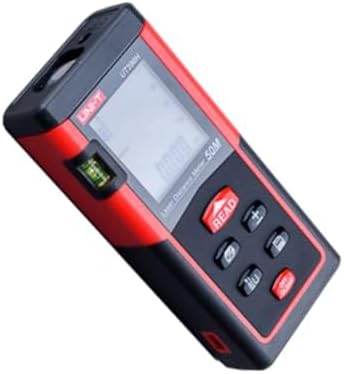
Gambar 2: Angled view of the UNI-T UT390H Laser Distance Meter, highlighting the side profile and the spirit level for horizontal alignment.
Komponén konci:
- aperture laser: Ngaluarkeun sinar laser pikeun pangukuran.
- Layar tampilan: Shows measurement results, mode indicators, and battery status.
- Tombol BACA: Initiates a measurement or confirms a selection.
- +/- Tombol: Used for addition/subtraction of measurements or navigation.
- Tombol fungsi: Cycles through measurement modes (distance, area, volume, angle).
- Clear/Off Button: Clears the last measurement or turns off the device.
- Kompartemen batré: Perenahna di tukangeun alat.
4. Setélan
4.1 Pamasangan batré
- Teang tempat panutup kompartemen batre dina tonggong alat.
- Geser atawa cabut panutup panutup pikeun mukakeunana.
- Pasangkeun dua batré alkali AAA 1.5V, pastikeun polaritasna (+/-) bener.
- Tutup panutup kompartemen batré aman.
Catetan: Cabut batréna upami alat ieu moal dianggo salami waktos anu lami pikeun nyegah bocor.
5. Parentah Operasi
5.1 Daya Hurung/Pareuman
- Pikeun ngaktipkeun: Pencét BACA kancing. Laser bakal ngaktipkeun.
- Pikeun mareuman: Pencét jeung tahan tombol Hapus/Pareuman tombol pikeun sababaraha detik.
5.2 Pangukuran Jarak Dasar
- Hurungkeun alat.
- Arah laser dina beungeut target.
- Pencét éta BACA tombol sakali. Pangukuran bakal muncul dina tampilan.
5.3 Pangukuran Terus-terusan (Tracking)
- Hurungkeun alat.
- Pencét jeung tahan tombol BACA button. The device will continuously measure and display the distance as you move it.
- Ngaleupaskeun BACA button to stop continuous measurement.
5.4 Pangukuran Wewengkon
- Pencét éta Fungsi button until the area icon (usually a square) appears on the display.
- Ukur sisi kahiji (contona, panjang) ku mencét BACA.
- Ukur sisi kadua (misalna lebar) ku mencét BACA deui.
- Wewengkon anu diitung bakal ditingalikeun.
5.5 Pangukuran Volume
- Pencét éta Fungsi button until the volume icon (usually a cube) appears.
- Ukur panjangna ku mencét BACA.
- Ukur lebar ku mencét BACA.
- Ukur jangkungna ku mencét BACA.
- Volume diitung bakal dipintonkeun.
5.6 Pythagorean Measurement (Angle)
This mode allows indirect measurement of height or distance using the Pythagorean theorem.
- Pencét éta Fungsi button until the Pythagorean icon appears (e.g., a triangle).
- Turutan parentah dina layar pikeun ngukur sisi anu diperyogikeun (contona, sisi miring, dasar).
- The calculated indirect measurement will be displayed.
6. Pangropéa
- beberesih: Ngagunakeun lemes, damp cloth to clean the device. Do not use abrasive cleaners or solvents. Clean the laser lens with a soft cloth, similar to cleaning camera lenses.
- Panyimpenan: Store the device in its protective case in a cool, dry place when not in use. Avoid areas with high humidity or extreme temperatures.
- Ngagantian batré: Ganti batré sawaktos indikator batré lemah nembongan dina tampilan.
7. Cara ngungkulan
| Masalah | Mungkin Cukang lantaranana | Solusi |
|---|---|---|
| Alat henteu hurung. | batré lemah atawa maot; pamasangan batré salah. | Replace batteries with new 1.5V AAA alkaline batteries. Check battery polarity. |
| Pangukuran anu teu akurat. | Laser lens is dirty; unstable measurement surface; strong light interference. | Clean the laser lens. Ensure the device is stable. Measure in a shaded area or use a target plate if available. |
| Pesen "Error" dina layar. | Measurement out of range; laser beam obstructed. | Ensure target is within 0.05m to 50m range. Check for obstructions in the laser path. |
8. Spésifikasi
| Fitur | Rincian |
|---|---|
| merek | UNI-T |
| Modél | UT390H |
| Rentang pangukuran | 0.05m - 50m |
| Fungsi Pangukuran | Distance, Area, Volume, Pythagorean (Angle) |
| Jenis Batré | 2 x AAA 1.5V Alkaline |
| Rating Perlindungan Internasional (IP) | IP54 |
| Ukuran Pangiriman | 17 x 11.5 x 6.5 cm |
| Beurat (Pangiriman) | 210 gram |
9. Garansi jeung Rojongan
This product comes with a standard manufacturer's warranty. For specific warranty terms, conditions, and duration, please refer to the warranty card included in your product packaging or contact the retailer where you purchased the device.
For technical support or service inquiries, please contact UNI-T customer service or your local distributor. Contact information can typically be found on the manufacturer's official websitus atanapi dina dokuméntasi produk.


