
1. Bubuka
Thank you for choosing the V-TAC VT-1001 Portable Power Station. This device is a versatile and rechargeable power source designed to provide reliable electricity for various applications, from outdoor adventures to emergency backup. It features a 1000W output and a 22.4V, 46.9Ah LiFePO4 battery for long-lasting performance. Please read this manual thoroughly before operating the power station to ensure safe and efficient use.
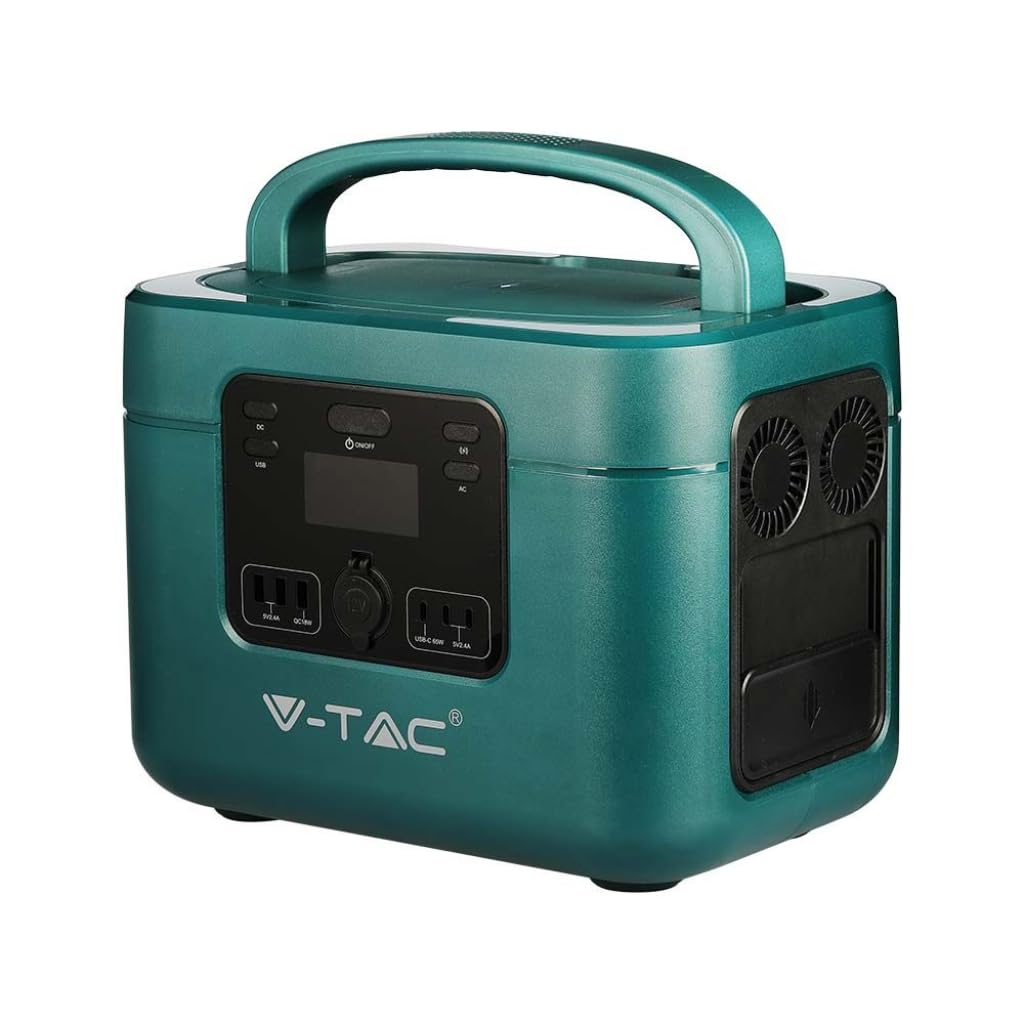
Image: The V-TAC VT-1001 Portable Power Station, a compact and robust power solution.
2. Parentah Kasalametan
Perhatikeun pancegahan kaamanan di handap ieu pikeun nyegah tatu atanapi karusakan kana alat:
- Ulah ngabongkar, ngalereskeun, atanapi ngarobih unitna. Pemasangan deui anu salah tiasa nyababkeun kahuruan atanapi sengatan listrik.
- Ulah neundeun alat ieu caket kana seuneu atanapi kakeunaan panas. Jauhkeun tina sinar panonpoé langsung.
- Ulah ngecas, nganggo, atanapi nyimpen unit ieu di kamar mandi atanapi di daérah anu kakeunaan cai atanapi kalembaban.
- Use only the provided charger or approved charging methods.
- Entong nganggo unit upami rusak atanapi parantos turun.
- Jauhkeun tina jangkauan barudak sareng piaraan.
- Ensure proper ventilation during use and charging. Do not cover the unit.
- Avoid extreme temperatures. Store and operate the unit within the recommended temperature range.
3. Produk Langkungview
Familiarize yourself with the various components and interfaces of your power station.
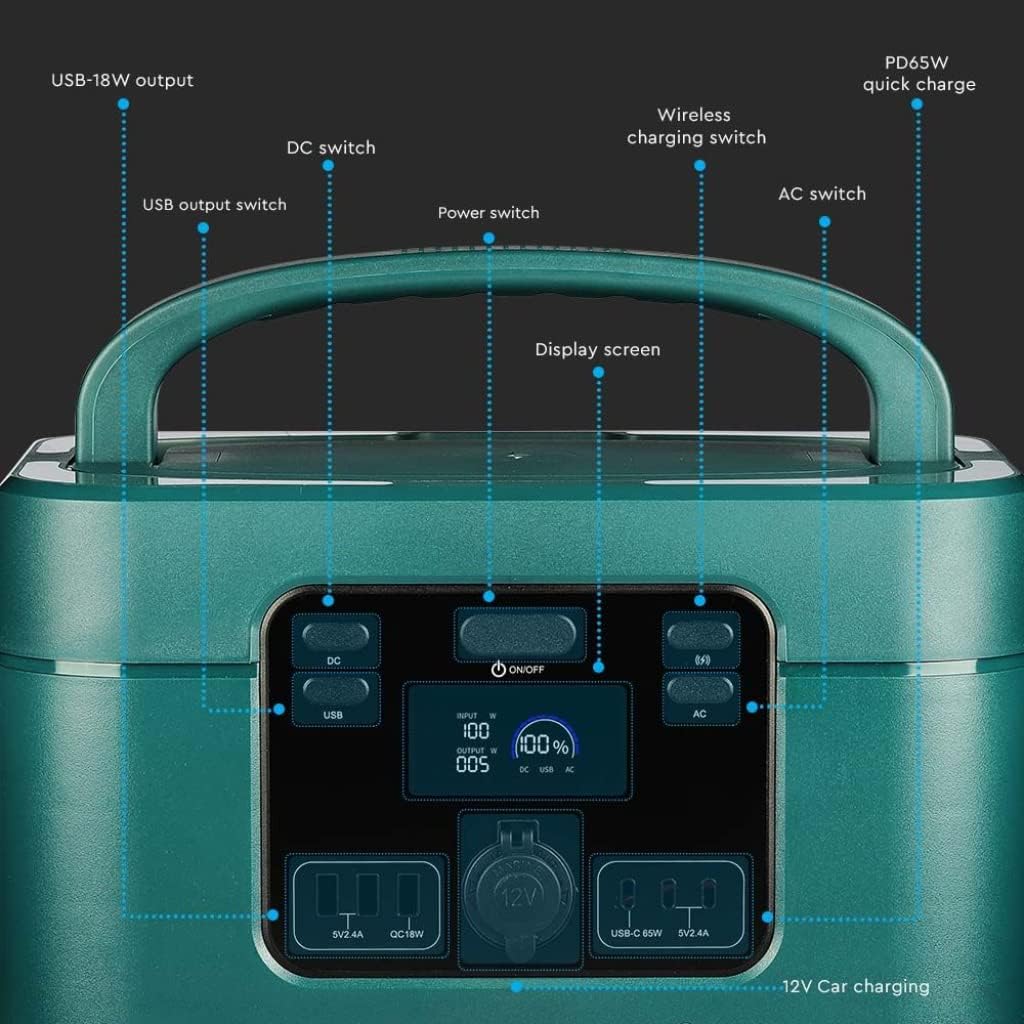
Image: Detailed diagram of the front control panel and output ports.
Fitur Panel hareup:
- Saklar DC: Ngaktipkeun/nonaktipkeun port kaluaran DC.
- Saklar Kaluaran USB: Controls the USB-A and USB-C output ports.
- Pindah Daya (ON/OFF): Tombol daya utama pikeun unit.
- Layar tampilan: Némbongkeun arus input/outputtage, persén batrétage, sareng indikator status.
- Wireless Charging Switch: Enables/disables the wireless charging pad.
- Saklar AC: Activates/deactivates AC output sockets.
- USB-18W Output: Standard USB-A port.
- PD65W Quick Charge: USB-C port for fast charging compatible devices.
- 12V Car Charging Port: Standard car accessory socket.

Image: Detailed diagram of the rear input ports and lighting feature.
Keunggulan Panel Belakang:
- Pencahayaan: Sumber cahaya anu terintegrasi.
- Saklar kaamanan: Additional safety mechanism.
- DC Charging 60 Interface: Input port for DC charging, compatible with solar panels.
- AC Fast Charging Input: Port for charging the power station via AC wall outlet.

Image: Diagram showing the side panel with cooling outlet and AC outputs.
Keunggulan Panel Samping:
- Outlet cooling: Mastikeun disipasi panas anu leres nalika operasi.
- Tutup anu tiasa dicabut: Covers and protects the AC output sockets.
- Kaluaran 220V: Standard AC power sockets for appliances.
4. Setélan
Sateuacan dianggo anu munggaran, disarankeun pikeun ngecas pinuh stasiun daya.
- Ngabongkar bungkusan: Cabut pembangkit listrik sareng sadaya asesoris tina bungkusna kalayan ati-ati.
- Muatan Awal: Connect the power station to a wall outlet using the provided AC charging cable. The display screen will indicate the charging status. Charge until the battery indicator shows 100%.
5. Parentah Operasi
The V-TAC VT-1001 offers multiple output options for various devices.
Operasi umum:
- Hurungkeun/Pareuman: Pencét jeung tahan tombol Pindah kakuatan (ON/OFF) on the front panel to turn the unit on or off. The display screen will illuminate.
- Layar tampilan: The LED display provides real-time information on input/output power (W) and battery charge level (%).

Image: Close-up of the wide LED display, showing input, output, and battery percentage.
Ngagunakeun Port Kaluaran:
- AC Output (220V): Pencét éta Saklar AC to enable the AC outlets. Plug in your appliances (e.g., laptops, power tools, mini coolers) into the 220V sockets located under the removable lid on the side. Ensure the total wattage teu ngaleuwihan 1000W.
- DC Output (12V Car Port): Pencét éta Pindah DC to enable the 12V car charging port. Connect your 12V devices.
- USB Output (USB-A, USB-C): Pencét éta USB Kaluaran Pindah to activate the USB ports. Connect your USB-powered devices to the USB-18W or PD65W Quick Charge ports.
- Ngecas nirkabel: Pencét éta Wireless Charging Switch. Place your compatible device (e.g., smartphone) on the wireless charging pad located on top of the unit.
- Pencahayaan: Use the dedicated button on the rear panel to activate the integrated light.

Image: The power station simultaneously charging a laptop, mobile phone, and drone.
6. Ngecas Power Station
The VT-1001 can be recharged using multiple methods:
AC témbok ngecas:
Connect the provided AC charging cable to the AC Fast Charging Input port on the rear panel and then to a standard wall outlet. The unit will begin charging automatically.
Panel surya pengisian:
Connect a compatible solar panel (not included) to the DC Charging 60 Interface port on the rear panel. Ensure the solar panel is positioned to receive maximum sunlight. The power station features MPPT technology for efficient solar charging.
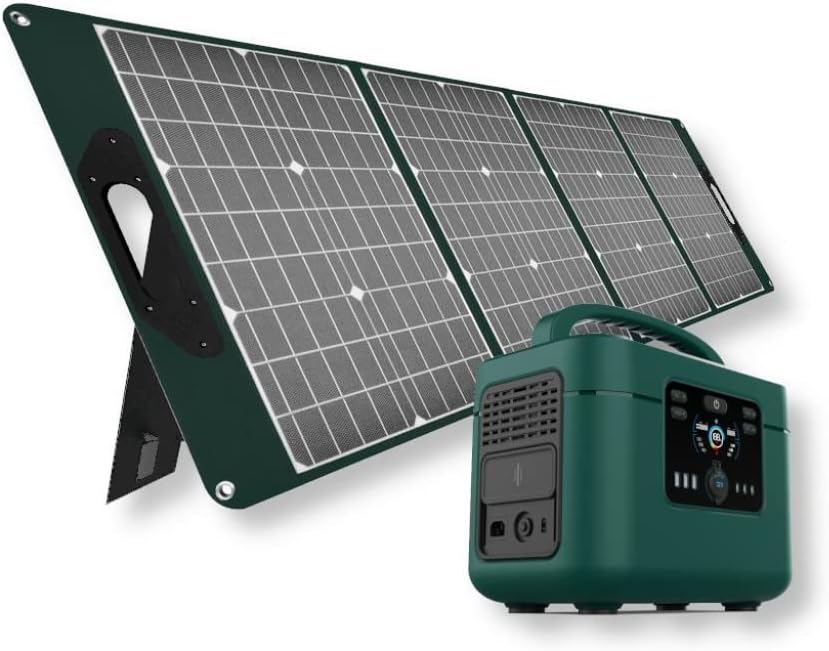
Image: The V-TAC VT-1001 Power Station connected to a portable solar panel for charging.
Ngecas mobil:
Use a compatible car charger (not included) to connect the power station to your vehicle's 12V accessory outlet. This method is suitable for charging on the go.
7. Pangropéa
Proper maintenance ensures the longevity and performance of your power station.
- beberesih: Wipe the unit with a dry, soft cloth. Do not use abrasive cleaners or immerse the unit in water.
- Panyimpenan: Simpen stasiun listrik di tempat anu tiis sareng garing, jauh tina sinar panonpoé langsung sareng suhu anu ekstrim. Pikeun panyimpenan jangka panjang, ngecas unit dugi ka sakitar 50-80% unggal 3-6 bulan pikeun ngajaga kasehatan batré.
- Perawatan batré: The integrated LiFePO4 battery is designed for durability and safety. The Intelligent BMS (Battery Management System) optimizes battery life and efficiency.
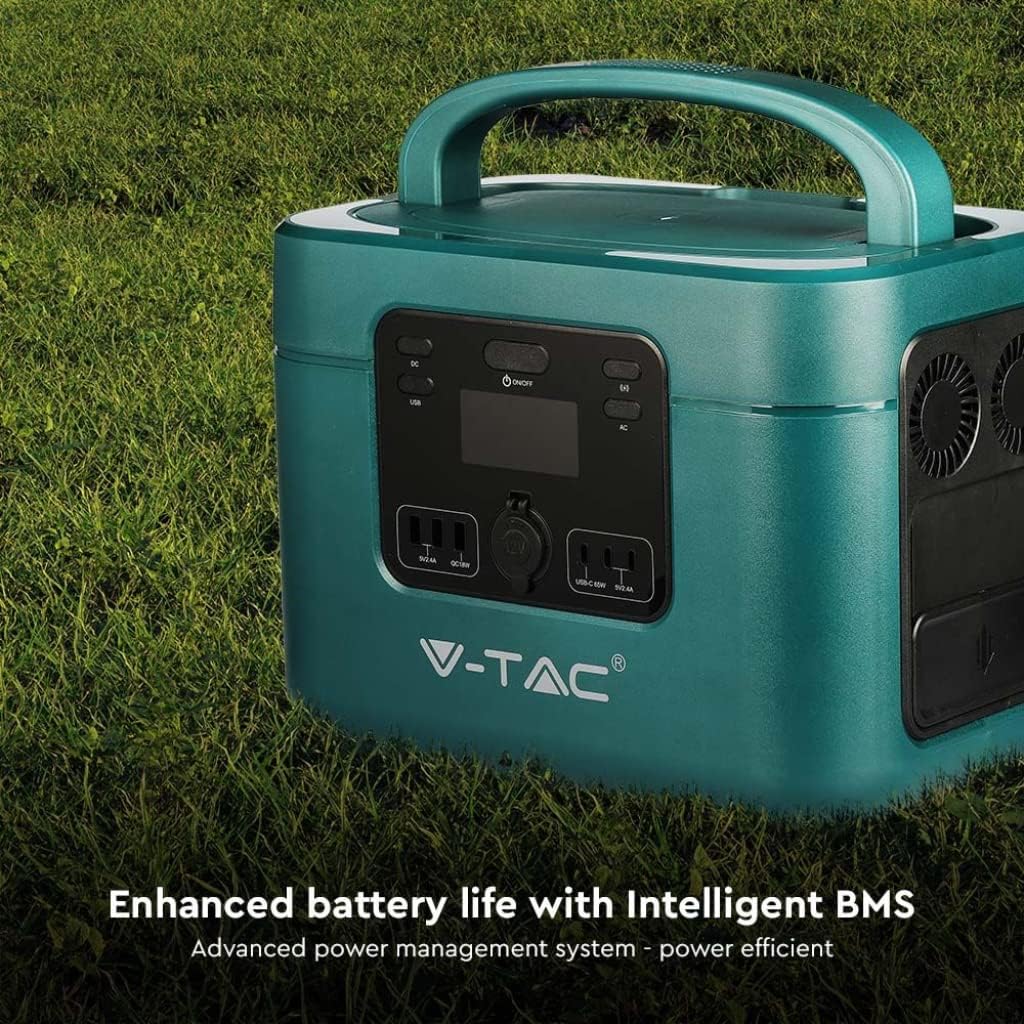
Image: The V-TAC VT-1001 highlighting its Intelligent BMS for enhanced battery life.
8. Cara ngungkulan
If you encounter issues with your power station, refer to the following common solutions:
- Unit teu hurung: Ensure the battery is charged. If not, connect it to an AC outlet for charging.
- Teu aya Kaluaran ti Palabuhan: Verify that the respective output switch (AC, DC, USB, Wireless) is turned on. Check if the device you are trying to power is within the power station's wattage wates.
- Ngecas teu ngamimitian: Ensure all charging cables are securely connected. For solar charging, confirm the solar panel is receiving adequate sunlight.
- Perlindungan Overload: If the unit shuts down, it may be due to an overload. Disconnect some devices and restart the power station.
For persistent issues, contact V-TAC customer support.
9. Spésifikasi
| Fitur | Spésifikasi |
|---|---|
| Nomer modél | 11443 |
| merek | V-TAC |
| Dipasang kaluaran Kaluaran | 1000W |
| Jenis Batré | LiFePO4 |
| Kapasitas batré | 22.4v,46.9 ahk |
| Bahan | Acrylonitrile Butadiena Styrene |
| Beurat | 15 kg |
| Kaluaran AC | 220V (specific region voltage) |
| Input DC | 60 Interface (Solar Compatible) |
| Kaluaran USB | USB-A (18W), USB-C (PD65W) |
| Ngecas nirkabel | Sumuhun |
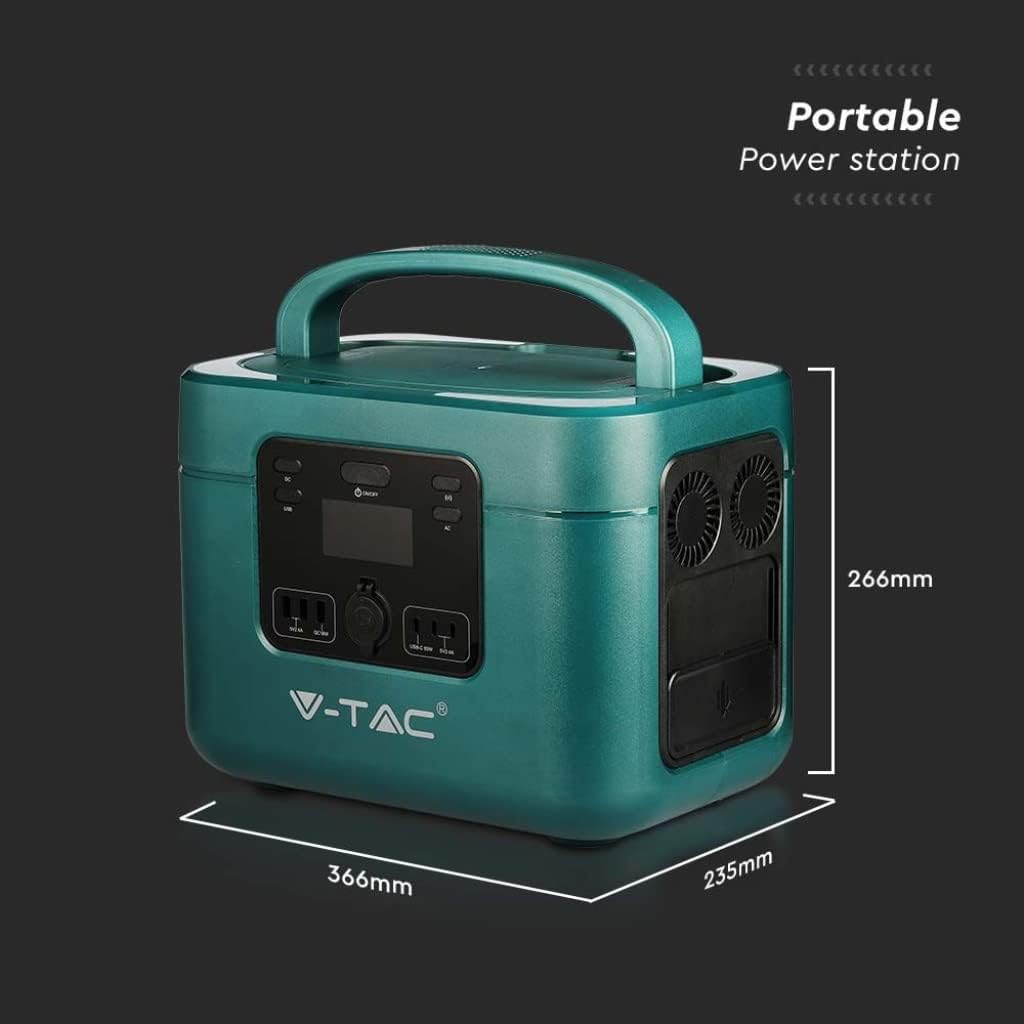
Image: Dimensions of the V-TAC VT-1001 Power Station: 366mm (length) x 235mm (width) x 266mm (height).
10. Garansi jeung Rojongan
For warranty information and customer support, please refer to the warranty card included with your product or visit the official V-TAC websitus. Simpen resi pameseran anjeun salaku bukti pameseran.


