1. Bubuka
Thank you for choosing the Taurus Lento Cuina Digital Slow Cooker. This appliance is designed to simplify your cooking process, allowing you to prepare delicious, slow-cooked meals with minimal effort. Featuring a generous 6.5L capacity, digital controls, and a durable stainless steel body, it is perfect for family-sized meals. Please read this manual thoroughly before first use to ensure safe and optimal operation.

Image: The Taurus Lento Cuina Digital Slow Cooker alongside a cooked chicken, illustrating its capacity for large meals.
2. Parentah Kasalametan penting
Salawasna turutan pancegahan kaamanan dasar nalika nganggo alat listrik pikeun ngirangan résiko kahuruan, kejutan listrik, sareng/atawa tatu pikeun jalma, kalebet ieu:
- Read all instructions before using the slow cooker.
- Ulah noél surfaces panas. Paké handles atanapi knobs.
- Pikeun ngajaga tina sengatan listrik, ulah ngalelepkeun unit dasar, kabel, atanapi colokan kana cai atanapi cairan sanésna.
- Pengawasan anu ketat diperyogikeun nalika alat naon waé dianggo ku atanapi caket barudak.
- Cabut colokan tina stop kontak nalika henteu dianggo sareng sateuacan beberesih. Ngidinan pikeun niiskeun sateuacan dipasang atanapi nyabut bagian.
- Entong ngoperasikeun alat naon waé nganggo kabel atanapi colokan anu ruksak, atanapi saatos alatna teu tiasa dianggo atanapi parantos ruksak dina cara naon waé.
- Pamakéan kantétan aksésori anu henteu disarankeun ku produsén alat tiasa nyababkeun tatu.
- Ulah make di luar.
- Entong ngantepkeun kabel ngagantung dina ujung méja atanapi konter, atanapi nyabak permukaan anu panas.
- Ulah nempatkeun dina atawa deukeut gas panas atawa burner listrik, atawa dina oven dipanaskeun.
- Awas pisan kedah dianggo nalika mindahkeun alat anu ngandung minyak panas atanapi cairan panas sanés.
- Sok pasangkeun heula colokan kana alat, teras colokkeun kabel kana stop kontak témbok. Pikeun megatkeun sambungan, balikkeun sagala kadali kana "off", teras cabut colokan tina stop kontak témbok.
- Ulah make alat pikeun lian ti pamakéan dimaksudkeun.
- Hindarkeun parobahan suhu anu ngadadak, sapertos nambihan tuangeun anu disimpen dina panci anu dipanaskeun.
- The ceramic pot is designed for use with this appliance only. It must not be used on a gas or electric stovetop or in a heated oven.
3. Komponén produk
Familiarize yourself with the parts of your Taurus Lento Cuina Digital Slow Cooker:
- Tutup Kaca anu Dikeraskeun: Allows you to monitor cooking progress without releasing panas.
- Pot Keramik anu tiasa dicabut: The main cooking vessel, easy to clean and serve from.
- Perumahan stainless steel: The outer body of the slow cooker, containing the heating element and control panel.
- Panel Kontrol Digital: Features a 4-digit LED display, Mode, Timer, Up, Down, and On/Off buttons.
- cecekelan: For safe transportation of the unit.
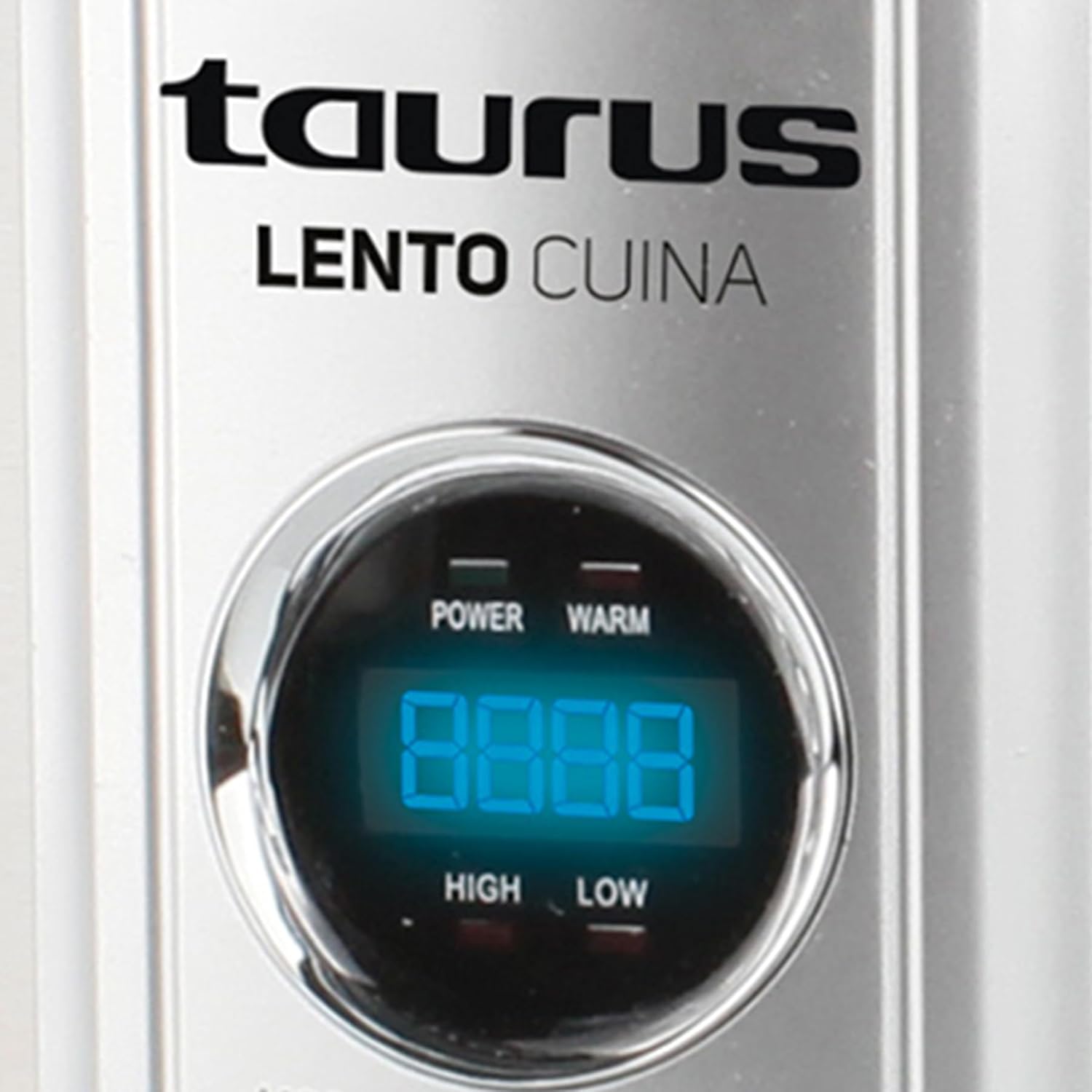
Gambar: Bagian hareup anu lengkep view of the Taurus Lento Cuina Digital Slow Cooker, highlighting the digital control panel and stainless steel finish.

Image: The Taurus Lento Cuina Digital Slow Cooker with its removable ceramic pot placed next to it, demonstrating ease of cleaning and serving.
4. Setup jeung pamakéan munggaran
Before using your slow cooker for the first time:
- Buka bungkus kompor lambat sareng cabut sadaya bahan bungkusan.
- Wash the ceramic pot and glass lid in warm, soapy water. Rinse thoroughly and dry completely.
- Lap bagian luar wadah stainless steel ku iklanamp lawon. Ulah neuleumkeun unit dasar dina cai.
- Place the ceramic pot into the stainless steel housing.
- Place the slow cooker on a flat, stable, heat-resistant surface, away from walls or cabinets to allow for proper ventilation.
- Ensure the power cord is not tangled and is placed where it will not be tripped over.
5. Parentah Operasi
The Taurus Lento Cuina Digital Slow Cooker offers simple digital controls for precise cooking.
5.1 Control Panel Leuwihview

Gambar: A close-up view of the digital control panel, showing the LED display and buttons for Mode, Timer, Up, Down, and On/Off.
- Témbong LED: Shows cooking time and temperature settings.
- Tombol MODE: Cycles through cooking modes (High, Low, Keep Warm).
- Tombol TIMER: Activates the timer setting function.
- Tombol luhur / handap: Saluyukeun waktos masak.
- Tombol ON/OFF: Ngahurungkeun atanapi mareuman unit.
5.2 Prosés masak
- Prepare your ingredients and place them into the ceramic pot.
- Place the ceramic pot into the stainless steel housing and cover with the glass lid.
- Plug the slow cooker into a grounded electrical outlet. The LED display will illuminate.
- Pencét éta ON/OFF tombol pikeun ngahurungkeun unit.
- Pencét éta MODÉ button to select your desired cooking setting:
- TINGGI: Pikeun masak anu langkung gancang, biasana 2-4 jam.
- RENDAH: Pikeun masak anu langkung laun, biasana 6-8 jam.
- tetep haneut: Automatically activates after cooking is complete, or can be selected manually to keep food at serving temperature.
- Pencét éta TIMER kancing. tampilan bakal flash. Ngagunakeun éta UP jeung TURUN buttons to set the desired cooking time in hours. The timer can be set for up to 20 hours.
- Once the time is set, the display will stop flashing, and the cooking process will begin. The timer will count down.
- When the cooking time expires, the slow cooker will automatically switch to the "KEEP WARM" setting.
- To turn off the slow cooker at any time, press the ON/OFF button. Unplug the unit from the wall outlet after use.

Image: A hand pressing the ON/OFF button on the slow cooker's control panel, demonstrating the ease of operation.

Image: The Taurus Lento Cuina Digital Slow Cooker with a meal cooking inside, visible through the clear glass lid.
6. Pangropéa jeung beberesih
Proper cleaning and maintenance will extend the life of your slow cooker.
- Always unplug the slow cooker from the power outlet and allow it to cool completely before cleaning.
- Panci Keramik jeung Tutup Kaca: These parts are dishwasher safe or can be washed by hand with warm, soapy water. Avoid abrasive cleaners or scouring pads that may scratch the surface. Rinse thoroughly and dry.
- Perumahan stainless steel: Ngusap luar ku hipu, damp cloth. Do not use abrasive cleaners or immerse the base unit in water or any other liquid.
- For stubborn food residue on the ceramic pot, fill it with warm, soapy water and let it soak for a few hours before cleaning.
- Pastikeun sadaya bagian parantos garing sateuacan disimpen.
7. Cara ngungkulan
Upami anjeun ngalaman masalah sareng slow cooker anjeun, tingali masalah sareng solusi umum ieu:
| Masalah | Mungkin Cukang lantaranana | Solusi |
|---|---|---|
| Kompor laun henteu hurung. | Not plugged in; power outlet not working; unit not switched on. | Ensure plug is securely in a working outlet. Press the ON/OFF button. Check household circuit breaker. |
| Kadaharan teu masak leres. | Incorrect heat setting; lid not sealed properly; insufficient cooking time. | Verify correct heat setting (HIGH/LOW). Ensure lid is seated firmly. Adjust cooking time as needed for recipe. Avoid lifting lid frequently. |
| Kadaharan kaduruk di handap. | Cai saeutik teuing; masak dina suhu LUHUR lila teuing. | Add more liquid to the recipe. Consider using the LOW setting for longer cooking times. |
| Lid does not fit tightly. | Food obstruction; lid not aligned correctly. | Ensure no food is preventing the lid from seating properly. Realign the lid. |
8. Spésifikasi
Technical details for the Taurus Lento Cuina Digital Slow Cooker:
- Jumlah modél: 3997
- Kapasitas: 6.5 liter
- Daya / Wattage: 320 watt
- Bahan: Stainless Steel (housing), Ceramic (pot)
- Warna: pérak
- Métode kontrol: Toél (Digital)
- Fitur husus: Timer, Digital Controls, High/Low/Keep Warm Functions
- Beurat barang: 6.5 kg
- Ukuran produk: 39.8D x 37.3W x 26H séntiméter
9. Garansi jeung Rojongan
Your Taurus Lento Cuina Digital Slow Cooker comes with a standard 1-year retail warranty, with an additional 1-year extended warranty. For warranty claims, technical support, or spare parts information, please contact Taurus customer service. Refer to the contact information provided with your purchase documentation or visit the official Taurus websitus.
Note: Spare part information is not available or provided directly in this manual.


