1. Bubuka
This manual provides detailed instructions for the installation, operation, and maintenance of your ANYFAR A4 Wireless CarPlay Adapter. This device is designed to convert your vehicle's factory-wired CarPlay system into a wireless connection, enhancing your driving experience with seamless iPhone integration.
2. Émbaran Kasalametan
No specific safety warnings are provided for this product. Always operate your vehicle safely and adhere to all traffic laws. Do not attempt to operate the device or your phone in a manner that distracts you from driving.
3. Eusi Paket
The ANYFAR A4 Wireless CarPlay Adapter package typically includes:
- ANYFAR A4 Wireless CarPlay Adapter unit
- USB-A kana kabel USB-C
- USB-C kana kabel USB-C

Image: The ANYFAR A4 Wireless CarPlay Adapter shown with its USB-A and USB-C cables, alongside a representation of the CarPlay interface on a smartphone screen.
4. Kasaluyuan
The ANYFAR A4 Wireless CarPlay Adapter is designed for vehicles equipped with a factory-wired CarPlay feature and iPhones running iOS 10 or later.
4.1 Kandaraan cocog
This adapter is compatible with approximately 98% of vehicles that come with factory-wired CarPlay. If you are uncertain about your vehicle's compatibility, please consult your vehicle's manual or contact ANYFAR support.
4.2 Incompatible Vehicles and Systems
The ANYFAR A4 Wireless CarPlay Adapter does henteu rojongan:
- Vehicles not equipped with factory-wired CarPlay before 2016.
- BMW, Tesla, Mitsubishi, Volvo, Range Rover, Polestar 2.
- Specific models including: Mazda CX5, 2020 KIA XCeed, KIA Alpine ilx-700, 2019 Benz Vito, 2018 Chevrolet Camaro, 2016 Sonata, 2017 Honda CRV, 2017 Toyota Tundra, Mazda Grand Touring, 2018 Subaru Impreza, 2023 KIA Forte GT Limited, 2018 Nissan Murano, 2023 Nissan Versa, Nissan Rogue, VW GTI, VW Polo, VW Golf.
- Additional models including: 2021 Acura TLX, 2020 Benz E350, 2018 Lexus ES 350, 2023 Ioniq 5, 2016 Chevy Silverado, 2016 Ford Explorer, 2016 GLA AMG 45, 2016 Dodge Ram 1500 Sport, 2019 Chrysler Pacifica, 2019 Toyota Corolla, 2023 Kia Sportage, 2018 Mazda 3, 2023 Palisade, 2023 Subaru WRX, 2023 Tacoma, 2019 Benz C, 2020 Buick Envision, 2020 Acura TLX, 2019 GLC 43 AMG, 2016 Chevrolet Tahoe, 2020 Panamera GTS, 2019 Infiniti QX60.
- Aftermarket stereos.
- Android Auto (this device is for Apple CarPlay only).
5. Parentah Setup
Follow these steps to set up your ANYFAR A4 Wireless CarPlay Adapter:
- Colokkeun Adaptor: Connect the ANYFAR A4 adapter to your car's USB port that supports wired CarPlay. You can plug it in directly, or use the provided USB-A or USB-C cables depending on your car's port type.

Image: Illustration showing the ANYFAR A4 adapter and various cable options for plugging into a car's USB port.
- Connect Bluetooth and WLAN: On your iPhone, go to Bluetooth settings and pair with the ANYFAR A4 adapter. Once connected via Bluetooth, your iPhone will automatically establish a WLAN (Wi-Fi) connection with the adapter.

Image: A smartphone screen displaying the CarPlay icon along with Bluetooth and Wi-Fi symbols, indicating the connection process.
- Allow and Use CarPlay: After successful pairing, your iPhone will prompt you to allow CarPlay. Confirm this, and the CarPlay interface will appear on your car's display. The adapter will automatically connect to your iPhone wirelessly each time you enter the vehicle after the initial pairing.

Image: A smartphone screen showing "connection succeeded" next to a car's infotainment display showing the CarPlay interface.
6. Parentah Operasi
The ANYFAR A4 adapter maintains the full functionality of your car's original CarPlay system, now wirelessly.
6.1 Seamless Wireless Connection
The adapter utilizes a dual-core 5G chip and high-speed 5.8GHz signal transmission technology for stable and fast connections, minimizing lag and freezing.

Image: A graphic comparing the ANYFAR A4's dual-core 5G chip performance (speed, stability) against other adapters.
6.2 Métode kontrol
You can interact with CarPlay using your car's existing controls:
- Kontrol sora: Utilize Siri for hands-free commands.
- Layar cabak: Directly interact with the car's touch screen display.
- Buttons and Knobs: Use your car's physical buttons and control knobs.
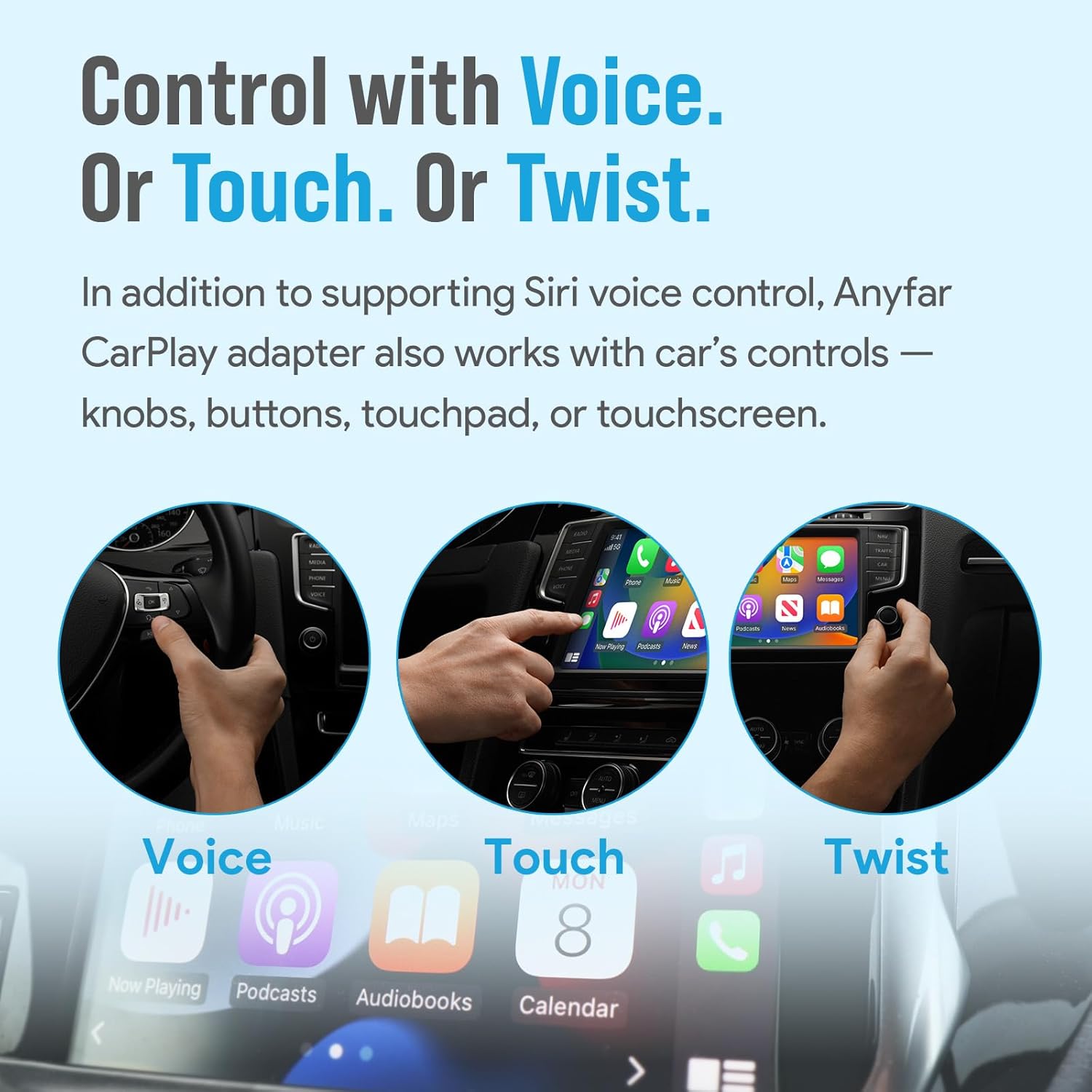
Image: Three panels illustrating different ways to control CarPlay: voice commands, touching the screen, and using a control knob.
6.3 High-Fidelity Audio
The adapter supports Hi-Fi car audio through WiFi 6 wireless technology, ensuring uninterrupted and high-quality music playback without interference or delay, preserving the original sound effect of your car's audio system.
7. Pangropéa
The ANYFAR A4 Wireless CarPlay Adapter requires minimal maintenance. Keep the device clean and dry. Avoid exposing it to extreme temperatures or direct sunlight for prolonged periods. Ensure the USB connection is secure.
8. Troubleshooting and Firmware Updates
8.1 Ngungkulan Umum
- Masalah sambungan: If the adapter fails to connect, ensure your car's wired CarPlay is functioning correctly. Try unplugging and re-plugging the adapter. Restart your iPhone and the car's infotainment system.
- Kualitas Audio: If experiencing audio issues, ensure there are no other devices interfering with the Wi-Fi signal. Check your iPhone's audio settings.
- Lag/Delay: While designed for minimal lag, if you experience significant delays, ensure your iPhone's iOS is up to date and that no excessive background apps are running.
8.2 OTA Firmware Updates
The adapter supports Over-The-Air (OTA) updates to improve performance and add features. Follow these steps to update the firmware:
- Plug the adapter into a stable power supply source, such as a phone charger or computer USB port. Do not plug it into the car stereo to make an update.
- Use your iPhone to connect to the adapter's Wi-Fi network. The default password is 88888888.
- Buka a web browser dina iPhone anjeun teras lebetkeun alamat IP 192.168.2.1.
- Dina webpage, scroll down to find the update button and follow the on-screen instructions.
Catetan: It is generally recommended not to update the firmware if the adapter is already working well.

Image: Two smartphone screens illustrating the steps for performing an OTA firmware update, showing the update progress.
9. Spésifikasi
| Fitur | Spésifikasi |
|---|---|
| merek | ANYFAR |
| Nomer modél | A4 |
| Alat nu cocog | Vehicles Equipped with Factory Wired CarPlay Feature, iPhone Running iOS 10+ |
| Tipe Panyambung | USB Tipe A, USB Tipe C |
| Warna | Hideung |
| Item Beurat | 2.12 ons |
| Ukuran Paket | 5 x 4.17 x 0.71 inci |
10. Garansi jeung Rojongan
For warranty information, please refer to the product packaging or the retailer's policy at the time of purchase. For technical support or inquiries regarding compatibility, please contact ANYFAR customer support through their official channels or the retailer where the product was purchased.


