1. Bubuka
The PHOTONTEK XT 1000W CO2 Pro LED is a high-performance grow light designed for professional indoor cultivation. This fixture delivers a balanced, full-spectrum light with high Photosynthetic Photon Flux Density (PPFD) levels, optimized for plant growth cycles. It is engineered for use in 5'x5' coverage areas, particularly when supplemented with CO2, but can also be adapted for 6'x6' areas without CO2 supplementation. This manual provides essential information for the safe and effective installation, operation, and maintenance of your PHOTONTEK XT 1000W CO2 Pro LED grow light.
2. Émbaran Kasalametan
Please read all safety warnings and instructions carefully before installing or operating the PHOTONTEK XT 1000W CO2 Pro LED. Failure to follow these instructions may result in electric shock, fire, or other serious injury.
- Always disconnect power before installation, maintenance, or moving the fixture.
- Ulah ngoperasikeun alat ieu nganggo kabel atanapi colokan anu rusak.
- Pastikeun alatna dipasang pageuh supados teu murag.
- Do not look directly at the operating LEDs; prolonged exposure can cause eye damage.
- Maintain adequate ventilation around the fixture to prevent overheating.
- Produk ieu dirancang pikeun pamakéan jero rohangan wungkul.
- Jauhkeun tina cai sareng cairan sanésna.
3. Naon dina Box
Saatos ngabongkar, pastikeun sadaya komponén aya sareng henteu ruksak.
- PHOTONTEK XT 1000W CO2 Pro LED Panel
- Kabel listrik
- Hanging Kit (typically includes hangers/ratchets)
- Manual Pitunjuk (dokumén ieu)
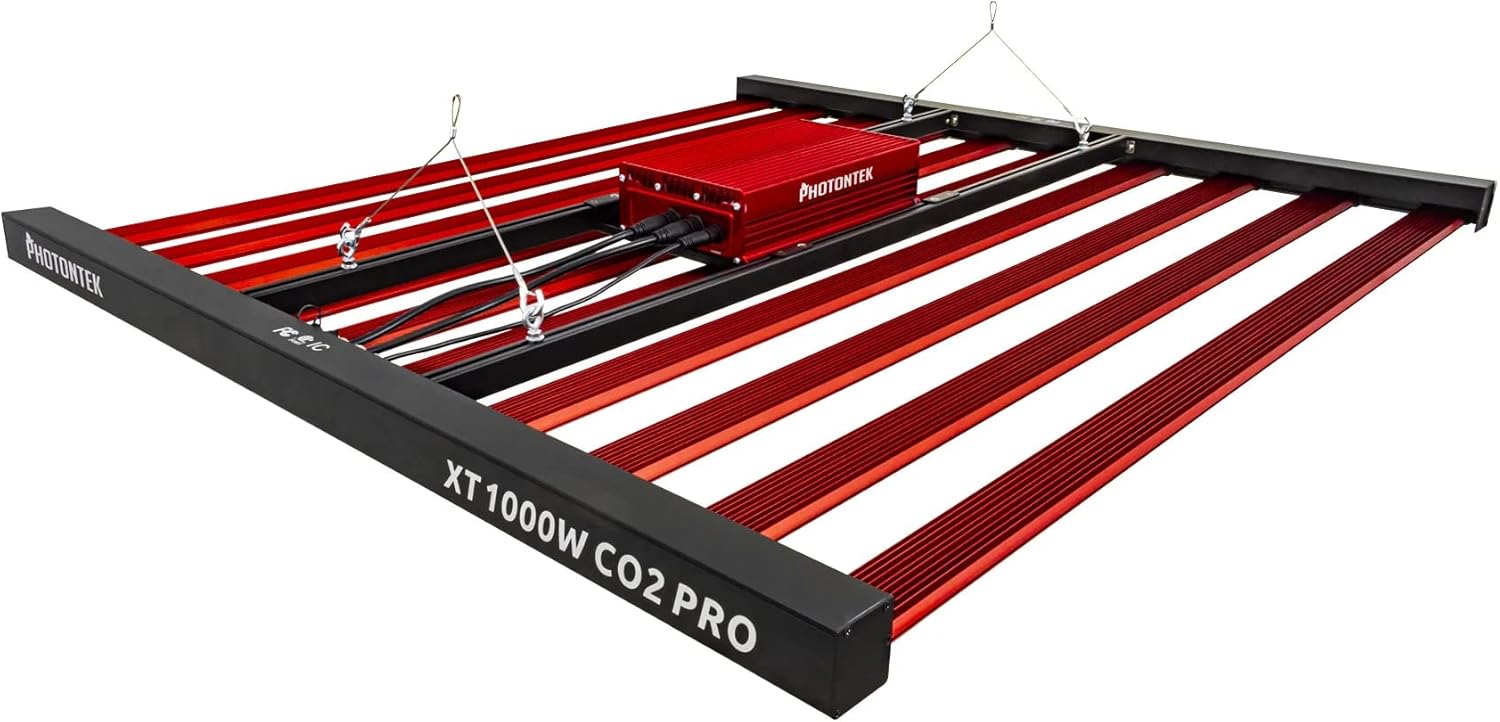
Gambar 1: The PHOTONTEK XT 1000W CO2 Pro LED grow light, showing the multi-bar design and central driver box. This image illustrates the complete fixture as it would appear when assembled and ready for hanging.
4. Setup jeung Instalasi
4.1 Ngabongkar sareng Inspeksi
- Sacara saksama miceun sadaya komponén tina bungkusan.
- Inspect the fixture for any signs of damage during transit. Contact your supplier immediately if any damage is found.
- Ensure all listed components in "What's in the Box" are present.
4.2 Masangkeun fixture
The PHOTONTEK XT 1000W CO2 Pro LED is designed to be suspended above your plant canopy.
- Identify a sturdy overhead structure capable of supporting the weight of the fixture (approximately 39.7 pounds or 17.999 kg).
- Attach the provided hanging cables or ratchets to the designated hanging points on the fixture.
- Securely attach the other end of the hanging system to your overhead structure.
- Adjust the hanging height to achieve the desired distance from the plant canopy. Refer to the "Operating Instructions" section for recommended hanging heights based on CO2 usage.

Gambar 2: Sisi profile of the PHOTONTEK XT 1000W CO2 Pro LED, illustrating its slim design and the distribution of LED bars. This view helps in understanding the fixture's dimensions for proper placement.
4.3 Sambungan Listrik
Pastikeun sumber kakuatan cocog voltage requirements of the fixture (277 Volts AC).
- Connect the power cord to the input port on the fixture's driver box. Ensure a secure connection.
- Colokkeun tungtung kabel listrik anu sanés kana stop kontak listrik anu dibumikeun.
- If using a dimmer or external controller (Control Method: App, Switch Style: Dimmer, Push Button), connect it according to its specific instructions to the designated dimming ports on the fixture.
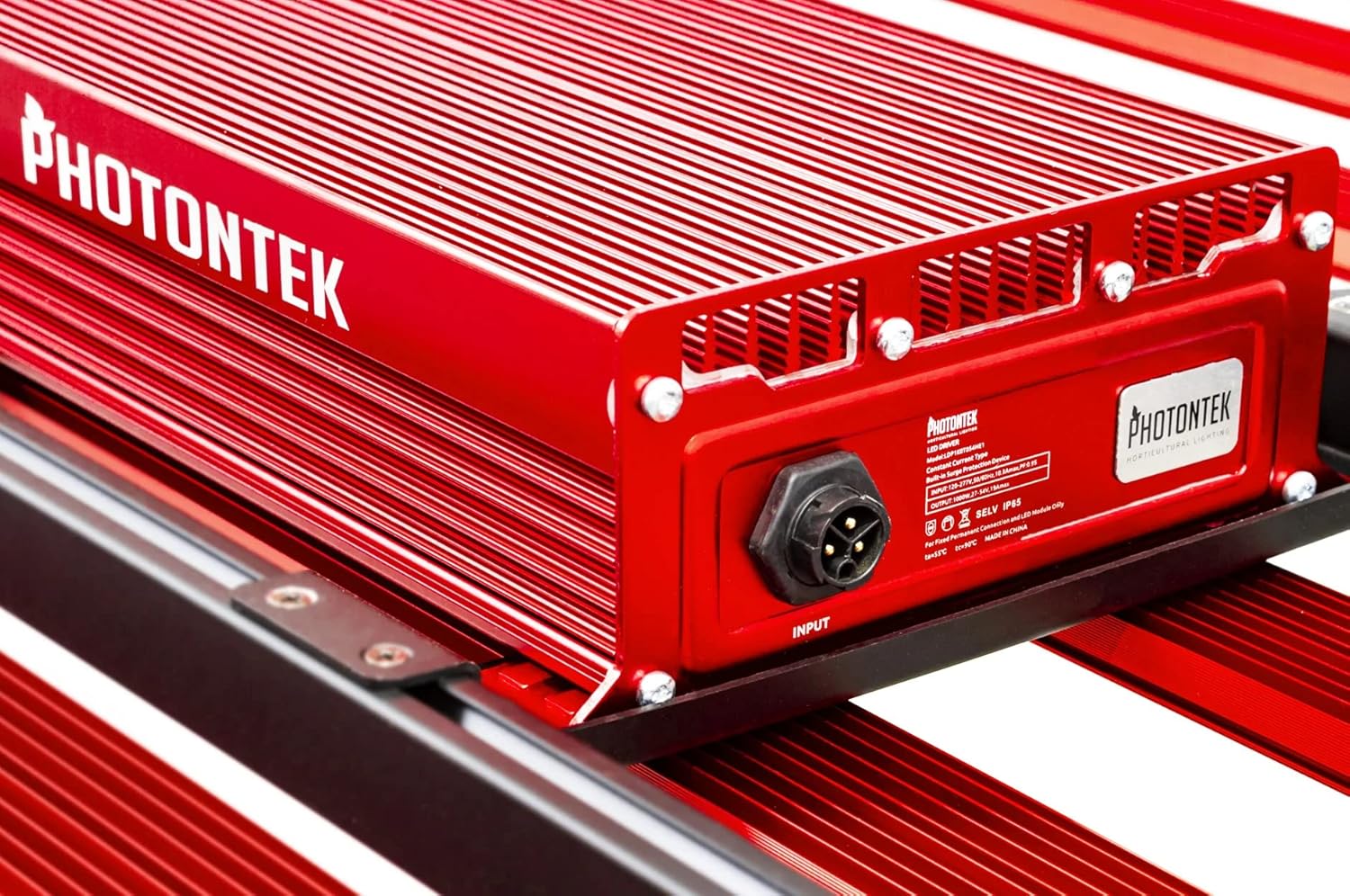
Gambar 3: Diwincik view of the PHOTONTEK XT 1000W CO2 Pro LED driver box, highlighting the input port and product labeling. This shows where the main power connection is made.
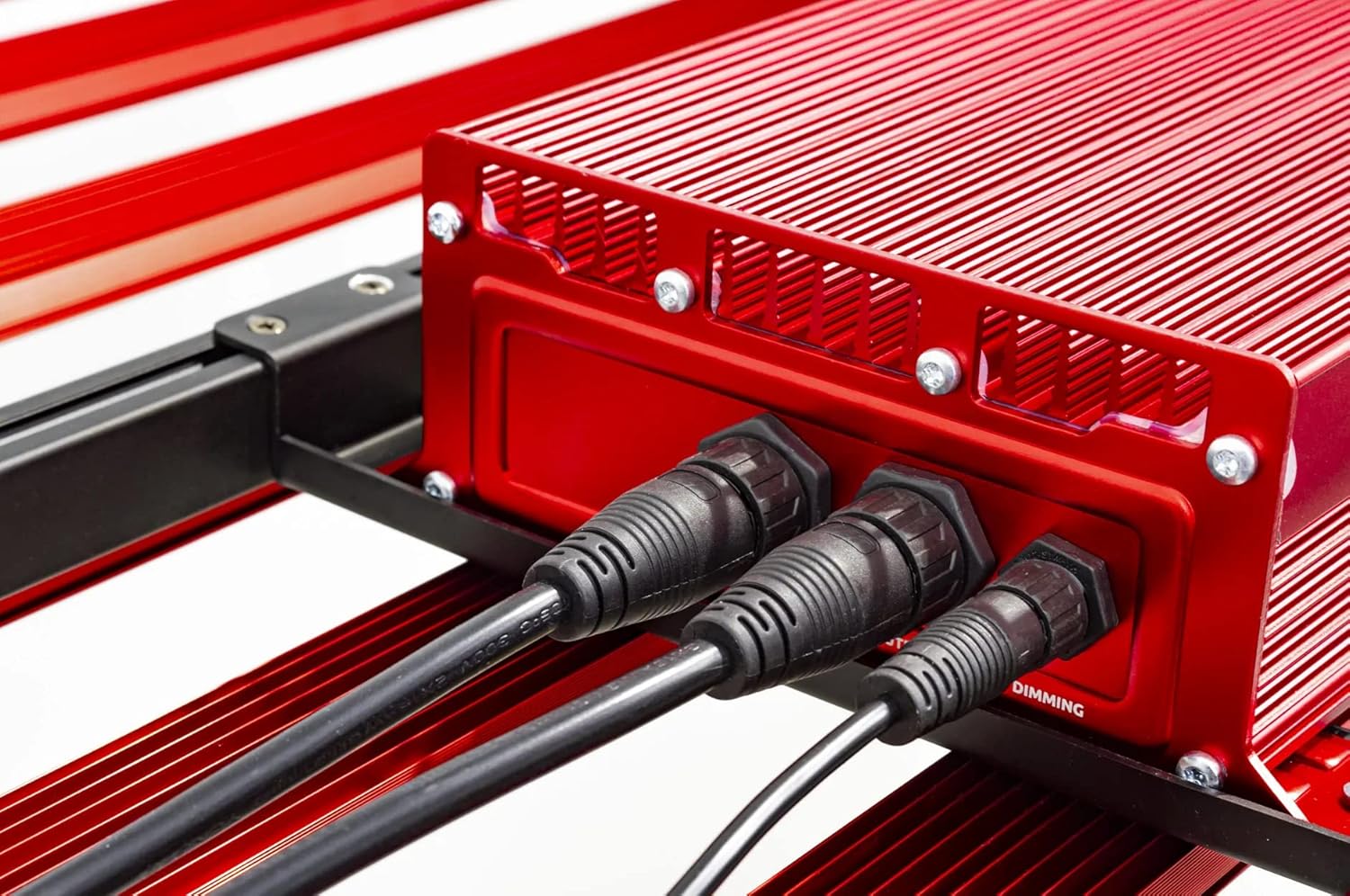
Gambar 4: Close-up of the connection ports on the PHOTONTEK XT 1000W CO2 Pro LED driver, showing both power input and dimming control ports. This image clarifies where to connect the power cord and any optional dimming accessories.
5. Parentah Operasi
5.1 Powering on / Pareum
Once the fixture is securely mounted and connected to power, it can be turned on.
- To power on, ensure the power cord is plugged into a live outlet. If using a timer, set the desired light cycle.
- To power off, disconnect the power cord from the outlet or use a connected timer/controller.
5.2 Light Intensity and Spectrum
The PHOTONTEK XT 1000W CO2 Pro LED provides a full spectrum light. The intensity can be adjusted using the integrated dimmer or an external app/controller.
- Kontrol dimmer: Use the push-button dimmer switch (if present) or the app control to adjust light output from 0-100%.
- Recommended PPFD Levels:
- For 5'x5' coverage with CO2 supplementation: Aim for PPFD levels up to 1500 µmol/s/m². Maintain CO2 levels up to 1500 PPM, matching PPFD levels 1:1 once exceeding 1000 µmol/s/m².
- For 6'x6' coverage without CO2 supplementation: Increase the distance between the fixture and the plant canopy to achieve optimal PPFD levels for the specific growth stage. This will result in lower overall PPFD intensity compared to CO2-supplemented setups.

Gambar 5: Pahareup-hareup view of the individual LED diodes on one of the light bars of the PHOTONTEK XT 1000W CO2 Pro LED. This illustrates the quality and density of the light-emitting components.
6. Pangropéa
Regular maintenance ensures optimal performance and longevity of your PHOTONTEK XT 1000W CO2 Pro LED.
- beberesih: Periodically clean the LED bars and driver box with a soft, dry cloth to remove dust and debris. Ensure the fixture is unplugged and cool before cleaning. Do not use abrasive cleaners or solvents.
- Pamariksaan: Regularly inspect the power cord, hanging cables, and all connections for any signs of wear or damage. Replace any damaged components immediately.
- Ventilasi: Ensure that the ventilation openings on the driver box are not obstructed to allow for proper heat dissipation.
7. Cara ngungkulan
If you encounter issues with your PHOTONTEK XT 1000W CO2 Pro LED, refer to the following common problems and solutions.
| Masalah | Mungkin Cukang lantaranana | Solusi |
|---|---|---|
| Fixture teu hurung. | No power supply; loose connection; faulty power cord/outlet. | Check power cord connection; verify outlet is live; try a different outlet; inspect power cord for damage. |
| Lampu kaluaran redup atawa kedip-kedip. | Dimmer setting too low; loose connection; power supply issue. | Adjust dimmer setting; check all electrical connections; ensure stable power supply. |
| Fixture is overheating. | Poor ventilation; obstructed vents. | Ensure adequate airflow around the fixture; clear any obstructions from vents. |
| Kontrol aplikasi teu jalan. | Connectivity issue; app malfunction; incorrect setup. | Check Bluetooth/Wi-Fi connection; restart the app and fixture; refer to app-specific instructions. |
If the problem persists after attempting these solutions, please contact PHOTONTEK customer support.
8. Spésifikasi
Detailed technical specifications for the PHOTONTEK XT 1000W CO2 Pro LED.
| Fitur | Rincian |
|---|---|
| merek | PHOTONTEK |
| Modél | XT 1000W CO2 Pro LED |
| Tipe Lampu | LED |
| Fitur husus | Spéktrum pinuh |
| Wattage | 1000 watt |
| Warna Cahaya | Beurang Bodas |
| Voltage | 277 Volt (AC) |
| Jumlah Unit | 1.0 Ngitung |
| Jumlah Item | 1 |
| Bahan | Aluminium, Plastik |
| Pamakéan jero rohangan / outdoor | jero rohangan |
| Sumber Daya | Kabel Listrik |
| Konsumsi Daya | 1000 Watt |
| Tipe Sumber Cahaya | LED |
| Item Beurat | 39.7 pon (17.999 kg) |
| Sumber cahaya Wattage | 1000 Watt |
| Métode kontrol | App |
| Rata Kahirupan | 5 Taun |
| Efisiensi | 2.9 µmol/J |
| Gaya | Modern |
| UPC | 751448506226 |
| Nomer Bagian | 751448506226 |
| Jumlah Lampu | 1 (fixture) |
| Komponén Kaasup | Panel LED |
| Bahan Teduh | palastik |
| Arah Cahaya | LED (Direct) |
| Gaya Ngalih | Dimmer, Push Button |
| Pindah Tipe Instalasi | Wall Mount (for external controller) |
| Tanggal Kahiji Sadia | 13 Juli 2022 |
9. Garansi jeung Rojongan
PHOTONTEK products are manufactured to high standards and are designed for durability.
- Inpormasi Garansi: Specific warranty terms and conditions are typically provided with your purchase documentation or can be found on the official PHOTONTEK websitus. Punten tahan bukti pameseran anjeun pikeun klaim garansi.
- Rojongan Palanggan: For technical assistance, troubleshooting beyond this manual, or warranty inquiries, please contact PHOTONTEK customer support directly through their official websitus atanapi inpormasi kontak anu disayogikeun sareng produk anjeun.


