Bubuka
This manual provides essential instructions for setting up, operating, and maintaining your MiLi MiTag Bluetooth Tracker. The MiLi MiTag is designed to help you locate your personal items using the Apple Find My network. Please read this manual thoroughly before use.
Émbaran Kasalametan
- Keep the device out of reach of small children and pets to prevent accidental ingestion of the battery or small parts.
- Do not attempt to disassemble, modify, or repair the device yourself. This may void the warranty and cause damage.
- Dispose of batteries and the device according to local regulations. Do not incinerate.
- Hindarkeun ngalaan alat ka suhu anu ekstrim atanapi sinar panonpoé langsung kanggo waktos anu berkepanjangan.
Eusi pakét
Your MiLi MiTag pakét kedah ngandung barang-barang ieu:
- MiLi MiTag Bluetooth Tracker (1 unit)
- CR2032 Battery (1 pre-installed)
- Keyring/Lanyard (1 unit)
- Manual pamaké

Image: The MiLi MiTag Bluetooth Tracker shown with its packaging, highlighting the compact design and included keyring.
Disetél
- Pastikeun kasaluyuan: The MiLi MiTag is compatible with Apple iOS devices only. Ensure your device's operating system is up to date.
- Aktipkeun Bluetooth: On your iOS device, go to Settings and ensure Bluetooth is turned on.
- Buka Milarian Aplikasi Kuring: Launch the "Find My" app on your iPhone or iPad.
- Tambahkeun Barang Anyar: Navigate to the "Items" tab at the bottom of the screen. Tap the "+" icon, then select "Add Other Item".
- Power On MiTag: Press the button on your MiLi MiTag once to power it on. It should emit a short beep.
- Nyambung: Your iOS device will search for nearby compatible items. When "MiTag" appears on the screen, tap "Connect".
- Ngaran Item Anjeun: Follow the on-screen prompts to name your MiTag (e.g., "Keys", "Luggage", "Dog Collar") and choose an emoji to represent it.
- Confirm Setup: Tap "Finish" to complete the pairing process. Your MiTag is now linked to your Apple ID and ready for use.
Video: This video demonstrates the unboxing and initial setup process of the MiLi MiTag with an iOS device, showing how to pair it using the Apple Find My app.
Parentah Operasi
Locating Item Anjeun
Once your MiTag is paired, you can locate your item using the Apple Find My app:
- View dina Peta: Open the "Find My" app and select the "Items" tab. Your MiTag's last known location will be displayed on the map.
- Puter Sora: If your item is within Bluetooth range (up to 100m/350ft), tap "Play Sound" in the app. The MiTag will emit an audible alert to help you pinpoint its exact location.
- Precision Finding: For closer proximity, the app may offer "Find Nearby" or directional guidance, leading you directly to your MiTag.
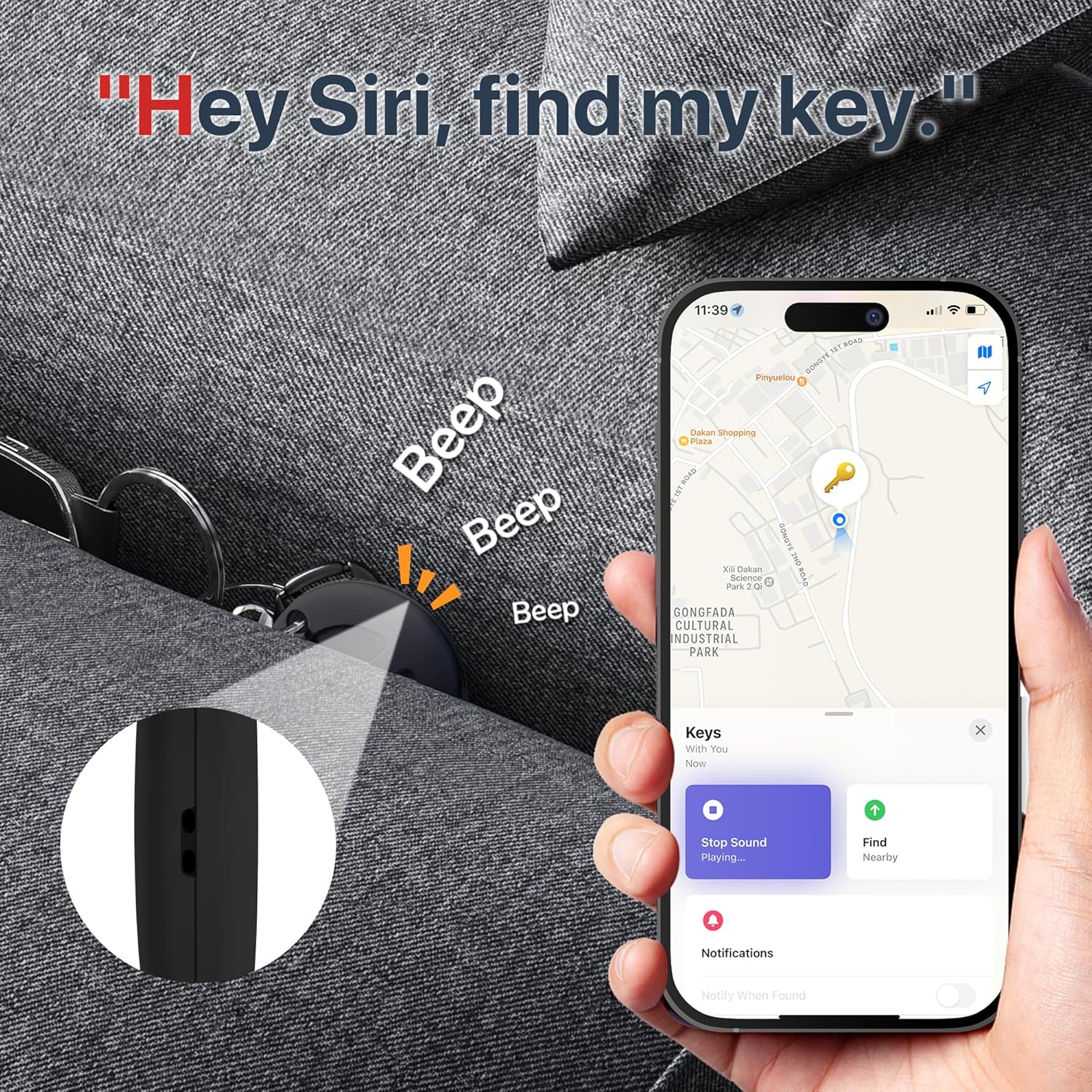
Image: The MiLi MiTag's location displayed on the Apple Find My map, with an option to play a sound for easy retrieval.
Left Behind Reminders
To receive alerts when you leave an item behind:
- In the "Find My" app, select your MiTag.
- Under "Notifications", enable "Notify When Left Behind". You can customize locations where you don't want to be notified (e.g., home).
- If you leave the item beyond Bluetooth range, you will receive a notification within 10 minutes.

Image: An iPhone displaying a "Keys left behind" notification, indicating the MiLi MiTag's reminder feature.
Mode Leungit
If your item is lost, you can enable "Lost Mode" in the Find My app. This allows you to:
- Display a custom message and contact number to anyone who finds your MiTag.
- Receive a notification when your MiTag is located by another device in the Apple Find My network.
Sharing Your Item
You can share your MiTag's location with others:
- In the "Find My" app, select your MiTag.
- Tap "Share This Item" and follow the instructions to add a person.
Batré
Battery Type and Life
The MiLi MiTag uses a replaceable CR2032 coin cell battery. The battery life is approximately 6-12 months, depending on usage frequency.
You can check the current battery status of your MiTag within the "Items" tab of the Apple Find My app.
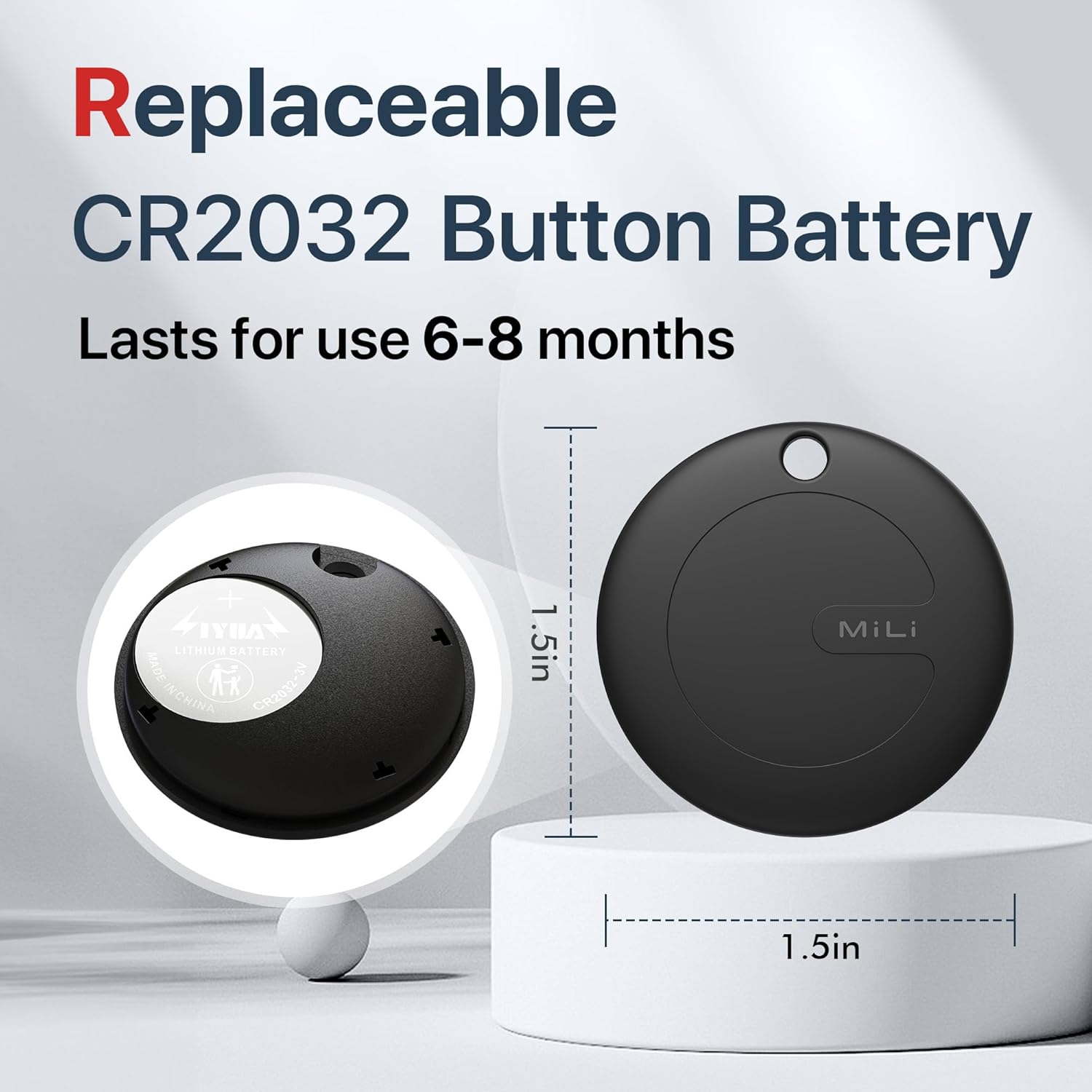
Image: The MiLi MiTag disassembled to show the replaceable CR2032 coin battery.
Ngagantian batré
Pikeun ngaganti batré:
- Gently twist the back cover of the MiTag counter-clockwise to open it.
- Leupaskeun batré CR2032 heubeul.
- Selapkeun batré CR2032 anyar kalayan sisi positif (+) nyanghareup ka luhur.
- Align the back cover and twist clockwise until it clicks securely into place.
spésifikasi
| Fitur | Rincian |
|---|---|
| Modél | US-P16-1 |
| Diménsi | 1.5 x 1.5 x 0.01 inci (38mm x 38mm x 9mm) |
| Beurat | 1.13 ounces (approx 9g) |
| Konektipitas | Bluetooth Énergi Lemah (BLE 5.2) |
| Rentang | Nepi ka 100m (350ft) di daérah kabuka |
| Jenis Batré | CR2032 (diganti) |
| Kahirupan batré | 6-12 bulan |
| Tahan cai | IP67 (30 minutes underwater at 1-meter depth) |
| Kasaluyuan | Apple Find My network (iOS ONLY) |
Perawatan sareng Pangropéa
- Clean the MiTag ku lawon lemes, garing. Ulah make bahan kimia kasar atawa bahan abrasive.
- While the device is IP67 waterproof, prolonged submersion or exposure to high-pressure water jets is not recommended.
- Simpen alat dina tempat anu tiis sareng garing upami henteu dianggo.
Pamérésan masalah
- MiTag not connecting: Ensure Bluetooth is enabled on your iOS device and the MiTag battery is not depleted. Try restarting your iOS device and pressing the MiTag tombol deui.
- Lokasi Teu Akurat: The accuracy of the location depends on the density of Apple devices in the vicinity. In areas with fewer Apple devices, location updates may be less frequent or precise.
- Sound not playing: Check the battery level in the Find My app. Ensure your iOS device is within Bluetooth range of the MiTag.
- Left Behind Reminders not working: Verify that "Notify When Left Behind" is enabled for your MiTag in the Find My app settings and that location services are active.
Garansi sareng Rojongan
The MiLi MiTag is covered by a standard manufacturer's warranty. For detailed warranty information, technical support, or service inquiries, please refer to the official MiLi websitus atanapi ngahubungan rojongan customer maranéhanana langsung.
You can visit the MiLi Store on Amazon for more products and support: MiLi Store


