Bubuka
The DIGITEN Digital Hygrometer Indoor Thermometer is designed to accurately monitor temperature and humidity levels in various indoor environments. Featuring a unique 360° HD E-Ink screen, it provides clear, eye-friendly readings with low power consumption. This manual provides essential information for setting up, operating, and maintaining your device.
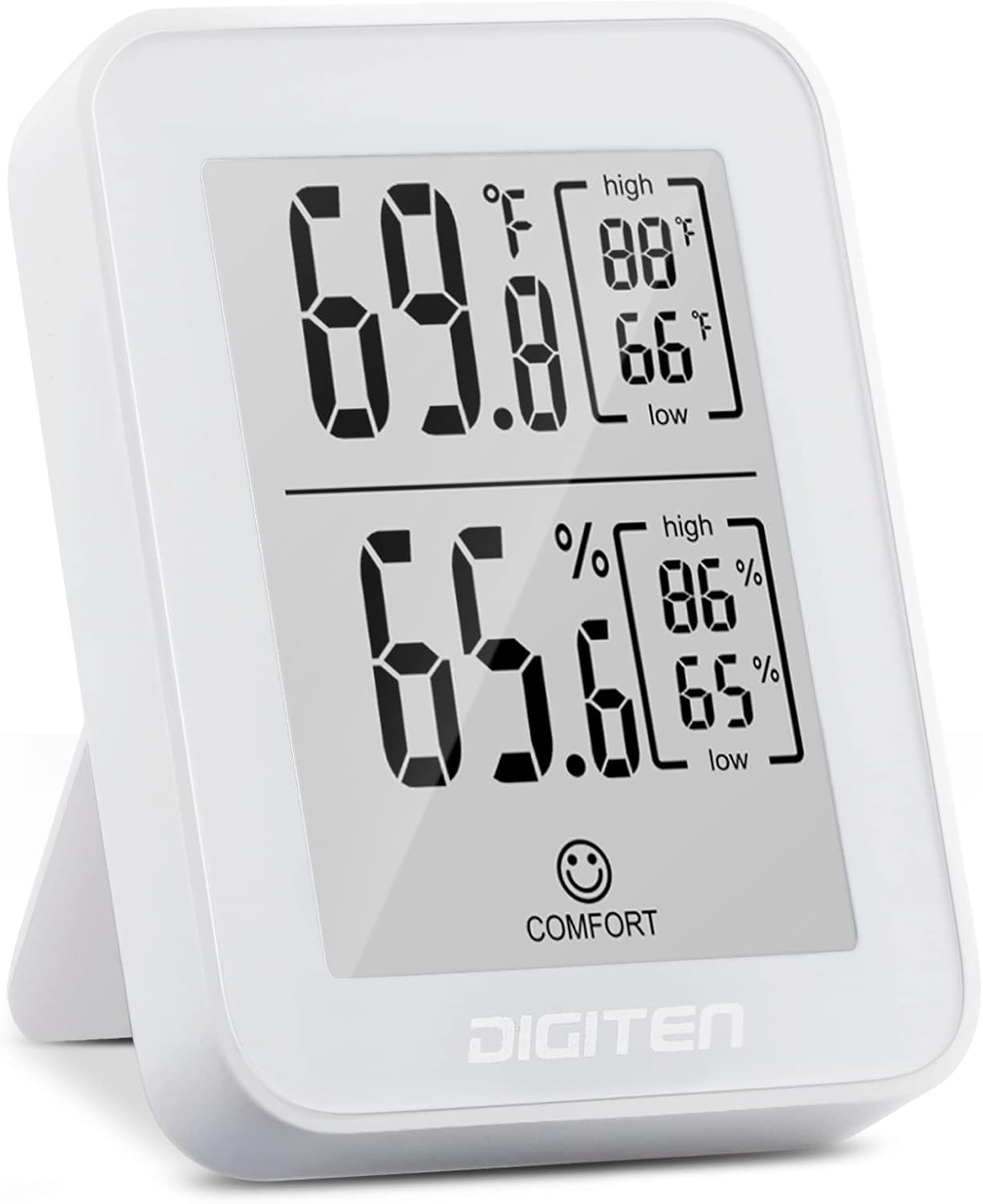
Figure 1: DIGITEN Digital Hygrometer Indoor Thermometer
gambar ieu nembongkeun hareup view of the DIGITEN Digital Hygrometer, displaying temperature and humidity readings on its E-Ink screen. The device is white with a clean, minimalist design, suitable for various indoor settings.
Fitur konci
- 360° HD E-Ink Screen: Provides a clear, paper-like viewing experience from any angle, reducing eye strain and offering low power consumption.
- Celsius / Fahrenheit Switching: Easily switch between temperature units (°C/°F) using a button located on the back of the device.
- Sénsor akurasi luhur: Equipped with imported industrial-grade Swiss SENSIRION digital sensors for precise measurements. Temperature tolerance is ±0.3 °C (-10.0 °C ~ 60.0 °C), and humidity tolerance is ±3% (0 to 99% RH).
- Responsive Readings: Provides current air condition indicators, aiding in proper temperature and humidity control for health benefits.
- Penempatan serbaguna: Designed for wide use in various settings such as rooms, offices, wine cellars, and cigar boxes. Features a foldable stand for desktop use and a keyhole for wall mounting.

Figure 2: E-Ink Screen for Eye Protection
This image highlights the E-Ink screen's benefit for eye protection, showing the device on a desk next to a book, emphasizing its comfortable viewpangalaman.

Figure 3: High Precision SENSIRION Sensor
This image displays a close-up of the Swiss SENSIRION digital sensor, illustrating the advanced technology used for accurate temperature and humidity detection.

Figure 4: Display with Comfort Level Indicators
This image shows the device's display with visual indicators for dry, comfort, and wet humidity levels, along with recommended temperature ranges for comfort.

Figure 5: Hygrometer in Different Environments
This composite image illustrates the hygrometer's versatility, showing it in a baby room, garden, warehouse, office, living room, and cellar, highlighting its suitability for diverse environments.

Figure 6: Wall Mounting Feature
This image demonstrates the wall-hanging capability of the hygrometer, showing the device mounted on a wall next to a bed, indicating its discreet placement options.
Disetél
- Unboxing: Kaluarkeun higrometer tina bungkusna kalawan ati-ati.
- Aktipkeun batré: The device comes with a pre-installed CR2032 battery. Locate the plastic pull tab at the back of the device and gently remove it to activate the battery. The display should immediately show readings.
- panempatan:
- For desktop use, unfold the integrated stand on the back of the device.
- For wall mounting, use the keyhole slot on the back of the device to hang it on a nail or screw.
- Bacaan Awal: Allow a few minutes for the device to stabilize and display accurate temperature and humidity readings, especially after moving it to a new environment.

Gambar 7: Balik View jeung Kompartemen Batré
This image shows the back of the hygrometer, detailing its dimensions, the foldable stand, and the location of the battery compartment and the Celsius/Fahrenheit switch button.
Parentah Operasi
- Maca Tampilan: The E-Ink screen displays current temperature (top) and humidity (bottom). It also shows the high and low records for both temperature and humidity on the right side of the screen.
- Switching Temperature Units (°C/°F):
- Locate the small circular button integrated into the circular hole on the back of the thermo-hygrometer.
- Press this button firmly to toggle between Celsius (°C) and Fahrenheit (°F) temperature units.
- Resetting High/Low Records: The same button used for °C/°F switching also resets the recorded high and low temperature and humidity values. Press and hold the button for approximately 3 seconds to clear the records.

Figure 8: Location of °C/°F Switch Button
This image provides a close-up of the back of the device, clearly indicating the position of the button used to switch between Celsius and Fahrenheit temperature readings.
Pangropéa
- beberesih: Usap alat sacara lalaunan nganggo lawon anu lemes sareng garing. Ulah nganggo pembersih anu kasar atanapi ngalelepkeun alat kana cai.
- Ngagantian batré: When the display becomes dim or stops updating, it's time to replace the CR2032 battery.
- Buka panutup kompartemen batré dina tonggong alat.
- Leupaskeun batré CR2032 heubeul.
- Selapkeun batré CR2032 anyar kalayan sisi positif (+) nyanghareup ka luhur.
- Tutup panutup kompartemen batré aman.
Pamérésan masalah
| Masalah | Mungkin Cukang lantaranana | Solusi |
|---|---|---|
| Pintonan kosong atanapi taram. | Batré pareum atanapi henteu dipasang leres. | Ensure the battery pull tab is removed. Replace the CR2032 battery, ensuring correct polarity. |
| Bacaan sigana teu akurat. | Device has just been moved; sensor needs time to stabilize; external interference. | Allow 5-10 minutes for readings to stabilize after moving the device. Ensure the device is not placed near heat sources, direct sunlight, or strong air currents. Compare with other known accurate devices if possible. |
| Display not updating. | E-Ink display characteristic; device malfunction. | E-Ink displays update only when a change is detected, which can appear slower than LCDs. If no change is detected for a long period, try moving the device slightly or replacing the battery. If the issue persists, contact customer support. |
| Cannot switch between °C/°F or reset records. | Tombol teu dipencet kalawan bener atawa alatna aya gangguan fungsi. | Ensure you are pressing the button firmly and directly into the circular hole on the back. For resetting records, press and hold for approximately 3 seconds. |
spésifikasi
- model: TH30E
- merek: DIGITEN
- Rentang Suhu: -10.0 °C nepi ka 60.0 °C (14.0 °F nepi ka 140.0 °F)
- Akurasi Suhu: ± 0.3 °C
- Kisaran asor: 0% nepi ka 99% RH
- Akurasi kalembaban: ± 3% RH
- Jenis tampilan: Layar E-Tinta
- Sumber Daya: 1 x Batré CR2032
- Tipe Pamasangan: Dudukan Dinding, Stand Desktop
- Beurat barang: 3.52 ons
- Ukuran Paket: 4.25 x 3.62 x 0.94 inci
Garansi sareng Rojongan
DIGITEN provides a one-year warranty for any product quality problems. If you encounter any issues or have questions regarding your DIGITEN Digital Hygrometer, please contact DIGITEN customer support for assistance.
For support, please visit the official DIGITEN store on Amazon or refer to the contact information provided with your product packaging.


