Produk Leuwihview
The BAANOOL BN-403B 4G GPS Tracker is a versatile device designed for real-time vehicle tracking and fleet management. It offers various features including overspeed alarm, GEO-fence, remote engine cut-off, and historical playback. This manual provides detailed instructions to ensure proper setup and optimal performance.

Image: The BN-403B GPS Tracker device shown alongside a smartphone displaying the BAANOOL IOT application, illustrating real-time tracking capabilities.
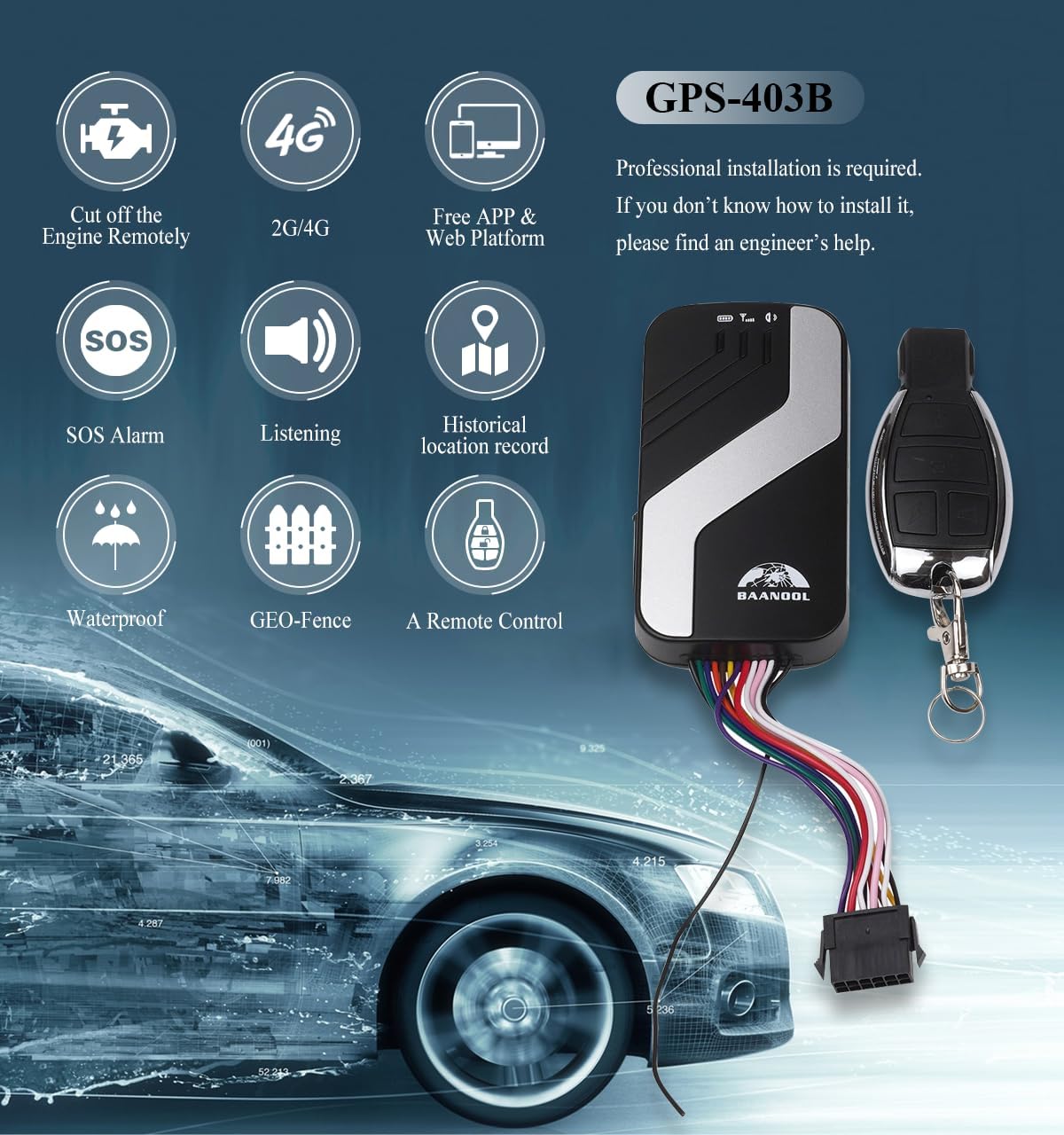
Gambar: Hiji leuwihview of the GPS-403B model highlighting key features such as remote engine cut-off, 2G/4G network support, free app/web platform, SOS alarm, listening function, historical location record, waterproof design, GEO-fence, and remote control functionality.
Naon dina Box
Saatos muka bungkusan, mangga pariksa yén sadaya komponén aya:
- GPS Unit (BN-403B)
- Manual pamaké
- Kabel Daya
- Mikropon
- Remote Controller (for 403B model)
- Relay
- Obeng
- Abah
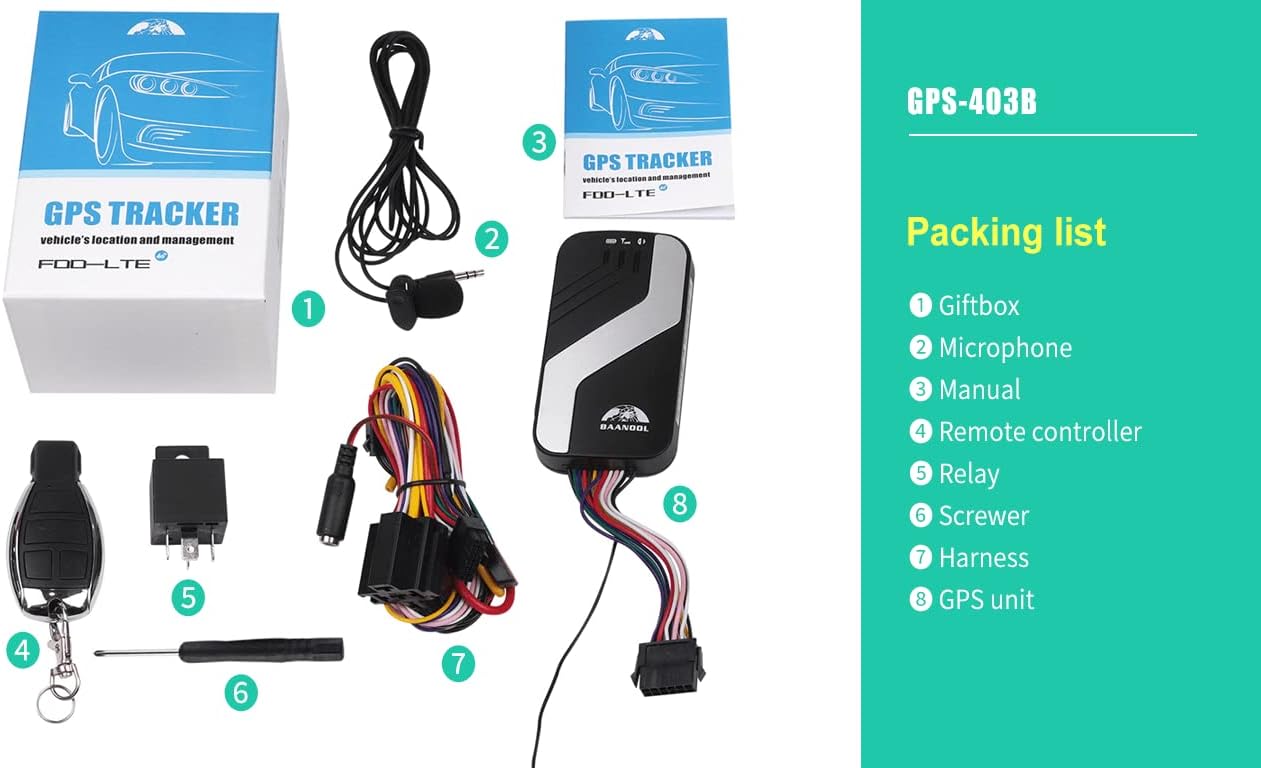
Image: A visual representation of the GPS-403B product packaging and its contents, including the GPS unit, remote control, relay, microphone, harness, screwer, and user manual.
Setup sareng Instalasi
Professional installation is recommended for this device. If you are unsure about the installation process, please seek assistance from a qualified engineer.
1. Pamasangan Kartu SIM
A SIM card (not included) is required for the tracker to function. Ensure the SIM card supports 2G/4G networks and has an active data plan. The SIM card should be inserted correctly into the designated slot on the device.
Video: Demonstrates the correct procedure for inserting the SIM card into the GPS tracker device.
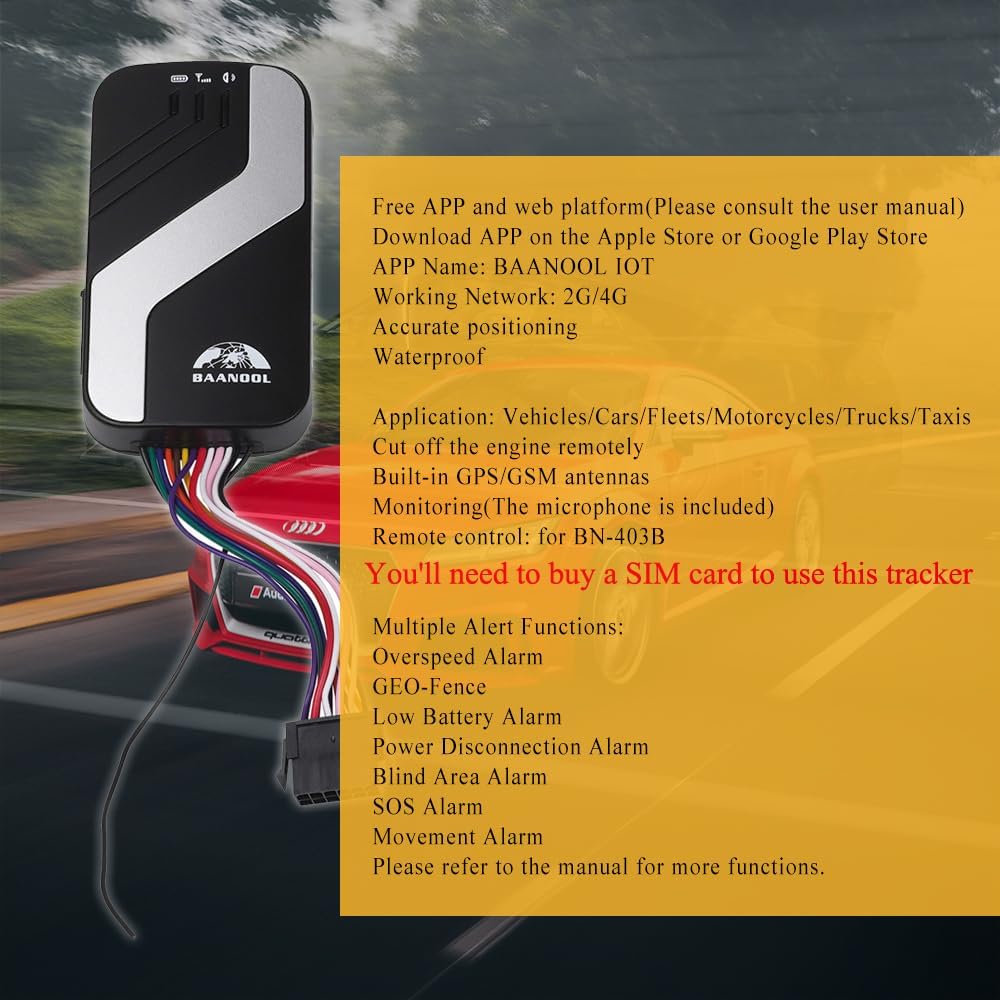
Image: Close-up of the GPS tracker showing the SIM card slot and a list of features, emphasizing the need for a SIM card.
2. Device Connection and Power Supply
Connect the GPS tracker to your vehicle's power supply using the provided harness. The black wire connects to the negative terminal, and the red wire connects to the positive terminal of the car battery. Ensure all connections are secure.
Video: A comprehensive guide demonstrating the full installation process of the GPS tracker, including power connections, SIM card insertion, and wiring.
3. Lampu Indikator
The device features three indicator lights to show its status:
- Lampu Beureum: Indicates battery status. Always on when fully charged.
- Cahaya Biru: Indicates GPS signal. Flashes when a good GPS signal is acquired.
- Lampu héjo: Indicates GSM signal. Flashes when a good GSM signal is acquired.
Video: Shows the normal flashing pattern of the signal lights on the GPS tracker, indicating proper operation.
4. Relay Connection (Engine Cut-off)
To enable the remote engine cut-off function, connect the provided relay to the vehicle's fuel pump wire. This connection allows the tracker to remotely disable the fuel supply, preventing the vehicle from starting or running.
5. SOS Button Connection
Connect the violet SOS line to the SOS button. This button can be discreetly placed within the vehicle, allowing for quick activation of an emergency alert in critical situations.
6. ACC Line Connection
Connect the white ACC line from the tracker to the ACC line of the car. This connection allows the tracker to detect when the vehicle's ignition is turned on or off, providing accurate ACC status monitoring.
Parentah Operasi
1. Free APP and Web Platform
The BAANOOL GPS tracker comes with a free web platform and a mobile application (BAANOOL IOT), available on Apple Store and Google Play. These platforms allow you to manage and monitor your vehicle(s) without any monthly fees.
- Real-time Positioning: View lokasi kendaraan anjeun ayeuna dina peta.
- Historical Playback: Review past routes and movements of your vehicle.
- Kadali jauh: Control device functions via SMS, APP, or web platform.

Image: Illustrates the real-time positioning capability of the GPS tracker, showing the device and a smartphone displaying a map with location data.

Image: A hand holding a smartphone displaying the historical route playback feature of the BAANOOL IOT app.
2. Fungsi Siaga
The tracker supports various alert functions to enhance vehicle security and monitoring:
- Alarm Overspeed: Receive notifications if the vehicle exceeds a pre-set speed limit.
- Pager GEO: Define virtual boundaries and get alerts when the vehicle enters or exits these areas.
- Alarm gerak: Be alerted if the vehicle moves without authorization.
- Alarm SOS: Trigger an emergency alert by pressing the SOS button.
- Alarm Batré Lemah: Notification when the device's internal battery is low.
- Power Disconnection Alarm: Alert if the device's main power supply is cut.

Image: Depicts the GEO-fence feature, showing a vehicle entering or exiting a defined safe area, triggering an alarm.
Pangropéa
To ensure the longevity and optimal performance of your BAANOOL GPS tracker, consider the following maintenance tips:
- Regularly check all wire connections to ensure they are secure and free from corrosion.
- Jaga alat tetep beresih sareng bebas tina lebu sareng lebu.
- While the device is waterproof, avoid prolonged exposure to extreme moisture or submersion.
- Ensure the SIM card remains active and has sufficient data balance for continuous tracking.
Pamérésan masalah
| Masalah | Mungkin Cukang lantaranana | Solusi |
|---|---|---|
| Device is offline on the platform/app. | No SIM card, SIM card not active, no data plan, poor network signal, power disconnected. | Ensure SIM card is inserted correctly and active. Check data plan. Verify power connections. Move vehicle to an area with better network coverage. |
| Inaccurate location or no GPS signal. | Device is in an area with poor GPS reception (e.g., indoors, underground garage), device not facing sky. | Move the vehicle to an open area with clear sky view. Ensure the device is installed with the GPS antenna facing upwards. |
| Remote engine cut-off not working. | Incorrect relay wiring, vehicle ignition is off, poor signal. | Check relay connections according to the installation guide. Ensure vehicle ignition is on when attempting to cut off. Verify network signal strength. |
| Alerts are not received. | Alert settings not configured, app notifications disabled, poor network signal. | Configure alert settings in the app/platform. Enable notifications for the BAANOOL IOT app on your smartphone. Check network signal. |
spésifikasi
| Fitur | Rincian |
|---|---|
| Modél | BN-403B (2G/4G) |
| Diménsi | 3.78 x 2.09 x 0.71 inci (96mm x 53mm x 18mm) |
| Beurat | 10.5 ons (70g) |
| Jaringan | GSM / GPRS / LTE (2G/4G) |
| Sensitipitas GPS | -165dBm |
| Akurasi GPS | 5m |
| Waktos Pikeun Ngalereskeun Kahiji | Cold status: 45s, Warm status: 35s, Hot status: 1s |
| Applicable Car Power | 12V - 24V |
| Batré | Chargeable 3.7V 350mAh Li-ion battery (included) |
| Suhu Panyimpenan | -40°C nepi ka +85°C |
| Suhu Operasi | -20°C nepi ka +65°C |
| Kalembaban | 5% - 95% non-condensing |
| Fitur husus | Tahan cai |
| Téhnologi konektipitas | sélular |

Image: Detailed specifications for the GPS-403A/B model, including dimensions, weight, network compatibility, GPS accuracy, and environmental conditions.
Garansi sareng Rojongan
BAANOOL GPS trackers come with a 15-garansi sasih. As an original manufacturer, BAANOOL provides comprehensive after-sales service. If you encounter any issues with your device, please contact the manufacturer directly for a solution.

Image: A representative image of customer support, indicating assistance is available for product inquiries and issues.