
1. Bubuka
Thank you for choosing AIMA Wireless Earbuds. These earbuds are designed to provide a superior audio experience with advanced Bluetooth 5.2 technology, rich bass, and effective noise reduction. This manual will guide you through the setup, operation, and maintenance of your new earbuds to ensure you get the most out of them.
2. Eusi Paket
Mangga cék kotak pikeun item di handap ieu:
- AIMA Wireless Earbuds (Left and Right)
- Ngecas Case
- Kabel Ngecas USB
- Manual pamaké
3. Produk Langkungview
Familiarize yourself with the components of your AIMA Wireless Earbuds and charging case.

Image 3.1: AIMA Wireless Earbuds in their orange charging case, displaying a digital battery percentage tina 100.

Image 3.2: The orange AIMA Wireless Earbuds are shown both inside and outside their transparent charging case, highlighting their compact design.

Image 3.3: Demonstrates the comfortable and stable fit of the earbuds in a user's ear, showing both orange and black earbud variants.
4. Setélan
4.1 Ngecas Earbuds sareng Case
- Teundeun earbuds kana wadah ngecas. Pastikeun aranjeunna leres seated.
- Sambungkeun kabel ngecas USB ka port ngecas dina case jeung ka sumber kakuatan (misalna adaptor témbok USB, port USB komputer).
- The digital display on the case will indicate the charging status. A full charge for the case and earbuds takes approximately one hour.
4.2 Nyapasangkeun sareng Alat Anjeun
- Pastikeun yén earbuds dieusi.
- Open the charging case. The earbuds will automatically enter pairing mode, indicated by a flashing light (if applicable, refer to specific light indicators on your model).
- Dina alat anjeun (smartphone, tablet, komputer), buka setélan Bluetooth teras aktipkeun Bluetooth.
- Milarian pikeun available devices. Select "AIMA Earbuds" (or similar name) from the list.
- Once connected, the earbuds will indicate successful pairing (e.g., a voice prompt or solid light).
- Earbuds bakal otomatis nyambung deui ka alat dipasangkeun panungtungan sawaktos nyandak kaluar tina wadahna, upami Bluetooth diaktipkeun dina alat.
5. Parentah Operasi
5.1 Daya Hurung/Pareuman
- Daya Hurung: Buka wadah ngecas, sareng earbuds bakal otomatis hurung.
- Pareum listrik: Teundeun earbuds deui kana wadah ngecas sareng tutup tutupna. Aranjeunna bakal otomatis pareum sareng ngawitan ngecas.
5.2 Kadali Playback Musik
The earbuds feature touch-sensitive controls. Specific functions may vary slightly; refer to the quick start guide for precise tap sequences.
- Puter / Reureuh: Ketok tunggal dina boh earbud.
- Lagu salajengna: Ketok dua kali dina earbud katuhu.
- Lagu Sateuacanna: Ketok dua kali dina earbud kénca.
- Volume Up: Ketok tilu kali dina earbud katuhu.
- Volume Turun: Ketok tilu kali dina earbud kénca.

Image 5.1: Illustrates the 'Deep Rich Bass' capability of the earbuds, showing both orange and black versions with a focus on sound quality.
5.3 Manajemén Telepon
- Ngajawab / mungkas Telepon: Ketok tunggal dina boh earbud nalika aya telepon asup.
- Nolak Telepon: Pencet jeung tahan boh earbud salila 2 detik dina mangsa telepon asup.
5.4 Noise Réduksi
These earbuds feature Active Noise Cancellation (ANC) technology to filter out background noise for crystal clear calls and music.
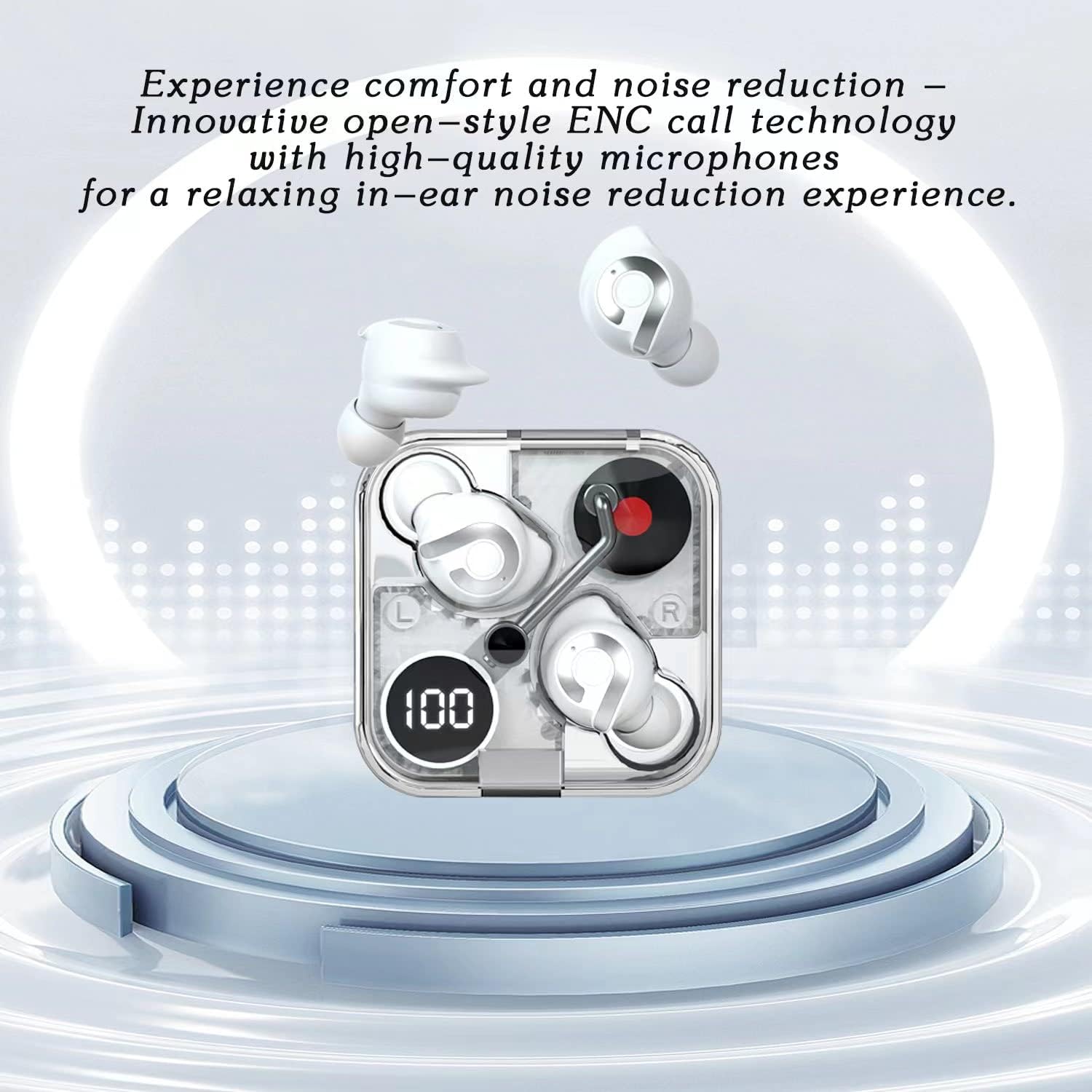
Image 5.2: Highlights the comfort and noise reduction features, showing white earbuds in a transparent case with a focus on ENC call technology.
To activate or deactivate the noise reduction mode, refer to the specific touch control gestures in your quick start guide, typically a long press or specific tap sequence.
6. Pangropéa
6.1 beberesih
- Anggo lawon anu lemes, garing, henteu lint pikeun ngabersihan earbuds sareng wadah ngecas.
- Ulah make cleaners abrasive, alkohol, atawa pangleyur kimiawi.
- Bersihkeun kontak pangisi daya dina earbud sareng wadahna sacara saksama nganggo kapas garing upami diperyogikeun.
6.2 Panyimpenan
- Lamun teu dipake, sok nyimpen earbuds dina wadah ngecas maranéhanana pikeun ngajaga eta jeung tetep dicas.
- Simpen di tempat anu tiis, garing, jauh tina suhu anu ekstrim sareng sinar panonpoé langsung.
6.3 Perawatan Batré
- Pikeun manjangkeun umur batré, ulah sering-sering ngosongkeun batré earbud sareng wadahna.
- Ngeusi batre alat sacara rutin, sanajan henteu sering dianggo.
7. Cara ngungkulan
If you encounter any issues with your AIMA Wireless Earbuds, please refer to the following common solutions:
| Masalah | Mungkin Cukang lantaranana | Solusi |
|---|---|---|
| Earbuds teu dipasangkeun | Low battery; Bluetooth off on device; Earbuds not in pairing mode; Interference. | Charge earbuds and case; Ensure device Bluetooth is on; Place earbuds in case, then open lid to re-enter pairing mode; Move closer to device; Restart device. |
| Teu aya sora ti hiji earbud | Earbud not connected; Low battery; Dirty charging contacts. | Place both earbuds back in case, close lid, then reopen; Ensure earbud is charged; Clean charging contacts. |
| Masalah ngecas | Cable faulty; Power source issue; Dirty charging contacts. | Try a different USB cable and power source; Clean charging contacts on earbuds and case. |
| Kualitas sora goréng | Distance from device; Interference; Earbuds not properly seated. | Move closer to your device; Avoid strong electromagnetic fields; Adjust earbud position in ear. |
8. Spésifikasi
- merek: Generic (Manufactured by AIMA)
- model: B0C4BZ7S47
- Vérsi Bluetooth: 5.2
- Kontrol bising: Pembatalan Noise aktip
- Penempatan Ceuli: Dina Ceuli
- Faktor Bentuk: Dina Ceuli
- warna: oranyeu
- Waktu ngobrol: Dugi ka 5 jam kalayan biaya tunggal
- Waktu Puteran Musik: Dugi ka 5.5 jam kalayan biaya tunggal
- Waktu Ngecas: Approximately 1 hour for full charge
- Waktu sayaga: Exceeds 200 hours

Gambar 8.1: Hiji ngabeledug view illustrating the internal components of the earbud, highlighting its intricate design and construction for optimal sound.
9. Garansi jeung Rojongan
For warranty information and customer support, please refer to the documentation provided with your purchase or contact the retailer where you purchased the AIMA Wireless Earbuds. Keep your proof of purchase for any warranty claims.