1. Bubuka
This manual provides comprehensive instructions for the setup, operation, maintenance, and troubleshooting of your Havit MS951GT Wireless Mouse. Please read this manual carefully before using the product to ensure optimal performance and longevity.
2. Eusi Paket
Punten parios yén sadaya barang aya dina pakét anjeun:
- Havit MS951GT Wireless Mouse
- Panarima USB
- Manual pangguna (dokumén ieu)
Note: An AA battery is typically not included and must be purchased separately.
3. Produk Langkungview
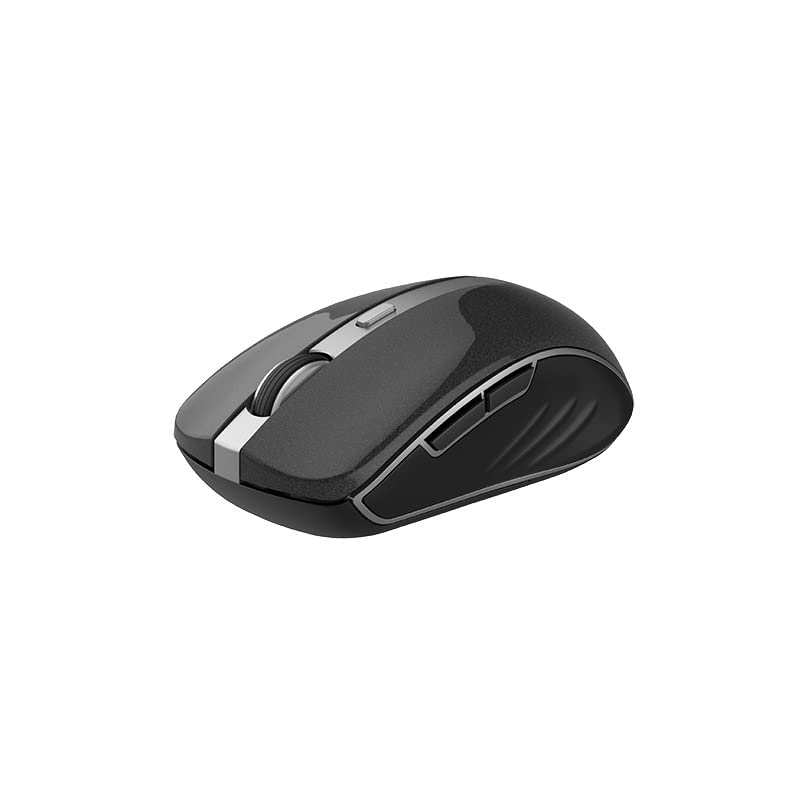
The Havit MS951GT is a wireless optical mouse designed for comfortable and precise control. It features symmetrical ergonomics, making it suitable for both left and right-handed users, and includes multi-level DPI adjustment for varied sensitivity needs.

Gambar 3.1: Havit MS951GT Wireless Mouse highlighting key features such as DPI adjustment and side buttons.
Komponén konci:
- Tombol Kénca/Katuhu: Standard mouse functionality.
- Gulung kabayang: Pikeun fungsi ngagulung vertikal sareng klik tengah.
- Tombol Penyesuaian DPI: Cycles through sensitivity settings (800-1200-1600 DPI).
- Kancing samping: Multi-functional, typically used for forward/backward page navigation.
- Kompartemen batré: Perenahna di handapeun beurit.
- Panyimpenan Panarima USB: A dedicated slot on the underside for the USB receiver when not in use.
4. Setélan
4.1. Masang Batré
- Turn the mouse over to access the underside.
- Locate the battery compartment cover and gently slide or lift it off.
- Insert one AA battery into the compartment, ensuring the polarity (+/-) matches the indicators inside.
- Ganti panutup kompartemen batré nepi ka ngaklik aman kana tempatna.
4.2. Nyambungkeun Panarima USB
- Locate the USB receiver, which is typically stored in a slot on the underside of the mouse or within the packaging.
- Colokkeun panarima USB ka port USB nu sadia dina komputer Anjeun.
- Your computer should automatically detect and install the necessary drivers. This is a plug-and-play device, so no additional software installation is usually required.
Gambar 4.1: The underside of the Havit MS951GT mouse, illustrating the battery compartment and the storage slot for the USB receiver.
5. Parentah Operasi
5.1. Fungsi Mouse Dasar
- Klik Kénca: Select items, open files, activate links.
- Klik katuhu: Access context menus.
- Gulung kabayang: Gulung ka luhur atanapi ka handap dina dokumén sareng web pages. Pressing the scroll wheel often acts as a middle-click.
5.2. Adjustment DPI
The DPI (Dots Per Inch) button, located behind the scroll wheel, allows you to adjust the mouse's sensitivity. Pressing this button will cycle through the available DPI settings:
- 800 DPI: Lower sensitivity for precise tasks.
- 1200 DPI: Sensitivitas standar pikeun panggunaan umum.
- 1600 DPI: Higher sensitivity for faster cursor movement.
Choose the DPI setting that best suits your preference and task requirements.
5.3. Side Buttons
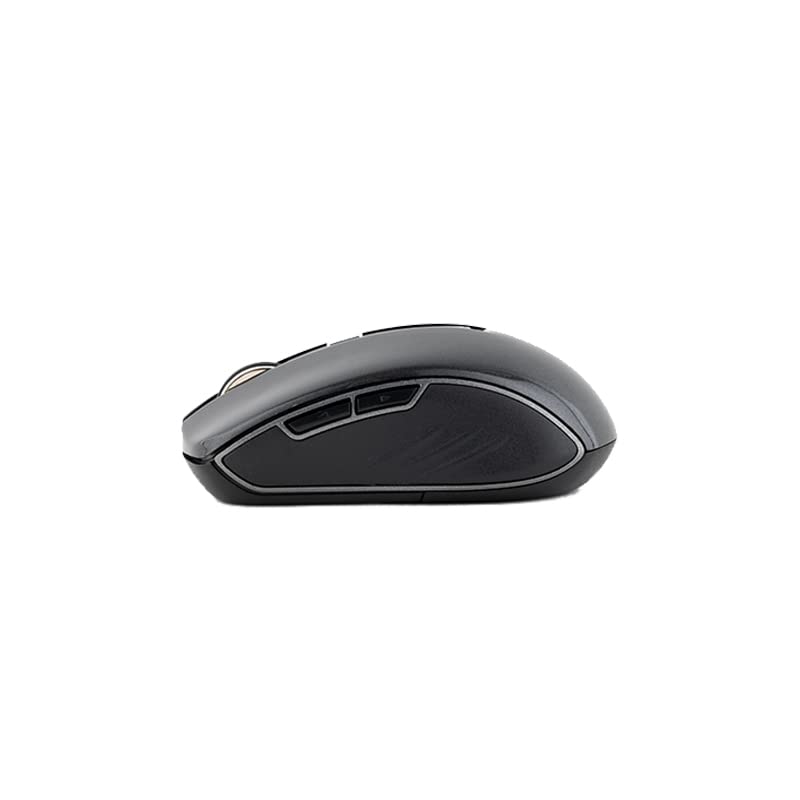
The Havit MS951GT features multi-function side buttons, typically located on the left side of the mouse. By default, these buttons are configured for:
- Tombol Maju: Navigates ka hareup web browser atawa file penjelajah.
- Tombol Mundur: Navigates ka tukang web browser atawa file penjelajah.
Gambar 5.1: Samping view of the Havit MS951GT mouse, illustrating the position of the multi-function side buttons.
6. Pangropéa
6.1. beberesih
Pikeun ngajaga kinerja sareng kabersihan anu optimal, bersihan beurit anjeun sacara rutin:
- Pegatkeun sambungan panarima USB tina komputer anjeun.
- Make kaen nu lemes, teu aya lint rada dampku cai atawa solusi beberesih hampang pikeun ngusap beungeut beurit.
- Hindarkeun ngagunakeun bahan kimia anu kasar atanapi bahan abrasive.
- Use a cotton swab or compressed air to clean around the scroll wheel and optical sensor.
6.2. Ngagantian batré
When the mouse performance degrades or it stops responding, it is likely time to replace the AA battery. Refer to Section 4.1 for battery installation instructions.
6.3. Panyimpenan
When not in use for an extended period, the mouse features a built-in auto-sleep function to conserve battery life. For transport or long-term storage, it is recommended to:
- Remove the AA battery to prevent leakage.
- Store the USB receiver in its dedicated slot on the underside of the mouse to prevent loss.
7. Cara ngungkulan
If you encounter issues with your Havit MS951GT Wireless Mouse, please refer to the following common solutions:
7.1. Beurit Teu Ngabales
- Pariksa batré: Ensure the AA battery is correctly inserted and has sufficient charge. Replace if necessary.
- Pariksa Panarima USB: Pastikeun yén panarima USB tos aman dicolokkeun kana port USB anu tiasa dianggo dina komputer anjeun. Coba port USB anu béda.
- Siklus kakuatan: Turn off the mouse (if it has a power switch), remove the battery, wait a few seconds, then reinsert the battery and turn it back on.
7.2. Gerakan Kursor Anu Henteu Teratur
- Sénsor optik bersih: Dust or debris on the optical sensor can cause erratic movement. Clean the sensor on the underside of the mouse with a soft, dry cloth or compressed air.
- Pariksa Permukaan: Pastikeun anjeun nganggo beurit dina permukaan anu bersih, henteu mantulkeun cahaya, sareng rata. Hindarkeun kaca atanapi permukaan anu mantulkeun cahaya.
7.3. Connection Issues / Lag
- Ngurangan gangguan: Move the mouse closer to the USB receiver. Avoid placing the receiver near other wireless devices (e.g., Wi-Fi routers, cordless phones) that might cause interference.
- Re-plug Receiver: Unplug and re-plug the USB receiver.
8. Spésifikasi
| Fitur | Spésifikasi |
|---|---|
| merek | Havit |
| Modél | MS951GT |
| Téhnologi nirkabel | 2.4GHz |
| Jarak Wireless | 10m |
| Tingkat DPI | 800-1200-1600 DPI |
| Nomer konci | 6 (Left, Right, Scroll, DPI, 2 Side Buttons) |
| Sasayogian tanaga | 1 * AA Battery |
| Ukuran (L x W x H) | 50 x 50 x 50 mm (kira-kira) |
| Item Beurat | 100 g |
| Kasaluyuan System Operasi | Windows XP and above (PC, Laptop) |
| Bahan | palastik |
| Orientasi leungeun | Ambidextrous |
9. Garansi jeung Rojongan
Havit products are designed for reliability and performance. For information regarding warranty coverage, please refer to the warranty card included with your product or visit the official Havit website. If you require technical assistance or have questions not covered in this manual, please contact Havit customer support through their official channels.
Punten tahan bukti pameseran anjeun pikeun klaim garansi.


