Bubuka
The FXTUL M3-A Motorcycle Diagnostic Tool is a versatile OBD2 scanner designed for comprehensive diagnostics of motorcycles and universal OBD2-compatible cars. This tool allows users to read and clear fault codes, access live data streams, perform actuation tests, and conduct voltage tests, providing essential information for vehicle maintenance and repair. It supports various motorcycle brands including Yamaha, Honda, and Kawasaki, in addition to standard OBD2 protocols.
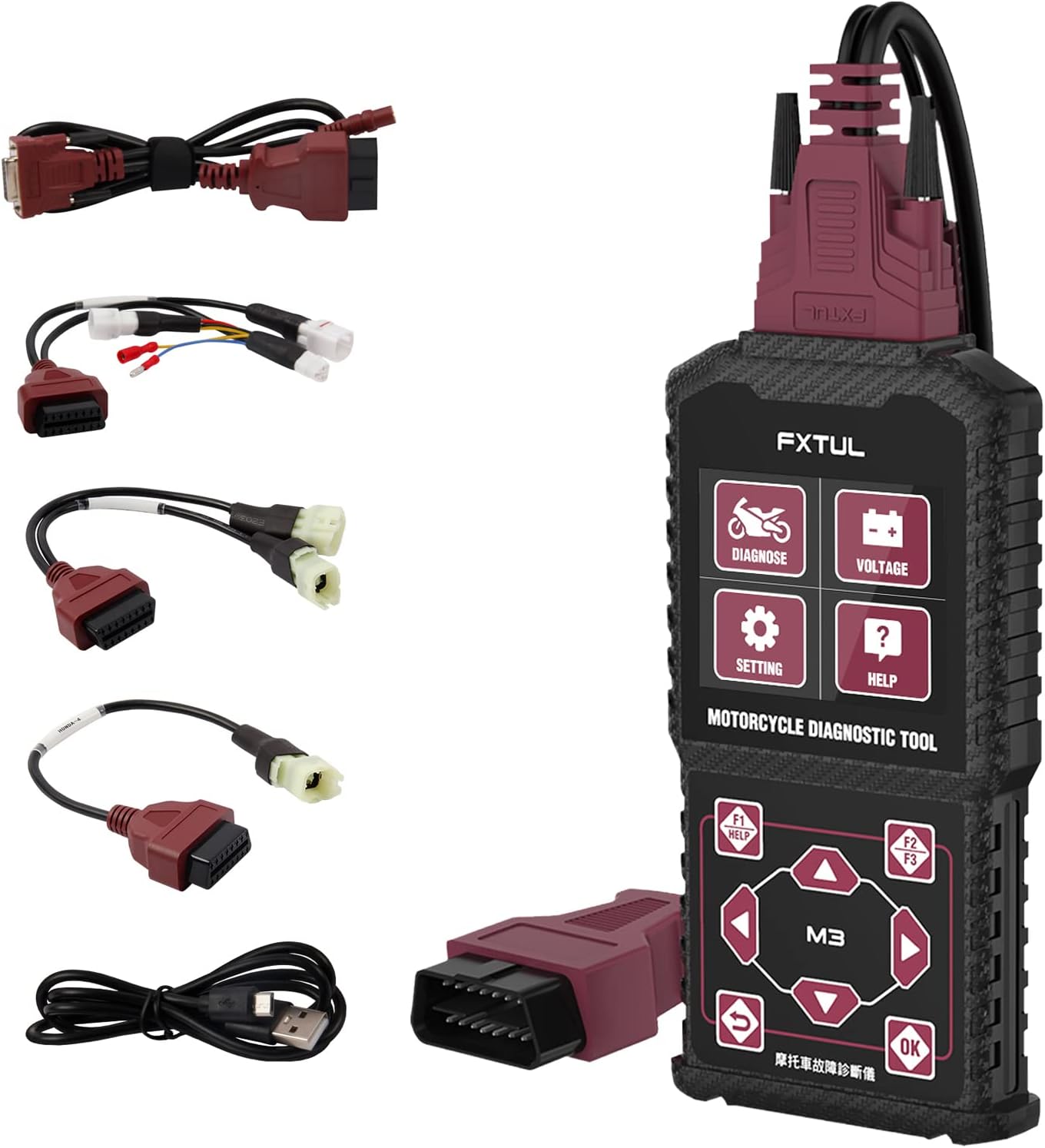
Image: The FXTUL M3-A diagnostic tool shown with its main unit and various diagnostic cables for different motorcycle and OBD2 connections.
Setup sareng Pamakéan Awal
Eusi pakét
Saatos muka bungkusan, pastikeun sadaya komponén aya:
- FXTUL M3-A Diagnostic Tool Main Unit
- Kabel Diagnostik OBD2
- Motorcycle specific adapter cables (e.g., for Yamaha, Honda, Kawasaki)
- USB Data Cable for software upgrades
- Manual pangguna (dokumén ieu)
Nyambungkeun Alat
To begin diagnostics, connect the appropriate cable to your motorcycle's or car's diagnostic port. For motorcycles, you may need to use one of the provided adapter cables. For OBD2-compatible cars, use the standard OBD2 cable.

Image: The M3-A tool highlighting its key features including Clear Fault Codes, Data Stream, Actuation Test, Voltage Test, Multi-system Diagnosis, and 11 Language support.
The device is powered directly from the vehicle's diagnostic port once connected. The screen will illuminate, indicating power.
Parentah Operasi
Antarbeungeut Overview jeung Napigasi

Gambar: Detil view of the M3-A tool's dimensions and button layout, including 'Diagnose', 'Voltage Test', 'Settings', 'Help' buttons, and navigation controls.
The M3-A features a clear display and intuitive button layout for easy navigation:
- Diagnosis: Enters the main diagnostic menu.
- Voltage Tes: Initiates a real-time battery voltage tés.
- Setélan: Accesses device settings, including language selection.
- Tulung: Provides on-screen assistance.
- Navigation Buttons (Up/Down, Left/Right): Used to scroll through menus and select options.
- Tombol OK: Konfirmasi pilihan.
- Tombol Balik: Mulih ka layar saméméhna.
- F1/F2/F3 Buttons: Function-specific buttons, often for 'Help', 'Quick', or 'Pause' as indicated on screen.
Key Diagnostic Functions
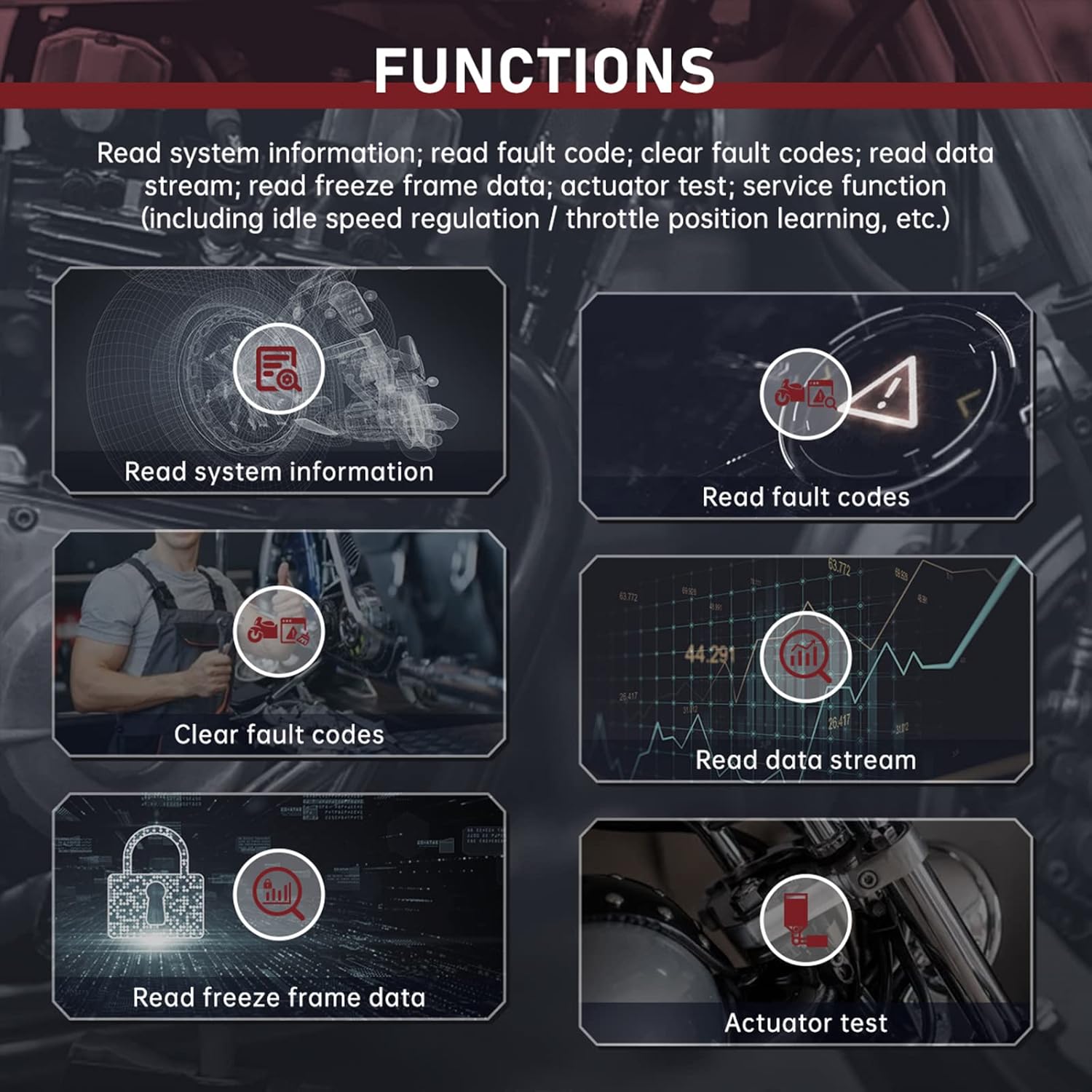
Gambar: Leuwihview of the diagnostic functions: Read System Information, Read Fault Codes, Clear Fault Codes, Read Data Stream, Read Freeze Frame Data, and Actuator Test.
- Read System Information: Displays vehicle information such as VIN, calibration ID, and module information.
- Baca Kode Kasalahan: Retrieves current, pending, and historic diagnostic trouble codes (DTCs) from the vehicle's ECU.
- Hapus Kodeu Kasalahan: Erases DTCs from the vehicle's memory. Ensure the underlying issue is resolved before clearing codes.
- Baca Aliran Data: Shows real-time data parameters from various sensors and components (e.g., engine speed, temperature, voltagjeung).
- Baca Data Frame Freeze: Ngarekam snapshot data sensor dina waktos kode kasalahan disetel, ngabantosan dina diagnosis.
- Tés Aktuator: Allows for testing specific actuators (e.g., fuel pump, cooling fan) to verify their functionality.
- Service Function: Includes specialized functions like idle speed regulation and throttle position learning, if supported by the vehicle.
Uji Gancang
The Quick Test function automatically scans all accessible systems of the vehicle model and reads their respective fault codes. This provides a rapid overview of the vehicle's diagnostic status.

Gambar: Examples of the M3-A's interface displays, including Quick Test results, single system diagnosis, module information, fault code reading, data stream, freeze frame data, and actuation test screens.
Voltage Tés
The Voltage Test feature allows for real-time detection of the OBD battery voltage, often displayed with a waveform for detailed analysis of voltage turun naek.
Multi-Language Selection
The device supports multiple languages, which can be selected via the 'Settings' menu. Supported languages include English, Spanish, Portuguese, French, Chinese, Traditional Chinese, Turkic, Vietnamese, Khmer, Thai, and Bahasa Indonesia.

Image: The multi-language selection screen of the M3-A tool, showing flags for various supported languages.
Pangropéa
beberesih
Wipe the device and cables with a soft, damp lawon. Ulah nganggo pembersih atanapi pangleyur anu abrasif. Pastikeun alat parantos dicabut tina sumber listrik sateuacan dibersihkeun.
Panyimpenan
Store the diagnostic tool in a dry, cool place, away from direct sunlight and extreme temperatures. Keep cables neatly coiled to prevent damage.
Ngaronjatkeun parangkat lunak
The device's software can be upgraded by connecting it to a computer via the provided USB data cable. Visit the official FXTUL website for the latest software updates and instructions.

Image: The M3-A diagnostic tool connected to a laptop via USB cable, illustrating the software upgrade process.
Pamérésan masalah
If you encounter issues with your FXTUL M3-A diagnostic tool, refer to the following common problems and solutions:
- Alat teu hurung:
- Ensure the diagnostic cable is securely connected to both the tool and the vehicle's diagnostic port.
- Pastikeun batré kendaraan gaduh muatan anu cekap.
- Check for any damage to the diagnostic cable or the tool's port.
- Teu aya komunikasi sareng kendaraan:
- Confirm you are using the correct adapter cable for your specific motorcycle model or the standard OBD2 cable for cars.
- Ensure the vehicle's ignition is in the 'ON' position (engine off or running, as required by the diagnostic procedure).
- Check for blown fuses in the vehicle's diagnostic port circuit.
- Some older or non-standard vehicles may not be fully compatible. Refer to the compatibility list.
- Incorrect or no fault codes displayed:
- Ensure the tool's software is up to date. Outdated software may not recognize newer vehicle protocols or specific fault codes.
- Verify the vehicle's ECU is functioning correctly.
- Screen is unreadable or frozen:
- Disconnect the tool from the vehicle and reconnect it.
- If the issue persists, perform a software upgrade.
- Compatibility Issues (e.g., "Doesn't work for 09 Honda cbr600rr" or "Doesn't work on Kawasaki bikes" as reported by some users):
- While the product is advertised as compatible with Yamaha, Honda, and Kawasaki, specific models or years may have variations. Always verify compatibility with the manufacturer if you encounter issues.
- Ensure you have the correct adapter cable for your specific model.
- Check for software updates, as these often include expanded vehicle coverage.
If these steps do not resolve the issue, please contact FXTUL customer support for further assistance.
spésifikasi
| Nomer modél | FXTUL M3-A |
| Produsén | FXTUL |
| Dimensi produk | 6.4 x 3.3 x 0.9 inci (kira-kira 163mm x 85mm x 23mm) |
| Item Beurat | 1.43 pon |
| Operating System (for software updates) | Windows XP (and likely newer Windows versions) |
| Protokol anu dirojong | OBD2, specific motorcycle protocols (Yamaha, Honda, Kawasaki) |
| tampilan | Monochrome LCD (based on images) |
Garansi sareng Rojongan
For warranty information, technical support, or any inquiries regarding the FXTUL M3-A Motorcycle Diagnostic Tool, please contact FXTUL customer service directly. Refer to the product packaging or the official FXTUL websitus pikeun wincik kontak panganyarna na istilah jaminan.
Official FXTUL Store: Visit the FXTUL Store on Amazon


