1. Bubuka
The SONOFF SV DC 5V-24V Wi-Fi Wireless Relay Module is a low-voltage smart home device designed for remote control and automation of electronic equipment. This module allows users to monitor device status in real-time and set schedules via a smartphone application. It integrates with various smart home platforms for enhanced control.
2. Émbaran Kasalametan
- Always ensure power is disconnected before installation, wiring, or maintenance.
- This device operates with low voltage (5V-24V DC). Do not connect to AC power.
- Taroskeun ka tukang listrik anu mumpuni upami anjeun henteu yakin ngeunaan prosedur kabel.
- Ulah nepikeun alat ka beueus, suhu ekstrim, atawa lingkungan korosif.
- Jauhkeun tina jangkauan barudak.
3. Produk Langkungview
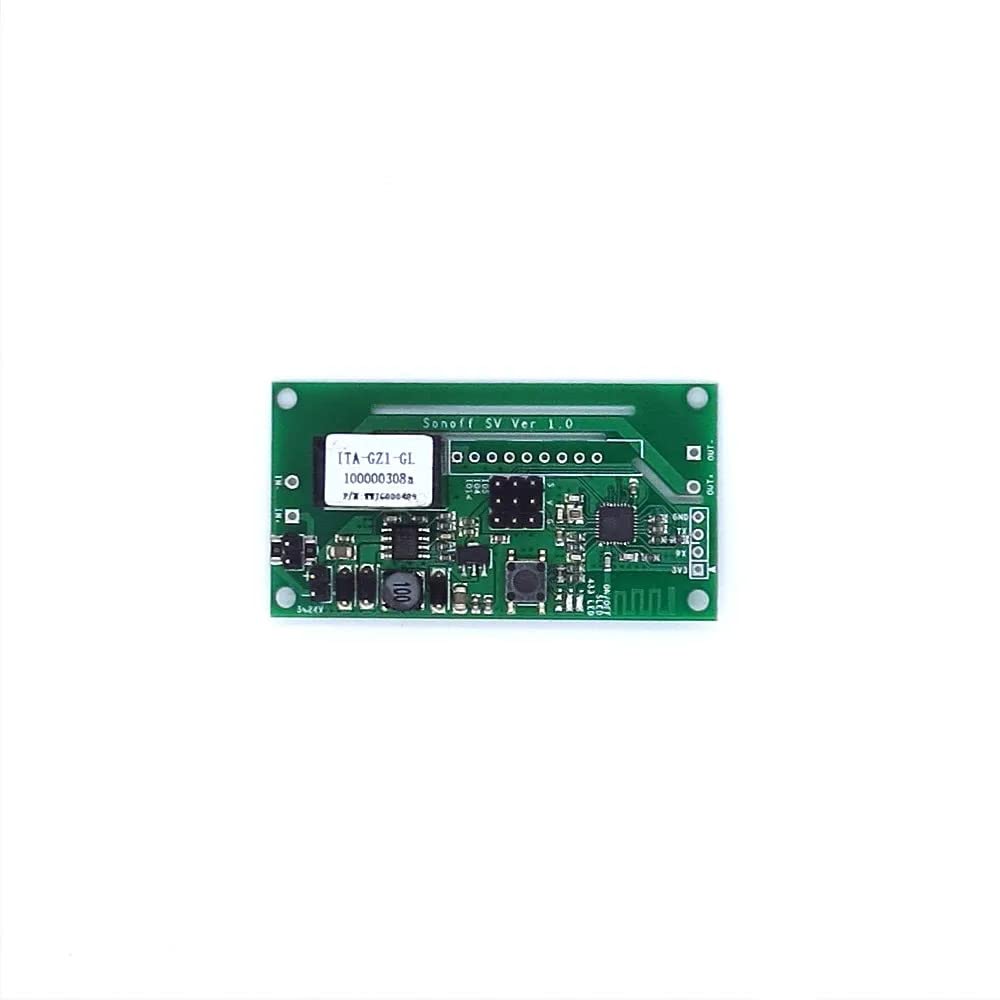
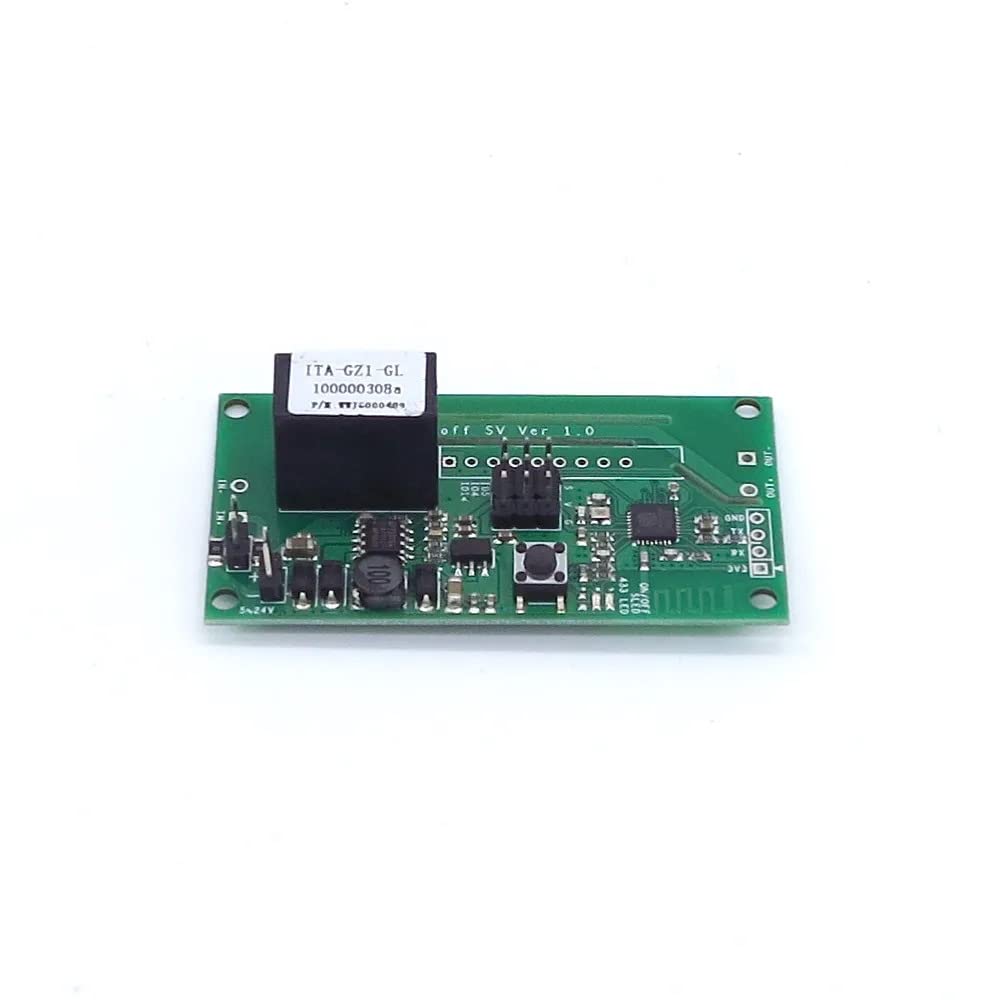
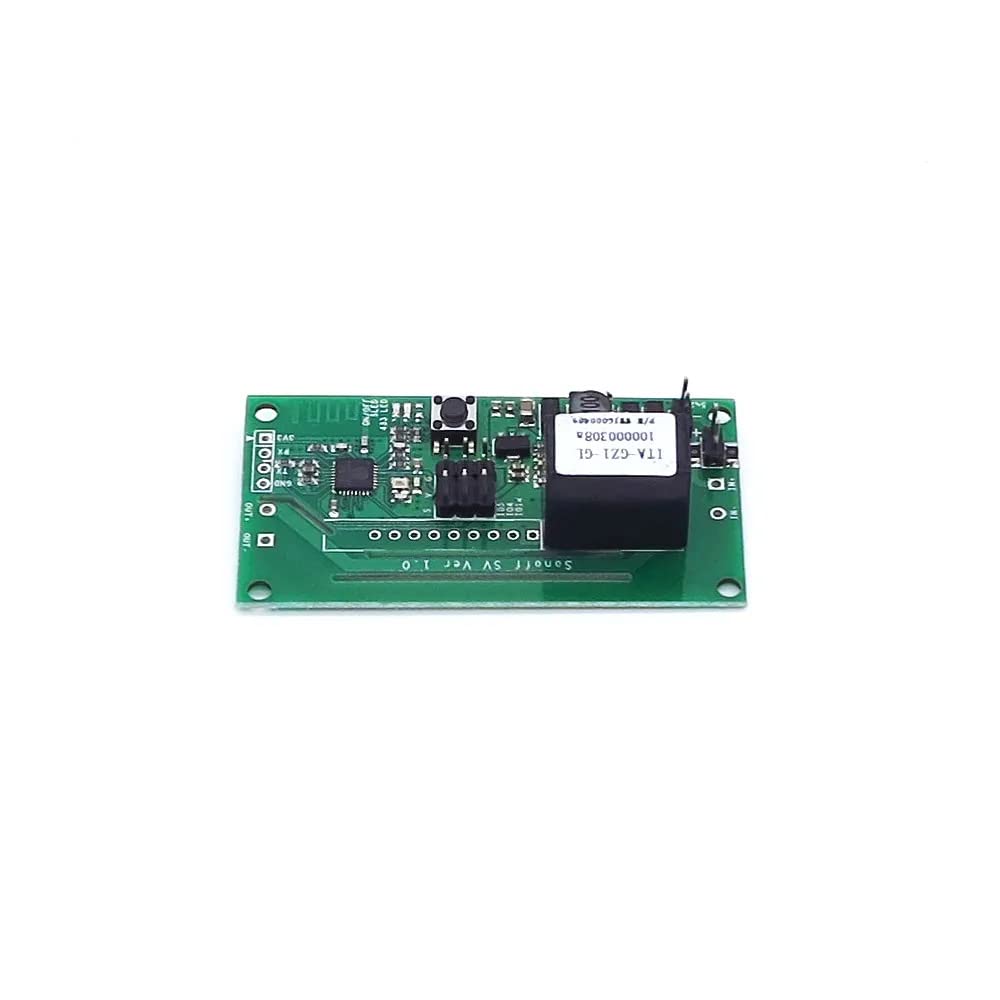
The SONOFF SV module is a compact circuit board designed for integration into various low-voltage systems. It features input terminals for power, output terminals for controlling a device, a Wi-Fi antenna, and a pairing button.
3.1 Fitur konci
- Jauh ON/OFF: Control connected devices from anywhere via the eWeLink app.
- Kontrol LAN: Operate devices even without internet access (within your local network).
- Low Voltage Masukan: Compatible with 5V-24V DC power sources.
- Dukungan Aplikasi: Free eWeLink app available for iOS and Android.
- Status singkronisasi: Real-time device status feedback in the app.
- Kontrol sora: Works with Amazon Alexa and Google Home/Nest.
- GIPO Reserves: Provides additional General Purpose Input/Output pins for advanced users.
3.2 Idéntifikasi komponén

4. Setélan
4.1 Parentah Wiring
Before proceeding, ensure all power sources are disconnected. The SONOFF SV module requires a 5V-24V DC power supply. It acts as a switch for a connected device.
- Connect your 5V-24V DC power supply to the input terminals labeled '5-24V' jeung 'GND' on the module. Ensure correct polarity.
- Connect the device you wish to control to the output terminals labeled 'OUT'. The module's relay will switch the circuit connected to these terminals.
- Double-check all connections for security and correctness before applying power.
Note: The module's output is a dry contact (potential-free) relay, meaning it simply opens or closes a circuit. It does not provide power to the connected device.
4.2 Pamasangan Aplikasi sareng Pamasangan Alat
- Unduh eWeLink aplikasi ti App Store (ios) atawa Google Play Store (Android).
- Daftarkeun akun eWeLink teras lebet.
- Power on the SONOFF SV module. The Wi-Fi LED indicator should blink rapidly (usually two short and one long blink). If not, press and hold the pairing button for 5 seconds until it blinks rapidly.
- In the eWeLink app, tap the '+' icon at the bottom center to add a device.
- Pilih 'Quick Pairing' or the appropriate pairing mode.
- Follow the on-screen instructions to connect the module to your 2.4GHz Wi-Fi network. Enter your Wi-Fi password when prompted.
- Sakali hasil dipasangkeun, Anjeun bisa ngaganti ngaran alat jeung nangtukeun eta ka kamar.
5. Parentah Operasi
5.1 Remote Control via eWeLink App
- Open the eWeLink app and select your SONOFF SV device.
- Tap the power icon to toggle the connected device ON or OFF.
- The app will display the real-time status of the device (ON/OFF).
5.2 Jadwal sareng Timer
- Within the device settings in the eWeLink app, navigate to the 'Timer' or 'Schedule' section.
- Set one-time, repeating, or countdown timers to automatically turn the connected device ON or OFF at specified times.
5.3 Pamaduan Control Sora
The SONOFF SV module can be controlled using voice commands through Amazon Alexa or Google Home/Nest devices.
- Ensure your eWeLink account is linked to your Alexa or Google Home account via their respective apps.
- Discover new devices in the Alexa or Google Home app.
- Anggo paréntah sapertos:
- "Alexa, hurungkeun [ngaran alat]"
- "Hei Google, pareuman [ngaran alat]"
5.4 Kontrol LAN
If your Wi-Fi network is active but lacks internet access, the device can still be controlled locally via the eWeLink app, provided your smartphone is on the same local network as the SONOFF SV module.
6. Pangropéa
- Tetep alat beresih jeung garing. Anggo kaén anu lemes sareng garing pikeun beberesih.
- Do not attempt to disassemble or repair the module yourself. There are no user-serviceable parts inside.
- Pariksa apdet firmware sacara rutin via aplikasi eWeLink pikeun mastikeun kinerja sareng kaamanan anu optimal.
7. Cara ngungkulan
7.1 Device Not Connecting to Wi-Fi
- Ensure your Wi-Fi network is 2.4GHz. The module does not support 5GHz Wi-Fi.
- Pariksa yén kecap akses Wi-Fi anu diasupkeun dina aplikasi éta leres.
- Move the module closer to your Wi-Fi router to improve signal strength.
- Balikan deui router Wi-Fi anjeun sareng cobian pasangkeun deui.
- Perform a factory reset on the module by pressing and holding the pairing button for approximately 10 seconds until the LED indicator changes its blinking pattern, then try pairing again.
7.2 Device Not Responding to App Commands
- Verify that the module is powered on and the Wi-Fi LED is solid (connected).
- Pariksa sambungan internét anjeun.
- Ensure the eWeLink app is up to date.
- If using LAN control, ensure your phone is on the same local network.
7.3 Kontrol Sora Teu Gawé
- Confirm that your eWeLink account is correctly linked to Alexa or Google Home.
- Try rediscovering devices in the Alexa or Google Home app.
- Ensure the device name used in voice commands matches the name set in the eWeLink app.
8. Spésifikasi
| Modél | SV |
| Sasayogian tanaga | DC 5V-24V |
| Max Wayah | 1A |
| Daya Max | 24W |
| Wi-Fi Standar | IEEE 802.11 b / g / n 2.4GHz |
| Modeu Operasi | ON-OFF-ON |
| Tipe Kontak | Biasana Buka |
| Bahan | PC V0 (Plastic) |
| Ukuran (L x W x H) | 6.5 x 3.4 x 1.2 cm |
| Beurat | 10g |
9. Garansi jeung Rojongan
For technical support, warranty information, or further assistance, please visit the official SONOFF websitus atanapi ngahubungan layanan palanggan maranéhanana langsung. Simpen resi pameseran anjeun pikeun klaim jaminan.
SONOFF resmi Websitus: www.sonoff.com


