
1. Bubuka
Thank you for choosing the Romoss PSP10 10000mAh Power Bank. This device is designed to provide portable power for your electronic devices, ensuring you stay connected on the go. Please read this manual carefully before using the product to ensure safe and optimal performance.
2. Eusi Paket
- Romoss PSP10 10000mAh Power Bank
- Kabel Ngecas USB
- Manual pamaké
3. Produk Langkungview
The Romoss PSP10 features a compact design with multiple ports for versatile charging. It includes LED indicators to display the remaining battery level.
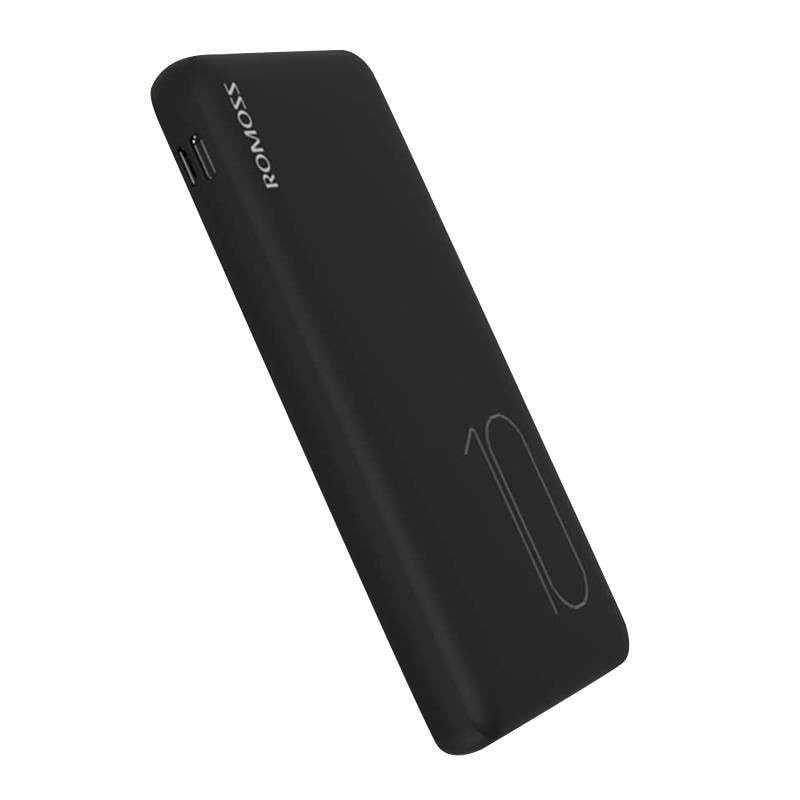
Image: Romoss PSP10 10000mAh Power Bank. This image displays the power bank's front and side profiles, highlighting its sleek black finish and the placement of its charging ports and LED indicators.
3.1. Palabuhan jeung Indikator
- Palabuhan Input: Typically Micro USB and/or USB-C for charging the power bank itself.
- Port kaluaran: Port USB-A pikeun ngecas alat éksternal.
- Indikator LED: Usually 4 LED lights to show the approximate remaining battery capacity (e.g., 25%, 50%, 75%, 100%).
4. Setélan
4.1. Paké munggaran
Before using your Romoss PSP10 Power Bank for the first time, it is recommended to fully charge it. This ensures optimal battery performance and longevity.
4.2. Ngeusi Daya Bank
- Connect the provided USB charging cable to the power bank's input port (Micro USB or USB-C).
- Connect the other end of the USB cable to a USB wall charger (not included) or a computer's USB port.
- The LED indicators will light up and flash to show the charging status. When all LEDs are solid, the power bank is fully charged.
5. Nyuping
5.1. Charging External Devices
- Connect your device's charging cable to one of the power bank's USB-A output ports.
- Sambungkeun tungtung kabel anu sanés ka alat anjeun.
- Bank kakuatan bakal otomatis mimiti ngecas alat anjeun. Indikator LED bakal nunjukkeun tingkat batré sésa bank kakuatan.
- Pegatkeun sambungan alat Anjeun saatos dicas pinuh atawa sawaktos Anjeun teu kedah ngeusi deui.
6. Pangropéa
- beberesih: Use a dry, soft cloth to clean the power bank. Do not use harsh chemicals or abrasive materials.
- Panyimpenan: Store the power bank in a cool, dry place away from direct sunlight, extreme temperatures, and moisture.
- Perawatan batré: Pikeun manjangkeun umur batré, eusian pinuh power bank sahenteuna tilu bulan sakali upami henteu dianggo rutin.
7. Cara ngungkulan
- Bank kakuatan henteu ngecas:
- Pastikeun kabel ngecas disambungkeun pageuh kana power bank sareng sumber daya.
- Try a different USB cable or wall adapter.
- Pastikeun sumber kakuatan aktip.
- Alat teu ngecas tina bank daya:
- Check if the power bank has sufficient charge (indicated by the LEDs).
- Pastikeun kabel ngecas anu nyambungkeun alat anjeun ka power bank tiasa dianggo sareng tersambung kalayan aman.
- Coba port kaluaran anu béda dina power bank.
- Confirm your device's charging port is clean and undamaged.
- Ngecas lalaunan:
- Pastikeun anjeun nganggo kabel ngecas kualitas luhur.
- For charging the power bank, use a wall adapter with appropriate output (e.g., 5V/2A or higher).
- For charging devices, ensure the cable and device support faster charging if applicable.
8. Spésifikasi
| Nomer modél | PSP10 |
| merek | ROMOSS |
| Kapasitas batré | 10000 mah |
| Masukan Voltage | 5 volt |
| Kaluaran Voltage | 5 volt |
9. Émbaran Kasalametan
- Ulah nepi ka power bank kakeunaan suhu anu ekstrim, sinar panonpoé langsung, atanapi seuneu.
- Ulah ngalelepkeun power bank kana cai atanapi cairan sanésna.
- Do not disassemble, modify, or attempt to repair the power bank yourself.
- Jauhkeun tina jangkauan barudak.
- Avoid dropping or subjecting the power bank to heavy impacts.
- Buang bank daya sacara tanggung jawab nurutkeun peraturan lokal.
10. Garansi jeung Rojongan
Romoss products are designed for reliability and performance. For warranty information, technical support, or customer service inquiries, please refer to the official Romoss websitus atanapi hubungi distributor lokal anjeun. Mangga simpen bukti pameseran anjeun kanggo klaim garansi.