1. Émbaran Kasalametan penting
Always read and follow all safety instructions before using this appliance to reduce the risk of fire, electric shock, injury to persons, or exposure to excessive microwave energy. Keep this manual for future reference.
- Entong nyobian ngoperasikeun oven ieu nalika panto dibuka atanapi upami pantona ruksak.
- Ulah panas wadah disegel.
- Entong nganggo bahan kimia korosif atanapi uap dina alat ieu.
- Mastikeun grounding ditangtoskeun pikeun ngurangan résiko shock listrik.
- Ngawaskeun barudak sacara saksama nalika alatna dianggo.
2. Produk Langkungview
The Café CVM519P2PS1 is a 1.9 cubic foot over-the-range microwave oven designed for efficient cooking and convenience. It features sensor cooking controls, a steam clean function, and a four-speed, 400-CFM venting system.

Gambar 1: Hareupeun view of the Café CVM519P2PS1 Microwave Oven.
3. Setup jeung Instalasi
This appliance is designed for over-the-range installation. Professional installation is recommended to ensure proper ventilation and electrical connections. Refer to the included User Manual for detailed installation instructions, including mounting templates and wiring diagrams.
3.1 Ngabongkar bungkusan
- Taliti miceun sadaya bahan bungkusan.
- Inspect the microwave for any damage. Do not operate if damaged.
- Ensure all included components, such as the turntable and mounting hardware, are present.
4. Parentah Operasi
4.1 Control Panel Leuwihview
The microwave features a touch-sensitive control panel with a central dial for time adjustments and various function buttons.

Figure 2: Close-up of the control panel, showing the dial and touch buttons.
4.2 Basic Microwave Functions
- Ngamimitian / Ngareureuhkeun: Press to begin or temporarily stop a cooking cycle.
- Batal/Pareuman: Press to clear settings or stop a cycle.
- Waktu masak: Manually set cooking duration. Use the dial to adjust time.
- Tingkat Kakuatan: Adjust microwave power intensity.
- Tambahkeun 30 detik: Quickly add 30 seconds to the cooking time. This can be used during a cycle.
- Turntable Hurungkeun/Pareuman: Toggle the turntable rotation.
4.3 Sensor Microwave Cooking
The sensor microwave functions automatically adjust cooking time and power based on the food's moisture and temperature.
- Jagong beledug: Dioptimalkeun pikeun ngaleueut popcorn.
- Inuman: Ngamanaskeun inuman kana suhu anu idéal.
- Kentang: Cooks potatoes thoroughly.
- Masak: General sensor cooking for various foods.
- Panaskeun deui: Reheats leftovers evenly.
- Defrost Weight/Time: Ngaleleuhkeun kadaharan dumasar kana beurat atawa waktu anu ditangtukeun.

Gambar 3: Interior view showing food on the turntable during operation.
4.4 Modeu Masak Canggih
This microwave offers versatile cooking options beyond standard microwave heating.
- Panggang Konveksi: Utilizes a fan to circulate heat for even baking.
- Konveksi Panggang: Ideal for roasting meats and vegetables.
- Goreng hawa: Provides a crispy texture similar to deep-frying with less oil.
- Combination Fast Cook: Combines microwave and convection cooking for faster results.
4.5 Fitur Kanyamanan
- Timer Hurung/Pareum: Set a separate kitchen timer.
- Setélan: Access various appliance settings, including lock control.
- Chef Connect On/Off: For syncing with compatible range hoods.
- Fan Fan: Operates the four-speed, 400-CFM exhaust fan.
- Surface Light: Illuminates the cooktop below the microwave.
5. Pangropéa sarta perawatan
5.1 Ngabersihan Interior
The microwave interior is stainless steel, making it easy to clean. For general cleaning, wipe with a damp cloth and mild detergent. For stubborn stains, use the Steam Clean feature.
- Ngabersihan uap: This feature helps loosen food spills for easier cleaning. Follow the instructions in the full user manual for proper use.
- The glass turntable is removable and dishwasher-safe for convenient cleaning.
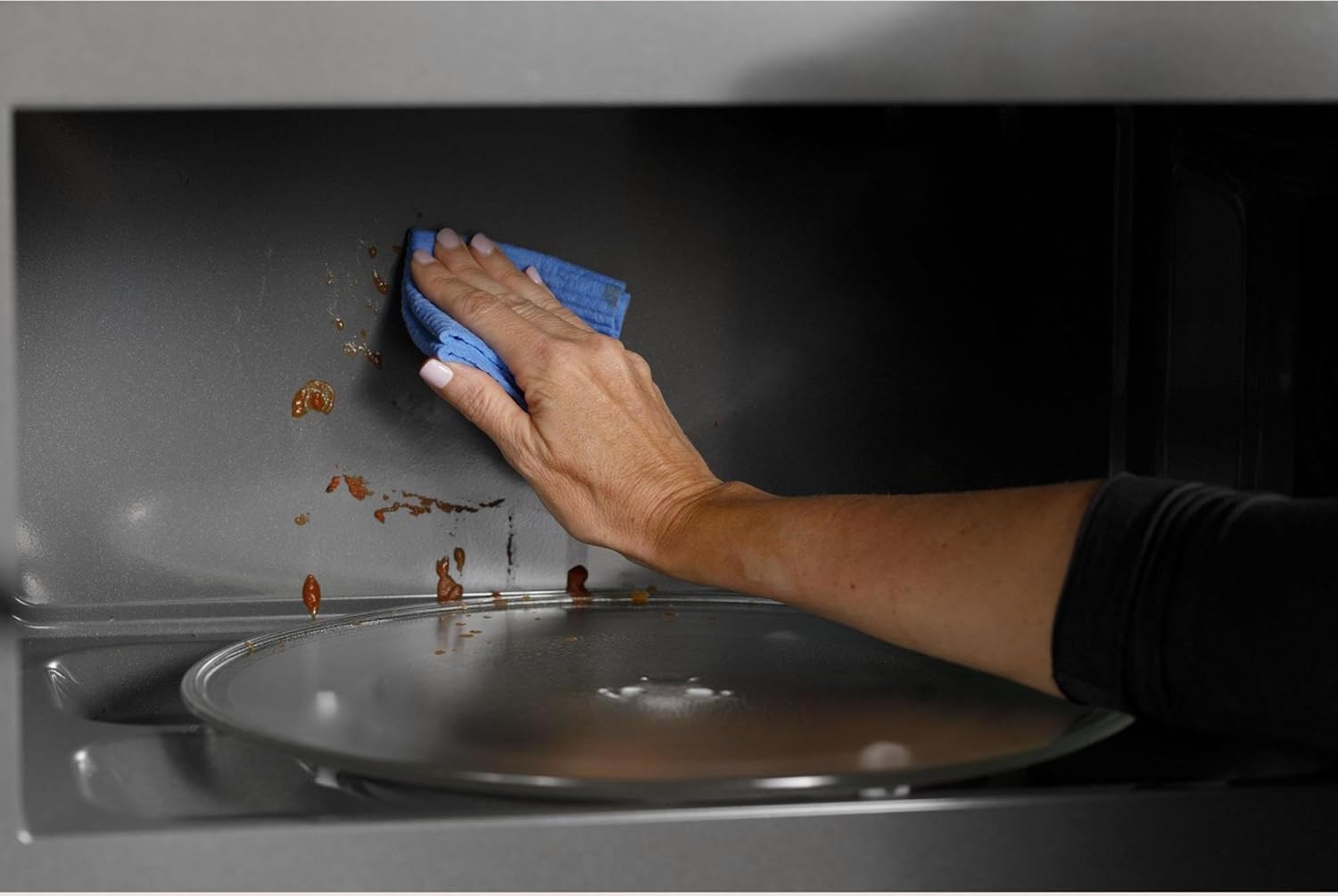
Figure 4: Cleaning the stainless steel interior of the microwave.
5.2 Pangropéa Filter
The microwave includes a reset filter indicator. Refer to the full user manual for instructions on how to clean or replace the grease filters and charcoal filter (if applicable) and how to reset the filter indicator.
6. Cara ngungkulan
If you encounter issues with your microwave, try the following basic troubleshooting steps. For comprehensive solutions, consult the detailed troubleshooting guide in the full user manual.
- Taya Daya/Tampilan: Check the circuit breaker. Ensure the microwave is properly plugged into a grounded outlet.
- Gelombang mikro Henteu Pemanasan: Ensure the door is securely closed. Check if a cooking cycle was properly initiated.
- Masak henteu rata: Ensure the turntable is operating correctly. Stir or rotate food halfway through cooking.
- Time Resetting: Bisi hiji kakuatan outage, the clock may need to be reset.
7. Spésifikasi produk
| Fitur | Spésifikasi |
|---|---|
| Ngaran Brand | Kafé |
| Info modél | CVM519P2PS1 |
| Item Beurat | 57 pon |
| Dimensi produk | 30 x 19 x 18 inci |
| Paké énergi | 1000 Watt |
| Kapasitas | 1.9 suku kubik |
| Tipe Pamasangan | Ngalangkungan-rentang |
| Fitur husus | Defrost, Turntable, Sensor Cooking, Steam Clean, Convection Bake/Roast, Air Fry |
| Modeu Masak Oven | Radiasi gelombang mikro |
| Warna | Beusi sténless |
| Voltage | 120 volt |
| Wattage | 1000 watt |
| Jenis Bahan | Bronze, Copper, Stainless |
| Jinis Bahan Batin | Beusi sténless |
| Komponén Kaasup | Manual pamaké |
8. Garansi jeung Rojongan
This product comes with a manufacturer's warranty. Please refer to the warranty information provided in the included User Manual for details on coverage and duration. For technical support, service, or to inquire about extended protection plans, please contact Café customer service.
- Rencana panyalindungan: Rencana Perlindungan 3 Taun sareng 4 Taun Pilihan sayogi kanggo ngagaleuh.
- Rojongan Palanggan: Refer to the contact information in your User Manual or visit the official Café websitus.


