1. Bubuka
The LASERLINER VideoPocket HD 082262A is a compact and versatile industrial endoscope designed for visual inspection in hard-to-reach areas. This device allows for real-time viewing, image capture, and video recording, making it an essential tool for professionals in various fields. This manual provides detailed instructions for the safe and effective operation, maintenance, and troubleshooting of your VideoPocket HD.
2. Parentah Kasalametan
- Kasalametan Umum: Read all instructions carefully before use. Keep the device away from water, high temperatures, and direct sunlight.
- Kasalametan batré: Use only specified AA alkaline batteries. Do not mix old and new batteries, or different types of batteries. Remove batteries if the device will not be used for an extended period.
- Camera Cable: Do not bend, pinch, or pull the camera cable excessively. Avoid inserting the camera into live electrical circuits or hazardous environments without proper safety precautions.
- beberesih: Pegatkeun sambungan kakuatan saméméh beberesih. Paké lawon lemes, garing. Ulah make cleaners abrasive atawa pangleyur.
- ngalereskeun: Ulah nyobian muka atawa ngalereskeun alat sorangan. Rujuk sadayana jasa ka tanaga anu mumpuni.
3. Eusi Paket
Pastikeun yén sadaya item aya dina pakét anjeun:
- LASERLINER VideoPocket HD Main Unit
- Camera Cable with 5.2mm Camera Head (1m length)
- Magnét Attachment
- Lampiran eunteung
- Hook Attachment
- Camera Tip Attachments (for securing magnet, mirror, hook)
- Manual pamaké
4. Produk Langkungview
The VideoPocket HD features a robust design for industrial use, with an integrated display and flexible camera probe.

Gambar 1: LASERLINER VideoPocket HD industrial endoscope handheld unit. This image shows the complete device, highlighting its compact form factor and integrated display.

Gambar 2: Close-up of the 5.2mm camera head with 6 integrated LEDs for illumination. The small diameter allows access into narrow spaces, and the LEDs provide necessary lighting.
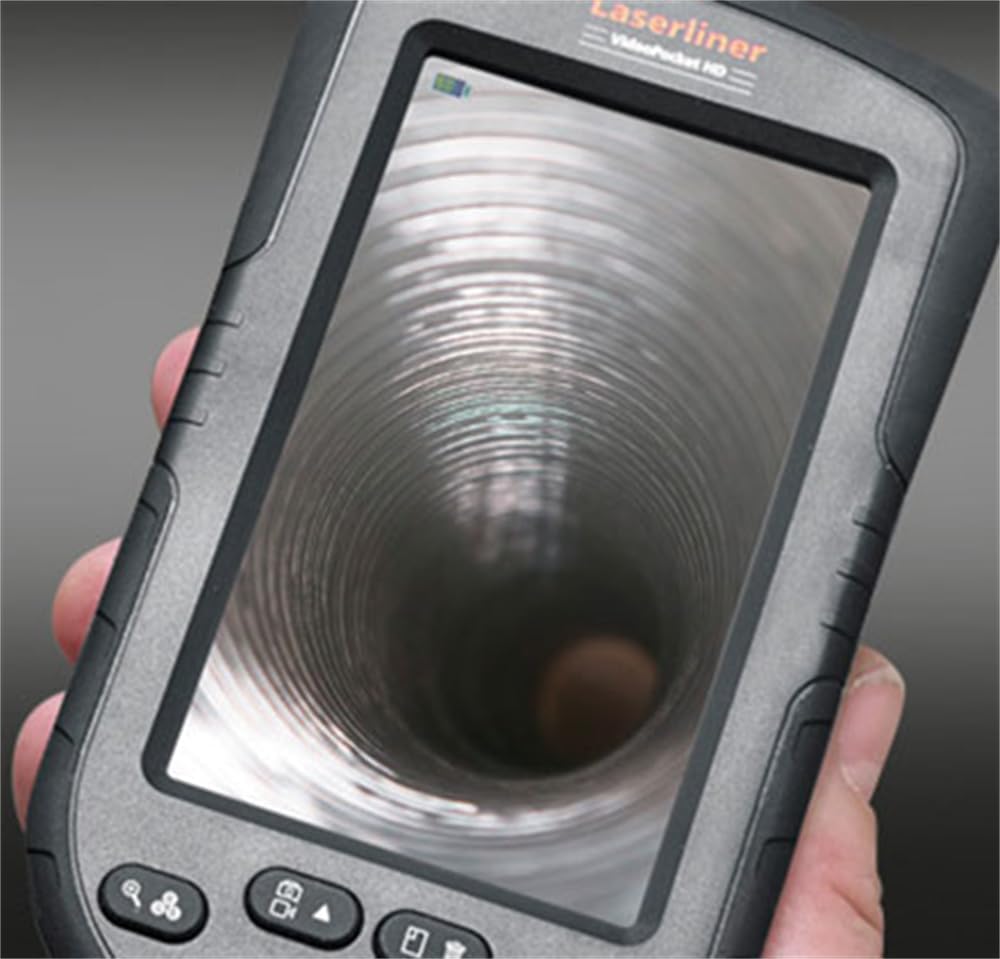
Gambar 3: LASERLINER VideoPocket HD display showing a live view from inside a corrugated pipe. This demonstrates the device's capability to provide clear visuals during inspection.

Gambar 4: Samping view of the VideoPocket HD unit, highlighting the MicroUSB port and microSD card slot. These ports are used for data transfer and memory expansion.

Gambar 5: Tukangeun view of the LASERLINER VideoPocket HD, showing the integrated storage for the camera cable. This design ensures convenient and secure storage of the probe.
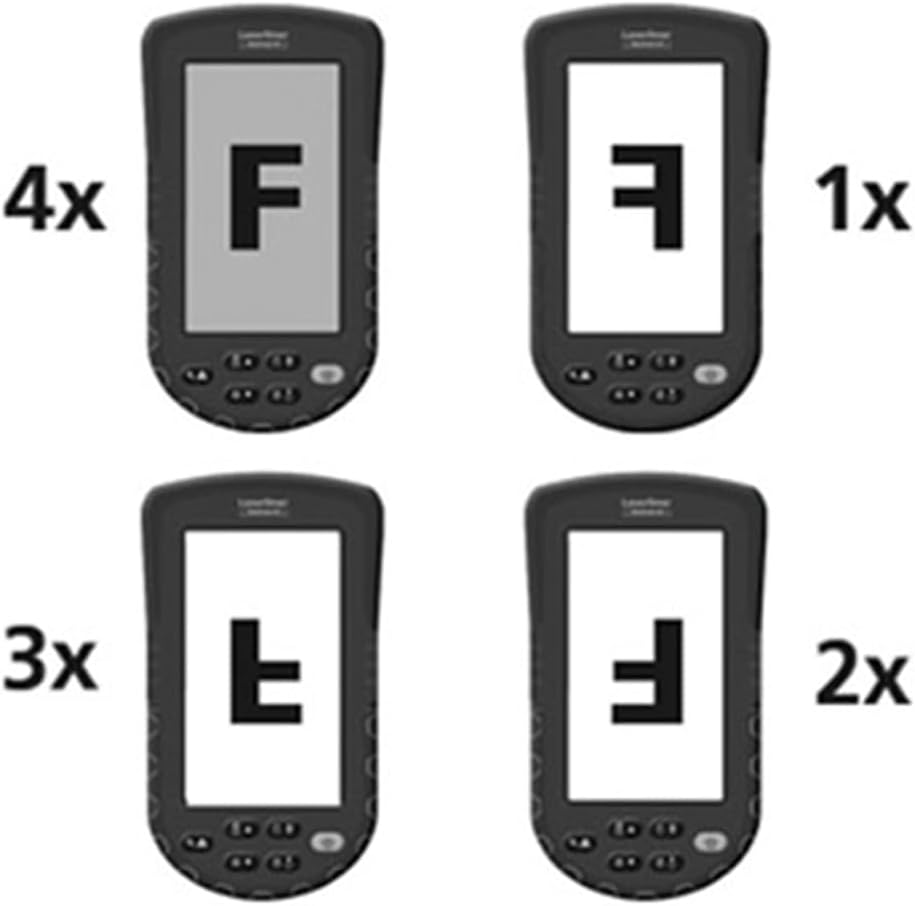
Gambar 6: Diagram illustrating the 4x digital zoom function of the VideoPocket HD, showing different magnification levels. This feature allows for closer examination of details.
5. Setélan
5.1 Pamasangan batré
- Teang tempat panutup kompartemen batre dina tonggong alat.
- Buka panutup ku cara ngageser atawa unlatching eta.
- Insert four (4) AA alkaline batteries, ensuring correct polarity (+/-) as indicated inside the compartment.
- Tutup panutup kompartemen batré aman.
5.2 Pamasangan Kartu MicroSD
- Locate the microSD card slot on the side of the device (refer to Figure 4).
- Insert a microSD card (up to 32GB, not included) into the slot with the contacts facing down, until it clicks into place.
- Pikeun nyabut, dorong kartu ka jero dugi ka kaluar.
5.3 Ngalampirkeun Asesoris
The magnet, mirror, and hook attachments can be secured to the camera head using the provided camera tip attachments.
- Select the desired attachment (magnet, mirror, or hook).
- Carefully slide the camera tip attachment over the camera head.
- Ensure the accessory is firmly seated and aligned with the camera lens if necessary (e.g., mirror).
6. Parentah Operasi
6.1 Powering on / Pareum
- Daya Hurung: Press and hold the Power button until the display illuminates.
- Pareum listrik: Press and hold the Power button until the display turns off.
6.2 Hirup View jeung Napigasi
- Once powered on, the device will display a live feed from the camera probe.
- Use the directional buttons (if present) to navigate through menus or adjust settings.
6.3 Nyaluyukeun Caang
The camera head features 6 LEDs with 10-stage brightness adjustment.
- Locate the brightness adjustment buttons (often marked with sun icons or up/down arrows).
- Press the appropriate button to increase or decrease the LED illumination intensity.
6.4 Ngagunakeun Digital Zoom
The device supports up to 4x digital zoom (refer to Figure 6).
- Press the Zoom button (often marked with a magnifying glass icon) to cycle through zoom levels (1x, 2x, 3x, 4x).
6.5 Ngarekam Gambar sareng Pidéo
Ensure a microSD card is inserted before attempting to record.
- Candak Gambar: Di hirup view, press the Photo/Capture button (often marked with a camera icon) to take a still image.
- Rékam pidéo: Press the Video/Record button (often marked with a video camera icon) to start recording. Press it again to stop recording.
6.6 Viewing Recorded Media
- Enter Playback mode (usually via a dedicated button or menu option).
- Use the directional buttons to browse through captured images and videos.
- Press the OK/Play button to view an image or play a video.
6.7 Nyambung kana Komputer
Use the MicroUSB port to transfer files kana komputer.
- Connect the device to your computer using a MicroUSB cable (not included).
- The device should appear as a removable storage device on your computer.
- You can then access and transfer the images and videos stored on the microSD card.
7. Pangropéa
7.1 beberesih
- Unit Utama: Wipe the main unit and display with a soft, dry, lint-free cloth. For stubborn dirt, a slightly damp lawon bisa dipaké, dituturkeun ku lawon garing.
- Kepala kaméra: Gently clean the camera lens with a soft lens cleaning cloth or cotton swab. Avoid scratching the lens.
- Ulah neuleumkeun bagian mana wae tina alat dina cai.
7.2 Panyimpenan
- Simpen alat dina tempat anu tiis, garing, jauh tina sinar panonpoé langsung sareng suhu anu ekstrim.
- Cabut batré upami alat moal dianggo kanggo waktos anu panjang pikeun nyegah bocor.
- Ensure the camera cable is neatly coiled and stored in its designated compartment (refer to Figure 5).
8. Cara ngungkulan
| Masalah | Mungkin Cukang lantaranana | Solusi |
|---|---|---|
| Alat teu hurung. | Batré pareum atawa salah dipasang. | Ganti batré ku batré basa AA anyar, mastikeun polaritasna bener. |
| Henteu aya gambar anu dipajang. | Camera cable not properly connected or damaged. | Check the camera cable connection. If problem persists, contact support. |
| Cannot capture images/videos. | No microSD card inserted or card is full/corrupted. | Insert a valid microSD card. Delete unnecessary fileatanapi format kartu (ieu bakal ngahapus sadaya data). |
| Gambarna poék/caang teuing. | LED brightness is not adjusted correctly. | Adjust the LED brightness using the dedicated buttons. |
| Alat macet atanapi teu ngaréspon. | glitch software samentara. | Remove and reinsert batteries to perform a hard reset. |
9. Spésifikasi
| Fitur | Spésifikasi |
|---|---|
| merek | laserliner |
| Nomer modél | 082262A |
| Diménsi Produk (W x H x D) | 8.5 x 15.5 x 3.2 cm |
| Beurat (kalayan batré) | 370 g |
| Product Weight (Gross/Shipping) | 810 g |
| Diaméterna Kepala kaméra | 5.2 mm |
| Camera Cable Length | 1 m |
| Resolusi kaméra | 1280 x 720 piksel |
| widang View | 65° |
| Jarak Fokus | 3 - 8 cm |
| Tipe tampilan | 4.3 inci TFT Warna Témbongkeun |
| Resolusi tampilan | 480 x 272 piksel |
| Adjustment Caang LED | 10 stages |
| Zum Digital | 4x |
| Resolusi Capture Video | 1080p (for saved files) |
| Média mémori | Kartu MicroSD (nepi ka 32GB) |
| Palabuhan | MicroUSB |
| Sumber Daya | 4 x Batré Alkali AA |
| Kaasup Asesoris | Magnet, Mirror, Hook, Camera Tip Attachments |
10. Garansi jeung Rojongan
10.1 Émbaran jaminan
This LASERLINER VideoPocket HD 082262A comes with a 1-taun jaminan produsén urang from the date of purchase. This warranty covers defects in materials and workmanship under normal use. It does not cover damage caused by misuse, accidents, unauthorized modifications, or normal wear and tear. Please retain your proof of purchase for warranty claims.
10.2 Rojongan Palanggan
For technical assistance, troubleshooting beyond this manual, or warranty inquiries, please contact your retailer or visit the official Laserliner website for support contact information. When contacting support, please have your product model number (082262A) and proof of purchase readily available.


