1. Bubuka
Thank you for choosing the Lehmann Universal 3-in-1 Kitchen Robot. This versatile appliance is designed to simplify your cooking tasks with its powerful mixing, meat grinding, and blending functions. Please read this manual thoroughly before first use to ensure safe and optimal operation.
This manual provides detailed instructions for assembly, operation, maintenance, and troubleshooting. Keep it in a safe place for future reference.
2. Parentah Kasalametan penting
PERHATOSAN: Gagal nuturkeun parentah kaamanan ieu bisa ngakibatkeun shock listrik, seuneu, atawa tatu serius.
- Baca sadaya parentah sateuacan nganggo alat.
- Ulah neuleumkeun unit motor dina cai atawa cairan séjén.
- Salawasna cabut colokan alat tina stop kontak samemeh beberesih, assembling, atawa ngabongkar bagian.
- Jauhkeun leungeun sareng parabot tina bagian anu obah nalika dianggo pikeun nyegah cilaka.
- Ensure all attachments are securely locked in place before operating.
- Entong ngajalankeun alat nganggo kabel atanapi colokan anu ruksak, atanapi saatos alat gagal atanapi parantos turun atanapi ruksak dina cara naon waé.
- Pengawasan anu ketat diperyogikeun nalika alat naon waé dianggo ku atanapi caket barudak.
- Hindarkeun kontak sareng bagian anu gerak.
- Ulah make di luar.
- Ulah ngantep ari ngagantung dina ujung méja atawa counter atawa noél surfaces panas.
- Entong nganggo kantétan anu henteu disarankeun atanapi dijual ku produsén.
- Never feed food by hand when using the meat grinder. Always use the food pusher provided.
- Ati-ati nalika ngokolakeun bilah anu seukeut, khususna nalika ngarakit, ngabongkar, sareng ngabersihkeun.
- The appliance is equipped with overheating protection. If it stops during operation, unplug it and let it cool down for at least 30 minutes before restarting.
3. Eusi Paket
Carefully unpack all components and check against the list below. Retain packaging for future transport or storage.
- Unit Motor Utama
- Mangkok Campuran Baja Tahan Karat 5 Liter
- Dough Hook (for heavy dough)
- Beater (for medium batters)
- Whisk (for light mixtures and whipping)
- Splash Guard with Filling Spout
- Attachment Coét Daging
- Meat Grinder Tray
- Meat Grinder Blades and Discs (fine, medium, coarse)
- Sausage Stuffer Attachments
- Food Pusher for Meat Grinder
- 1.5-Liter Blender Jar with Lid
- Manual pamaké
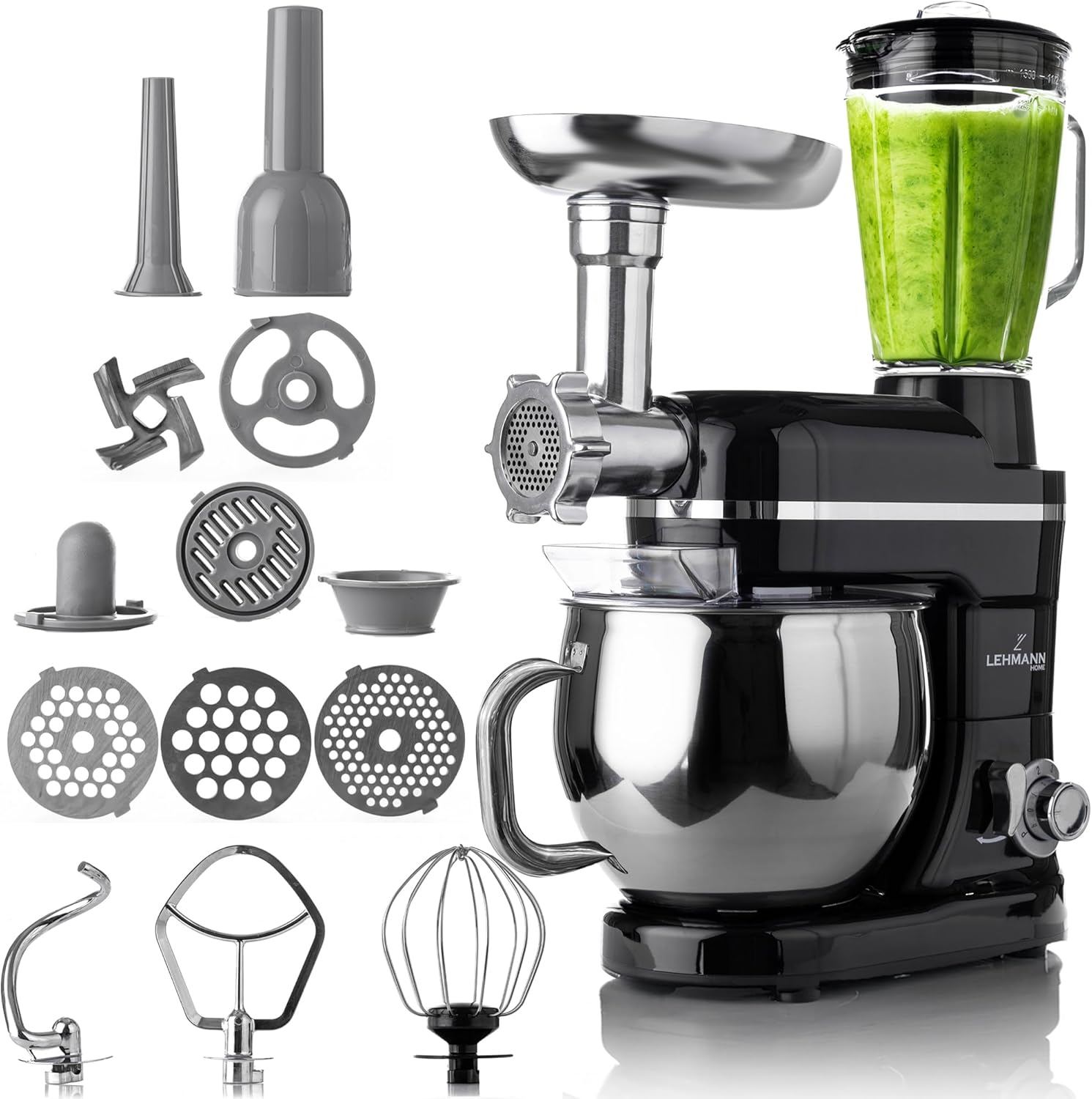
Image: The Lehmann Universal 3-in-1 Kitchen Robot main unit with all included accessories: mixing bowl, dough hook, beater, whisk, splash guard, meat grinder attachment with various discs and sausage stuffers, and blender jar.
Gambar: A close-up view of the three primary mixing attachments: the flat beater for liquid dough, the dough hook for solid dough, and the wire whisk for whipping egg whites.
4. Setup jeung Majelis
Before first use, clean all parts that will come into contact with food. Ensure the appliance is unplugged during assembly.
4.1 Ngarakit Mixer Stand
- Tempatkeun unit motor utama dina permukaan anu stabil, datar, sareng garing.
- Lift the motor head by pressing the release button (usually located on the side or back of the unit).
- Place the 5-liter stainless steel mixing bowl onto the base, twisting it clockwise until it locks securely.
- Select the appropriate attachment (dough hook, beater, or whisk) for your recipe. Insert the attachment into the shaft and twist to secure it.
- Turunkeun sirah motor nepi ka ngaklik kana tempatna.
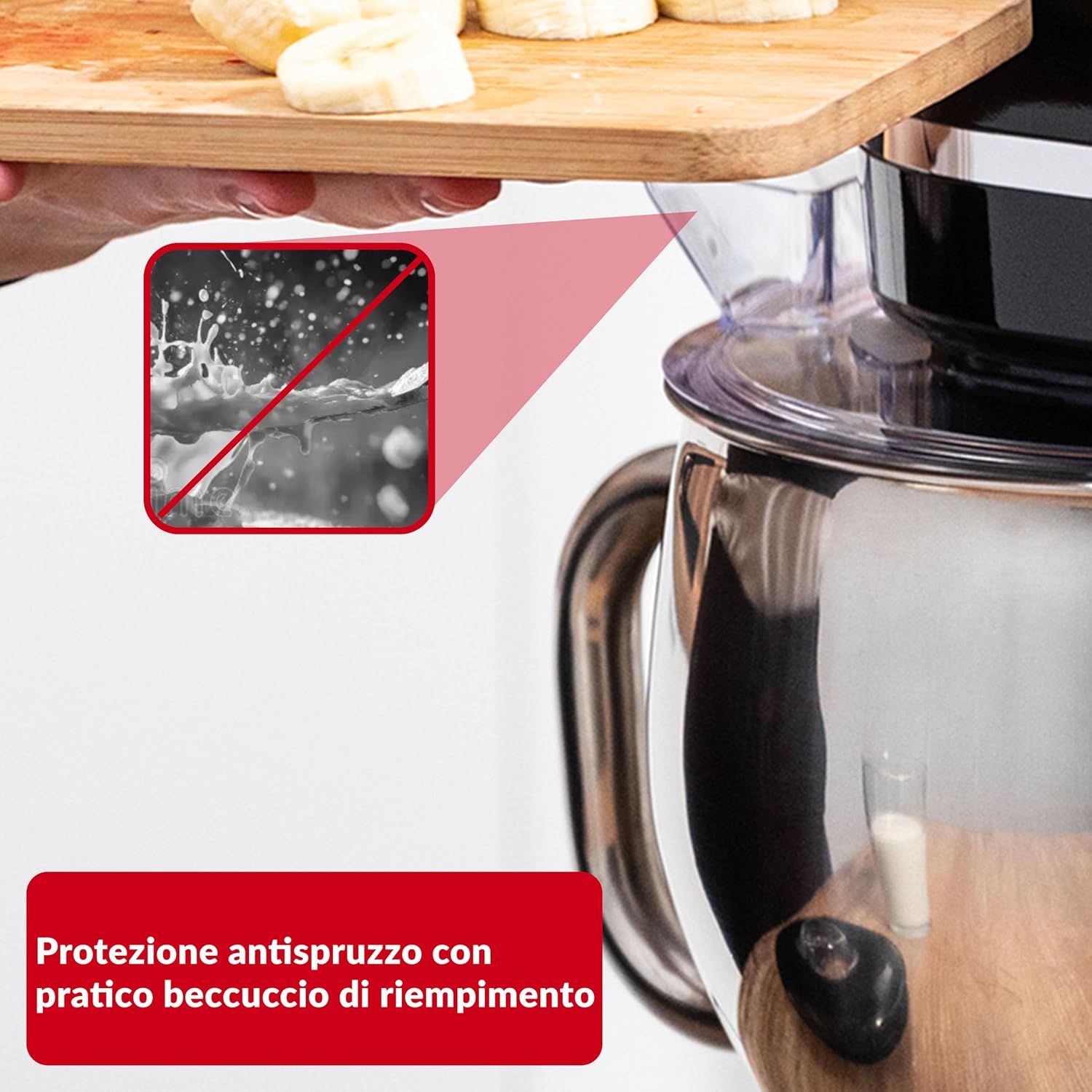
- Attach the splash guard over the mixing bowl if desired.

Image: The main unit with the motor head tilted upwards, illustrating the process of attaching or detaching the mixing accessories and bowl.
4.2 Assembling the Meat Grinder
- Pastikeun unit utama dicabut colokan.
- Remove the front cover from the accessory port on the main unit.
- Insert the meat grinder attachment into the port, aligning the notches, and twist to lock it securely.
- Assemble the meat grinder components: feed screw, blade, desired grinding disc, and locking ring. Tighten the locking ring firmly.
- Place the meat tray on top of the grinder.
4.3 Assembling the Blender
- Pastikeun unit utama dicabut colokan.
- Place the blender jar onto the designated port on top of the main unit, twisting it clockwise until it locks.
- Ensure the blender lid is securely in place before operation.
5. Parentah Operasi
Salawasna pastikeun alat parantos dirakit kalayan leres sareng dicolokkeun kana stop kontak anu cocog sateuacan dioperasikeun.
5.1 Ngagunakeun Mixer Stand
- Asupkeun bahan-bahan kana mangkok. Ulah kaleuleuwihi.
- Select the desired speed using the 6-level speed control knob. Start with a low speed and gradually increase as needed.
- For quick bursts of power, use the Pulse (P) function.
- Refer to the table below for recommended speeds for different tasks:
Setélan speed Kantétan Aplikasi 1-2 Adonan Hook Heavy dough (bread, pizza) 2-4 Pamekar Medium batters (cakes, cookies), mashed potatoes 5-6 Kocok Light mixtures (creams, egg whites), whipping P (Pulsa) Sadayana Short bursts for quick mixing or blending - When finished, turn the speed control to '0' and unplug the appliance.
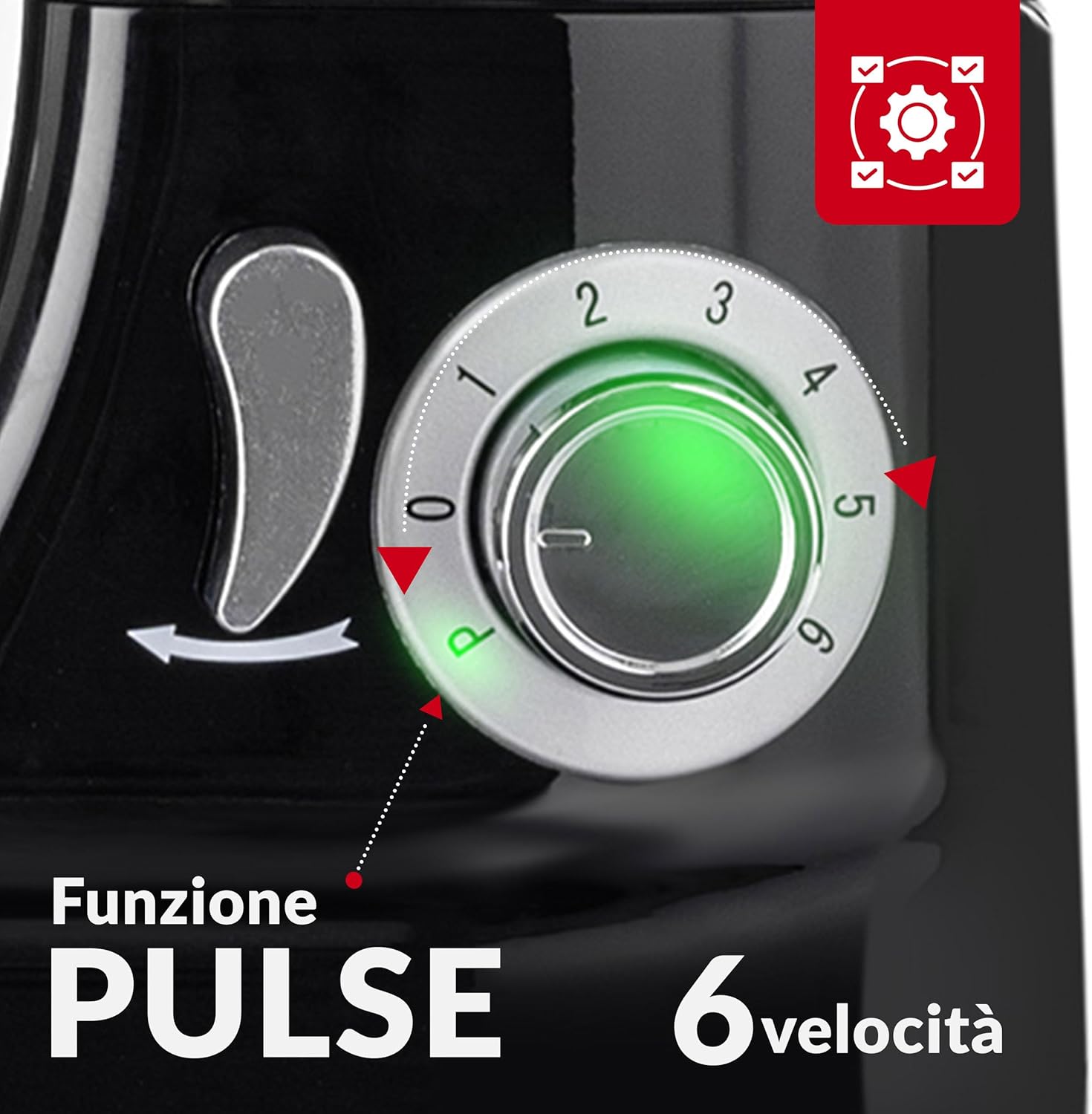
Gambar: A lengkep view of the appliance's control panel, highlighting the 6-speed rotary knob and the pulse function for precise speed adjustment.
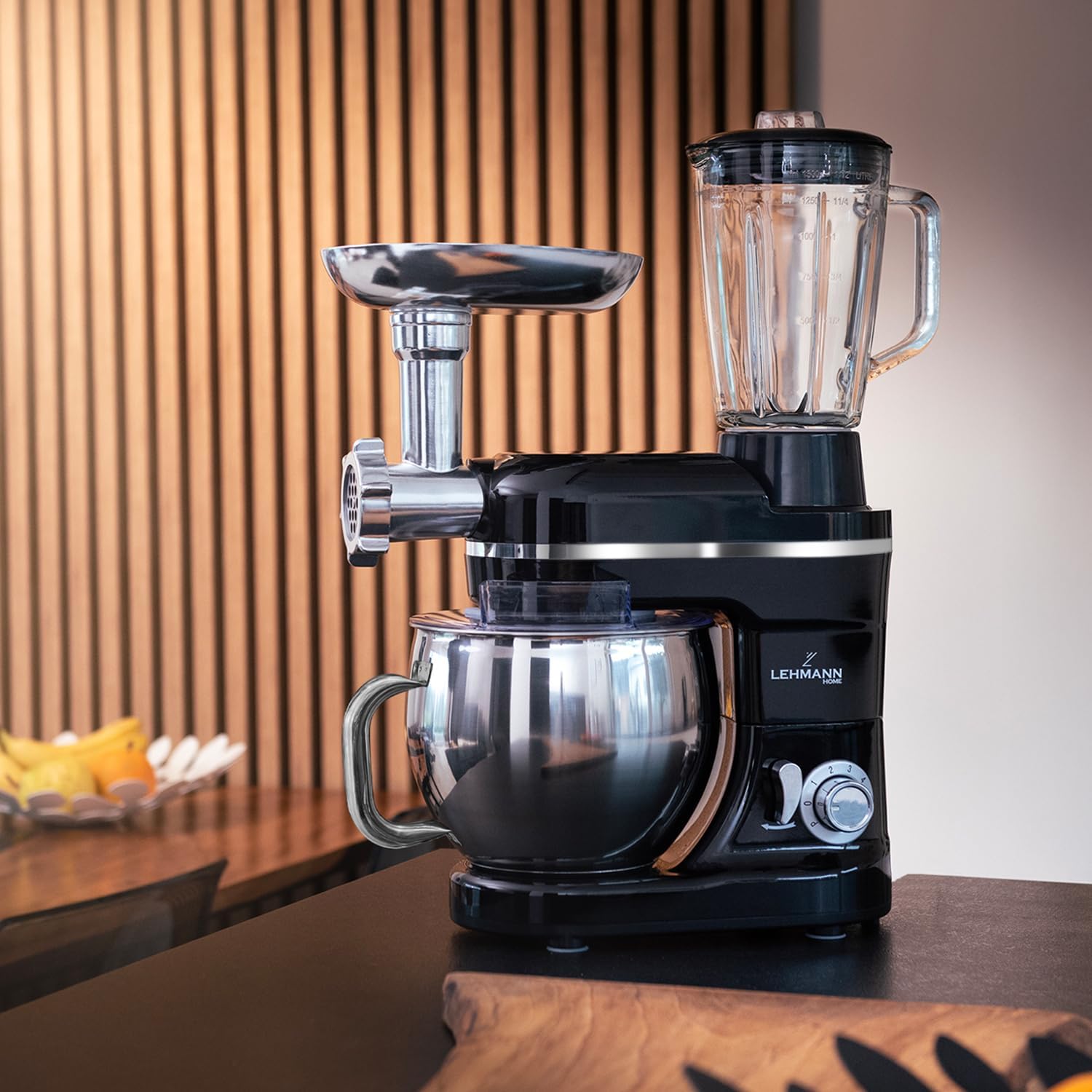
Image: The Lehmann Kitchen Robot in operation, demonstrating the effectiveness of the splash guard in containing ingredients within the mixing bowl.
5.2 Using the Meat Grinder
- Cut meat into small pieces (approx. 2-3 cm) that fit into the feed tube. Remove bones, gristle, and excessive fat.
- Place a bowl under the output of the grinder to collect the minced meat.
- Turn the speed control to a medium setting (e.g., 3-4).
- Feed the meat into the hopper using the food pusher. Ulah pernah ngagunakeun ramo atawa parabot dapur lianna.
- After grinding, turn the speed control to '0' and unplug.
5.3 Using the Blender
- Add ingredients to the blender jar. Do not exceed the maximum fill line.
- Pageuhkeun tutupna.
- Select a desired speed (e.g., 4-6 for blending, 'P' for crushing ice).
- Operate until desired consistency is achieved.
- When finished, turn the speed control to '0' and unplug.

Image: A visual representation of the three main functions of the Lehmann Kitchen Robot: mixing dough in the bowl, grinding meat with the attachment, and blending liquids in the blender jar.
6. beberesih sarta Pangropéa
Regular cleaning ensures the longevity and hygienic operation of your appliance. Always unplug the unit before cleaning.
- Unit motor: Lap unit motor utama ku iklanamp lawon. Ulah pernah ngalelepkeun kana cai atanapi cairan sanésna.
- Mixing Bowl & Attachments: The stainless steel mixing bowl, dough hook, beater, and whisk are generally dishwasher safe, but hand washing is recommended to preserve their finish. Wash with warm, soapy water and rinse thoroughly.
- Meat Grinder Parts: Disassemble the meat grinder immediately after use. Wash all metal parts (feed screw, blade, discs, locking ring) with warm, soapy water. Dry thoroughly to prevent rust. The plastic food pusher and tray can be washed similarly.
- Blénder Jar: Disassemble the blender jar and wash the blades, jar, and lid with warm, soapy water. Be extremely careful when handling the sharp blades.
- Panyimpenan: Ensure all parts are completely dry before storing. Store the appliance and its accessories in a clean, dry place.
7. Cara ngungkulan
If you encounter issues with your Lehmann Kitchen Robot, refer to the table below for common problems and solutions.
| Masalah | Mungkin Cukang lantaranana | Solusi |
|---|---|---|
| Perkakas teu ngamimitian. | Teu plugged di; kakuatan outage; motor head not locked; overheating protection activated. | Check power connection; check circuit breaker; ensure motor head is fully lowered and locked; unplug and let cool for 30 minutes. |
| Motor eureun salila operasi. | Overload; overheating protection activated. | Reduce load (e.g., less dough); unplug and let cool for 30 minutes. |
| Kantétan teu nyampur leres. | Attachment not correctly installed; wrong attachment for task. | Ensure attachment is securely twisted onto the shaft; use the correct attachment for the consistency of your ingredients. |
| Meat grinder jams. | Too large pieces of meat; bones/gristle; attachment not assembled correctly. | Cut meat into smaller pieces; ensure meat is free of bones/gristle; disassemble and reassemble grinder correctly. |
| Blénder bocor. | Lid not secured; jar not locked onto base. | Ensure lid is tightly closed; twist blender jar clockwise until securely locked. |
8. Spésifikasi produk
| Fitur | Rincian |
|---|---|
| merek | LEHMANN |
| Modél | LHOPM-1305A |
| Warna | Hideung |
| Dimensi produk | 24.9 x 52.9 x 38.1 cm |
| Beurat | 7 kg |
| Kapasitas Mangkok Campuran | 5 Liter (Baja Tahan Karat) |
| Kapasitas Blénder | 1.5 liter |
| Jumlah Speeds | 6 + Fungsi Pulsa |
| Fitur husus | Planetary Mixing System, Precise Speed Control, Functional Extras, Multi-purpose Device |
| Otomatis Pareum | No (Overheating protection included) |
9. Garansi jeung Rojongan
LEHMANN products are manufactured to high-quality standards. In the unlikely event of a defect in materials or workmanship, your product is covered by a standard manufacturer's warranty.
- Mangsa Garansi: Please refer to your purchase documentation or the official LEHMANN website for specific warranty terms applicable to your region.
- Klaim Garansi: To make a warranty claim, please contact the retailer from whom you purchased the product or visit the official LEHMANN support page. You will typically need your proof of purchase.
- Rojongan Palanggan: For technical assistance, spare parts, or general inquiries, please visit the LEHMANN Brand Store on Amazon or consult the contact information provided in your product packaging.
Note: The warranty does not cover damage caused by misuse, neglect, unauthorized modifications, or normal wear and tear.


