1. Bubuka
The Garmin ECHOMAP UHD2 63sv is a 6-inch touchscreen chartplotter designed for marine navigation and fishfinding. It features advanced sonar capabilities, detailed cartography, and seamless connectivity options to enhance your experience on the water. This manual provides essential information to help you get the most out of your device.

Figure 1: Garmin ECHOMAP UHD2 63sv Chartplotter with GT54 Transducer.
2. Naon dina Box
- Plotter bagan ECHOMAP UHD2 6”
- GT54 transduser
- Kabel daya/data
- Dengdekkeun / swivel Gunung
- Pasang siram
- Panutup panonpoé pelindung
- Hardware
- Dokuméntasi
3. Setup jeung Instalasi
Proper installation is crucial for optimal performance. Refer to the included documentation for detailed mounting instructions specific to your vessel.
3.1 Pilihan pamasangan
- Tilt/Swivel Mount: Ngamungkinkeun pikeun disaluyukeun viewdina sudut.
- Pasang siram: Provides a sleek, integrated look into your dashboard.
3.2 Pamasangan Transduser
The GT54 transducer is included for comprehensive sonar capabilities. Follow the transducer installation guide for correct placement and wiring to ensure accurate depth and fishfinding data.
3.3 Daya sareng Sambungan Data
Connect the power/data cable to your boat's power source and the chartplotter. Ensure all connections are secure and waterproof. The device supports NMEA 2000® networks for integration with compatible marine electronics.
4. Operating Your ECHOMAP UHD2 63sv
The ECHOMAP UHD2 63sv features an easy-to-use touchscreen with keyed-assist controls.
4.1 Sonar Capabilities

Figure 2: Sonar Support on ECHOMAP UHD2.
- Sonar Tradisional Garmin: Provides clear, sharp fish arches.
- ClearVü™ Scanning Sonar: Offers vivid color palettes for clear, high-contrast views below your boat.
- SideVü™ Scanning Sonar: Delivers vivid color palettes for clear, high-contrast views to the sides of your boat.
- LiveScope™ Sonar Systems: The ECHOMAP UHD2 supports LiveScope sonar systems for real-time views.
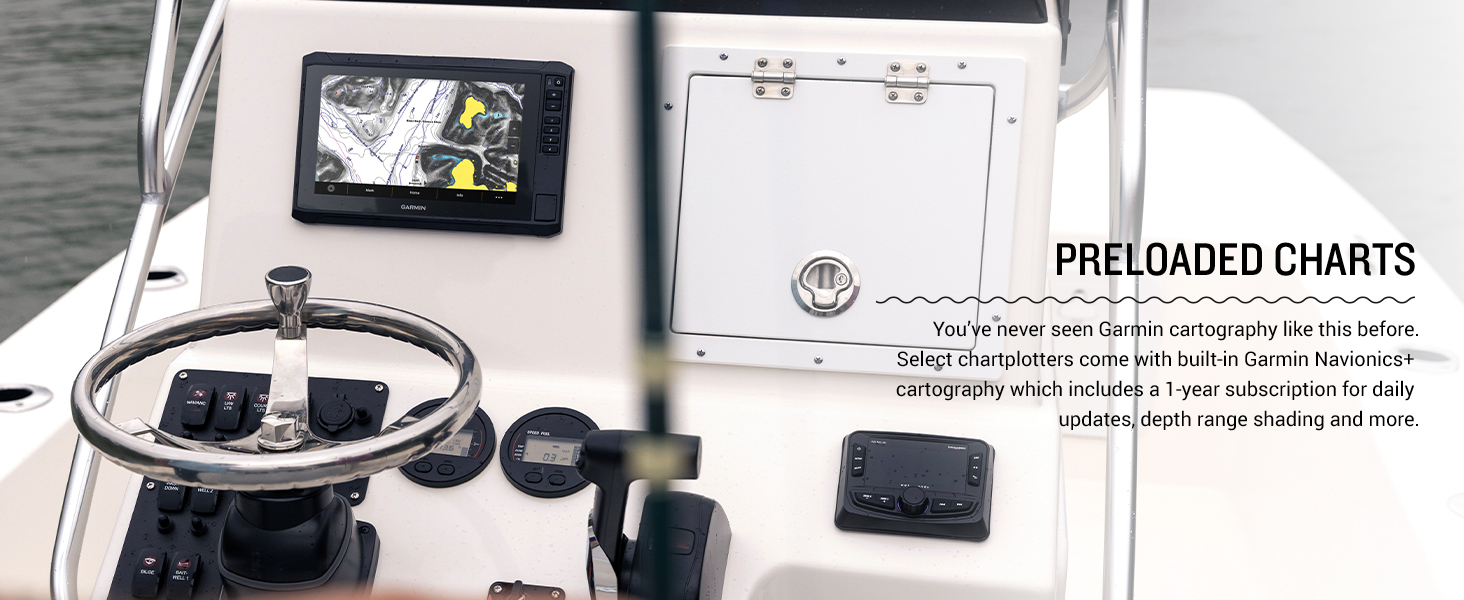
Figure 3: Vivid color palettes for enhanced sonar clarity.
4.2 Navigation and Cartography
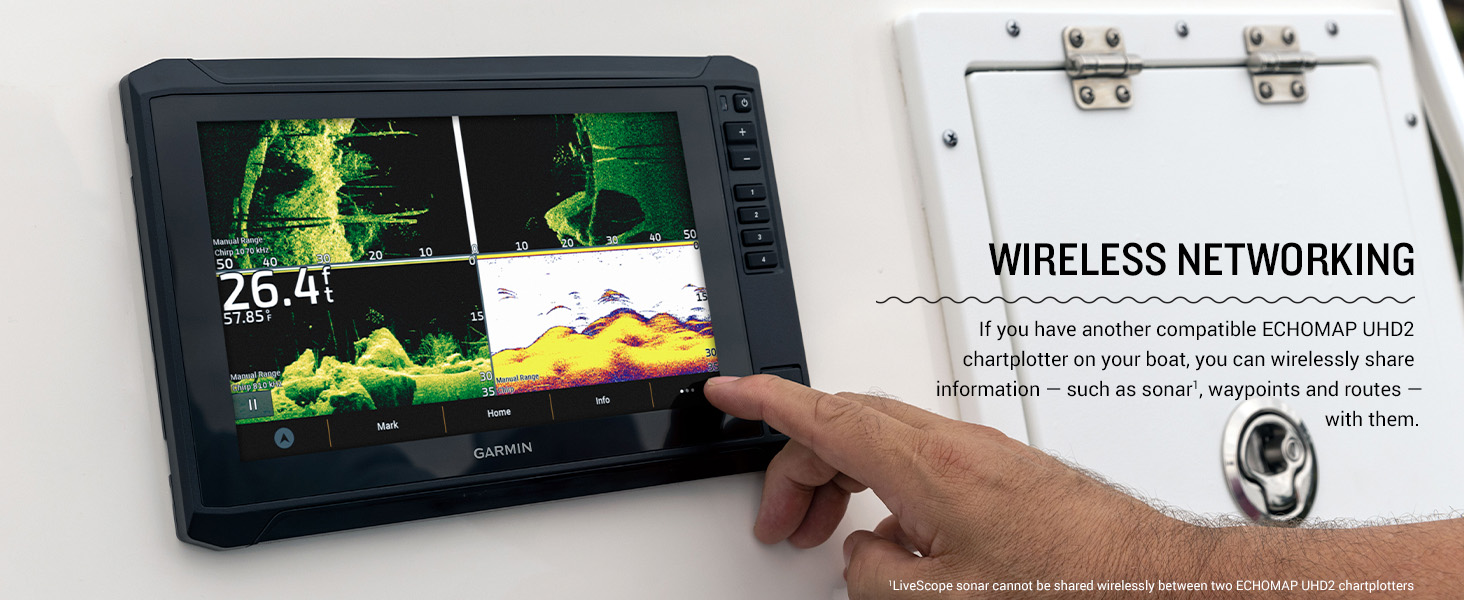
Figure 4: Preloaded Garmin Navionics+ cartography.
- Garmin Navionics+™ Cartography: Navigate with built-in U.S. Inland maps, featuring integrated Navionics data covering over 18,000 lakes with up to 1’ contours. Includes a 1-year subscription for daily updates.
- Multi-band GPS: Experience improved position accuracy, especially in areas where signals are reflected or weak.
- ActiveCaptain® App: Pair with the free all-in-one ActiveCaptain app on your compatible smartphone for access to OneChart™, software updates, and Quickdraw™ Community data.
- Force™ Trolling Motor Integration: Wirelessly connect to your Force trolling motor to create and follow routes, navigate to waypoints, control speed, and check battery life.
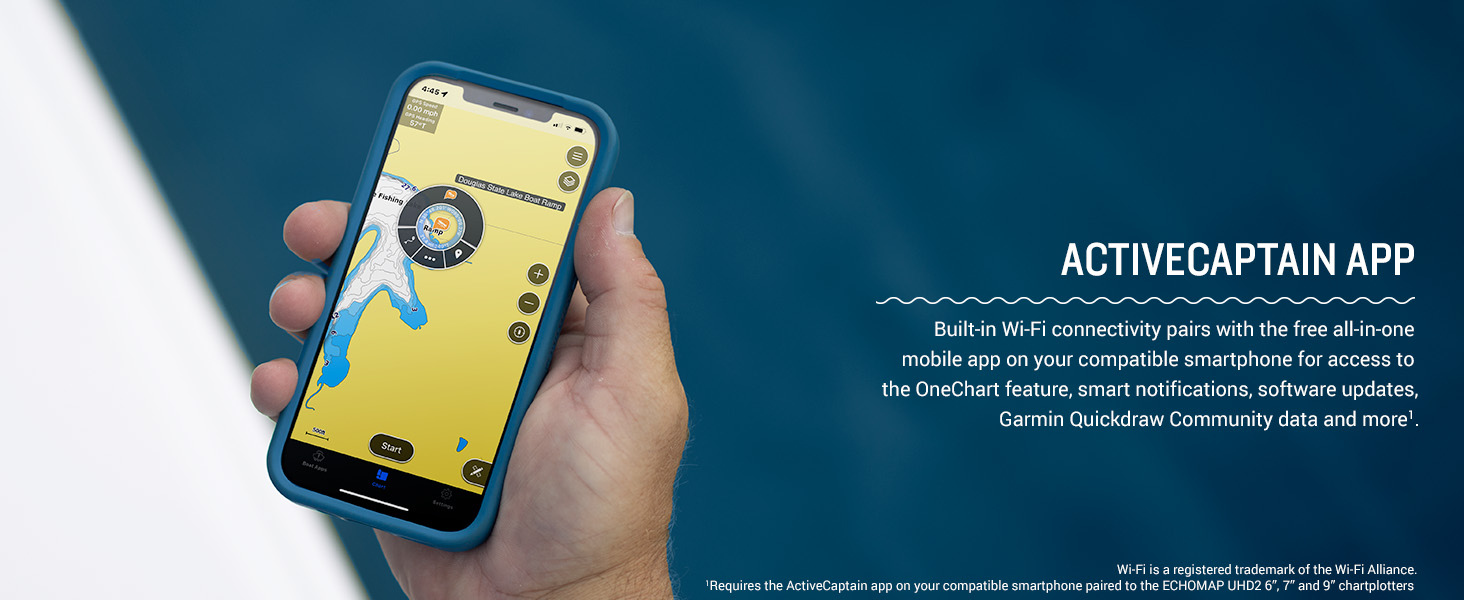
Figure 5: ActiveCaptain App connectivity.
4.3 Jaringan Nirkabel

Figure 6: Wireless networking between ECHOMAP UHD2 units.
Built-in Wi-Fi® connectivity allows you to wirelessly share sonar, waypoints, and routes with another compatible ECHOMAP UHD2 chartplotter on your boat. Note: LiveScope sonar cannot be shared wirelessly between two ECHOMAP UHD2 chartplotters.
Video 1: Leuwihview of the Garmin Echomap UHD2 Series. This video provides a general introduction to the features and capabilities of the ECHOMAP UHD2 series.
5. Pangropéa
Regular maintenance ensures the longevity and optimal performance of your ECHOMAP UHD2 63sv.
- Ngabersihan tampilan: Use a clean, soft, lint-free cloth and a mild glass cleaner. Avoid abrasive cleaners or solvents.
- Apdet parangkat lunak: Periodically check for software updates via the ActiveCaptain app to ensure you have the latest features and improvements.
- Perawatan Transduser: Inspect the transducer regularly for marine growth or damage. Clean with a soft cloth and mild soap if necessary.
6. Cara ngungkulan
If you encounter issues with your ECHOMAP UHD2 63sv, try the following basic troubleshooting steps:
- Henteu aya kakuatan: Check all power connections, fuses, and the boat's battery. Ensure the power cable is securely connected to the device.
- No Sonar Data: Verify the transducer is properly connected to the chartplotter and is submerged in water. Check sonar settings for correct frequency and range.
- Kasalahan GPS: Pastikeun alat boga jelas view of the sky. Check for any obstructions that might block the GPS signal.
- Masalah tampilan: Adjust brightness and contrast settings. If the screen is unresponsive, try restarting the device.
For more detailed troubleshooting, refer to the comprehensive owner's manual available on the Garmin websitus atanapi ngalangkungan aplikasi ActiveCaptain.
7. Spésifikasi
| Fitur | Spésifikasi |
|---|---|
| merek | Garmin |
| Ngaran modél | Garmin ECHOMAP 6" |
| Nomer Modél Item | 010-02680-01 |
| Ukuran layar | 6 inci |
| Tipe tampilan | WVGA, TN |
| Sumber Daya | Batré Powered |
| Téhnologi konektipitas | Wifi |
| Fitur husus | Layar cabak |
| Dimensi produk | 8.1 x 5.2 x 2.6 inci |
| Item Beurat | 5.85 pon |
| UPC | 753759307806 |
8. Garansi jeung Rojongan
Kanggo inpormasi garansi, mangga tingali kartu garansi anu kalebet dina produk anjeun atanapi kunjungi situs wéb resmi Garmin. website. Garmin provides comprehensive customer support and resources.
- Dukungan Online: Nganjang garmin.com/support for product manuals, FAQs, and software updates.
- Kontak Rojongan: For direct assistance, contact Garmin customer service through their website or the provided contact numbers in your product documentation.


