1. Produk Langkungview
The LoraTap Smart Garage Door Opener allows you to control, secure, and monitor your garage door from anywhere using your smartphone. It offers real-time notifications, timer functions, and compatibility with popular voice assistants like Alexa and Google Assistant. The system includes a smart module, wireless sensors, and a portable remote control for convenient operation.

Gambar: Leuwihview of the LoraTap Smart Garage Door Opener system, showing the main module, wireless sensors, remote control, and power adapter.
2. Naon Kaasup
- Smart Garage Door Opener Module
- Wireless Sensors (for door status detection)
- Adaptor Daya USB
- Jauh Controller
- Panyekel garis
- Kurung
- Double-sided Adhesive Tapes
- Screws
3. Spésifikasi
| Nomer modél | GDC411WQ1-US-V2 |
| Produsén | LoraTap |
| Item Beurat | 6.7 ons |
| Dimensi produk | 19.68 x 15.35 x 8.66 inci |
| Negara asal | Cina |
| Batré | 2 batré CR2032 diperlukeun (kaasup) |
| Warna | Biru |
| Bahan | ABS |
| Fitur husus | Enteng |
| Pamakéan | Komérsial / Perumahan |

Image: Detailed diagram illustrating the dimensions of the smart module and sensors, along with typical installation points on a garage door opener and wall button.
4. Setup jeung Instalasi
The LoraTap Smart Garage Door Opener is designed for easy setup with Bluetooth Low Energy (BLE) integration. Follow these steps for installation and pairing:
4.1 Cék kasaluyuan
Before installation, ensure your garage door opener is compatible. Use pliers to momentarily short the wall button terminals on your garage door opener. If the garage door opens or closes, the LoraTap Smart Garage Door Opener is compatible.

Image: Illustration demonstrating how to perform a compatibility check by shorting the wall button terminals on a garage door opener.
4.2 Instalasi fisik
- Mount the Smart Module: Secure the smart garage door opener module near your existing garage door opener using the provided bracket, screws, or double-sided adhesive tapes. Ensure it is within reach of a power outlet.
- Sambungkeun ka Pambuka: Connect the impulse dry contact signal cable from the smart module to the wall button terminals on your garage door opener. Refer to your garage door opener's manual for specific terminal locations.
- Install Wireless Sensors: Attach the wireless sensors to your garage door. One part should be mounted on the stationary frame and the other on the moving door, ensuring they align when the door is closed. The wireless sensors are pre-paired with the smart garage door opener.
- Daya Hurung: Plug the USB power adapter into the smart module and then into a power outlet.
Video: An official LoraTap video demonstrating the physical installation process of the smart garage door opener, including wiring and mounting.
4.3 Ngapasangkeun Aplikasi sareng Konéksi Wi-Fi
- Unduh App: Download the free 'Smart Life' app from the App Store (iOS) or Google Play Store (Android).
- Ngadaptar/Log: Buka aplikasi teras daptarkeun akun énggal atanapi lebet nganggo akun anu tos aya.
- Tambahkeun Alat: In the app, tap 'Add Device' or the '+' icon. The app should automatically detect the LoraTap Smart Garage Door Opener via Bluetooth Low Energy (BLE). If not, manually select 'Garage Door Opener' from the device list.
- Mode Papasangan: Press and hold the 'Pairing Button' on the smart module for 5 seconds until the indicator light blinks rapidly.
- Nyambung ka Wi-Fi: Follow the in-app instructions to connect the device to your 2.4GHz Wi-Fi network. Enter your Wi-Fi password when prompted. Note: The product is not compatible with 5GHz Wi-Fi networks. If you have a mesh Wi-Fi network, you may need to temporarily separate the 2.4GHz and 5GHz bands during setup.
- Setup lengkep: Once connected, the device will be added to your app. You can rename it for easier identification.

Gambar: Hiji leuwihview image highlighting key features such as voice control, safety alarm, good compatibility, and easy installation.
5. Ngoperasikeun Alat
5.1 Smartphone Control
Use the 'Smart Life' app to control your garage door from anywhere. The app displays the current status of your garage door (open/closed) and allows you to open or close it with a tap. You can also set timers for automatic opening and closing.
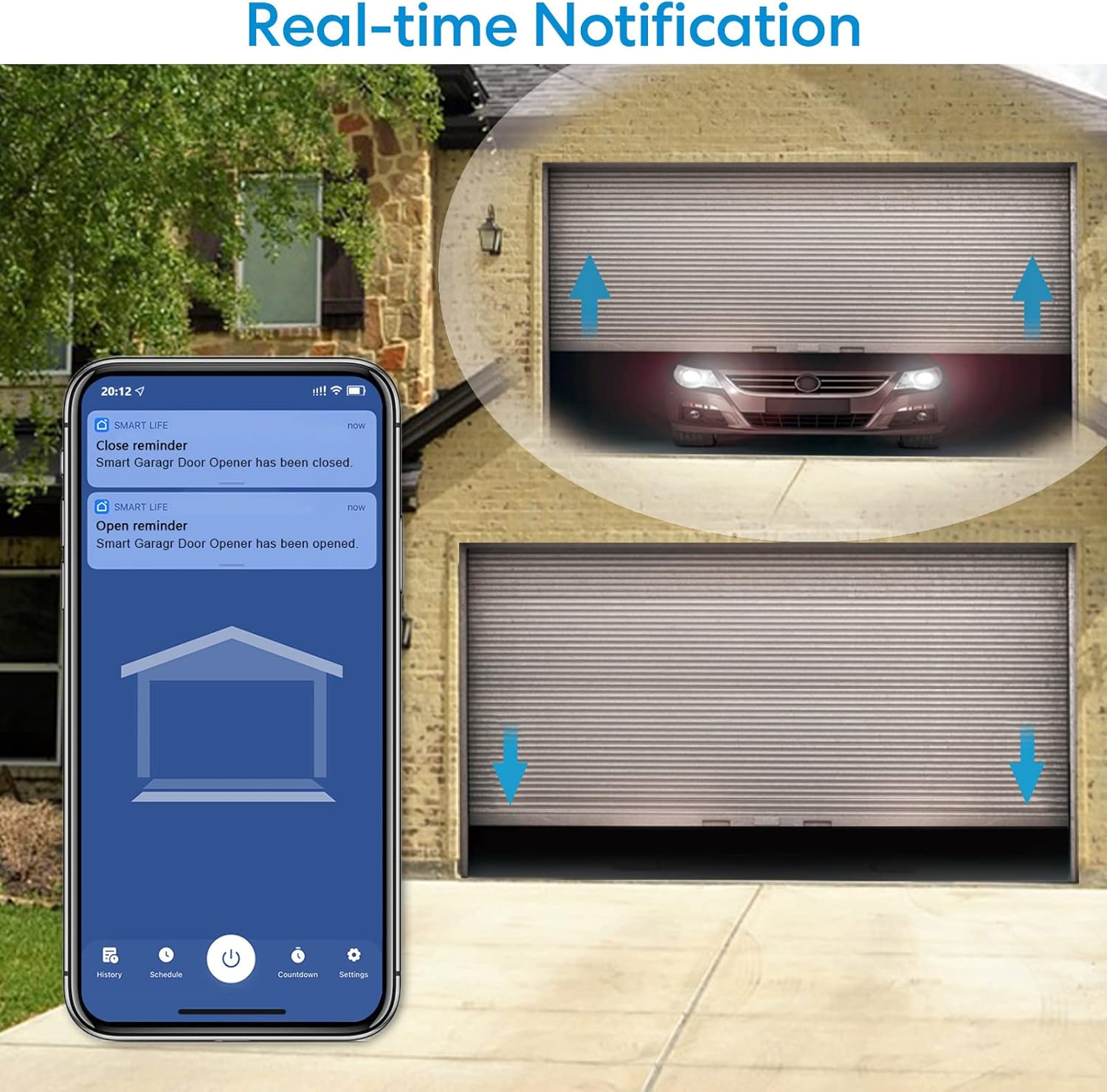
Image: A smartphone screen showing real-time notifications, indicating when the smart garage door opener has been opened or closed.
5.2 Kontrol Jauh Wireless
The included wireless remote provides an additional manual control option. One tap on the remote is all that is needed to operate the garage door, offering convenience without needing your smartphone.
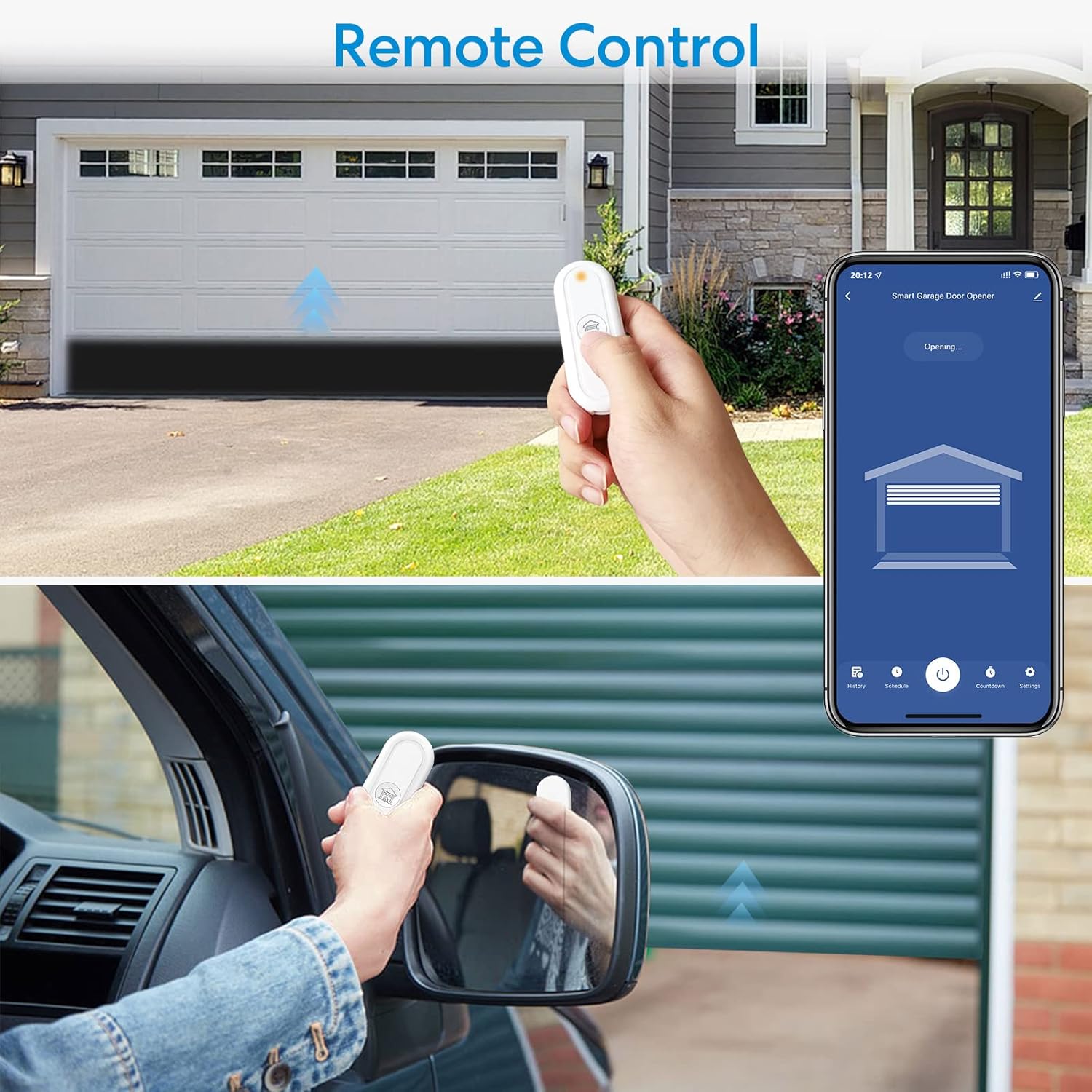
Image: A person using the compact wireless remote control to operate the garage door, with the garage door opening in the background.
5.3 Kontrol sora
The LoraTap Smart Garage Door Opener is compatible with Amazon Alexa and Google Assistant. You can use voice commands to open or close your garage door. Simply say, for example, "Alexa, open the garage" or "Hey Google, close the garage."

Image: A visual representation of using voice commands with Amazon Alexa and Google Assistant devices to control the garage door.
5.4 Real-Time Alerts and Security
Receive instant notifications on your smartphone for any garage door activity, such as when it opens or closes. The system can also send alarm prompts if the door has been open for an extended period, enhancing security.
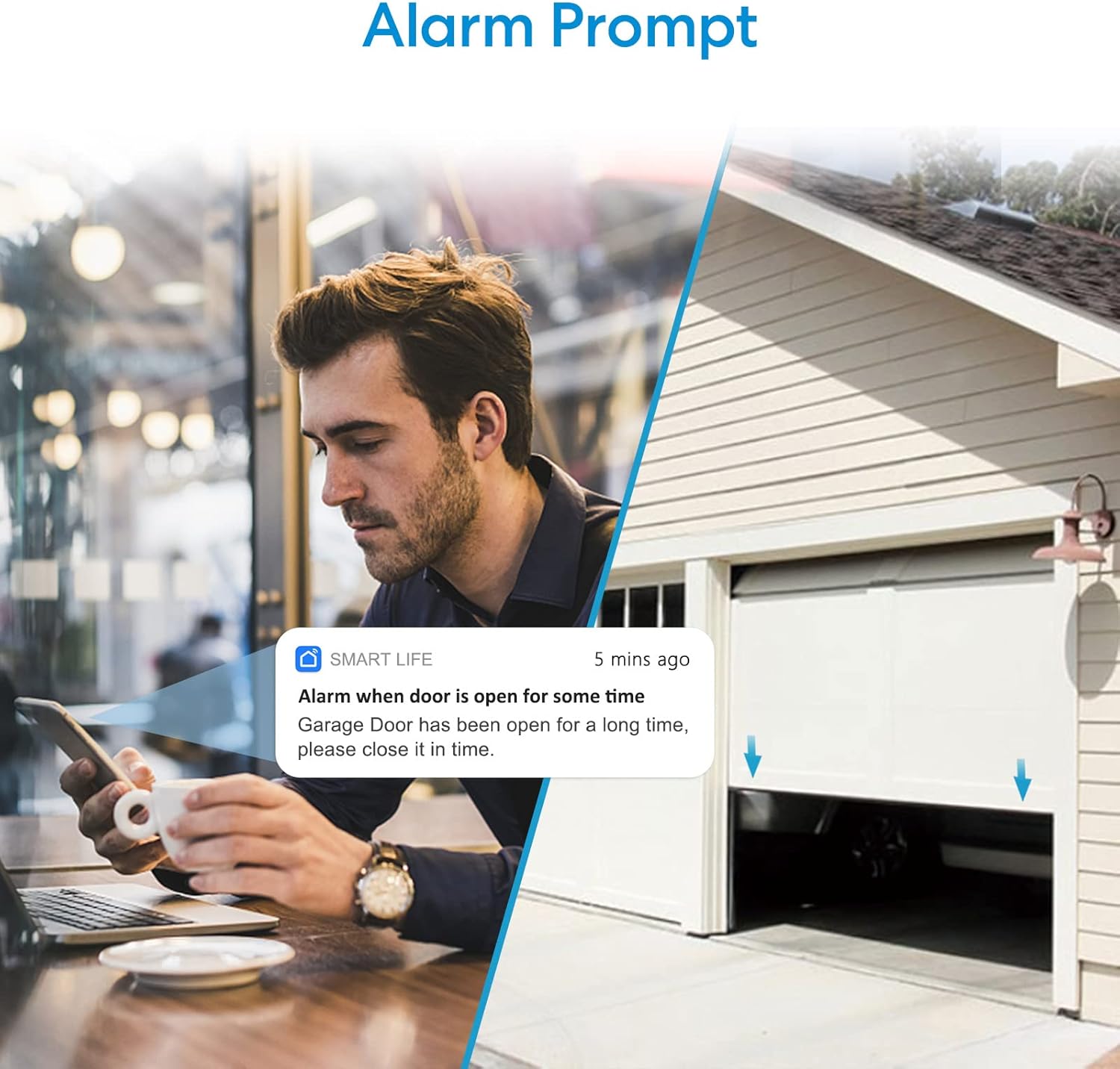
Image: A smartphone showing an alarm notification from the Smart Life app, reminding the user that the garage door has been open for some time.
5.5 Aksés Babagi
You can conveniently share control of your smart garage door opener with family members or trusted individuals through the Smart Life app. This allows them to operate the garage door from their own smartphones.

Image: A diagram showing the sharing functionality within the app, allowing multiple users (e.g., Dad, Mom, Grandpa, Grandma) to control the garage door.
6. Pangropéa
- Ngagantian batré: The wireless sensors and remote control use CR2032 batteries. Replace them when the indicator light on the device dims or the app notifies you of low battery.
- Kabersihan: Keep the smart module and sensors clean and free from dust or debris to ensure optimal performance.
- Pembaruan firmware: Periodically check the Smart Life app for available firmware updates for your device. Updates can improve performance and add new features.
7. Cara ngungkulan
| Masalah | Mungkin Cukang lantaranana | Solusi |
|---|---|---|
| Alat teu bisa nyambung ka Wi-Fi. | Incorrect Wi-Fi password; 5GHz network selected; device too far from router. | Ensure correct 2.4GHz Wi-Fi password. If using a mesh network, temporarily separate 2.4GHz and 5GHz bands. Move device closer to router. |
| Garage door status is incorrect in the app. | Wireless sensors are misaligned or have low battery. | Check alignment of wireless sensors. Ensure they are close enough to each other when the door is closed. Replace sensor batteries if needed. |
| Paréntah sora teu tiasa dianggo. | Incorrect setup with Alexa/Google Assistant; device offline. | Verify the Smart Life skill/service is correctly linked in your Alexa/Google Home app. Ensure the LoraTap device is online in the Smart Life app. |
| Garage door does not respond to commands. | Wiring issue; power supply problem; garage door opener incompatibility. | Check all wiring connections to the garage door opener. Ensure the smart module is powered on. Re-perform the compatibility check. |
8. Émbaran jaminan
The LoraTap Smart Garage Door Opener comes with a garansi 2 taun ti tanggal pameseran. Garansi ieu ngawengku cacad dina bahan sareng padamelan dina panggunaan normal. Éta henteu ngawengku karusakan anu disababkeun ku salah panggunaan, kacilakaan, modifikasi anu teu sah, atanapi pamasangan anu teu leres. Mangga simpen bukti pameseran anjeun pikeun klaim garansi.
9. Rojongan Palanggan
For technical assistance, troubleshooting, or warranty inquiries, please contact LoraTap customer support through the following channels:
- Aplikasi Smart Life: Access the 'FAQ & Feedback' section within the app for common questions and to submit support requests.
- LoraTap Official Websitus: Nganjang ka LoraTap Store on Amazon for product information and potential support contacts.


