1. Bubuka
Thank you for choosing the AOSU C7P-2H Wireless Solar Security Camera System. This manual provides essential information for the proper installation, operation, and maintenance of your security camera system. Please read this manual thoroughly before use and retain it for future reference.
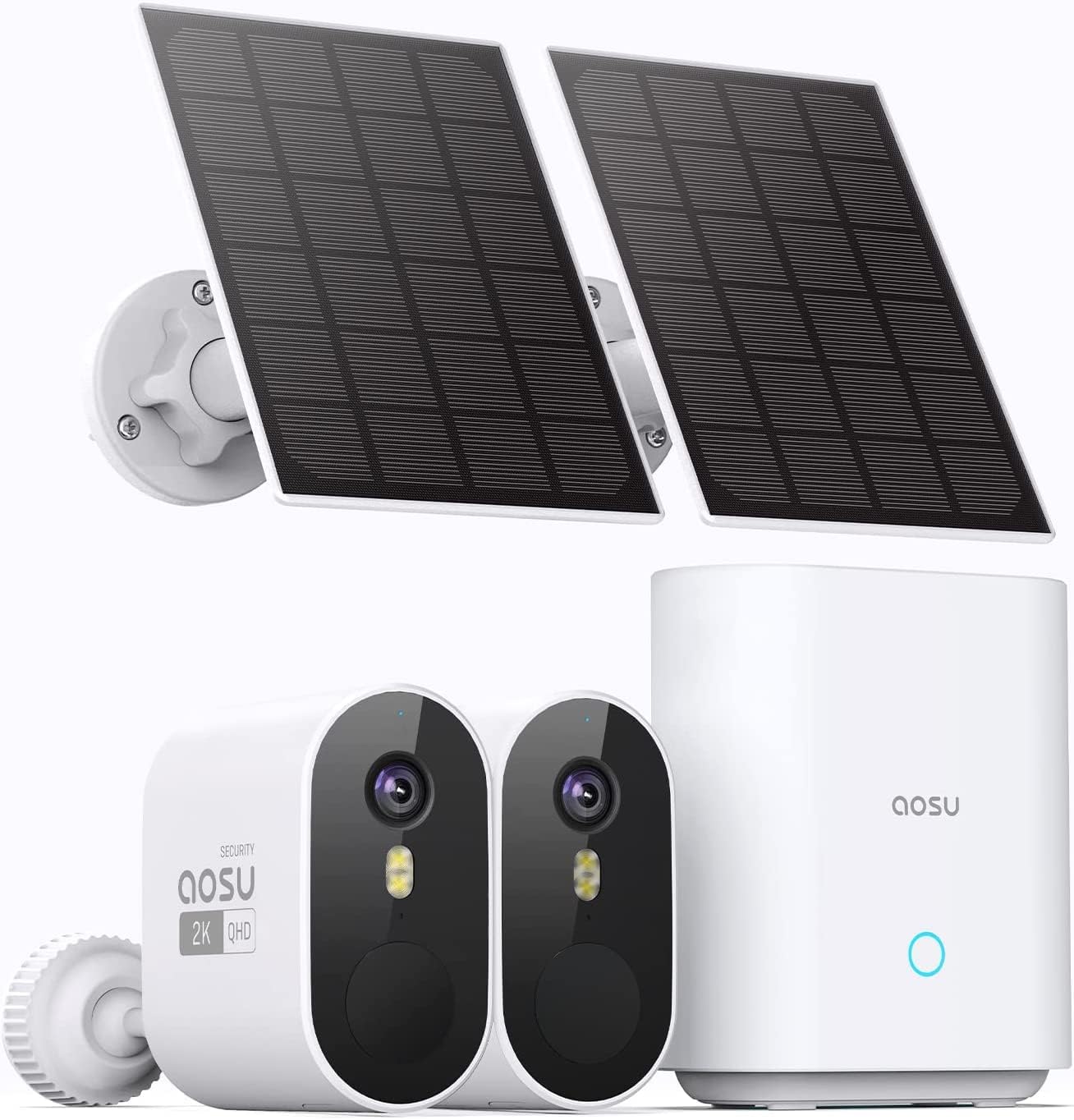
Figure 1: AOSU C7P-2H System Components
The AOSU C7P-2H system offers advanced surveillance features, including 3MP high-definition video, a 166° wide-angle view, AI-powered human detection, two-way audio communication, and solar-powered operation for extended battery life. The system is designed for outdoor use with an IP66 weather-resistant rating.
2. Produk Langkungview
2.1 Eusi pakét
- AOSU C7P-2H Security Camera Body (2 units)
- Solar Panel (2 units)
- Homebase (1 unit)
- Homebase Power Adapter (1 unit)
- Kabel Ethernet (1 unit)
- Kabel Ngecas USB (1 unit)
- Mounting Bracket and Base (for cameras and solar panels)
- Pemasangan Screws sareng Colokan Tembok
- Manual pamaké
2.2 Fitur konci
- Pidéo High-Definition: 3 Megapixel (2K QHD) resolution for clear imaging.
- Sudut lega View: 166° ultra-wide-angle lens to cover larger areas.
- Canggih Peuting Visi: Infrared night vision for clear monitoring in low-light conditions.
- Solar Power & Long Battery Life: Integrated 5200mAh battery with solar panel charging for extended operation.
- Deteksi AI: Motion and human detection with adjustable sensitivity and customizable detection zones to reduce false alerts.
- Audio Dua Arah: Built-in microphone and speaker for real-time communication. Includes a voice changer function for privacy.
- Event Notifications: Real-time alerts to your smartphone upon detection of activity.
- Fitur panghalang: Audible alarm and spotlight to warn intruders.
- Lokal & Panyimpenan Awan: Video recording saved to the Homebase (32GB internal memory) or optional cloud storage.
- Multi-Kaméra View: Monitor up to 4 cameras simultaneously via the app.
- Résistansi Cuaca: Dipeunteun IP66 pikeun dianggo di luar ruangan.
- Integrasi Smart Home: Cocog sareng Asisten Google sareng Alexa.
3. Setup Guide
3.1 Ngecas kaméra
Before initial use, fully charge the camera battery using the provided USB charging cable. Connect the cable to the camera's charging port and a standard USB power adapter (not included). The LED indicator will show charging status.
3.2 Installing the AOSU App
- Download the "AOSU" app from the App Store (iOS) or Google Play Store (Android).
- Ngadaptarkeun akun anyar atanapi log in upami anjeun parantos gaduh.
3.3 Connecting the Homebase
- Connect the Homebase to your router using the provided Ethernet cable.
- Plug the Homebase power adapter into a power outlet.
- Wait for the Homebase indicator light to turn solid blue, indicating a stable connection.

Figure 2: Homebase Connection and Local Storage
3.4 Pairing Cameras with Homebase
- Open the AOSU app and follow the on-screen instructions to add a new device.
- Select the C7P-2H camera model.
- Press the SYNC button on the camera until you hear a chime.
- Aplikasi ieu bakal nungtun anjeun dina prosés papasangan.
3.5 Masang Kaméra sareng Panel Surya
Choose a suitable location for your camera and solar panel. Ensure the solar panel receives direct sunlight for optimal charging. Use the provided mounting accessories to securely attach the camera and solar panel to a wall or other surface.

Figure 3: Solar Panel Charging Setup

Gambar 4: Kelample Camera and Solar Panel Installation
4. Parentah Operasi
4.1 Hirup View sareng Playback
Open the AOSU app to access the live feed from your cameras. You can switch between cameras or view up to four cameras simultaneously. Recorded events can be reviewed from the app's playback section.

Figure 5: Simultaneous Multi-Camera View dina App

Figure 6: Event Playback Interface
4.2 Motion and Human Detection
The camera utilizes AI to differentiate between general motion and human activity, reducing false alarms. You can customize detection sensitivity and define specific activity zones within the app.
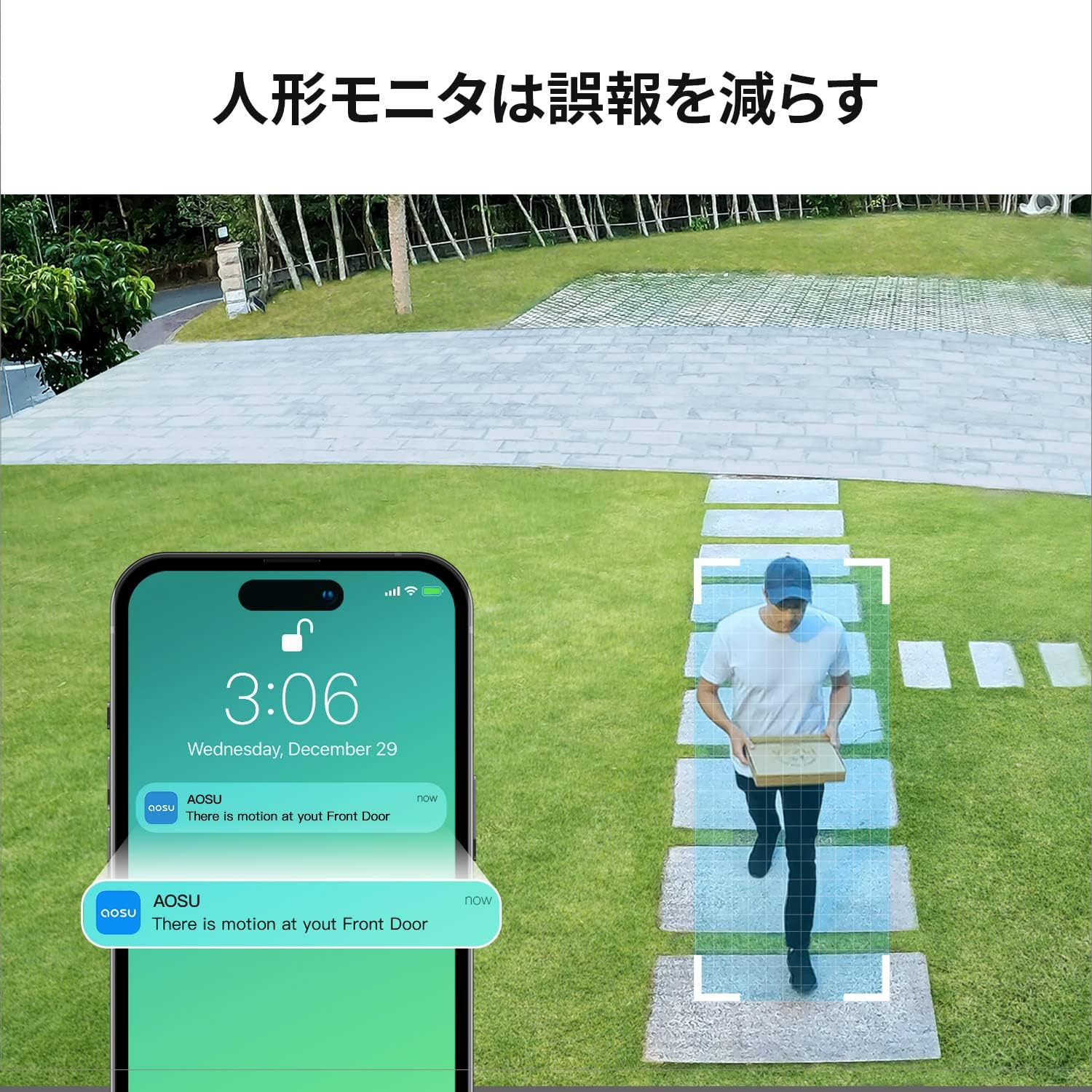
Figure 7: Human Detection Notification
4.3 Two-Way Audio and Deterrence
Use the two-way audio feature to communicate with visitors or deter unwanted guests. The app also allows you to activate an audible alarm and spotlight directly from your smartphone.

Gambar 8: Komunikasi Audio Dua Arah

Figure 9: Motion-Activated Alarm and Spotlight
4.4 Visi Peuting
The camera automatically switches to infrared night vision in low-light conditions, providing clear black and white images. The app also supports full-color night vision enhancement.

Figure 10: Night Vision Performance
5. Pangropéa
5.1 Cleaning the Camera and Solar Panel
Rutin ngabersihan lénsa kaméra sareng permukaan panel surya kalayan lemes, damp lawon pikeun mastikeun kinerja anu optimal. Hindarkeun nganggo bahan kimia anu kasar atanapi bahan anu abrasif.
5.2 Manajemén batré
Monitor the battery level through the AOSU app. Ensure the solar panel is positioned to receive adequate sunlight for continuous charging. In prolonged periods of low sunlight, you may need to manually charge the camera using the USB cable.
5.3 Apdet firmware
Periodically check the AOSU app for available firmware updates. Keeping your device's firmware up-to-date ensures access to the latest features and security enhancements.
6. Cara ngungkulan
6.1 Camera Not Connecting
- Ensure the Homebase is powered on and connected to the internet (solid blue light).
- Check if the camera battery is charged.
- Move the camera closer to the Homebase to improve signal strength.
- Try re-pairing the camera with the Homebase via the app.
6.2 Kualitas Pidéo Goréng
- Ngabersihan lénsa kaméra.
- Ensure a strong Wi-Fi connection between the camera and Homebase.
- Pariksa obstructions dina widang kaméra urang view.
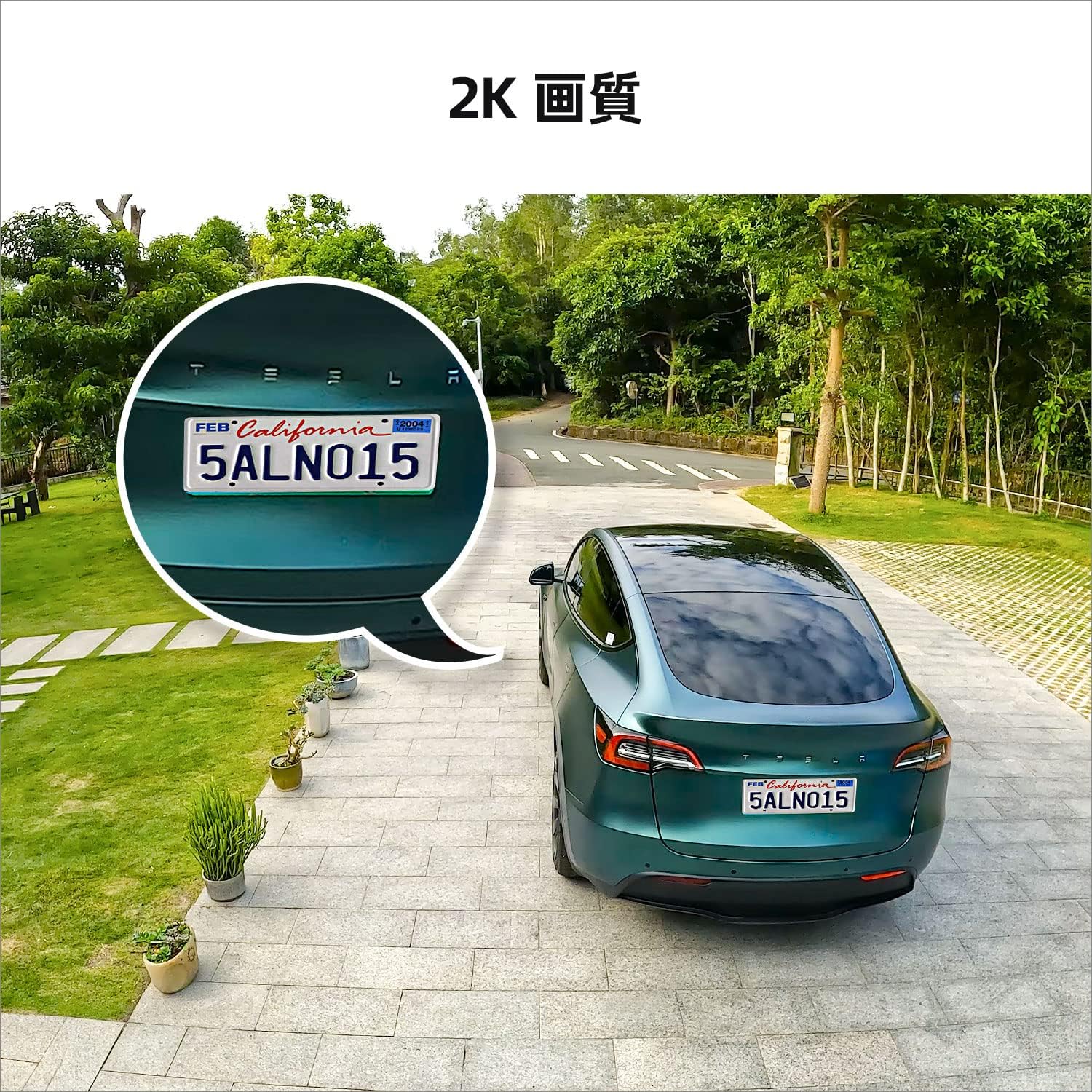
Gambar 11: Kelample of 2K Image Quality
6.3 Alarm Palsu Anu Sering
- Adjust the motion detection sensitivity in the AOSU app.
- Define specific activity zones to exclude areas with irrelevant motion (e.g., moving trees).
- Ensure human detection is enabled if you only want alerts for people.
6.4 Solar Panel Not Charging
- Pastikeun panel surya beresih jeung bebas tina lebu.
- Pariksa panel surya diposisikan pikeun nampa sinar panonpoé langsung pikeun sababaraha jam sapopoé.
- Check the connection cable between the solar panel and the camera.
7. Spésifikasi
| Fitur | Spésifikasi |
|---|---|
| Ngaran modél | C7P-2H |
| Resolusi Capture Video | 3 Megapixels (2K QHD) |
| widang View | 166° |
| Wengi Sawangan Sawangan | 15 méter |
| Laju pigura | 15 fps |
| Kapasitas batré | 5200 mAh (Litium Ion) |
| Sumber Daya | Solar jeung Batré Powered |
| Komunikasi Nirkabel | Wifi |
| Tipe Pamasangan | Wall Mount (Screw-in) |
| Résistansi Cuaca | IP66 |
| Dimensi produk | 8 x 4.6 x 9 cm |
| Beurat produk | 1.63 kg |
| Alat nu cocog | Smartphones (Android, iPhone), Tablets |
| Tipe Controller | AOSU App |
8. Garansi jeung Rojongan
8.1 Émbaran jaminan
AOSU provides a one-year warranty for this product from the date of purchase. This warranty covers manufacturing defects and malfunctions under normal use. Please retain your proof of purchase for warranty claims.
8.2 Rojongan Téknis
For technical assistance or inquiries, please contact AOSU customer support through one of the following methods:
- Rojongan In-App: Access online customer service directly through the AOSU application.
- AOSU Brand After-Sales Service: Refer to the contact information provided with your product packaging or on the official AOSU websitus.
- Platform Amazon: Contact the seller via your Amazon order history.

Figure 12: AOSU Security Logo


