1. Bubuka
The Kala Red Light Elite Panel ¾ Body Device is designed to deliver therapeutic red and near-infrared (NIR) light. This device utilizes advanced LED technology to provide specific wavelengths of light intended for various applications. This manual provides essential information for the safe and effective use of your device, including setup, operation, maintenance, and troubleshooting.
2. Émbaran Kasalametan penting
Please read all safety instructions before operating the device. Failure to follow these instructions may result in injury or damage to the device.
- Taroskeun ka Profesional Kaséhatan: If you have any medical conditions, are pregnant, or are taking medications, consult your doctor before using this device.
- Perlindungan panon: Always wear the provided eye protection during operation to shield your eyes from intense light. Do not look directly into the LEDs.
- Jarak: Maintain the recommended distance from the device during use. Refer to the 'Usage Guidelines' section for details.
- Sensitipitas kulit: Upami anjeun ngalaman rasa teu ngarareunah, beureum, atanapi iritasi, eureunkeun panggunaan langsung.
- Ventilasi: Ensure adequate ventilation around the device during operation to prevent overheating.
- Paparan cai: Ulah make alat deukeut cai atawa di damp environments. This device is not waterproof.
- Barudak jeung Pets: Jauhkeun alat tina jangkauan barudak sareng piaraan.
- Sasayogian tanaga: Paké ngan adaptor kakuatan disadiakeun kalawan alat.
3. Eusi Paket
Pastikeun yén sadaya item aya dina bungkusan:
- Kala Red Light Elite Panel ¾ Body Device
- Kabel Daya
- Eye Protection Goggles
- Mounting Hardware (e.g., door hook, stand attachments)
- Manual pamaké
4. Parentah Setup
4.1 Ngabongkar bungkusan
Carefully remove all components from the packaging. Inspect the device for any signs of damage. If any damage is found, do not use the device and contact customer support.
4.2 Pilihan pamasangan
The Kala Elite Panel offers versatile mounting options. Choose the method that best suits your space and needs.
- Panto Gunung: Attach the provided door hook to the top of the device. Hang the device securely over a sturdy door.
- Nangtung Gunung: If using a compatible stand (sold separately), attach the device to the stand using the designated mounting points and hardware. Ensure the stand is stable before use.

Gambar 1: Hareupeun view of the Kala Red Light Elite Panel ¾ Body Device. This image shows the full panel with its array of red and near-infrared LEDs.
4.3 Sambungan Daya
- Locate the power input port on the device, typically on the side or back.
- Connect the power cable securely to the device.
- Colokkeun tungtung kabel daya anu sanés ka stop kontak listrik anu dibumikeun.
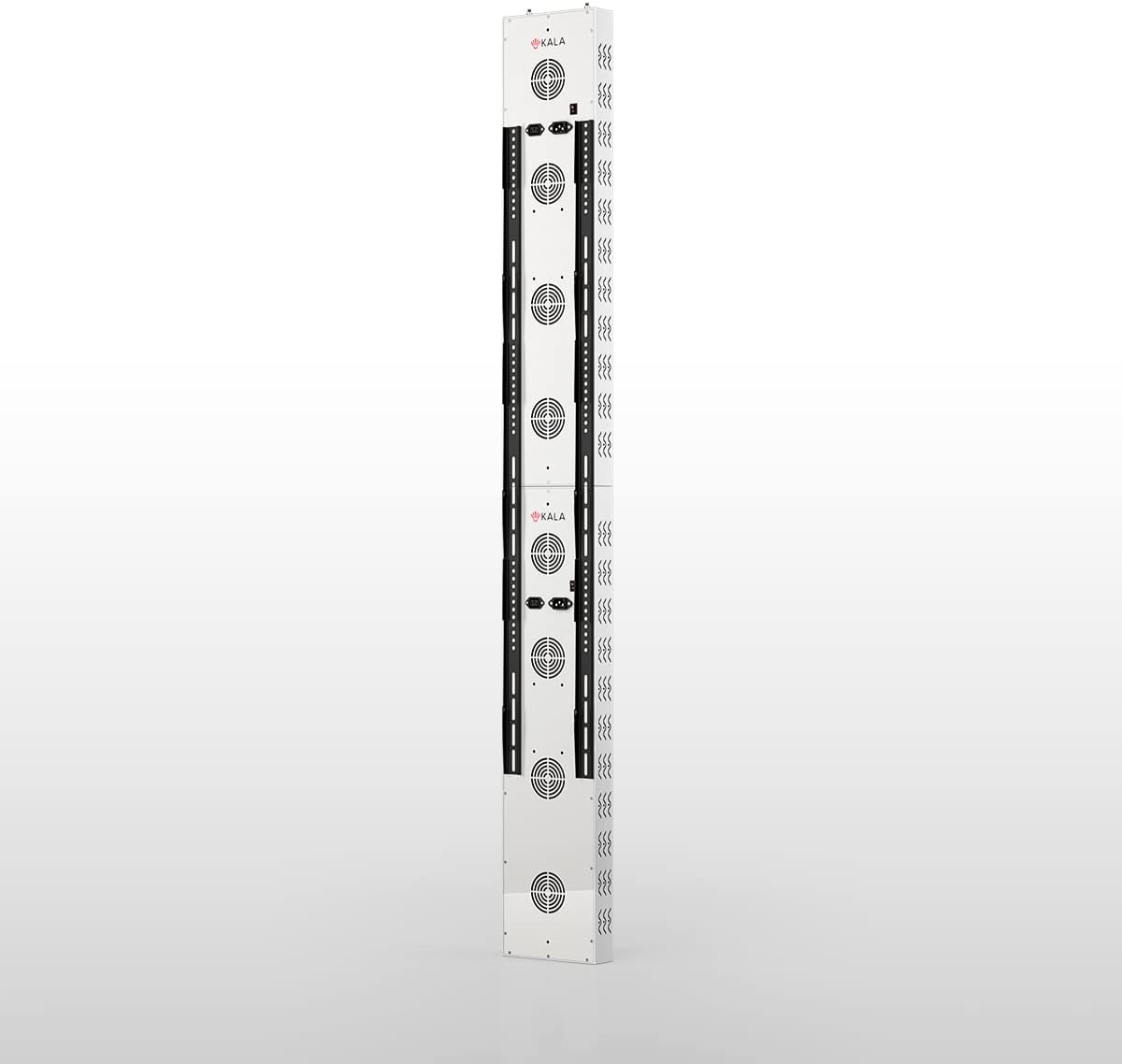
Gambar 2: Sisi view of the Kala Red Light Elite Panel, highlighting the control panel and power input area. This image helps identify where to connect the power cable and access controls.
5. Operating Your Kala Elite Panel
5.1 Powering on / Pareum
Press the main power button on the control panel to turn the device on. The display will illuminate. Press the button again to turn the device off.
5.2 Selecting Wavelengths
The Kala Elite Panel offers distinct red and near-infrared (NIR) light options. Use the dedicated buttons on the control panel to select your desired mode:
- Red Light (RED): Activates the red light LEDs.
- Near-Infrared Light (NIR): Activates the near-infrared light LEDs (these are not visible to the naked eye).
- Both (RED+NIR): Activates both red and near-infrared LEDs simultaneously.
5.3 Setting Session Time
Use the timer buttons (e.g., '+' and '-') on the control panel to set your desired session duration. The recommended session time is typically 10-20 minutes. The device will automatically shut off once the timer expires.
5.4 Pulse+ Feature
The Kala Elite features Pulse+ technology, allowing for customizable light frequencies. Refer to the on-screen menu or specific Pulse+ button to cycle through available frequency settings. Consult advanced usage guides for optimal Pulse+ settings for specific applications.
6. Recommended Usage Guidelines
For optimal results and safety, adhere to the following guidelines:
- Durasi Sesi: Start with 5-10 minute sessions and gradually increase to 10-20 minutes as tolerated.
- Frékuénsi: Use the device 3-5 times per week. Daily use is generally safe but not always necessary for desired effects.
- Jarak: Position yourself approximately 6-12 inches (15-30 cm) from the device. Closer distances increase intensity, while further distances cover a larger area with less intensity.
- Persiapan: Ensure your skin is clean and free of lotions or oils that may block light penetration.
- Perlindungan panon: Always wear the provided eye protection during your session.

Gambar 3: Angled view of the Kala Red Light Elite Panel, illustrating its depth and design. This perspective can help users understand the device's physical presence and how it might fit into a space.
7. Perawatan sareng Pangropéa
7.1 beberesih
To clean the device, ensure it is powered off and unplugged. Use a soft, dry, or slightly damp cloth to wipe the exterior surfaces. Do not use abrasive cleaners, solvents, or excessive moisture, as these can damage the device.
7.2 Panyimpenan
Store the device in a cool, dry place away from direct sunlight and extreme temperatures. If storing for an extended period, consider returning it to its original packaging to protect it from dust and damage.
8. Cara ngungkulan
If you encounter issues with your Kala Elite Panel, refer to the table below for common problems and solutions.
| Masalah | Mungkin Cukang lantaranana | Solusi |
|---|---|---|
| Alat teu hurung. | Power cable not connected; outlet not working; device fault. | Ensure power cable is securely plugged into device and outlet. Test outlet with another appliance. If problem persists, contact customer support. |
| LEDs are not illuminating. | Device not powered on; specific wavelength not selected; NIR LEDs are not visible. | Check power. Ensure RED or RED+NIR mode is selected. Remember NIR LEDs are not visible. |
| Alatna panas teuing. | Poor ventilation; prolonged use. | Ensure device has adequate space for airflow. Reduce session duration. Allow device to cool down between uses. |
| Panel kontrol teu responsif. | Gangguan parangkat lunak samentawis; masalah daya. | Unplug the device, wait 30 seconds, then plug it back in and try again. |
If you cannot resolve an issue using the troubleshooting guide, please contact customer support.
9. Spésifikasi Téknis
| Fitur | Spésifikasi |
|---|---|
| Modél | Kala Elite Panel ¾ Body Device |
| Panjang gelombang | Red Light (e.g., 660nm), Near-Infrared Light (e.g., 850nm) |
| Tipe LED | 5W LEDs |
| Kontrol | Smart Screen Control with Pulse+ Frequencies |
| Input kakuatan | AC 100-240V, 50/60Hz |
| Produsén | Balkowitsch |
| ASIN | B0BTR8N7HC |
10. Garansi sarta Rojongan Palanggan
The Kala Red Light Elite Panel ¾ Body Device comes with a manufacturer's warranty. Please refer to the warranty card included in your package or visit the official Kala websitus pikeun istilah jeung kaayaan jaminan lengkep.
For technical assistance, troubleshooting not covered in this manual, or warranty claims, please contact Kala customer support through their official websitus atawa inpo kontak disadiakeun kalawan pameseran Anjeun.


