1. Bubuka
The Jabra Evolve2 55 Stereo Wireless Headset is designed to enhance your hybrid working experience with advanced audio technology and comfort. This manual provides essential information for setting up, operating, and maintaining your headset.
fitur konci ngawengku:
- Konéktivitas Instan: Seamlessly connect to laptops and smartphones.
- AirComfort Technology: Designed for all-day comfort with rotating ear cups and soft foam.
- Aktif Noise Cancelling (ANC): Effectively blocks out background distractions.
- Hapus Kualitas Telepon: Features two premium noise-cancelling microphones for clear voice transmission.
- Disertifikasi ku Microsoft Teams: Optimized for efficient collaboration with a dedicated MS Teams button.
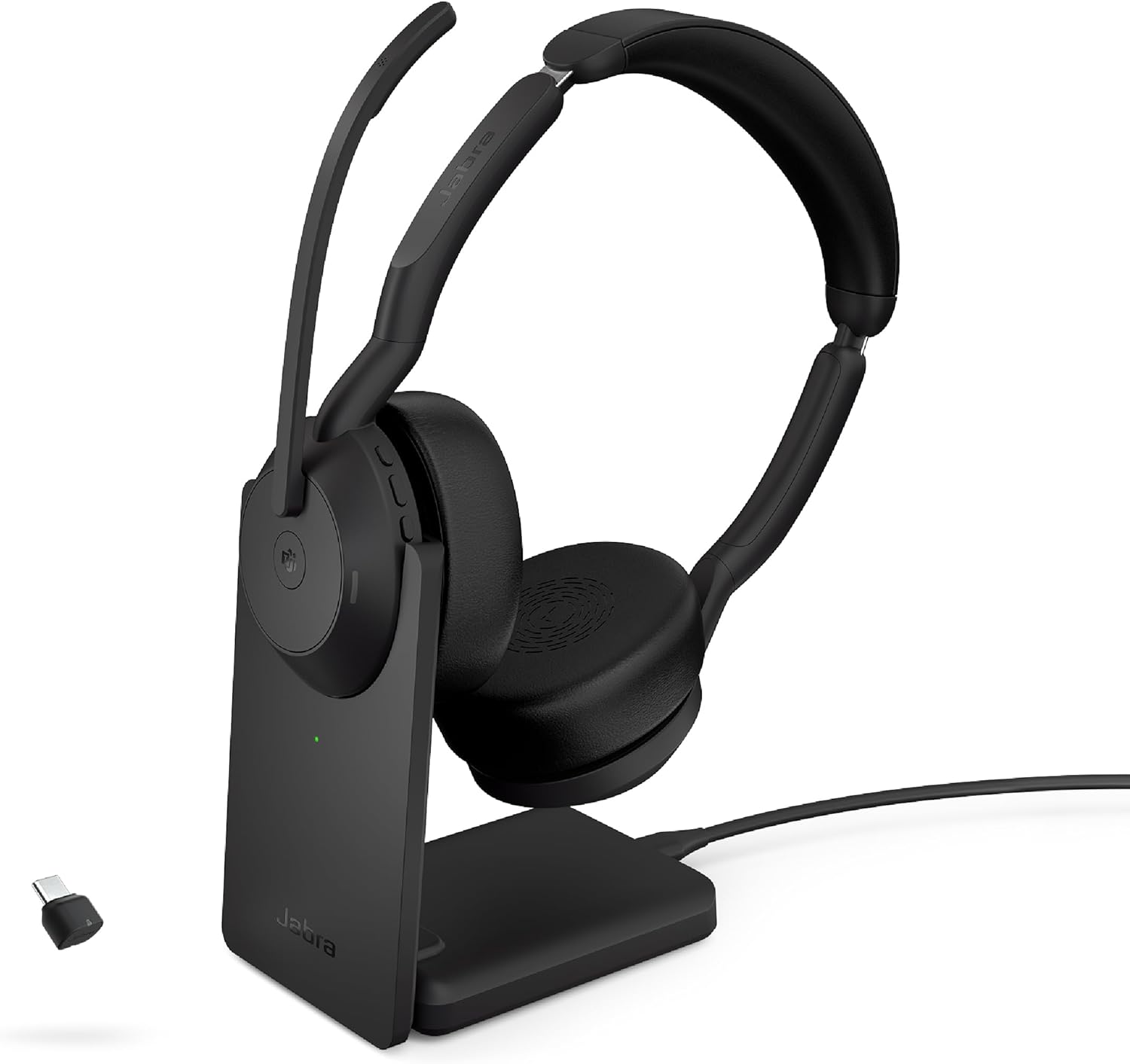
Image: Jabra Evolve2 55 Stereo Wireless Headset with Charging Stand and USB-C Dongle.
2. Eusi Paket
Pastikeun yén sadaya barang aya dina bungkusan produk anjeun:
- Jabra Evolve2 55 Headsét stereo
- Link 380 Bluetooth adapter (USB-C)
- USB cable (1.2m/3.9ft)
- Mawa kantong
- Dokumén pamaké
- Ngecas Stand

Image: All components included in the Jabra Evolve2 55 Headset package.
3. Setup jeung Konéktipitas
3.1 Ngecas Awal
Before first use, fully charge your headset. Place the headset on the charging stand or connect the USB-C cable directly to the headset and a power source.

Image: The Jabra Evolve2 55 Headset placed on its dedicated charging stand.
3.2 Connecting to a Computer (USB-C Dongle)
- Insert the Link 380 USB-C Bluetooth adapter into an available USB-C port on your computer.
- Power on your Jabra Evolve2 55 headset.
- The headset will automatically pair with the adapter. A voice prompt will confirm the connection.

Image: Headset positioned near a laptop, illustrating the USB-C dongle connection.
3.3 Connecting to a Smartphone (Bluetooth)
- Ensure your headset is powered on and in pairing mode (refer to headset controls for specific instructions).
- On your smartphone, navigate to Bluetooth settings and select the Jabra Evolve2 55 from the list of available devices.
- A ajakan sora bakal mastikeun papasangan suksés.
The headset supports dual connectivity, allowing connection to two devices simultaneously.

Image: A user demonstrating wireless use of the headset in a remote work environment.
4. Parentah Operasi
4.1 Kontrol Headsét
The headset features intuitive controls for managing calls, audio, and settings:
- Hurungkeun/Pareuman: Use the dedicated switch on the earcup.
- Volume Kaluhur/Turun: Buttons located on the earcup.
- Tombol multi-fungsi: Customizable via Jabra Direct/Xpress software for various actions (e.g., answer/end call, voice assistant).
4.2 Pamakéan Mikropon
The boom arm microphone offers flexible control:
- Hurungkeun: Lower the boom arm to activate the microphone.
- Jempé: Raise the boom arm to mute the microphone. This action can also be configured via software.
4.3 Active Noise Cancellation (ANC) and HearThrough
Manage your audio environment:
- ANC: Activates to reduce ambient background noise, allowing for focused work.
- HearThrough: Ngamungkinkeun anjeun ngadangu sora sakuriling anjeun tanpa kedah nyabut headset.

Image: A user engaged in work while wearing the headset, highlighting its noise-cancelling capabilities.
4.4 Microsoft Teams Certification
The headset is certified for Microsoft Teams, providing a dedicated button for quick access to Teams functions, such as joining meetings.

Image: The headset displayed with the Microsoft Teams Certified logo, indicating optimized integration.
5. Pangropéa
5.1 beberesih
Regularly clean your headset with a soft, dry cloth. Avoid using harsh chemicals or abrasive materials.
5.2 Apdet parangkat lunak
Utilize Jabra Direct and Jabra Xpress software to remotely update and manage your headset, ensuring optimal performance and access to the latest features.
6. Cara ngungkulan
6.1 Masalah konektipitas
- Pastikeun headset tos dieusi sareng diaktipkeun.
- Verify the Link 380 adapter is securely plugged into your computer.
- For smartphone connections, ensure Bluetooth is enabled and the headset is in pairing mode.
- Balikan deui headset sareng alat nu disambungkeun.
6.2 Kualitas Audio
- Pariksa tingkat volume dina headset sareng alat anu nyambung.
- Ensure the microphone boom arm is correctly positioned for optimal voice pickup.
- Update headset firmware via Jabra Direct/Xpress.
6.3 Kahirupan batré
The headset offers great battery life and quick charging. To maximize battery longevity, avoid letting the battery drain completely before recharging.
Video: A ulang pamakéview highlighting the headset's battery life, quick charging, and sound quality.
7. Spésifikasi
| Fitur | Rincian |
|---|---|
| Ngaran modél | Jabra Evolve2 55 Link380c MS Stereo Stand, NA |
| Téhnologi konektipitas | Nirkabel (Bluetooth 5.2) |
| Kontrol bising | Pembatalan Noise aktip |
| Headphone Jack | Nirkabel |
| Réspon Frékuénsi | 20000 Hz |
| Wangun Earpiece | Dina ceuli |
| Tipe Kontrol | Kontrol Média, Toél |
| Fitur husus | Indikator LED, Pembatalan Noise, PeakStop, Téhnologi SafeTone, Sub Band Coding (SBC) |
| Item Beurat | 4.6 ons |
| Dimensi produk | 6.9 x 7.3 x 2.6 inci |
| Batré | 1 batré Litium Ion diperlukeun (kaasup) |
8. Garansi jeung Rojongan
The Jabra Evolve2 55 comes with a 2-year warranty. Registration may be required to activate the full warranty period.
For further support, software downloads (Jabra Direct and Jabra Xpress), and detailed product information, please visit the official Jabra websitus.


