1. Bubuka
Thank you for choosing the KLIM Tandem Wireless Keyboard and Mouse Set. This product is designed to provide a seamless and responsive wireless experience for both gaming and office use. This manual will guide you through the installation, operation, and maintenance of your new device.

Image 1: The KLIM Tandem wireless keyboard and mouse set, featuring RGB backlighting and a compact USB receiver.
2. Eusi Paket
Punten pastikeun sadaya barang aya dina pakét anjeun:
- KLIM Tandem Wireless Keyboard
- KLIM Tandem Wireless Mouse
- USB Wireless Receiver (located in the mouse battery compartment)
- USB Charging Cable (for both keyboard and mouse)
- Manual pamaké
3. Parentah Setup
3.1 Nyambungkeun Alat
- Locate the USB wireless receiver. It is typically stored in a compartment on the underside of the mouse.
- Colokkeun panarima nirkabel USB ka port USB nu sadia dina komputer Anjeun.
- Turn on the keyboard using the power switch, usually located on the top edge.
- Hurungkeun beurit nganggo saklar daya, biasana aya di handapeun.
- Your computer should automatically detect and install the necessary drivers. The devices are ready for use once detected.

Image 2: Close-up of the KLIM Tandem mouse and its USB receiver, ready for connection.
3.2 Muatan Awal
For optimal performance, it is recommended to fully charge both the keyboard and mouse before first use. Use the provided USB charging cable to connect the devices to your computer or a USB wall adapter. An indicator light will typically show charging status and turn off or change color when fully charged.
4. Parentah Operasi
4.1 Fungsi kibor
- Kontrol lampu latar: The keyboard features RGB backlighting. Use the dedicated backlight key (often labeled with a lightbulb icon or combined with Fn key) to cycle through brightness levels or turn the backlight on/off. Note that the keyboard's colors are fixed in a rainbow pattern.
- Tombol Fungsi (Fn): The keyboard includes a special Function (Fn) key. Press and hold the Fn key, then press the corresponding F1-F12 keys to access multimedia controls and other shortcuts (e.g., volume control, media playback).
- Mode Saré Otomatis: To conserve battery, the keyboard backlight will automatically turn off after a period of inactivity. Press any key to reactivate it.
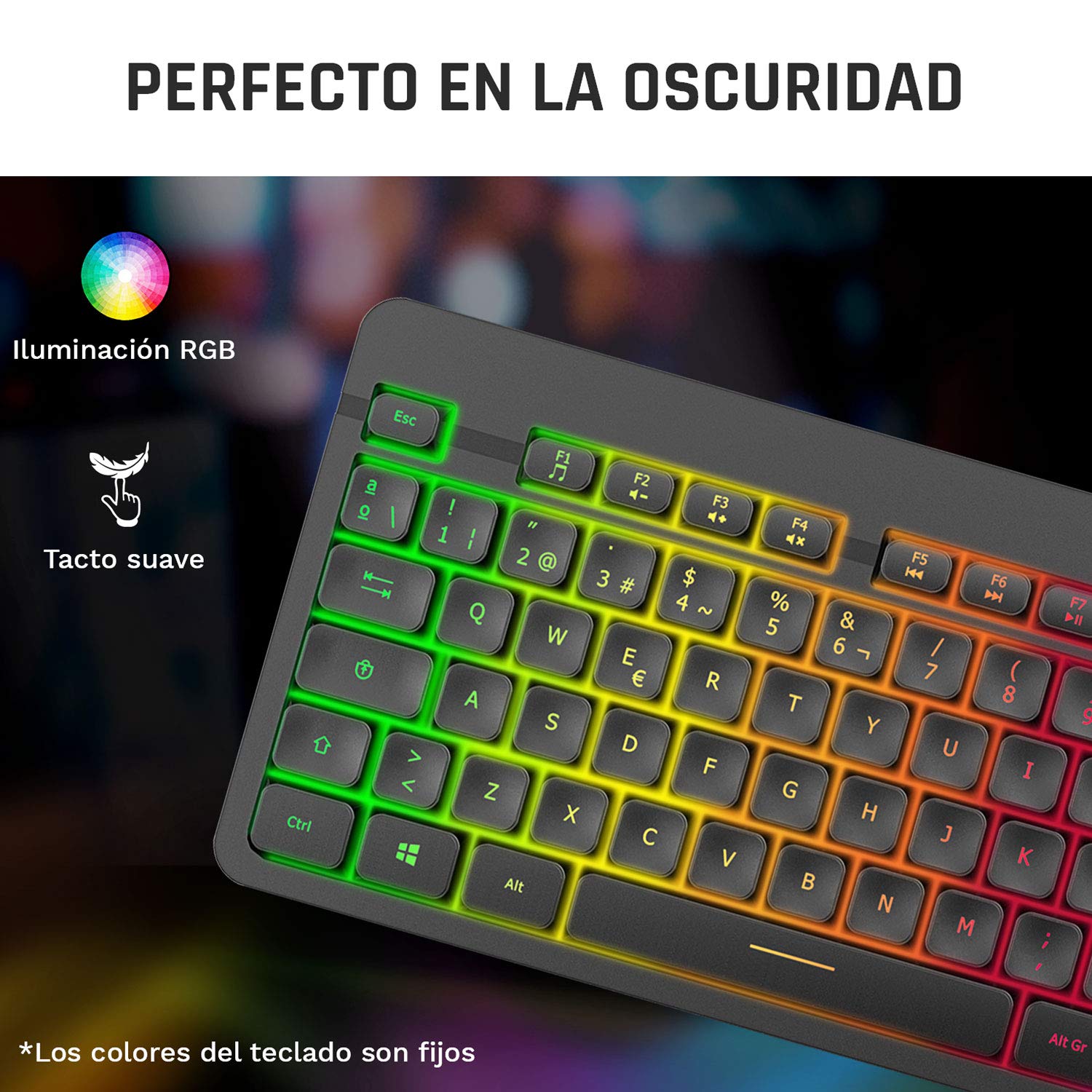
Image 3: Close-up of the KLIM Tandem keyboard showcasing its RGB illumination and soft-touch keys.
4.2 Fungsi Mouse
- Penyesuaian DPI: The mouse features adjustable DPI (Dots Per Inch) settings, allowing you to change cursor sensitivity. Use the dedicated DPI button (usually located behind the scroll wheel) to cycle through different sensitivity levels.
- Kancing samping: The mouse includes side buttons, typically used for forward and backward navigation in web browsers or customizable for gaming.
- Logo anu hurung: The mouse features an illuminated KLIM logo. This lighting can usually be toggled on or off via a switch on the underside of the mouse, separate from the main power switch.
- Desain ergonomis: The mouse is designed for an ergonomic grip, recommended for right-hand users.
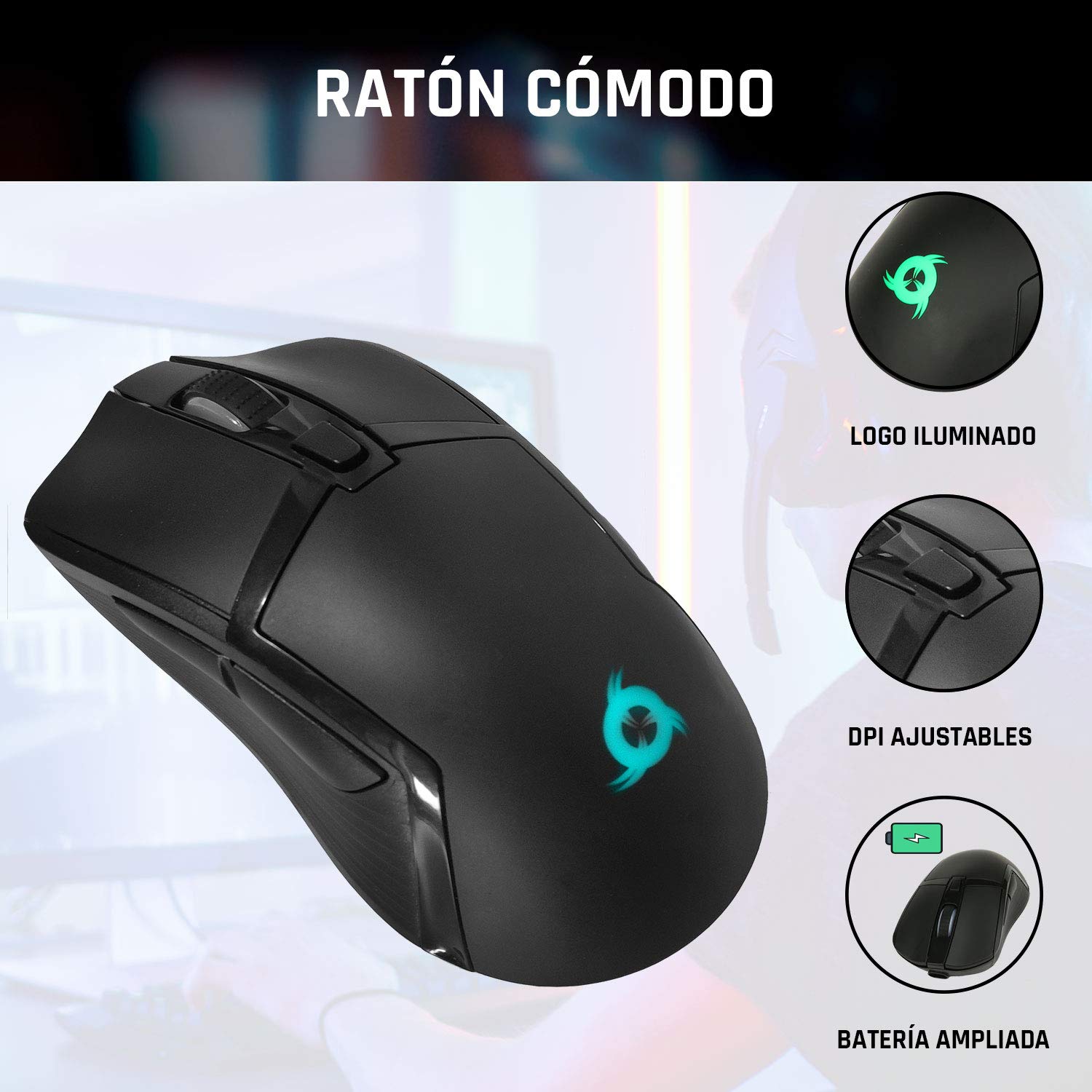
Image 4: The KLIM Tandem mouse highlighting its illuminated logo, adjustable DPI settings, and extended battery capacity.
5. Ngecas sareng Umur Batré
Both the KLIM Tandem keyboard and mouse are equipped with built-in rechargeable batteries. Use the provided USB cable to charge them. You can continue to use the devices while they are charging.
- Indikator ngecas: A small LED light on each device will indicate charging status. Refer to the device for specific light behavior (e.g., red for charging, off for full).
- Optimasi Kahirupan Batré: Lowering the keyboard's backlight brightness or turning it off will significantly extend battery life. The mouse's illuminated logo can also be toggled off to save power.
- Perhatosan Batré Lemah: Devices will typically provide a visual cue (e.g., flashing indicator light) when the battery is low, signaling that charging is required.
6. Pangropéa
To ensure the longevity and optimal performance of your KLIM Tandem set, follow these maintenance guidelines:
- beberesih: Anggo lawon anu garing sareng lemes pikeun ngusap keyboard sareng beurit. Pikeun kokotor nekad, a rada damp cloth with mild soap can be used, ensuring no liquid enters the device. Avoid harsh chemicals.
- Panyimpenan: Simpen alat-alat dina tempat anu tiis sareng garing jauh tina sinar panonpoé langsung sareng suhu anu ekstrim.
- Hindarkeun Tumpahan: While the keyboard is designed to be resistant to minor spills, it is best to avoid liquid contact to prevent damage.
- Panarima USB: When not in use, the USB receiver can be stored in the mouse's dedicated compartment to prevent loss.
7. Cara ngungkulan
If you encounter any issues with your KLIM Tandem set, please refer to the following table:
| Masalah | Mungkin Cukang lantaranana | Solusi |
|---|---|---|
| Keyboard / Mouse teu ngabales | Low battery; Devices turned off; USB receiver disconnected; Driver issue. | Charge devices; Ensure power switches are ON; Re-plug USB receiver; Restart computer. |
| Lampu tukang teu jalan | Backlight turned off; Low battery; Brightness set to minimum. | Press backlight key; Charge keyboard; Adjust brightness. |
| Mouse cursor erratic or slow | Dirty sensor; Incompatible surface; Low DPI setting. | Clean mouse sensor; Use a mouse pad; Adjust DPI setting. |
| hirup batré pondok | High backlight brightness; Frequent use. | Reduce backlight brightness; Ensure full charge before use. |
8. Spésifikasi
Key technical specifications for the KLIM Tandem Wireless Keyboard and Mouse Set:
- Konektipitas: 2.4 GHz Wireless (single USB receiver)
- Jangkauan nirkabel: Nepi ka 10 méter
- Keyboard Key Type: mémbran
- Lampu tukang kibor: Fixed RGB (rainbow pattern)
- Keyboard Hirupna: Over 10 million clicks
- Mouse DPI: Bisa diatur (sababaraha tingkat)
- Mouse Lifetime: Over 10 million clicks
- Batré: Built-in rechargeable (long-lasting)
- Bahan: ABS awét
- Kasaluyuan: PC, Mac, PS4, Xbox One (check specific game/system compatibility)

Image 5: Multilingual specifications sheet for the KLIM Tandem wireless keyboard and mouse set.
9. Garansi jeung Rojongan
KLIM Technologies offers a garansi 5 taun on the KLIM Tandem Wireless Keyboard and Mouse Set, demonstrating confidence in product quality. For any questions, technical assistance, or warranty claims, please contact KLIM Customer Service. Our team is available to assist you and aims to respond within 24 hours.
For further support, please visit the official KLIM websitus atanapi tingal inpormasi kontak anu disayogikeun sareng bungkusan produk anjeun.