
1. Bubuka
Hatur nuhun pikeun meuliasing the SYLVOX Elf S2 Soundbar. This 60W Bluetooth soundbar is designed to enhance your audio experience with 3D surround sound and multiple EQ modes (Movie, Music, News). Its IP65 waterproof rating ensures durability for various environments. This manual provides essential information for safe and optimal use, including setup, operation, maintenance, and troubleshooting.
2. Émbaran Kasalametan
Mangga baca sakabeh parentah kaamanan taliti saméméh ngagunakeun produk. Simpen manual ieu pikeun rujukan ka hareup.
- Do not expose the soundbar to extreme temperatures or direct sunlight for prolonged periods.
- Pastikeun ventilasi anu leres di sabudeureun unit.
- Paké ngan adaptor kakuatan disadiakeun kalawan alat.
- Ulah nyobian ngabongkar atanapi ngarobih soundbar. Serahkan sadaya perawatan ka tanaga anu mumpuni.
- Jauhkeun bar sora tina médan magnét anu kuat.
- Despite its IP65 rating, avoid submerging the soundbar in water.
3. Eusi Paket
Pastikeun yén sadaya item anu didaptarkeun di handap kalebet kana pakét anjeun:

- Soundbar x1
- Remote Control (AAA Batteries x2) x1
- Kabel HDMI x1
- Kabel optik x1
- Kabel Coaxial x1
- Kabel AC AC x1
- USB Transfer Cable x1
- Tembok Gunung Kit x1
- Buku Panduan x1
- Kartu Garansi x1
Image: The SYLVOX Elf S2 Soundbar and its accessories, including various cables, remote control, and wall mounting hardware.
4. Produk Langkungview
4.1 Hareup View

Image: The front of the SYLVOX Elf S2 Soundbar, featuring a minimalist design with the brand logo.
4.2 Sambungan Panel Rear

Image: The rear panel of the soundbar, detailing the various input ports for connectivity.
- COAXIAL: Input audio digital koaksial.
- OPTIKAL: Input audio digital optik.
- HDMI ARC: HDMI Audio Return Channel input for TV connection.
- USB (5V=500mA): Port USB pikeun muterkeun média.
- AC DI: Input kakuatan.
4.3 Jauh Jauh

Image: The remote control for the soundbar, showing buttons for power, volume, input selection, and dedicated sound modes.
- Tombol Daya: Ngahurungkeun atanapi mareuman bar sora.
- Pilihan Input: Cycles through available input sources (HDMI ARC, Optical, Coaxial, Bluetooth, USB).
- Volume Kaluhur/Turun: Nyetél volume master.
- Jempé: Ngajempékeun atanapi nganonaktipkeun sora.
- Sound Mode Buttons (SPORT, MUSIC, NEWS, MOVIE): Milih mode ékualiser prasetél.
5. Setélan
5.1 Nempatkeun
Place the soundbar on a stable, flat surface in front of your TV, or mount it on the wall below your TV. Ensure there are no obstructions blocking the soundbar's speakers.
5.2 Nyambungkeun ka TV Anjeun
Pilih salah sahiji metodeu sambungan ieu:
- HDMI ARC (Disarankeun): Connect one end of the HDMI cable to the HDMI ARC port on the soundbar and the other end to the HDMI ARC port on your TV. This allows for audio return and control via your TV remote.
- Optik: Connect one end of the optical cable to the OPTICAL port on the soundbar and the other end to the optical output port on your TV.
- Koaksial: Connect one end of the coaxial cable to the COAXIAL port on the soundbar and the other end to the coaxial output port on your TV.
5.3 Sambungan Daya
Connect the AC power cord to the AC IN port on the soundbar, then plug the other end into a power outlet.
6. Parentah Operasi
6.1 Daya Hurung/Pareuman
Pencét éta Kakuatan button on the remote control or on the side panel of the soundbar to turn the unit on or off.
6.2 Volume Control
Ngagunakeun éta Volume Naik (+) jeung Volume Turun (-) tombol dina kadali jauh pikeun nyaluyukeun tingkat sora.
6.3 Pamilihan Input
Pencét éta Input button on the remote control to cycle through the available input sources (HDMI ARC, Optical, Coaxial, Bluetooth, USB).
6.4 Modeu Sora
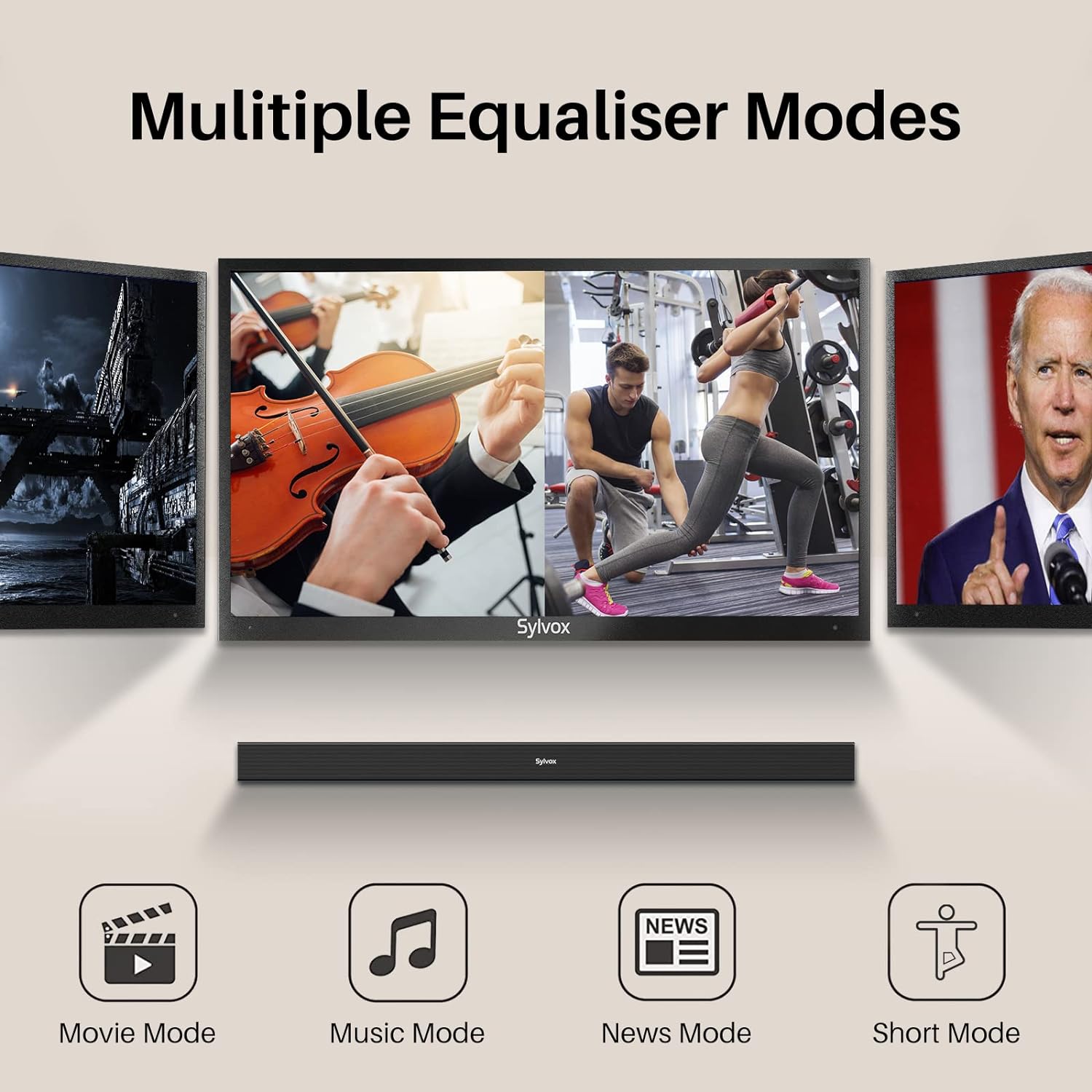
Image: Visual representation of the soundbar's multiple equalizer modes.
The soundbar features three preset equalizer modes to optimize your audio experience:
- Modeu Pilem: Ningkatkeun kajelasan dialog sareng nyayogikeun sora anu langkung legatage for cinematic content.
- Modeu Musik: Optimizes audio for music playback, offering balanced highs, mids, and lows.
- Modeu Warta: Focuses on vocal clarity, making spoken content easier to understand.
Pencét saluyu Pilem, MUSIK, atawa WARTA button on the remote control to select your desired mode.
7. Konektipitas
7.1 Nyapasangkeun Bluetooth

Image: Illustration of devices wirelessly connecting to the soundbar via Bluetooth for music streaming.
Pikeun nyambungkeun alat Bluetooth anjeun:
- Turn on the soundbar and select Bluetooth input mode. The Bluetooth indicator will flash.
- Aktipkeun Bluetooth dina alat Anjeun (smartphone, tablet, jsb) jeung neangan alat nu sadia.
- Select "SYLVOX Elf S2" from the list. Once connected, the Bluetooth indicator will stop flashing and remain solid.
- You can now stream audio from your device to the soundbar.
7.2 Playback USB
Insert a USB drive into the USB port on the rear panel. The soundbar will automatically switch to USB input mode and begin playing compatible audio files.
8. Pamasangan Tembok
The SYLVOX Elf S2 Soundbar can be wall-mounted using the included wall mount kit. Follow these steps for secure installation:
- Determine the desired mounting location below your TV. Ensure the wall can support the weight of the soundbar.
- Use the provided template (if applicable) or measure the distance between the mounting holes on the soundbar.
- Tandaan titik-titik pangeboran dina témbok.
- Drill pilot holes at the marked points. Insert wall anchors if necessary (for drywall).
- Secure the wall brackets to the wall using screws.
- Carefully attach the soundbar to the installed wall brackets. Ensure it is securely fastened before releasing.
9. Pangropéa
9.1 beberesih
Wipe the soundbar with a soft, dry cloth. Do not use liquid cleaners or abrasive materials, as they may damage the finish.
9.2 IP65 Peunteun waterproof

Image: The soundbar shown outdoors in the rain, highlighting its IP65 waterproof capability.
The SYLVOX Elf S2 Soundbar has an IP65 waterproof rating, meaning it is protected against dust ingress and low-pressure water jets from any direction. This makes it suitable for outdoor use and environments where it may be exposed to splashes or light rain. However, it is not designed for submersion in water.
10. Cara ngungkulan
Upami anjeun mendakan masalah sareng soundbar anjeun, tingal masalah sareng solusi umum ieu:
| Masalah | Mungkin Cukang lantaranana | Solusi |
|---|---|---|
| Taya kakuatan | ari kakuatan teu disambungkeun; Stopkontak teu aktip. | Pastikeun kabel listrik disambungkeun aman. Nguji stop kontak jeung alat sejen. |
| Taya sora | Incorrect input selected; Volume too low; Cable not connected properly. | Pilih sumber input anu leres. Naékkeun volume. Pariksa sadaya sambungan kabel audio. |
| Nyapasangkeun Bluetooth gagal | Soundbar henteu dina mode papasangan; Alat jauh teuing; gangguan. | Ensure soundbar is in Bluetooth mode and indicator is flashing. Move device closer. Avoid other wireless devices. |
| Kadali jauh teu jalan | Batteries are dead; Obstruction between remote and soundbar. | Replace batteries (2x AAA). Ensure clear line of sight to the soundbar's sensor. |
11. Spésifikasi
| Fitur | Rincian |
|---|---|
| merek | SYLVOX |
| Nomer modél | OTA1ELFS2 |
| Speaker Maksimum Kaluaran Power | 60 Watt |
| Réspon Frékuénsi | 20 KHz |
| Téhnologi konektipitas | Bluetooth |
| Mode Kaluaran Audio | Sakuriling |
| Tipe Pamasangan | Tembok Gunung |
| Bahan Kandang | palastik |
| Fitur tambahan | Tahan cai |
| Nyaéta Waterproof | TRUE (IP65) |
| Métode kontrol | Jauh |
| Ukuran Speaker | 76 milimeter |
| Rentang Bluetooth | 10 méter |
| Jumlah Saluran Audio | 2.0 |
| Impedansi | 8 ohm |
| Sumber Daya | Kabel Listrik |
| Masukan Voltage | 240 volt |
| Ukuran barang (D x W x H) | 3.62 "D x 38.38" W x 2.44" H |
| Item Beurat | 2000 gram |
| Alat nu cocog | Televisi |
12. Garansi jeung Rojongan
12.1 Garansi Produk
The SYLVOX Elf S2 Soundbar comes with a hassle-free 12-garansi sasih. This warranty covers manufacturing defects and ensures product quality.
12.2 Sarat jeung Kaayaan Balik deui
An easy return policy is available, including 30 poé mulih repot-gratis for quality issues. Original packaging is typically required for returns.
12.3 Palayanan Palanggan
For any questions, technical assistance, or warranty claims, please contact SYLVOX customer service. Friendly 7x24 customer service is available to assist you.