1. Bubuka
Welcome to the user manual for your new Cecotec Cremmaet Macchia Super Automatic Coffee Machine. This manual provides essential information for the safe and efficient operation, maintenance, and troubleshooting of your appliance. Please read all instructions carefully before using the machine for the first time and keep this manual for future reference.
2. Parentah Kasalametan
Pikeun mastikeun operasi aman, salawasna taat kana tungtunan kaamanan handap:
- Kasalametan listrik: Pastikeun voltage dituduhkeun dina alat cocog vol mains lokal Anjeuntage before connecting. Do not immerse the appliance, power cord, or plug in water or any other liquid. Do not operate the machine with a damaged cord or plug.
- Heat and Hot Surfaces: The coffee machine generates hot water and steam. Avoid contact with hot surfaces and steam to prevent burns. Always use handles and knobs.
- Barudak sareng Jalma Rentan: Alat ieu tiasa dianggo ku murangkalih umur 8 taun ka luhur sareng jalma anu kakurangan kamampuan fisik, indrawi atanapi mental atanapi kurang pangalaman sareng pangaweruh upami aranjeunna dipasihan pangawasan atanapi petunjuk ngeunaan panggunaan alat dina cara anu aman sareng ngartos bahaya anu aya. . Barudak teu kedah maén sareng alat. Beberesih sareng pangropéa pangguna henteu kedah dilakukeun ku murangkalih tanpa pangawasan.
- panempatan: Place the machine on a stable, level, heat-resistant surface, away from water sources and direct sunlight. Ensure adequate ventilation around the appliance.
- beberesih: Always unplug the machine before cleaning. Do not use abrasive cleaning agents or scourers.
3. Produk Langkungview
Familiarize yourself with the main components of your Cecotec Cremmaet Macchia coffee machine.

Gambar 3.1: Hareupeun view of the Cecotec Cremmaet Macchia coffee machine, showcasing its compact design and elegant white and rose gold finish.

Gambar 3.2: Close-up of the intuitive touch control panel located on the top of the machine, featuring various function icons.
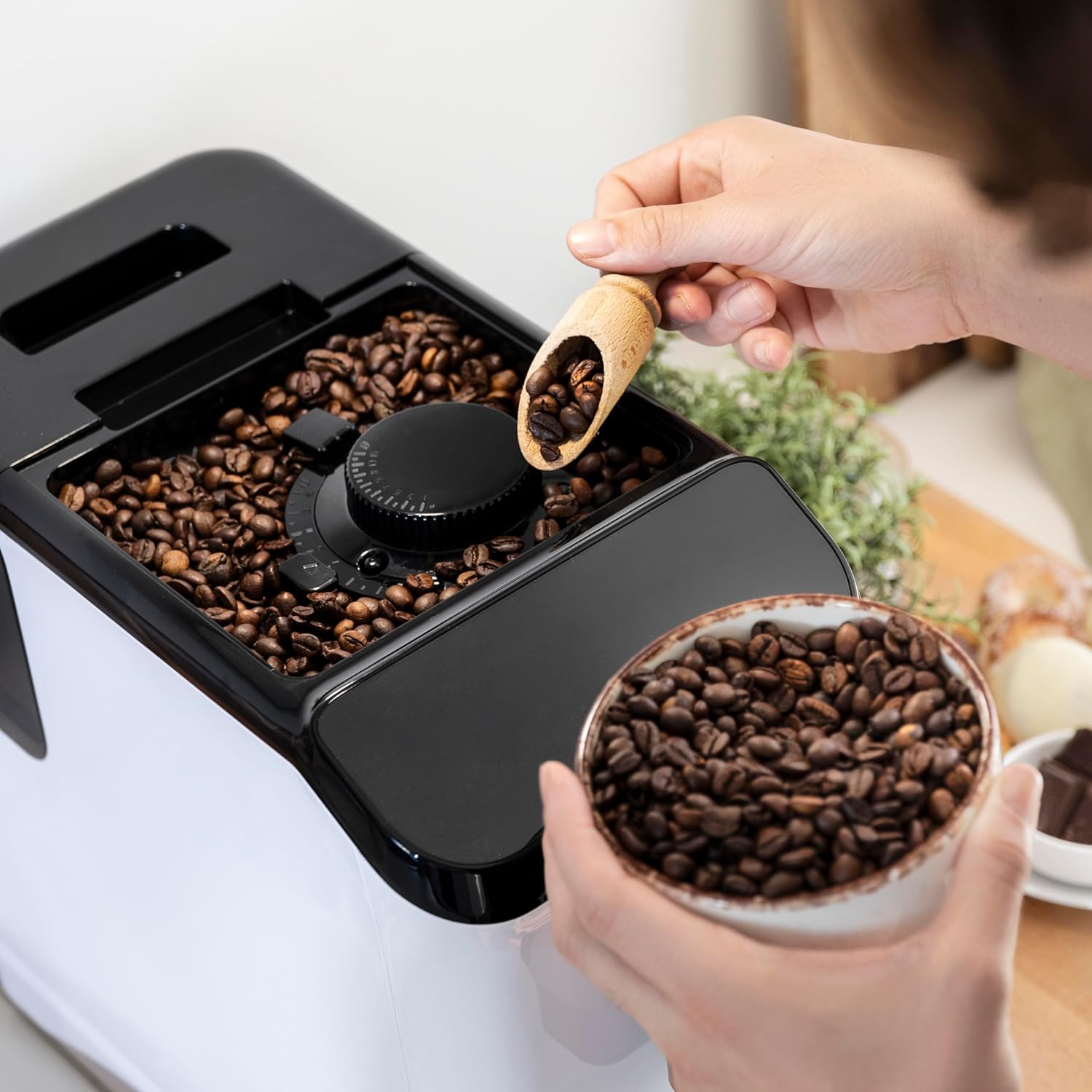
Gambar 3.3: The integrated coffee bean hopper with a conical grinder, allowing for fresh grinding of beans for each cup.
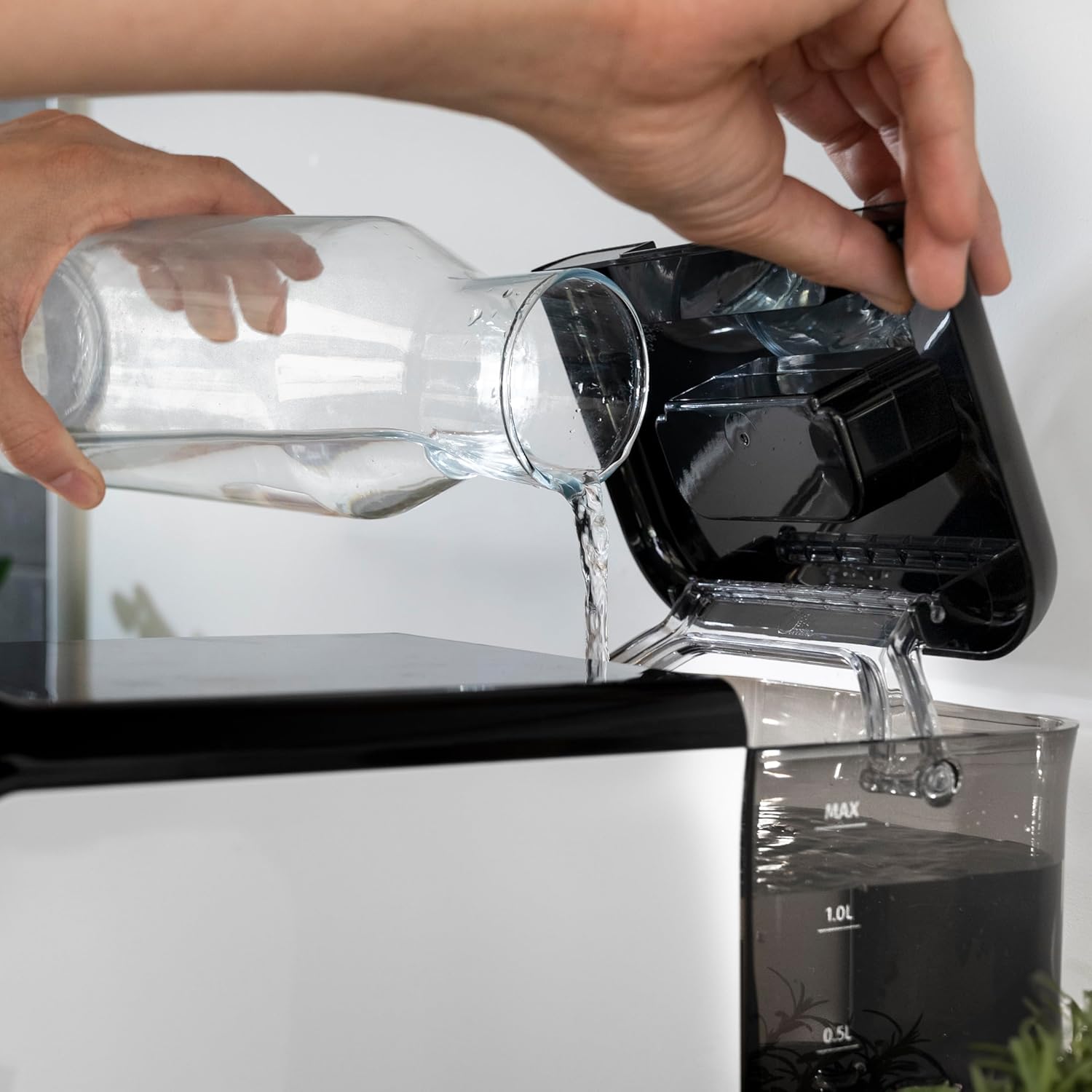
Gambar 3.4: The removable 1.5-liter water tank, easily accessible for refilling and cleaning.
4. Setélan
Turutan léngkah-léngkah ieu pikeun nyetél mesin kopi anjeun pertama kalina:
- Ngabongkar bungkusan: Taliti piceun mesin tina bungkusan na. Cabut sadaya pilem pelindung sareng bahan bungkusan.
- Bersihan awal: Before first use, wash the water tank, drip tray, and coffee grounds container with warm water and a mild detergent. Rinse thoroughly and dry.
- Tangki cai ngeusian: Fill the removable water tank with fresh, cold drinking water up to the MAX level. Ensure the tank is properly seated in the machine.
Gambar 4.1: Pouring fresh water into the machine's water tank.
- Tambahkeun Biji Kopi: Open the lid of the bean hopper and fill it with fresh whole coffee beans. The hopper has a capacity of 200g.
Gambar 4.2: Adding whole coffee beans to the integrated grinder compartment.
- Colokkeun: Sambungkeun kabel listrik ka outlet listrik anu cocog.
- First Use/Priming: The machine may perform an initial rinse cycle when first turned on or after a period of inactivity. Follow any on-screen prompts or indicator lights.
5. Parentah Operasi
Your Cecotec coffee machine is designed for ease of use with its Plug & Play system.
5.1. Hurungkeun / Pareum
- Press the power button on the control panel to turn the machine on. The machine will heat up and perform a brief rinse cycle.
Gambar 5.1: Activating the machine by pressing the power button on the touch control panel.
- Press the power button again to turn the machine off. It will perform a final rinse cycle before shutting down.
5.2. Nyaluyukeun Grind Setélan
The integrated conical grinder offers 5 levels of grinding. Adjust the grind setting by rotating the dial inside the bean hopper. It is recommended to adjust the grinder only while it is operating to prevent damage.
5.3. Nyiptakeun Kopi
The machine can prepare espresso and American coffee.
- Teundeun cangkir handapeun spout kopi.
- Select your desired coffee type (e.g., Espresso, Americano) from the control panel.
- Mesin bakal otomatis grind kacang, brew, sarta dispense kopi Anjeun.

Gambar 5.2: Selecting a coffee option on the control panel as the machine prepares the beverage.
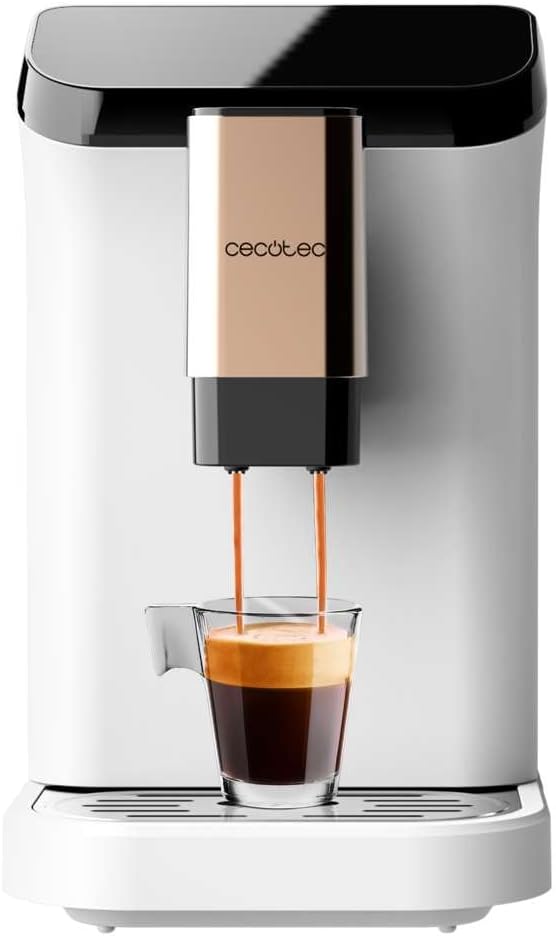
Gambar 5.3: The machine actively dispensing freshly brewed coffee into a cup, highlighting the rich crema.
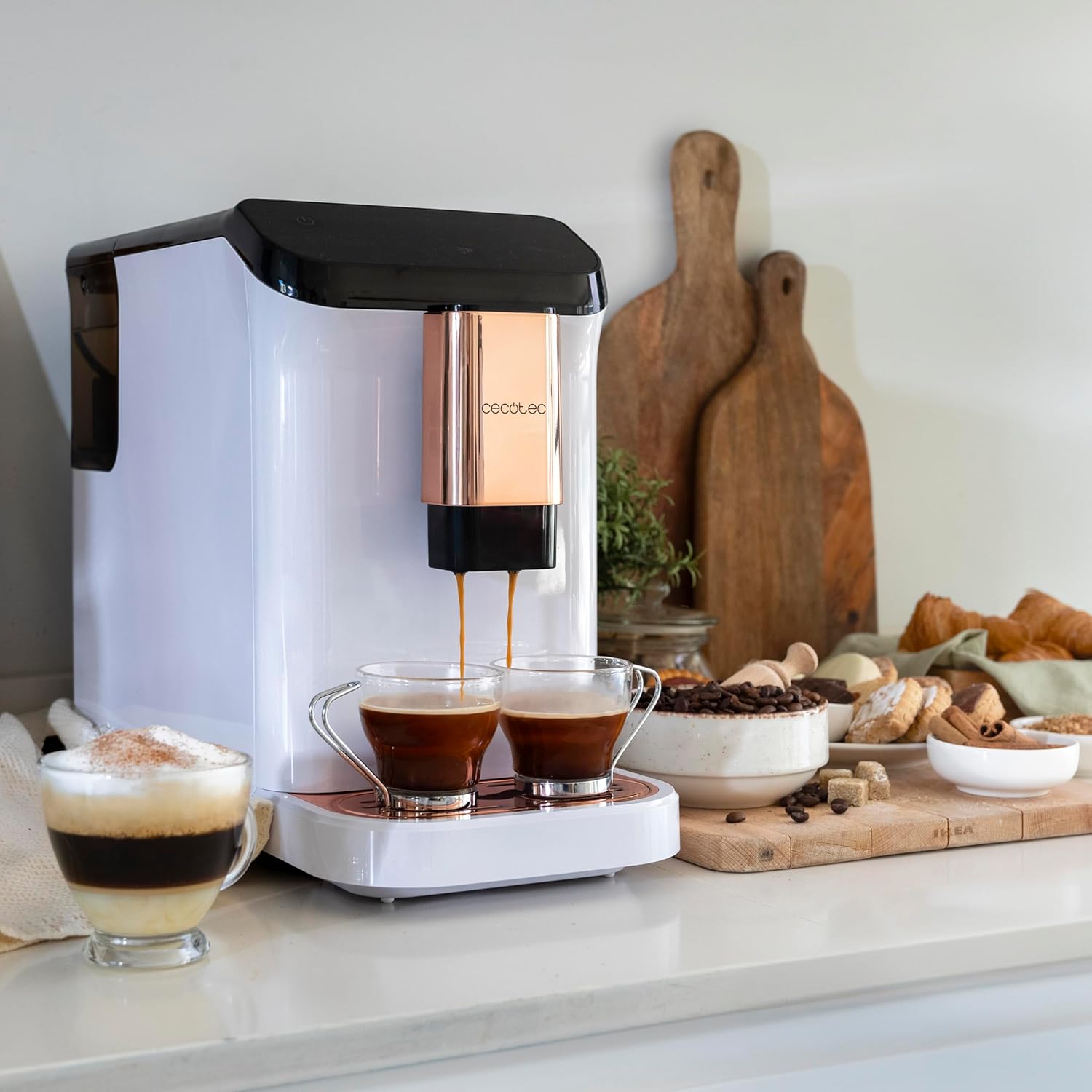
Gambar 5.4: The machine's capability to brew and dispense two cups of coffee at once, ideal for sharing.
5.4. Customizing Coffee
You can easily customize and memorize the amount and intensity of your coffee to suit your taste preferences. Refer to the specific icons on the control panel for these adjustments.
6. Pangropéa jeung beberesih
Beberesih sareng perawatan anu rutin bakal mastikeun umur panjang sareng kinerja mesin kopi anjeun anu optimal.
- beberesih otomatis: The machine features an automatic cleaning function to keep it clear at all times. This typically occurs upon startup and shutdown.
- Emptying Grounds Container: The machine will indicate when the coffee grounds container needs to be emptied. Remove and clean it regularly.
- Ngabersihkeun Baki Tetesan: The drip tray collects excess water and coffee spills. Empty and clean it frequently to prevent overflow and maintain hygiene.
- Bagian anu tiasa dicabut: Periodically remove and clean the water tank and other removable components as per the initial cleaning instructions.
- Turun: Over time, mineral deposits can build up inside the machine. The machine will indicate when descaling is required. Use a suitable descaling solution designed for coffee machines and follow the instructions provided with the descaler.
7. Cara ngungkulan
Upami anjeun mendakan masalah sareng mesin kopi anjeun, tingal masalah sareng solusi umum ieu:
| Masalah | Mungkin Cukang lantaranana | Solusi |
|---|---|---|
| Mesin teu hurung | Teu plugged di; kakuatan outage | Pariksa sambungan daya; pariksa pemutus sirkuit. |
| Henteu aya kopi anu dikaluarkeun | Water tank empty; bean hopper empty; machine needs descaling. | Fill water tank; fill bean hopper; perform descaling cycle. |
| Kopi lemah teuing | Setélan grind teuing kasar; dosis kopi teu cukup. | Adjust grind to a finer setting; increase coffee intensity setting. |
| Cai bocor tina mesin | tank cai teu leres seated; baki netes pinuh. | Ensure water tank is correctly inserted; empty and clean drip tray. |
| Lampu indikator kasalahan hurung | Specific issue indicated by light (e.g., grounds full, water empty). | Refer to the machine's indicator light guide for specific meaning and action. |
Lamun masalah persists sanggeus nyobian solusi ieu, mangga ngahubungan rojongan customer Cecotec.
8. Spésifikasi
Technical details for the Cecotec Cremmaet Macchia Super Automatic Coffee Machine:
- merek: Cecotec
- Jumlah modél: 01718
- Warna: White Rose
- Ukuran produk: 19 x 40 x 32 cm
- Beurat barang: 7.9 kg
- Fitur husus: Tangki removable
- Jenis Kopi: Mesin Espresso
- Jenis saringan: Bisa dipaké deui
- Pompa Tekanan: 19 bar
- Sistim pemanasan: blok termal
- Coffee Tank Capacity: 200 g (integrated grinder)
- Kapasitas Tangki Cai: 1.5 ltr
9. Garansi jeung Rojongan
Your Cecotec Cremmaet Macchia Super Automatic Coffee Machine comes with a manufacturer's warranty. For detailed information regarding warranty terms and conditions, please refer to the warranty card included with your product or visit the official Cecotec website. For technical support, spare parts, or service, please contact Cecotec customer service through their official channels.


