Produk Leuwihview
The ORICO M.2 NVMe SATA SSD Enclosure Adapter provides a versatile solution for converting M.2 NVMe or SATA SSDs into a portable external storage device. This tool-free enclosure supports USB C 3.2 Gen 2 for NVMe SSDs, offering speeds up to 10Gbps, and USB C 3.2 Gen 1 for M.2 SATA SSDs, with speeds up to 5Gbps. Its aluminum construction and integrated cooling vest enhance heat dissipation, ensuring stable performance. The enclosure is compatible with various M.2 SSD sizes (2230, 2242, 2260, 2280) and operating systems, making it suitable for a wide range of applications.
Naon dina Box
Pastikeun yén sadaya komponén aya dina bungkusan:
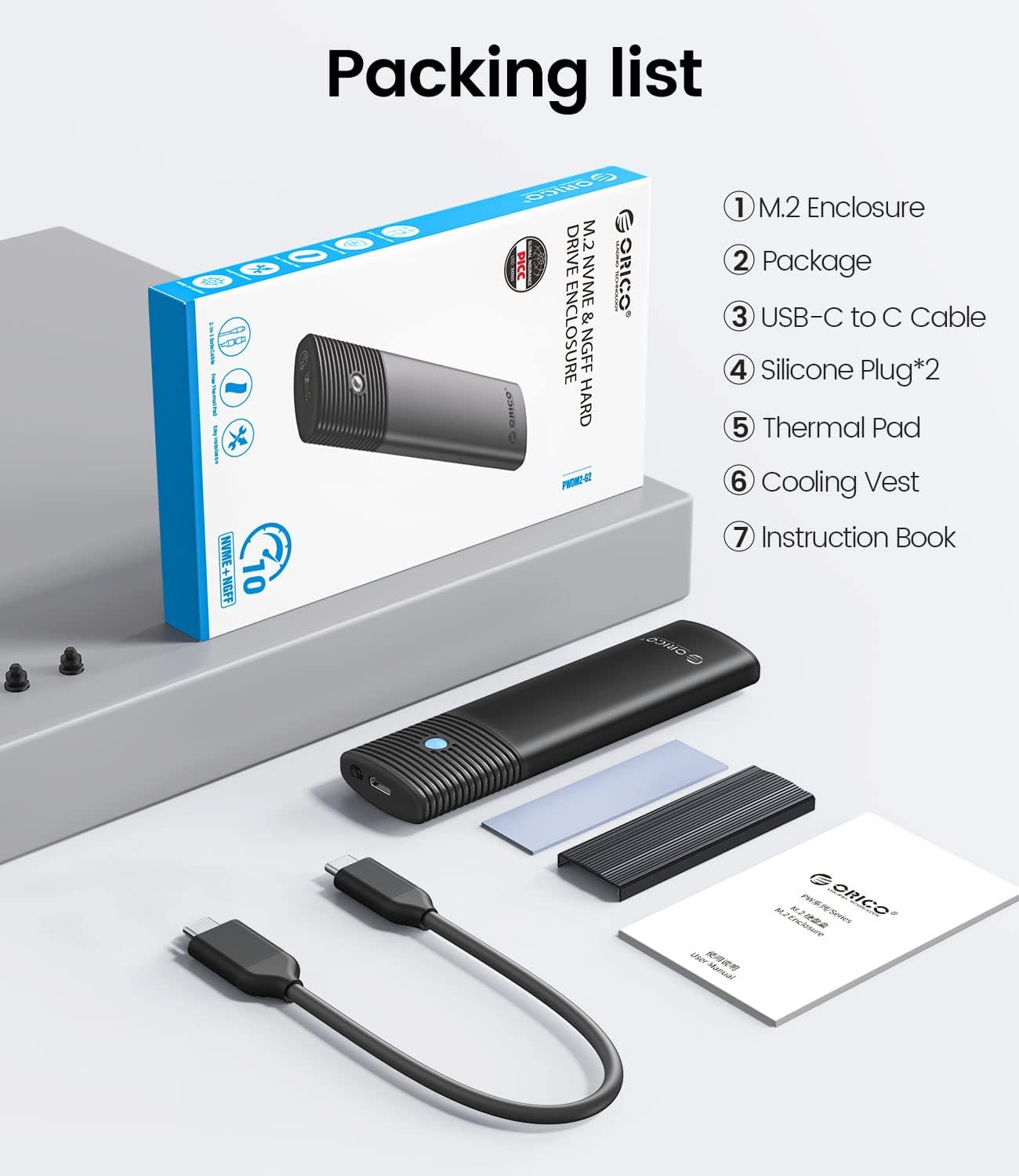
Image: Contents of the ORICO M.2 SSD Enclosure package, showing the enclosure, USB-C to USB-A cable, USB-C to USB-C cable, thermal pad, cooling vest, and instruction book.
- 1 x ORICO M.2 Enclosure
- 1 x USB-C to USB-A Cable (50cm / 20in)
- 1 x USB-C to USB-C Cable (50cm / 20in)
- 1 x Pad termal
- 1 x Cooling Vest (Heatsink)
- 2 x Silicone Plugs
- 1 x Buku Pangajaran
Setup sareng Instalasi
The ORICO M.2 Enclosure features a tool-free design for easy SSD installation.

Image: Four steps illustrating the tool-free installation process: sliding the cover, applying thermal pad and cooling vest, inserting the SSD with a silicone plug, and closing the cover.
- Buka Kandangna: Slide the button cover to the left and gently pull the shell out to open the enclosure.
- Prepare the SSD: Stick the thermal pad onto your M.2 SSD. Then, place the cooling vest (heatsink) on top of the thermal pad, ensuring good contact.
- Selapkeun SSD: Carefully insert your M.2 NVMe or SATA SSD into the enclosure's M.2 slot. Secure the SSD in place using the provided silicone plug.
- Tutupkeun Kandangna: Slide the shell back into place and push the button cover to the right until it locks, securing the SSD within the enclosure.
Operasi
After installing your SSD, connect the enclosure to your computer or device using one of the provided USB cables.
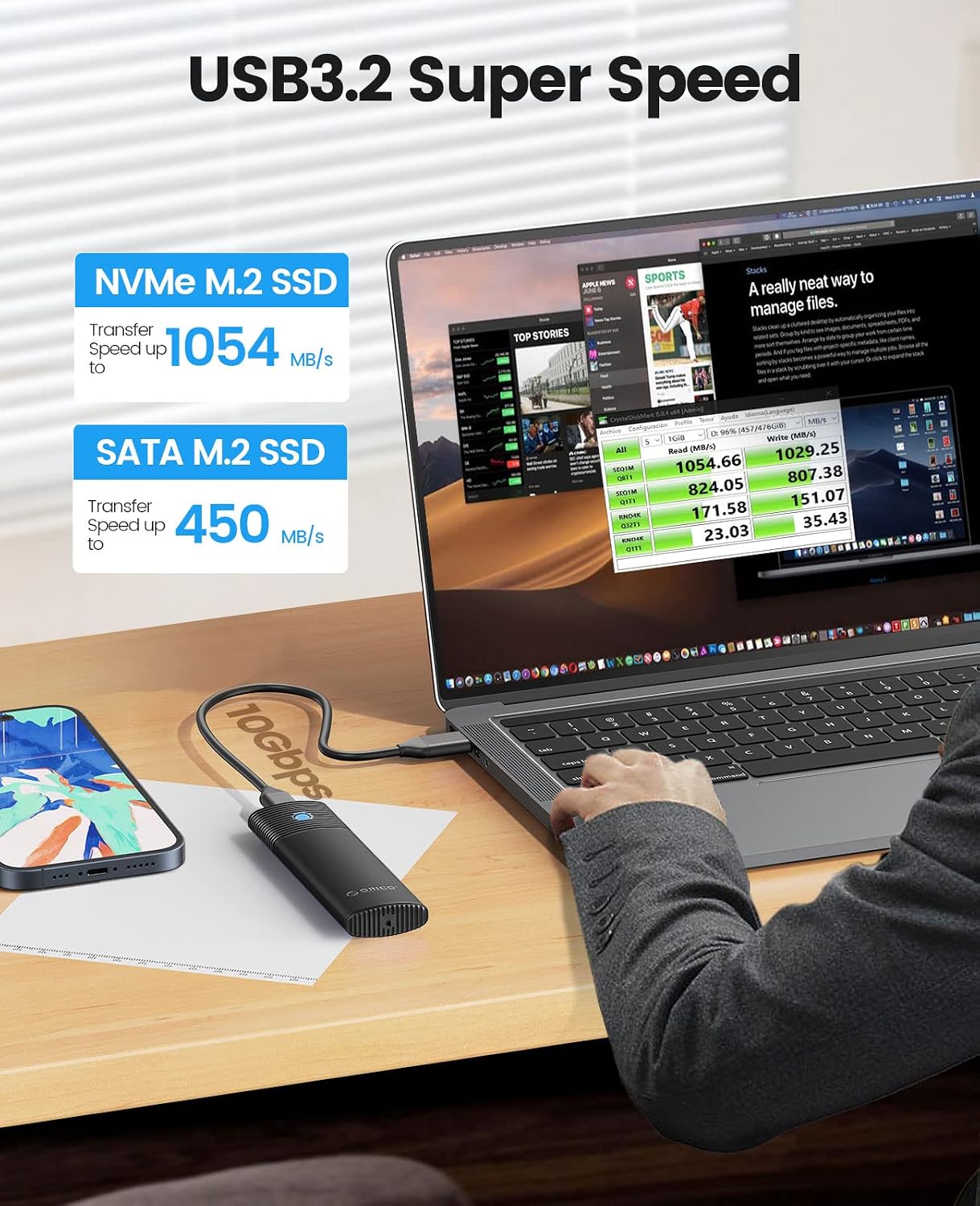
Image: The ORICO M.2 SSD Enclosure connected to a laptop, illustrating its high-speed data transfer capabilities for both NVMe and SATA M.2 SSDs.
- Sambungan: Use the USB-C to USB-C cable for devices with a USB-C port, or the USB-C to USB-A cable for devices with a standard USB-A port.
- Laju Transfer Data:
- Nalika ngagunakeun hiji NVMe M.2 SSD, the enclosure supports USB 3.2 Gen 2, providing data transfer rates up to 10Gbps (approximately 1000MB/s read/write).
- Nalika ngagunakeun hiji M.2 Kang Tata SSD, the enclosure supports USB 3.2 Gen 1, providing data transfer rates up to 5Gbps (approximately 450MB/s read/write).
- Pamakéan awal: For new SSDs, you may need to initialize and format the drive through your operating system's disk management utility before it can be used for storage.
- Ngahapus Aman: Always safely eject the drive from your operating system before disconnecting the enclosure to prevent data corruption.
Pangropéa
Proper maintenance ensures the longevity and optimal performance of your ORICO SSD enclosure.
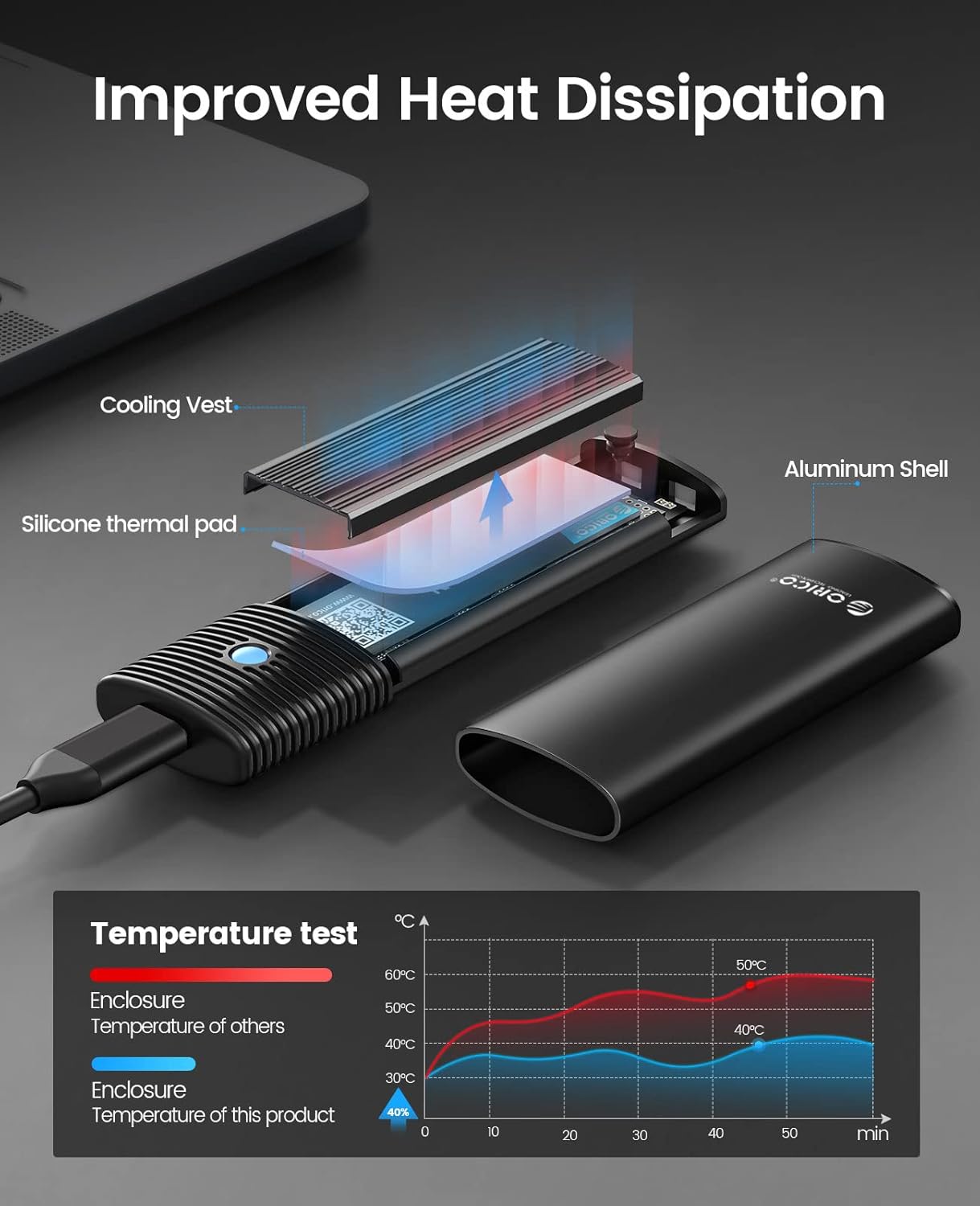
Gambar: Hiji ngabeledug view illustrating the heat dissipation mechanism of the enclosure, highlighting the cooling vest, silicone thermal pad, and aluminum shell working together to reduce SSD temperature.
- Dissipation panas: The enclosure is designed with an aluminum shell, a cooling vest, and a thermal silicone pad to effectively dissipate heat from the SSD. Ensure these components are correctly installed for optimal thermal performance.
- beberesih: Keep the enclosure clean and free from dust. Use a soft, dry cloth to wipe the exterior. Avoid using liquid cleaners directly on the device.
- Panyimpenan: Store the enclosure in a cool, dry place away from direct sunlight and extreme temperatures when not in use.
- Perlindungan fisik: While durable, avoid dropping the enclosure or subjecting it to strong impacts, which could damage the internal SSD or the enclosure itself.
Pamérésan masalah
If you encounter issues with your ORICO M.2 SSD Enclosure, consider the following troubleshooting steps:
- Drive Teu Dideteksi:
- Ensure the SSD is correctly seated in the M.2 slot and secured with the silicone plug.
- Coba port USB anu béda dina komputer anjeun.
- Tes nganggo kabel USB anu béda.
- For new SSDs, check Disk Management (Windows) or Disk Utility (macOS) to see if the drive needs to be initialized and formatted.
- Verify that your SSD is compatible (M-Key/B+M Key NVMe or B+M Key SATA).
- Laju Transfer Lambat:
- Ensure you are connecting to a USB 3.0/3.1/3.2 port on your computer for optimal speeds. USB 2.0 ports will limit performance.
- Confirm your SSD is capable of the expected speeds.
- Check if your operating system and drivers are up to date.
- Ensure the cooling vest and thermal pad are correctly installed to prevent thermal throttling.
- Enclosure Overheating:
- Verify that the cooling vest and thermal pad are properly installed and making good contact with the SSD and enclosure.
- Pastikeun aliran hawa anu cekap di sakitar wadahna.
- Prolonged heavy data transfer can generate heat; this is normal, but excessive heat may indicate an issue with thermal management components.
- Intermittent Disconnections:
- Pariksa sambungan kabel leupas.
- Coba kabel USB atawa port béda.
- Pastikeun setélan daya komputer anjeun henteu dikonfigurasi pikeun mareuman alat USB pikeun ngahémat daya.
spésifikasi
| Modél | B0BPP928BW |
| merek | ORICO |
| Panganteur Hardware | USB Tipe C |
| Laju Mindahkeun Data | 10 Gigabits Per Second (NVMe), 5 Gigabits Per Second (SATA) |
| Jenis SSD anu Cocog | M.2 NVMe M Key / B+M Key, M.2 NGFF SATA B+M Key SSD |
| Dirojong SSD Ukuran | 2230, 2242, 2260, 2280 |
| Maximum SSD Capacity | Nepi ka 4TB |
| Bahan | alumunium |
| Sistem Operasi cocog | Windows, Mac OS, Linux, Android |
| Fitur | Tool-Free Design, UASP Support, TRIM Support, Enhanced Heat Dissipation (Cooling Vest, Thermal Pad) |
Garansi sareng Rojongan
ORICO products typically come with a manufacturer's warranty. For specific warranty details, including duration and coverage, please refer to the warranty card included in your product packaging or visit the official ORICO website. For technical support, product inquiries, or assistance with troubleshooting, please contact ORICO customer service directly through their official channels.
You can often find support contact information on the ORICO website or within the instruction book provided with your enclosure.