
Bubuka
This instruction manual provides essential information for the safe and efficient operation of your ALLVIEW 40ATC6000-F 40-inch Full HD TV. Please read this manual thoroughly before using the television and retain it for future reference. Following these instructions will ensure optimal performance and extend the lifespan of your device.
Émbaran Kasalametan penting
Salawasna perhatikeun pancegahan kaamanan di handap ieu pikeun nyegah kejutan listrik, seuneu, atanapi tatu:
- Ulah ngalaan TV ka hujan atawa beueus.
- Ulah muka TV casing; ngarujuk sadaya jasa ka tanaga anu mumpuni.
- Mastikeun ventilasi ditangtoskeun; ulah ngahalangan bukaan ventilasi.
- Nangtayungan kabel kakuatan tina keur leumpang dina atawa pinched.
- Cabut colokan TV nalika badai kilat atanapi nalika henteu dianggo kanggo waktos anu lami.
- Jauhkeun TV tina sinar panonpoé langsung, sumber panas, sareng médan magnét anu kuat.
Eusi pakét
Before installation, check that all items listed below are included in your package:
- KABEHVIEW 40ATC6000-F 40-inch Full HD TV
- Kadali jauh
- Kabel listrik
- Stand TV (2 buah)
- Screws pikeun TV Stand
- Manual Pitunjuk (dokumén ieu)
Disetél
1. Ngagantelkeun TV Stand
- Teundeun TV sacara saksama dina tempat anu lemes sareng datar pikeun nyegah karusakan layar.
- Sejajarkeun unggal sapotong nangtung jeung liang screw nu pakait dina handap TV.
- Ngamankeun unggal sapotong nangtung ngagunakeun screws disadiakeun. Pastikeun aranjeunna tightened pageuh.
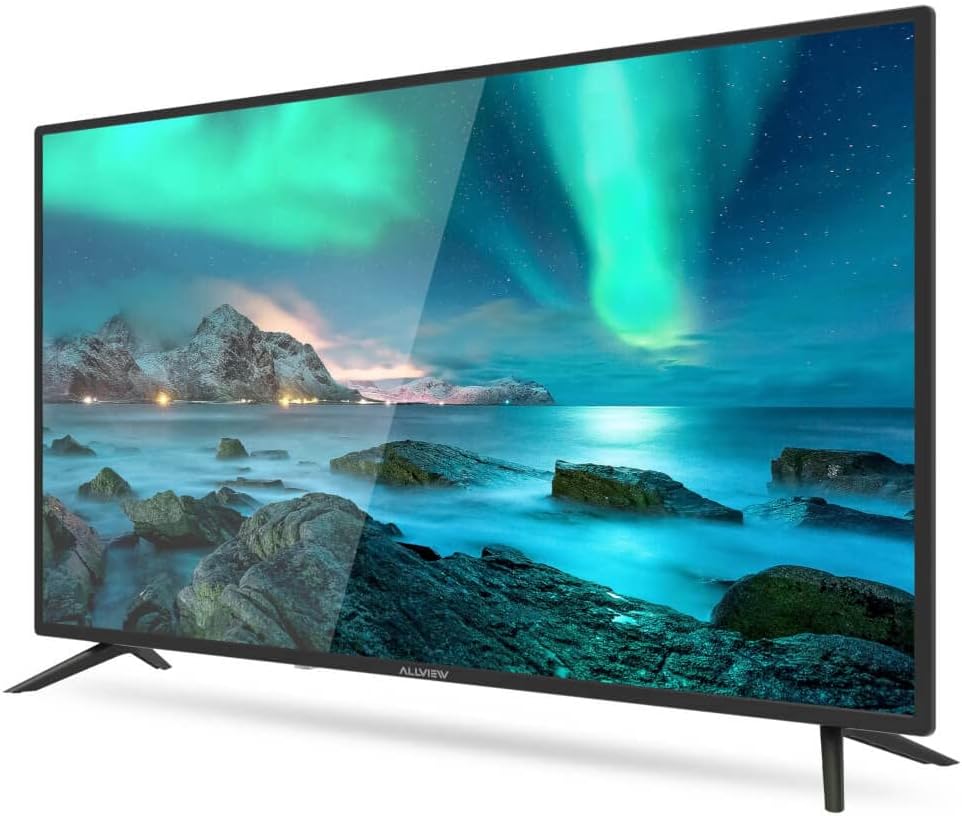
Gambar 1: Hareupeun view of the ALLVIEW 40ATC6000-F TV with stand.
2. Pamasangan Tembok (Opsional)
If you choose to wall mount your TV, remove the stand first. Use a VESA-compatible wall mount kit (not included) that matches the TV's VESA mounting pattern. Consult a professional for wall mounting to ensure safety and proper installation.
3. Nyambungkeun Alat éksternal
The rear panel of your TV provides various ports for connecting external devices.

Figure 2: Rear panel connections of the ALLVIEW 40ATC6000-F TV.
- kakuatan: Sambungkeun kabel listrik ka input kakuatan TV lajeng ka stop kontak témbok.
- HDMI: Use HDMI cables to connect devices like Blu-ray players, game consoles, or set-top boxes.
- Antena/Kabel: Connect an antenna or cable TV feed to the ANT/CABLE input for broadcast channels.
- USB: Selapkeun drive USB pikeun muterkeun média.
- Audio Kaluar: Sambungkeun sistem audio éksternal atanapi headphone.
4. Wizard Setup Mimiti-waktos
Upon first power-on, the TV will guide you through an initial setup process. This includes selecting your language, country, time zone, and scanning for available channels. Follow the on-screen prompts to complete the setup.
Ngoperasikeun TV
1. Jauh Control Leuwihview
Remot kontrol ieu ngamungkinkeun anjeun pikeun ngaksés sadaya fungsi TV. Selapkeun dua batré AAA (teu kalebet) kana remot kontrol, pikeun mastikeun polaritasna leres.

Figure 3: ALLVIEW TV Remote Control.
- Tombol Daya (⏻): Ngahurungkeun atawa mareuman TV.
- Volume Kaluhur/Turun (VOL +/-): Nyaluyukeun tingkat sora.
- Saluran Naék/Turun (CH +/-): Robah saluran TV.
- Source Button (SOURCE): Milih sumber input (HDMI, AV, TV).
- Menu Button (MENU): Muka menu utama pikeun setélan.
- Tombol Navigasi (▲ ▼ ◀ ▶): Navigates ngaliwatan ménu jeung pilihan.
- Tombol OK/Lebetkeun: Konfirmasi pilihan.
- Exit Button (EXIT): Closes the current menu or returns to the previous screen.
2. Fungsi Dasar
- Hurungkeun/Pareuman: Press the Power button on the remote or the TV's control panel.
- Penyesuaian volume: Anggo tombol VOL +/-.
- Pilihan Saluran: Use CH +/- buttons or the numeric keypad.
- Pilihan Sumber Input: Press the SOURCE button repeatedly to cycle through available inputs, or press it once and use navigation buttons to select.
3. Napigasi Menu jeung Setélan
Press the MENU button to access the TV's main settings. Use the navigation buttons to move between categories and options, and the OK button to confirm. Common settings include:
- Setélan Gambar: Adjust brightness, contrast, color, sharpness, and picture mode (e.g., Standard, Dynamic, Movie).
- Setélan sora: Adjust volume, bass, treble, balance, and sound mode (e.g., Standard, Music, Movie). This model supports Dolby Digital.
- Setélan saluran: Pilari saluran, édit daptar saluran.
- Setélan waktos: Set current time, sleep timer, auto power off.
- Setélan Sistim: Language, factory reset, software update.
Pangropéa
Ngabersihkeun TV
- Sok cabut TV samemeh beberesih.
- Paké lawon lemes, garing, lint bébas ngusap layar tur kabinet.
- Pikeun tanda pengkuh, enteng dampen lawon jeung cai atawa cleaner layar husus. Ulah menyemprot cairan langsung kana TV.
- Ulah make cleaners abrasive, lilin, atawa pangleyur.
Pamérésan masalah
Sateuacan ngahubungi dukungan palanggan, cobian solusi ieu pikeun masalah umum:
| Masalah | Mungkin Cukang lantaranana | Solusi |
|---|---|---|
| Taya kakuatan | ari kakuatan teu disambungkeun; outlet teu jalan. | Pastikeun kabel listrik dicolokkeun sacara aman. Uji stop kontak nganggo alat anu sanés. |
| Henteu aya gambar, tapi aya sora | Sumber input salah dipilih; masalah lampu tukang. | Press the SOURCE button to select the correct input. Check if the TV is in a power-saving mode. |
| Henteu aya sora, tapi aya gambar | Volume muted atawa low teuing; setélan kaluaran audio salah. | Unmute the TV or increase volume. Check audio settings in the menu. |
| Kadali jauh teu jalan | Batré béak atanapi teu leres diselapkeun; ngahalangan. | Ganti batré. Pastikeun polaritasna bener. Leupaskeun sagala halangan antara jauh jeung TV. |
| Kualitas gambar henteu saé | Sinyal lemah; setélan gambar salah. | Check antenna/cable connection. Adjust picture settings (brightness, contrast, sharpness). |
spésifikasi
| Fitur | Rincian |
|---|---|
| Nomer modél | 40ATC6000-F |
| Ukuran layar | 40 inci (101 cm) |
| Resolusi | HD lengkep |
| merek | KABEHVIEW |
| Fitur husus | Dolby Digital |
| Ukuran (L x W x H) | 24 x 69 x 2.5 centimeters (Note: This dimension seems unusually small for a 40-inch TV, likely referring to a component or packaging. User should refer to actual product for full dimensions.) |
| ASIN | B0BPMKJVTC |
| Produsén | Sadayanaview |
Garansi sareng Rojongan
For warranty information, technical support, or service inquiries, please refer to the warranty card included with your product or visit the official ALLVIEW website. Do not attempt to repair the TV yourself, as this may void your warranty and cause further damage.