1. Bubuka
The SIIG Thunderbolt 4 Docking Station (Model: JU-DK0U11-S1) is designed to expand the connectivity of your laptop, providing a comprehensive workstation solution. This docking station offers 15 ports, enabling connections for multiple displays, peripherals, network, and power through a single Thunderbolt 4 cable. It supports high-speed data transfer and versatile display configurations for both Mac and Windows systems.

Image 1.1: SIIG Thunderbolt 4 Docking Station (JU-DK0U11-S1) overview.
2. Eusi Paket
Pastikeun yén sadaya item aya dina pakét anjeun:
- SIIG Thunderbolt 4 Docking Station (JU-DK0U11-S1)
- Adaptor Kakuatan 150W
- Thunderbolt 4 Cable
- Manual pamaké

Image 2.1: Contents included in the SIIG Thunderbolt 4 Docking Station package.
3. Produk Langkungview
3.1 Front Panel Ports
- 3.5mm Stereo Out: Pikeun headphone atanapi speaker éksternal.
- SD 3.0 Card Slot: Supports SD 3.0 UHS-1 memory cards up to 2TB.
- USB-A 3.2 Gen 1 (5Gbps) Ports (x2): For connecting USB-A peripherals, supporting 5V/0.9A charging.
- Port Thunderbolt 4: For connecting Thunderbolt 4 devices or displays.
- Tombol Daya: Pikeun ngahurungkeun atanapi mareuman stasiun dok.

Gambar 3.1: Detil view of the front panel ports.
3.2 palabuhan Panel pungkur
- DC Power Jack (20V/7.5A): Nyambungkeun kana adaptor kakuatan 150W anu kalebet.
- Thunderbolt 4 Port (Host PD 60W): Connects to your laptop via the Thunderbolt 4 cable, providing up to 60W power delivery.
- 3.5mm Mic In: Pikeun nyambungkeun mikropon éksternal.
- Micro SD (TF) 3.0 Card Slot: Supports Micro SD (TF) 3.0 UHS-1 memory cards up to 2TB.
- USB-A 2.0 (480Mbps) Ports (x2): For connecting USB-A peripherals, supporting 5V/1.5A charging.
- Port Ethernet Gigabit: Pikeun konektipitas jaringan kabel.
- DisplayPort kaluar: Pikeun nyambungkeun tampilan éksternal.
- HDMI Kaluar: Pikeun nyambungkeun tampilan éksternal.
- Thunderbolt 4 Ports (x2): For connecting additional Thunderbolt 4 devices or displays, providing 45W power delivery.

Gambar 3.2: Detil view of the rear panel ports.
4. Parentah Setup
- Sambungkeun Kakuatan: Plug the included 150W power adapter into the DC Power Jack on the rear of the docking station, then connect it to a power outlet.
- Sambungkeun ka Laptop Host: Use the provided Thunderbolt 4 cable to connect the Thunderbolt 4 Host port (60W PD) on the rear of the docking station to your laptop's Thunderbolt 4 or USB-C port.
- Daya Hurung: Press the power button on the front panel of the docking station. The power indicator LED should illuminate.
- Sambungkeun Pintonan: Connect your monitors to the available DisplayPort, HDMI, and Thunderbolt 4 output ports on the docking station. Refer to the 'Display Configuration' section for supported setups.
- Sambungkeun Periferal: Connect your USB devices, Ethernet cable, and audio devices to the corresponding ports on the docking station.
5. Parentah Operasi
5.1 Konfigurasi tampilan
The docking station supports various display setups, including single 8K or quad 4K displays, utilizing Thunderbolt 4 and DisplayLink technology. Ensure DisplayLink drivers are installed for optimal performance, especially for additional displays beyond native Thunderbolt outputs.
- Single Display Output: Supports up to 8K resolution.
- Kaluaran tampilan ganda: Supports up to 2x 4K resolution via two Thunderbolt 4 ports.
- Quad Display Output: Achieved by combining two Thunderbolt 4 ports with the DisplayPort and HDMI ports, enabling four 4K displays.

Gambar 5.1: Example of a quad display setup using the docking station.

Image 5.2: Display compatibility and resolution matrix for Windows and Mac M1/M2 systems.
5.2 Pangiriman kakuatan
Stasion dok nyayogikeun daya ka alat anjeun anu nyambung:
- Ngecas Laptop: Up to 60W Power Delivery (PD) to the host laptop via the Thunderbolt 4 host port.
- Thunderbolt 4 palabuhan: Each of the three downstream Thunderbolt 4 ports provides up to 45W of power.
- USB-A Fast Charging: Two USB-A 5Gbps ports support 5V/0.9A charging, and two USB-A 2.0 ports support 5V/1.5A charging.

Image 5.3: Power delivery capabilities of the docking station.
5.3 Mindahkeun Data
Experience high-speed data transfer for efficient workflow:
- Guntur 4: Up to 40Gbps data transfer speed, 8 times faster than USB 3.0.
- USB-A 3.2 Gen 1: Up to 5Gbps data transfer speed.
- Memory Card Reader: Supports SD 3.0 UHS-1 and Micro SD (TF) 3.0 UHS-1 with data transfer rates up to 104MB/s.
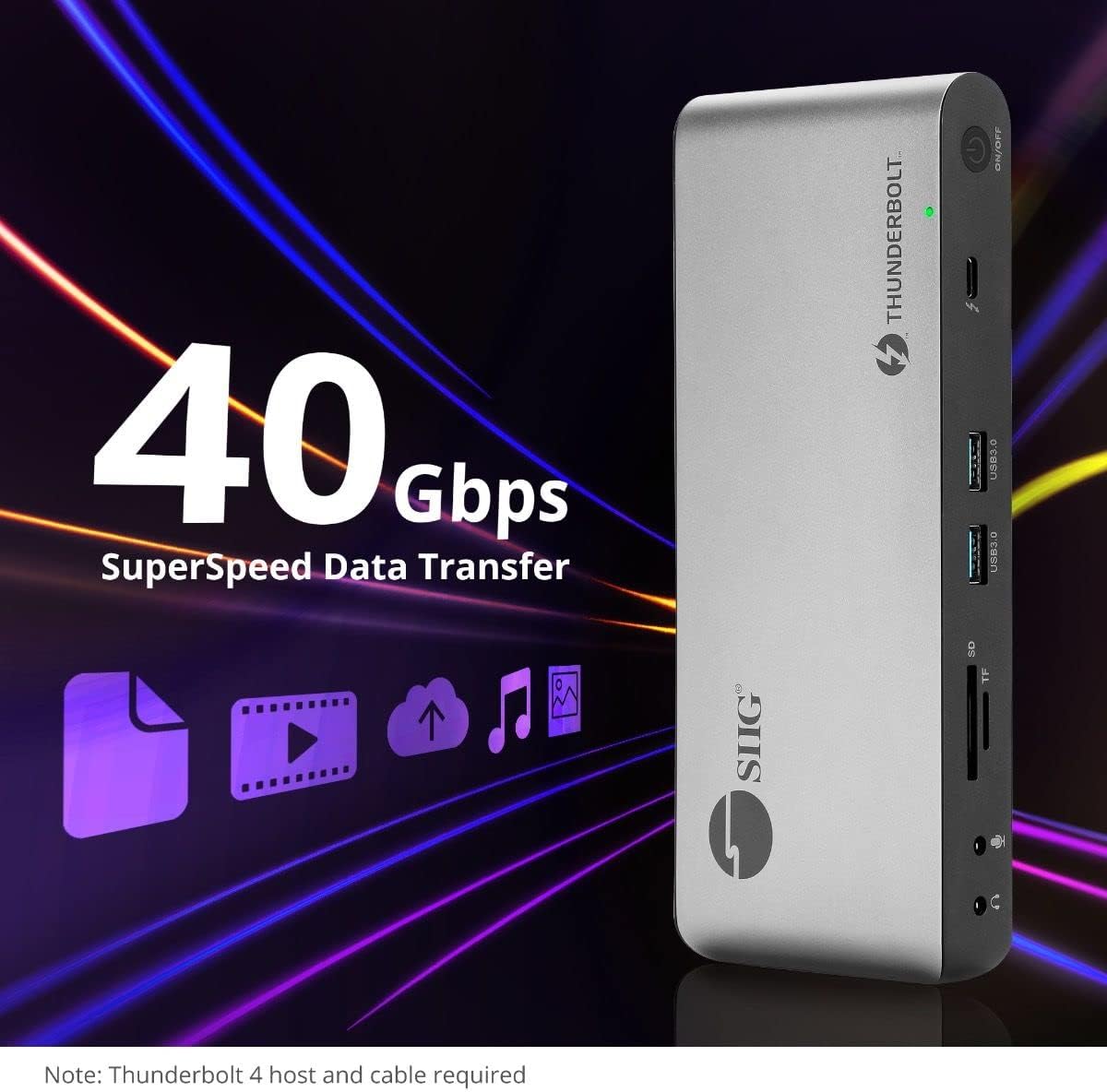
Image 5.4: High-speed data transfer capabilities.
6. Kasaluyuan
The SIIG Thunderbolt 4 Docking Station is broadly compatible with various systems:
- Sistem Operasi: Mac M1/M2/M3 Pro & Max, Intel chip Macs, Windows PCs (Intel/AMD/Snapdragon), and Chromebooks.
- Kasaluyuan mundur: Fully compatible with Thunderbolt 3, USB4, and USB-C equipped computers.
7. Pangropéa
Pikeun mastikeun umur panjang sareng kinerja optimal stasiun docking anjeun, turutan tungtunan pangropéa ieu:
- beberesih: Anggo lawon anu lemes sareng garing pikeun ngabersihkeun bagian luar alat. Hindarkeun pembersih cair atanapi pangleyur.
- Ventilasi: Pastikeun stasiun dok disimpen di tempat anu ventilasina saé pikeun nyegah panas teuing. Ulah ngahalangan liang ventilasi naon waé.
- Panyimpenan: Simpen alat dina tempat anu tiis sareng garing jauh tina sinar panonpoé langsung sareng suhu anu ekstrim.
- Penanganan: Hindarkeun ragrag atanapi ngagentoskeun alat kana tabrakan anu kuat.
8. Cara ngungkulan
If you encounter issues with your SIIG Thunderbolt 4 Docking Station, refer to the following common problems and solutions:
- Henteu aya kakuatan:
- Ensure the power adapter is securely connected to both the docking station and a working power outlet.
- Verify the power button on the docking station is pressed and the power indicator LED is on.
- Display Issues (No Signal/Incorrect Resolution):
- Check all display cables (HDMI, DisplayPort, Thunderbolt) are securely connected to both the docking station and the monitors.
- Ensure your laptop's display settings are configured correctly to detect and extend/mirror displays.
- For multi-display setups, especially beyond two monitors, ensure DisplayLink drivers are installed and up to date on your operating system.
- Verify your monitors support the selected resolution and refresh rate.
- Periferal Teu Dideteksi:
- Ensure USB devices are properly connected to the docking station's USB ports.
- Try connecting the peripheral directly to your laptop to confirm it is functional.
- Restart the docking station and your laptop.
- Overheating:
- Ensure the docking station is placed in an area with adequate airflow and not covered.
- Reduce the number of high-power devices connected if possible, or consider using a cooling pad if persistent.
- Mindahkeun Data Lambat:
- Ensure you are using Thunderbolt 4 certified cables for Thunderbolt connections.
- Verify the connected device supports the expected transfer speeds.
9. Spésifikasi
| Fitur | Rincian |
|---|---|
| Nomer modél | JU-DK0U11-S1 |
| Dimensi produk | 3.27 x 7.8 x 1.14 inci |
| Item Beurat | 15.4 ons (0.96 pon) |
| Total palabuhan | 15 (including 7 USB ports) |
| Sambungan Host | Thunderbolt 4 (USB-C) |
| Kaluaran Video | 1x HDMI, 1x DisplayPort, 3x Thunderbolt 4 (USB-C) |
| Résolusi Tampilan Maks. | Single 8K@30Hz, Quad 4K@60Hz |
| Pangiriman Daya (Host) | Nepi ka 60W |
| Power Delivery (Downstream TB4) | Nepi ka 45W per port |
| Laju Transfer Data | Thunderbolt 4: 40Gbps, USB-A 5Gbps: 5Gbps |
| Ethernet | Gigabit Ethernet |
| Pamaca Kartu | SD 3.0 UHS-1, Micro SD (TF) 3.0 UHS-1 (up to 2TB) |
| Palabuhan Audio | 3.5mm Stereo Out, 3.5mm Mic In |
| OS cocog | Mac M1/M2/M3 Pro & Max, Intel Macs, Windows, Chromebooks |
| Warna | Hideung |
| UPC | 662774045689 |
10. Garansi jeung Rojongan
SIIG products are designed for reliability and performance. For warranty information and technical support, please refer to the documentation included with your product or visit the official SIIG websitus. Simpen resi pameseran anjeun pikeun klaim jaminan.


