1. Bubuka
This manual provides comprehensive instructions for the setup, operation, maintenance, and troubleshooting of your KLIM Discman Portable CD Player. This device is designed for playing audio CDs, CD-R, CD-RW, and MP3 discs, offering a versatile listening experience. Please read this manual thoroughly before using the product to ensure proper function and longevity.

Image 1.1: KLIM Discman with headphones and accessories.
2. Eusi Paket
Pastikeun yén sadaya item aya dina bungkusan:
- KLIM Discman CD Player
- KLIM Headset (Foldable Headphones)
- Earphone Accessories
- Kabel Ngecas USB-C
- Mawa Kantong
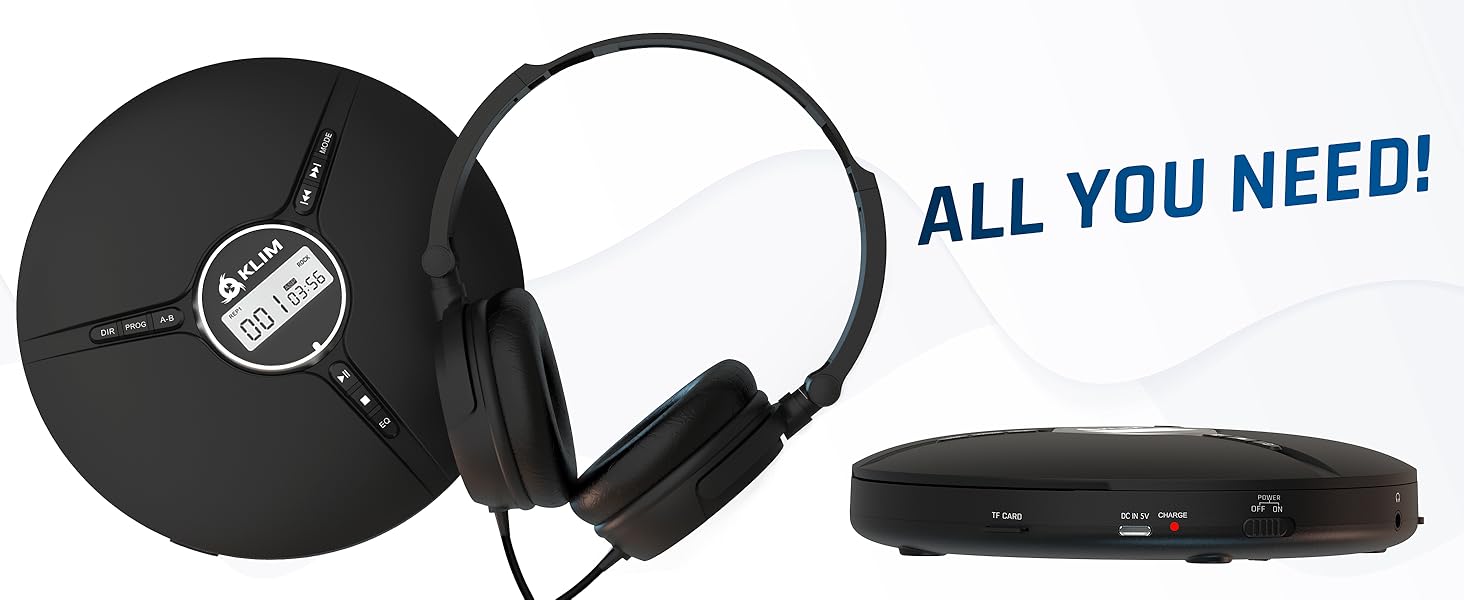
Image 2.1: All included components.
3. Produk Langkungview
Familiarize yourself with the various parts and controls of your KLIM Discman.

Image 3.1: Labeled diagram of the KLIM Discman controls and ports.
Kontrol sareng palabuhan:
- Digital tampilan: Némbongkeun nomer trek, waktos, sareng status puteran.
- Tombol DIR: Directory navigation for MP3 discs.
- Tombol PROG: Program playback order.
- Tombol AB: Repeat a specific section of audio.
- Tombol MODE: Selects playback modes (e.g., repeat one, repeat all).
- Previous/Rewind Button (◀◀): Skips to the previous track or rewinds current track.
- Next/Fast Forward Button (▶▶): Skips to the next track or fast forwards current track.
- Tombol Puter/Reureuh (▶/‖‖): Ngamimitian atanapi ngareureuhkeun playback.
- Tombol eureun (■): Ngeureunkeun playback.
- Tombol EQ: Cycles through various equalizer presets.
- Kontrol volume: Saluyukeun tingkat kaluaran audio.
- AUX / Jack 3.5 mm Input: Pikeun nyambungkeun alat audio éksternal atanapi headphone.
- Slot Kartu TF: For inserting a MicroSD card (up to 32 GB) for MP3 playback.
- Port ngecas USB-C: Pikeun ngecas batré internal.
- ON/OFF and HOLD Button: Powers the device on/off and locks buttons to prevent accidental presses.
4. Setélan
4.1. Ngecas Batré
The KLIM Discman features a built-in rechargeable battery. Before first use, fully charge the device.
- Connect the provided USB-C charging cable to the USB-C port on the Discman.
- Sambungkeun tungtung kabel USB-C anu sanés ka adaptor kakuatan USB (teu kalebet) atanapi port USB komputer.
- Lampu indikator ngecas bakal hurung. Sakali dicas pinuh, lampu tiasa robih warna atanapi pareum, gumantung kana modélna.
- Ngecas pinuh nyadiakeun nepi ka 14 jam pamuteran.
4.2. Nyelapkeun CD
- Geser saklar OPEN lalaunan pikeun muka tutup kompartemen CD.
- Place the CD with the label side facing up onto the center spindle. Ensure the CD is securely seated.
- Tutupkeun tutup kompartemen CD pageuh-pageuh nepi ka ngaklik dina tempatna.
4.3. Nyambungkeun headphone
Connect the included KLIM headset or your preferred 3.5mm headphones to the AUX / Jack 3.5 mm input port on the Discman.
4.4. Inserting a TF Card (MicroSD)
If playing MP3 files from a TF card:
- Locate the TF Card slot on the side of the Discman.
- Insert the TF card (up to 32 GB) into the slot until it clicks. Ensure the card is inserted in the correct orientation.
- Pikeun nyabut, dorong kartu ka jero dugi ka kaluar.
5. Parentah Operasi
5.1. Power On/Off and Hold Function
- Daya Hurung: Geser saklar ON/OFF ka posisi 'ON'.
- Pareum listrik: Slide the ON/OFF switch to the 'OFF' position.
- Fungsi Tahan: Slide the ON/OFF switch to the 'HOLD' position to lock all buttons and prevent accidental operation during transport. The display will show 'HOLD'.
5.2. Playback dasar
- After powering on and inserting a CD, the player will typically begin playback automatically.
- Pencét éta ▶/‖‖ tombol pikeun ngareureuhkeun playback. Pencét deui pikeun neruskeun.
- Pencét éta ▶▶ button to skip to the next track. Press and hold to fast forward.
- Pencét éta ◀◀ button to skip to the beginning of the current track. Press twice to skip to the previous track. Press and hold to rewind.
- Pencét éta ■ tombol pikeun ngeureunkeun playback.
5.3. Volume adjustment
Adjust the volume using the dedicated volume control buttons or dial on the device (if present, otherwise volume is controlled by connected headphones/speakers).
5.4. Equalizer (EQ) Settings
Pencét éta EQ button repeatedly to cycle through available sound equalizer presets (e.g., Bass, Pop, Jazz, Rock, Classic, etc.) to customize your audio experience.
5.5. Repeat and Program Functions
- Tombol MODE: Press to select different repeat modes (e.g., repeat one track, repeat all tracks, random play).
- Tombol PROG: Allows you to program a specific order of tracks to play. Refer to the on-screen display for programming steps.
- Tombol AB: Press once at the start point (A) and again at the end point (B) of a section you wish to repeat. The player will continuously loop this section. Press a third time to cancel.
- DIR Button (for MP3 discs): If your MP3 disc contains multiple folders, press DIR to navigate between directories.
5.6. TF Card Playback
If a TF card is inserted, the player may automatically switch to TF card mode or require you to press a MODE button to select it. Playback controls are similar to CD playback.
5.7. Connecting to External Audio Devices
The Discman can connect to external speakers or car audio systems via the 3.5mm AUX output. Use a 3.5mm audio cable (not included) to connect the Discman to the AUX input of your external device.

Image 5.1: Connectivity options for the KLIM Discman.
6. Pangropéa
6.1. Cleaning the Discman
- Ngusap exterior pamuter jeung lemes, lawon garing.
- Ulah make cleaners abrasive, pangleyur, atawa detergents kuat.
- To clean the optical lens, use a specialized CD lens cleaning kit. Avoid touching the lens directly.
6.2. Kaperawatan batré
- Pikeun manjangkeun umur batre, ulah miceun batre pinuh.
- Ngeusi batre alat rutin, sanajan teu dipake, pikeun ngajaga kaséhatan batré.
- Simpen alat dina tempat anu tiis sareng garing upami henteu dianggo kanggo waktos anu lami.
6.3. CD and TF Card Handling
- Handle CDs by their edges to avoid fingerprints and scratches on the playing surface.
- Store CDs in their cases when not in use.
- Ensure TF cards are inserted and removed correctly to prevent damage to the card or slot.
7. Cara ngungkulan
If you encounter issues with your KLIM Discman, refer to the following common problems and solutions:
| Masalah | Mungkin Cukang lantaranana | Solusi |
|---|---|---|
| Alat teu hurung. | Battery is depleted. Device is in HOLD mode. | Charge the battery. Slide the ON/OFF switch out of 'HOLD' position. |
| CD does not play / 'DISC' error. | CD is dirty, scratched, or inserted incorrectly. Disc format is not supported. | Clean the CD. Reinsert the CD correctly. Ensure the disc is CD Audio, CD-R, CD-RW, or MP3 format. |
| Taya sora tina headphone. | Headphones not connected properly. Volume is too low. Headphones are faulty. | Ensure headphones are fully plugged in. Increase volume. Test with another pair of headphones. |
| Music skips or stutters. | CD is scratched or dirty. Excessive movement. | Clean the CD. The anti-shock protection buffers 100 seconds of audio, but extreme movement can still cause skips. |
| Kartu TF teu dikenal. | TF card inserted incorrectly. Card is corrupted or unsupported format. | Reinsert the TF card. Ensure it is formatted correctly (FAT32) and contains supported MP3 files. Max capacity 32GB. |
8. Spésifikasi
Technical details for the KLIM Discman Portable CD Player.
| Fitur | Rincian |
|---|---|
| Ngaran modél | KLIM Nomad |
| Dimensi produk | 5.51 x 5.51 x 1.1 inci |
| Item Beurat | 8.1 ons |
| Batré | 1 batré Litium Ion (kaasup) |
| Waktu Playback | Nepi ka 14 jam (kira-kira) |
| Kasaluyuan | CD Audio, CD-R, CD-RW, MP3 |
| Rojongan Kartu TF | Nepi ka 32 GB |
| Konektipitas | 3.5mm Auxiliary Jack, USB-C (charging) |
| Fitur husus | Anti-skip/Anti-shock protection (100s), Digital Equalization, HOLD function |

Gambar 8.1: Dimensi produk.
9. Garansi jeung Rojongan
The KLIM Discman comes with a Asuransi 5 taun. This warranty covers manufacturing defects and ensures the product meets quality standards for an extended period.
For technical support, warranty claims, or any questions regarding your KLIM Discman, please visit the official KLIM websitus atanapi ngahubungan layanan palanggan maranéhna. Anjeun tiasa mendakan langkung seueur inpormasi dina www.klimtechs.com.
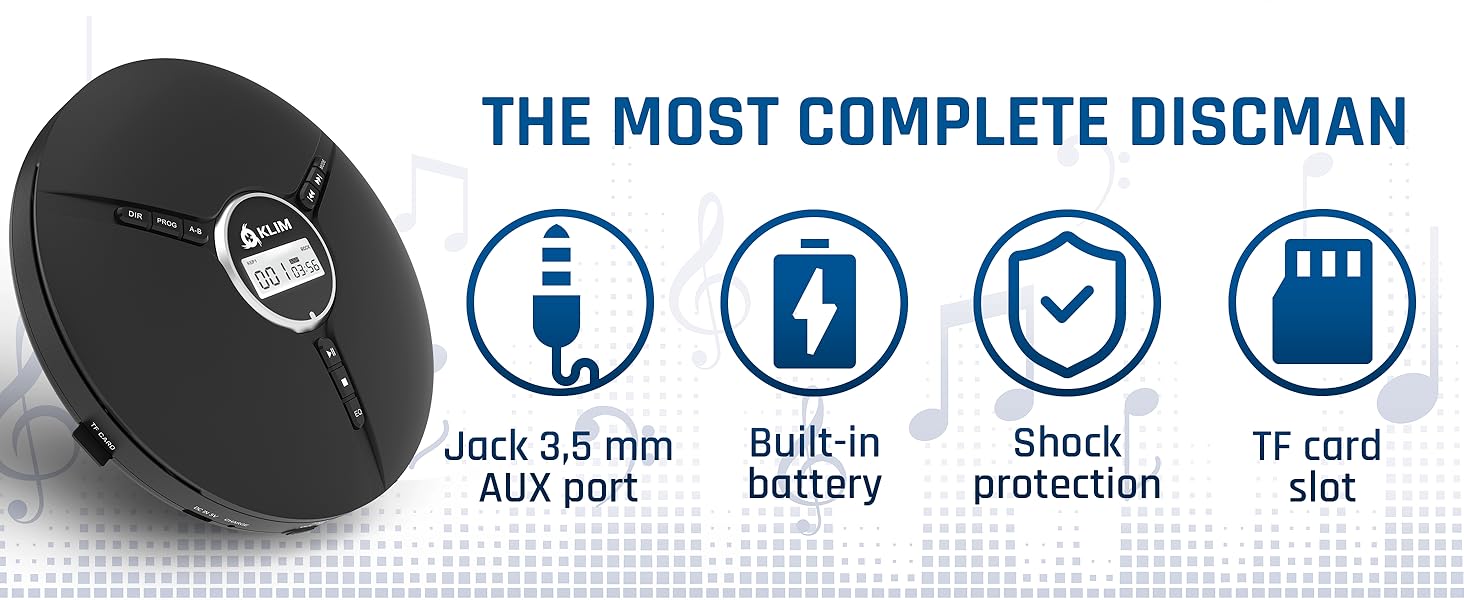
Image 9.1: Key features including shock protection and built-in battery.


