1. Bubuka
This manual provides essential instructions for the safe and efficient use of your CANYON Jondy KW-44 Kids Smart Watch. Please read this manual thoroughly before operating the device and retain it for future reference.
Émbaran Kasalametan
- Ulah nyobian ngabongkar atawa ngaropéa alat.
- Jauhkeun alat tina suhu ekstrim sareng sinar panonpoé langsung.
- Ensure the charging cable is used correctly to prevent damage.
- This device is not a medical instrument. Do not use it for medical diagnosis or treatment.
- Supervise children during use, especially when handling the SIM card.
2. Eusi Paket
Pastikeun yén sadaya item aya dina bungkusan:
- CANYON Jondy KW-44 Kids Smart Watch
- Charging Cable (Laddningskabel)
- Manual pangguna (dokumén ieu)
3. Produk Langkungview
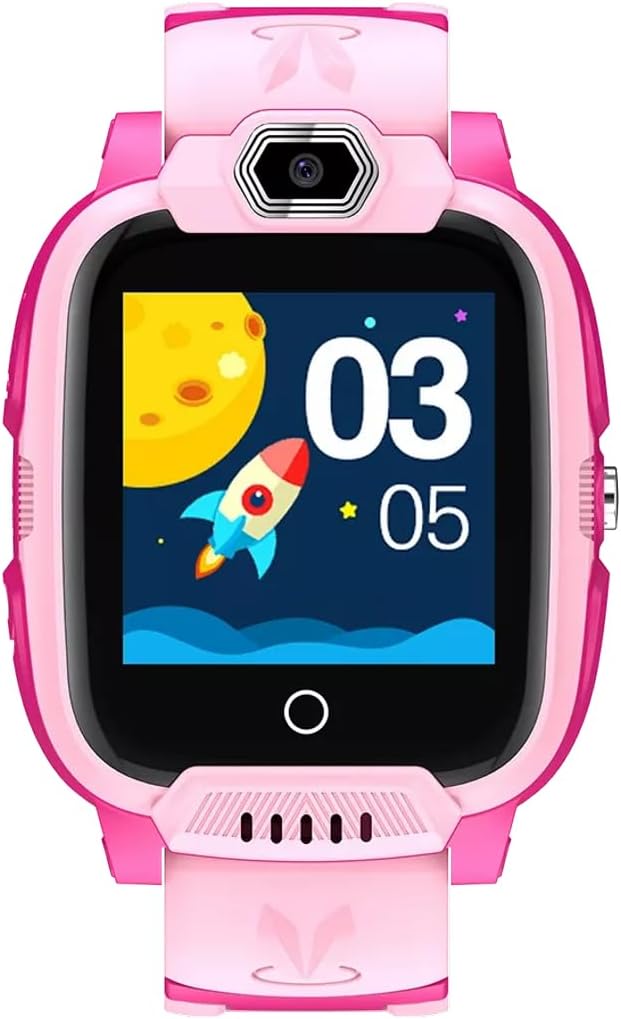
The CANYON Jondy KW-44 is a kids' smartwatch designed for communication and safety. It features a 1.44-inch IPS colorful screen, GPS tracking, and 4G cellular connectivity.
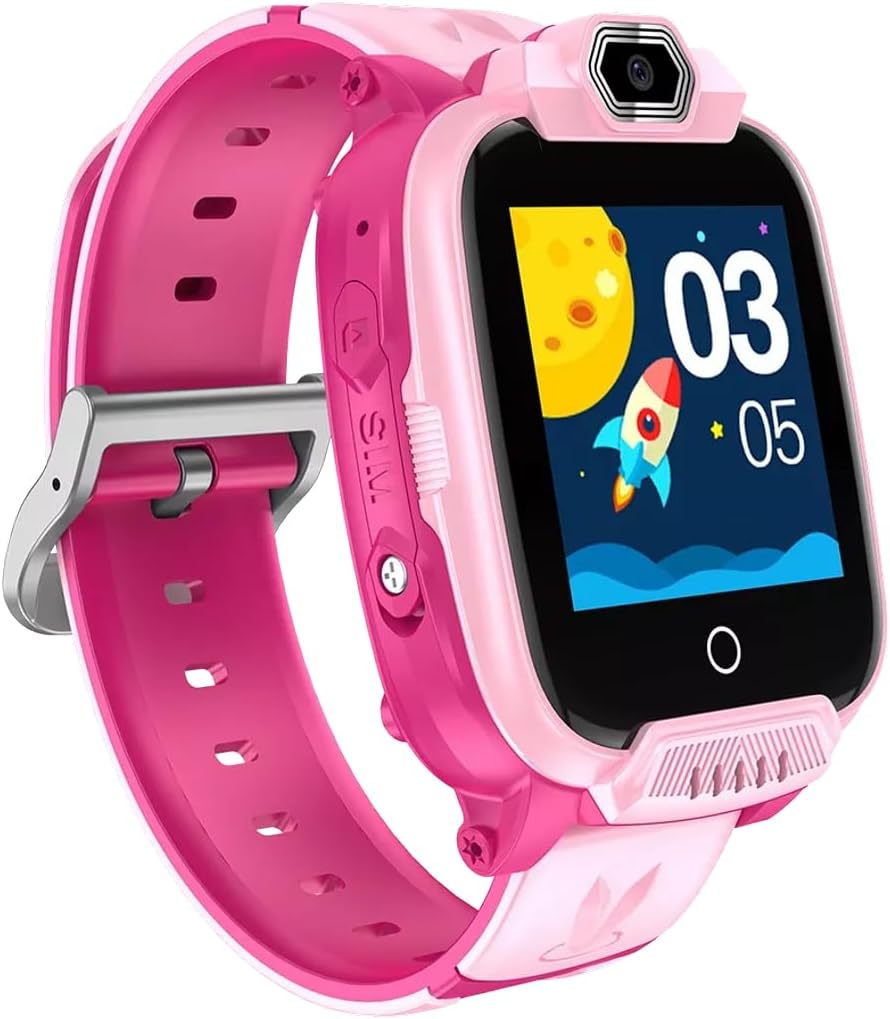
Gambar 3.1: Hareupeun view of the CANYON Jondy KW-44 Kids Smart Watch, showing the screen, camera, and side buttons.
Gambar 3.2: Angled view of the CANYON Jondy KW-44, highlighting the SIM card slot on the side.

Gambar 3.3: Sisi view of the CANYON Jondy KW-44, illustrating the watch's profile and strap design.

Figure 3.4: Retail packaging for the CANYON Jondy KW-44 Kids Smart Watch.
4. Setélan
4.1 Ngecas Alat
Before first use, fully charge the smartwatch. Connect the provided charging cable to the watch's charging port and plug the other end into a USB power adapter (not included) or a computer's USB port. A full charge takes approximately 3.5 hours. The battery average life is 2 days.
4.2 Inserting the Nano SIM Card
The CANYON Jondy KW-44 requires a Nano SIM card for cellular connectivity (calls, 4G network, GPS data transmission). Ensure the watch is powered off before inserting the SIM card.
- Locate the SIM card slot on the side of the watch (refer to Figure 3.2).
- Carefully open the SIM card slot cover.
- Insert the Nano SIM card with the gold contacts facing up and the notched corner aligned correctly.
- Pencét kartu SIM lalaunan nepi ka ngaklik kana tempatna.
- Close the SIM card slot cover securely to ensure water resistance.
Catetan: The SIM card must have an active data plan and support 4G LTE (B1, B2, B3, B5, B7, B8, B20) and GSM (B3, B8) frequencies for full functionality.
4.3 Powering on / Pareum
- Pikeun Ngahurungkeun: Press and hold the power button (usually located on the side) until the screen lights up.
- Pikeun mareuman: Press and hold the power button until the power-off option appears on the screen. Select "Power Off" or continue holding until the device shuts down.
4.4 Ngapasangkeun sareng Smartphone
To manage the watch's features, such as contacts, GPS tracking, and settings, you need to pair it with a smartphone using the dedicated CANYON Life app (or similar app specified by CANYON). The watch is compatible with iOS and Android devices.
- Download and install the CANYON Life app from your smartphone's app store.
- Ngadaptar akun tur asup.
- Follow the in-app instructions to add a new device. This typically involves scanning a QR code displayed on the watch screen or entering a device ID.
- Once paired, you can configure watch settings and monitor its functions from your smartphone.
5. Parentah Operasi
5.1 Napigasi Dasar
The watch features a touch-sensitive screen. Swipe left/right or up/down to navigate through menus and applications. Tap to select an option.
5.2 Nelepon jeung Narima Telepon
Once a Nano SIM card is inserted and configured through the app, the watch can make and receive calls to pre-approved contacts.
- Nelepon: From the call menu, select a contact from the pre-set list and tap to dial.
- Narima Telepon: When a call comes in, tap the green answer icon on the screen. Tap the red hang-up icon to end a call.
5.3 GPS nyukcruk
The built-in GPS allows parents to track the child's location in real-time via the paired smartphone app. Location history and safe zones can also be configured through the app.
5.4 Video Calls
The watch supports video calls over its 4G network. Ensure a stable 4G connection for optimal video call quality. Video calls are initiated and received similarly to voice calls, with an additional video icon.
5.5 Fungsi SOS
In an emergency, the child can press and hold the designated SOS button (refer to product overview for location). This will automatically dial pre-set emergency contacts and send location alerts.
6. Pangropéa
6.1 beberesih
Wipe the watch screen and body with a soft, dry, or slightly damp cloth. Do not use harsh chemicals or abrasive materials, as these can damage the screen and casing (ABS plastic).
6.2 Tahan Cai (IP67)
The CANYON Jondy KW-44 is IP67 rated, meaning it is protected from dust and can withstand immersion in water up to 1 meter for up to 30 minutes. It is suitable for splashes and brief immersion but should not be used for swimming or showering with hot water. Ensure the SIM card slot cover is securely closed to maintain water resistance.
6.3 Perawatan Batré
- Hindarkeun sering-sering ngeusi batre.
- Cas jam tangan sacara rutin, sanajan teu dianggo, pikeun ngajaga kasehatan batréna.
- Do not expose the watch to extreme temperatures during charging or storage.
7. Cara ngungkulan
| Masalah | Mungkin Cukang lantaranana | Solusi |
|---|---|---|
| Jam tangan teu bisa dihurungkeun. | batré lemah. | Ngecas arloji sahenteuna sahenteuna 30 menit. |
| Teu bisa nyieun/nampa telepon. | No SIM card, inactive SIM, poor network signal, incorrect contact settings. | Ensure SIM is inserted correctly and active. Check network coverage. Verify contact numbers in the app. |
| GPS location is inaccurate. | Poor GPS signal (indoors/dense areas), watch not connected to network. | Move to an open area. Ensure SIM card has data and network connection. |
| Watch screen is unresponsive. | Software glitch, low battery. | Restart the watch. Charge the watch. If problem persists, contact support. |
8. Spésifikasi
| Fitur | Rincian |
|---|---|
| Ngaran modél | Jondy KW-44 |
| Nomer modél | CNE-KW44PP |
| Ukuran layar | 1.44 inci |
| Tipe tampilan | IPS Colorful Screen |
| Resolusi | 240 x 240 piksel |
| Prosesor | ASR3603S |
| Mémori (RAM + ROM) | 192 MB + 128 MB |
| Internal Storage (TF Card) | 512 MB |
| Tipe Kartu SIM | Nano SIM |
| Téhnologi sélular | 4G LTE (B1, B2, B3, B5, B7, B8, B20), GSM (B3, B8) |
| GPS | Diwangun-di GPS |
| Kapasitas batré | 700mAh Litium Polimér |
| Batré Rata Kahirupan | Nepi ka 2 dinten |
| Waktu Ngecas | Kurang leuwih 3.5 jam |
| Tahan cai | IP67 |
| OS cocog | ios, Android |
| Bahan | Plastik ABS |
| Komponén Kaasup | Kabel Ngecas |
9. Garansi jeung Rojongan
CANYON products are designed and manufactured to the highest quality standards. For detailed warranty information and technical support, please refer to the official CANYON websitus atanapi ngahubungan pangecér lokal Anjeun. Simpen resi pameseran anjeun salaku bukti pameseran.
Pikeun pitulung salajengna, mangga buka CANYON Rojongan.


