Bubuka
This manual provides essential information for the setup, operation, maintenance, and troubleshooting of your Aiwa 43-inch Android Full HD Smart TV (Model: AWS-TV-43-BL-02-A). Please read this manual thoroughly before using your television and retain it for future reference.
Émbaran Kasalametan penting
Always follow basic safety precautions when using this television to reduce the risk of fire, electric shock, and injury. Keep the television away from water and moisture. Do not block ventilation openings. Use only attachments/accessories specified by the manufacturer. Unplug the television during lightning storms or when unused for long periods.
Blue Protect Technology
Your Aiwa Smart TV features Blue Protect technology, designed to filter harmful blue light emissions from the screen. This helps reduce eye strain and fatigue, providing a more comfortable viewing experience for you and your family.

Image: Diagram illustrating the Blue Protect technology, showing how harmful blue light is filtered to protect vision.
Guide Setup
1. Ngabongkar sareng Ngalebetkeun Komponen
Taliti miceun televisi tina bungkusanna. Pastikeun yén sadaya komponén aya:
- 1x Aiwa 43-inch LCD Television
- 2x Pedestals (TV Stands)
- 1 x Kabel Daya
- 1x A/V Cable
- 1x Kadali Jauh
- 2x AAA Batteries (for remote)
- 6x Screws (for stand assembly)
- 1 x Manual Instruksi (Dokumén ieu)
Inspect the TV for any damage before proceeding with installation.
2. Instalasi nangtung
Your television is designed for table-top mounting using the included pedestals. Place the TV screen-down on a soft, flat surface to prevent scratches. Attach the two pedestals to the designated slots on the bottom of the TV using the provided screws. Ensure they are securely fastened.

Image: Diagram showing the dimensions of the Aiwa 43-inch Smart TV, including height, width, and depth with the stand, useful for placement planning.
3. Nyambungkeun périferal
All connection ports are conveniently located on one side of the television for easy access.
- Port HDMI (2x): Connect Blu-ray players, game consoles, cable boxes, etc.
- Port USB (2x): Sambungkeun drive USB pikeun muterkeun média atanapi alat éksternal.
- Input RF: Sambungkeun anteneu pikeun siaran over-the-air.
- AV Dina: Connect older devices using the provided A/V cable.
- Optik kaluar: For digital audio output to sound systems.
- Ethernet (REDE): Pikeun sambungan internét kabel.
- Wifi: Pikeun sambungan internét nirkabel.
- Bluetooth: For wireless audio devices like soundbars or headphones.

Gambar: A lengkep view of the side panel of the Aiwa Smart TV, highlighting the various input and output ports including HDMI, USB, Optical, AV In/Out, and TV Antenna, along with Wi-Fi and Bluetooth indicators.
4. Sambungan Daya
Connect the power cable to the TV and then to a suitable electrical outlet. Your TV supports 110V and 220V power sources.
5. Daya Awal Hurung sareng Setup Kahiji-Waktos
Press the power button on the remote control or the TV. Follow the on-screen instructions to complete the initial setup, including language selection, network connection (Wi-Fi or Ethernet), and Google account login for Android TV features.
Parentah Operasi
Fungsi Remote Control
The included remote control allows you to navigate the TV's interface and access various features. Insert the two AAA batteries into the remote control, ensuring correct polarity.

Image: The Aiwa Smart TV remote control, featuring dedicated buttons for streaming services and a microphone button for voice commands, compatible with Google Assistant.
Panganteur TV Android
Your Aiwa Smart TV runs on the Android TV operating system, providing access to a wide range of streaming services and applications. Navigate using the directional pad on your remote. The home screen displays recommended content, installed apps, and settings.

Image: The Android TV interface on the Aiwa Smart TV, showcasing popular streaming applications such as Netflix, Prime Video, YouTube, Disney+, HBO Max, Star+, and Globoplay, indicating access to over 10,000 apps.
Kontrol sora
Utilize the voice control feature by pressing the microphone button on your remote control. Speak clearly into the remote to search for movies, TV shows, news, weather forecasts, and more, hands-free.
Chromecast Diwangun
The integrated Chromecast allows you to cast content directly from your smartphone, tablet, or computer to your TV screen. Open a compatible app on your device and tap the Cast icon to begin streaming. You can continue using your device for other tasks during casting.

Image: A user's smartphone screen mirroring content to the Aiwa Smart TV via Chromecast Built-in, demonstrating seamless content transmission.
Konektipitas Bluetooth
Pair your Bluetooth-enabled audio devices, such as headphones, soundbars, or home theater systems, with your TV for an enhanced audio experience. Access the Bluetooth settings in the TV's menu to pair new devices.
Setélan Gambar jeung Sora
Access the TV's settings menu to adjust picture modes (e.g., Standard, Vivid, Movie), brightness, contrast, color, and sound modes (e.g., Standard, Music, Movie). Your TV features HDR10 for enhanced color and contrast, and Dolby Audio for immersive surround sound.
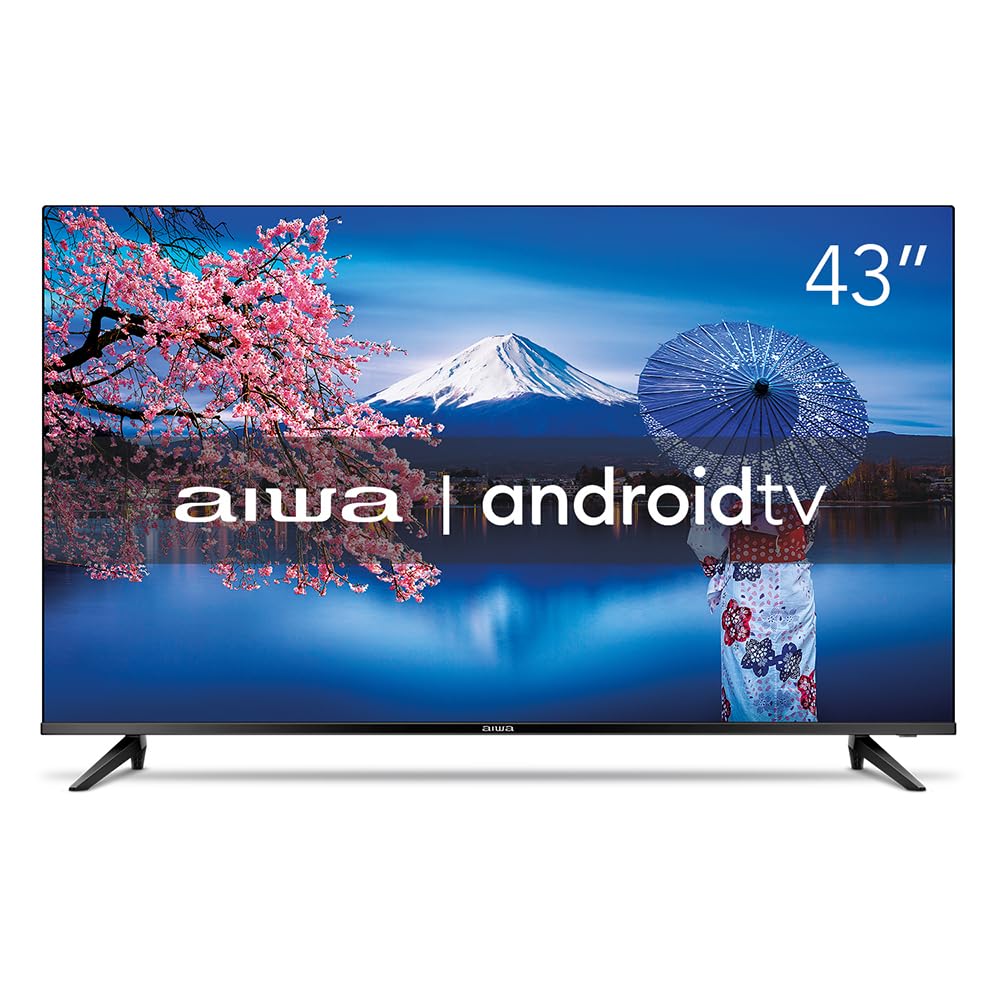
Image: The Aiwa 43-inch Smart TV showcasing a high-dynamic-range image, illustrating the enhanced colors and contrast provided by HDR10 technology.

Image: A family enjoying content on the Aiwa Smart TV, with a visual representation of sound waves emanating from the screen, symbolizing the immersive surround sound experience delivered by Dolby Audio.
Pangropéa
Ngabersihan Layar
Ngusap layar nganggo kaén anu lembut sareng teu aya serat. Pikeun tanda pengkuh, enteng dampen lawon jeung cai atawa cleaner layar husus. Ulah menyemprot cairan langsung kana layar.
Ngabersihkeun Kabinet
Use a soft, dry cloth to wipe the TV cabinet. Avoid using abrasive cleaners or solvents that could damage the finish.
Ventilasi
Ensure the ventilation openings on the back of the TV are not blocked. Proper airflow is crucial to prevent overheating and ensure the longevity of your television.
Pamérésan masalah
If you encounter issues with your television, refer to the following common solutions:
- Henteu aya kakuatan: Pariksa naha kabel daya parantos disambungkeun kalayan pageuh kana TV sareng stop kontakna. Pastikeun stop kontakna tiasa dianggo.
- Taya Gambar/Sora: Pariksa yén sumber input anu leres parantos dipilih. Pariksa sadaya sambungan kabel (HDMI, AV, jsb.).
- Remote Control Teu Gawé: Ganti batré dina kadali jauh. Pastikeun teu aya halangan antara jauh sareng sénsor IR TV.
- Kualitas Gambar goréng: Adjust picture settings (brightness, contrast, sharpness). For antenna connections, check antenna positioning.
- Masalah Sambungan Internét: Pikeun Wi-Fi, pastikeun router hurung sareng aya dina jangkauan. Pikeun Ethernet, pariksa sambungan kabelna. Coba hurungkeun deui router sareng TV anjeun.
- Apps Not Responding: Close and reopen the app. If the issue persists, try clearing the app's cache or reinstalling it from the Google Play Store.
For more complex issues, please refer to the support section or contact Aiwa customer service.
spésifikasi
| merek | No |
| Modél | AWS-TV-43-BL-02-A |
| Ukuran layar | 43 inci |
| Téknologi tampilan | LED, IPS |
| Resolusi | 1920 x 1080 piksel (Full HD) |
| Refresh Laju | 60 Hz |
| Sistem operasi | Android |
| Prosesor | Quad Core |
| Rojongan HDR | HDR10 |
| Téhnologi Audio | Dolby Audio, 2.0 + surround channels |
| Format Audio Dirojong | AC3/EAC3/AC4/DTS/DOLBY DIGITAL/DOLBY DIGITAL PLUS |
| Konektipitas | Bluetooth, HDMI (2), USB (2), RF, Wi-Fi |
| Fitur husus | Chromecast Built-in, Voice Control Remote, Blue Protect, Ultra-thin Bezel (1.4mm) |
| Voltage | 110, 220 Volts |
| Sumber Daya | Listrik |
| Énergi Énergi | Luhur |
| Dimensi (kalayan stand) | 20.2 x 95.9 x 60.8 cm (Jalna x Rubak x Jangkungna) |
| Beurat produk | 8.96 kg |
| Komponén Kaasup | TV, 2 Pedestals, Power Cable, A/V Cable, Remote Control, 2 Batteries, 6 Screws, Instruction Manual |

Image: A visual representation of the Aiwa Smart TV's ultra-thin bezel (1.4mm) and an illustration of the Quad Core processor, emphasizing its design and performance features.
Émbaran jaminan
Your Aiwa Smart TV comes with a 12-bulan jaminan produsén urang from the date of purchase. This warranty covers manufacturing defects and malfunctions under normal use. Please retain your proof of purchase for warranty claims. The warranty does not cover damage caused by misuse, accidents, unauthorized repairs, or normal wear and tear.
Rojongan Palanggan
If you require further assistance, have questions not covered in this manual, or need to make a warranty claim, please contact Aiwa customer support. Refer to the official Aiwa websitus atanapi dokuméntasi pameseran anjeun pikeun detil kontak.
When contacting support, please have your TV model number (AWS-TV-43-BL-02-A) and serial number ready.


