Bubuka
Thank you for choosing the LoraTap WiFi Garage Door Opener. This intelligent device allows you to control your garage door remotely using a portable RF remote control, a smartphone app (Smart Life), or voice commands via Alexa and Google Assistant. It integrates seamlessly with your existing garage door opener system, providing enhanced convenience and security. This manual provides detailed instructions for installation, operation, and maintenance to ensure optimal performance and user safety.
Émbaran Kasalametan
- Always ensure the garage door area is clear of people, pets, and obstructions before operating the opener.
- Do not allow children to play with the garage door opener or its controls.
- Simpen remot kontrol jauh tina jangkauan barudak.
- Regularly inspect the garage door and its components for signs of wear or damage. Do not operate if damaged.
- Ensure proper power supply (DC 5V 1A) to the main module.
- This device is designed to work with most common garage door operators. Verify compatibility before installation.
Eusi pakét
Mangga parios pakét pikeun mastikeun yén sadaya barang aya:
- LoraTap Smart Garage Door Opener Module (GDC411WQ1)
- Wireless Door Sensor (with CR2032 battery included)
- RF Jauh Control
- Adaptor Daya USB
- Kabel USB
- Impulse Dry Contact Signal Cable
- Mounting Accessories (screws, adhesive pads)

Gambar: Leuwihview of the LoraTap Smart Garage Door Opener components.
Produk Leuwihview
The LoraTap Smart Garage Door Opener system consists of three main parts:
- Smart Module: The central unit that connects to your garage door opener and Wi-Fi network.
- Wireless Door Sensor: Detects the open/closed status of your garage door. It communicates wirelessly with the smart module.
- RF Remote Control: A portable remote for convenient local control of the garage door.

Image: Dimensions and connection diagram of the LoraTap Garage Door Opener system.
Setup sareng Instalasi
1. Cék kasaluyuan
The LoraTap Garage Door Opener is compatible with most garage door operators that have a dry contact input for a wall button. Consult your garage door opener's manual to identify the correct terminals for connection.
2. Install the Smart Module
- Pamasangan: Choose a location near your garage door opener and a power outlet. Ensure the location is within 10 meters of your 2.4GHz Wi-Fi router for optimal signal strength. You can use screws or adhesive pads to secure the module.
- Wiring: Connect the Impulse Dry Contact Signal Cable from the LoraTap module to the wall button terminals on your existing garage door opener. This connection simulates a button press to open/close the door.
- kakuatan: Connect the USB cable to the LoraTap module and then to the provided USB Power Adapter. Plug the adapter into a power outlet. The module will power on.
3. Install the Wireless Door Sensor
The wireless door sensor consists of two parts: a main sensor and a magnet. They should be installed on the garage door and its frame, respectively, so that they are aligned and close to each other when the door is closed, and separate when the door is open.
- Attach the main sensor part to the garage door itself.
- Attach the smaller magnet part to the garage door frame, aligning it with the main sensor when the door is closed.
- Ensure the gap between the two parts is minimal when the door is closed. The wireless sensor offers a control distance of up to 15 meters from the smart module.

Image: Advantages of the wireless door sensor, including easier installation and extended range.
4. Ngundeur Aplikasi sareng Masangkeun
- Unduh App: Milarian pikeun "Smart Life" or "Tuya Smart" in your smartphone's app store (App Store for iOS, Google Play Store for Android) and download the app.
- Ngadaptar/Log: Buka aplikasi sareng ngadaptarkeun akun énggal atanapi lebet upami anjeun parantos gaduh.
- Tambahkeun Alat:
- Ensure your phone is connected to a 2.4GHz Wi-Fi network. 5GHz networks are not supported.
- In the Smart Life app, tap the "+" icon in the top right corner to add a device.
- Select "Garage Door Opener" from the device list (usually under "Security & Sensor" or "Electrician").
- Follow the on-screen instructions to put the LoraTap module into pairing mode (usually by pressing and holding the pairing button until the indicator light blinks rapidly).
- Lebetkeun kecap akses jaringan Wi-Fi 2.4GHz anjeun nalika dipenta.
- The app will search for and connect to the device. Once connected, you can rename the device.

Image: Step-by-step guide for easy pairing with the Smart Life app.

Image: Wi-Fi signal strength guidance for device placement.
Parentah Operasi
1. Using the Smart Life App
Once paired, you can control and monitor your garage door from anywhere using the Smart Life app:
- Buka/Tutup: Tap the garage door icon on the app's main screen to open or close the door.
- Status waktos nyata: The app displays the current status of your garage door (open or closed) based on the wireless sensor.
- Bewara: Receive instant notifications on your smartphone when the garage door opens or closes.
- Alarm Ajakan: Set reminders to notify you if the garage door remains open for a specified period (e.g., 15 minutes).
- Riwayat: View a log of all garage door operations.
- Jadwal: Set up schedules for automatic opening or closing at specific times.
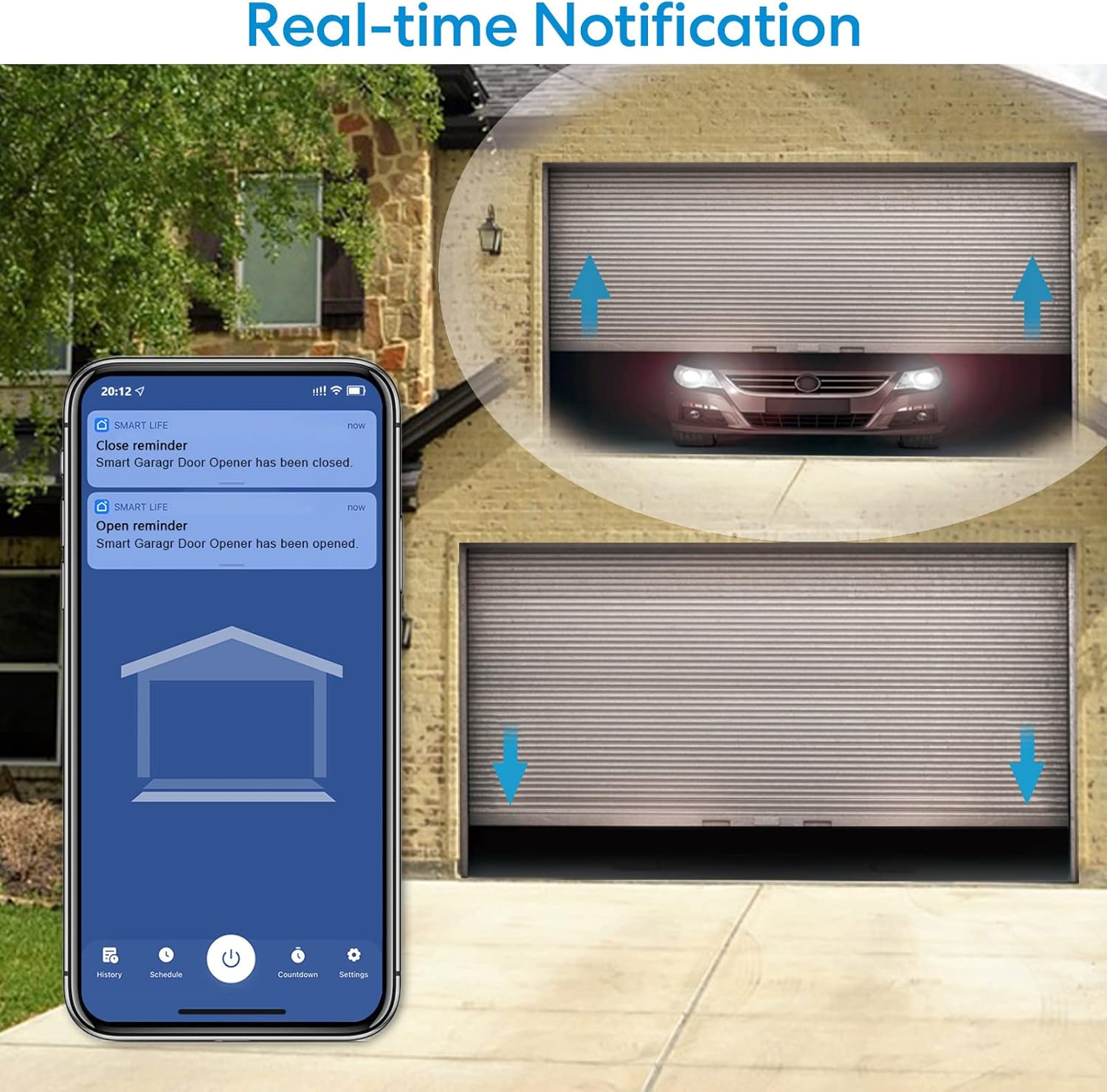
Image: Real-time notifications and status display in the Smart Life app.
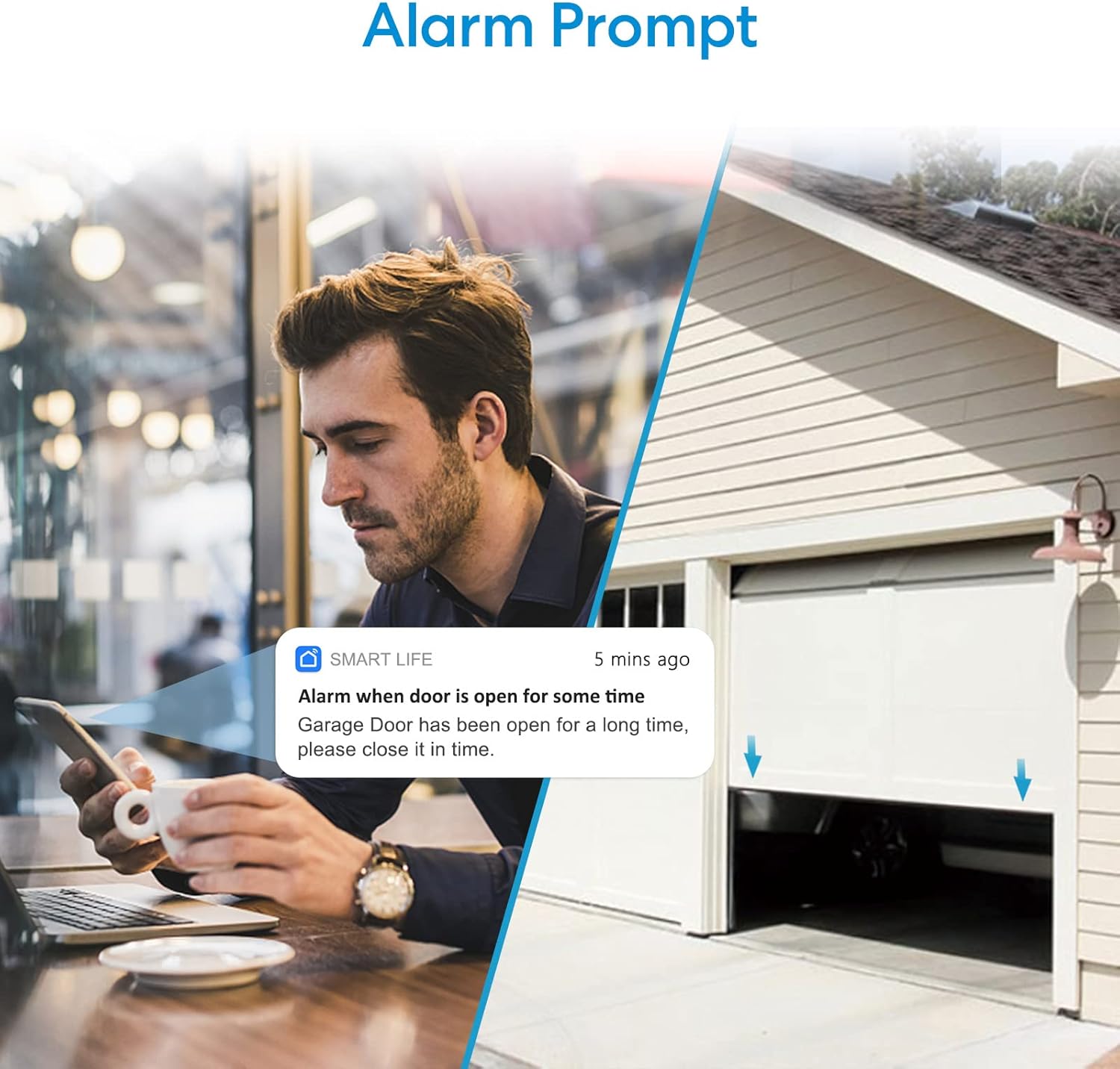
Image: Alarm prompt feature notifying the user if the garage door is left open.
2. Ngagunakeun Remote Control RF
The included RF remote control provides a convenient way to open and close your garage door when you are within approximately 30 meters of the smart module, even if your Wi-Fi is offline.
- Press the button on the RF remote control to toggle the garage door's state (open if closed, close if open).
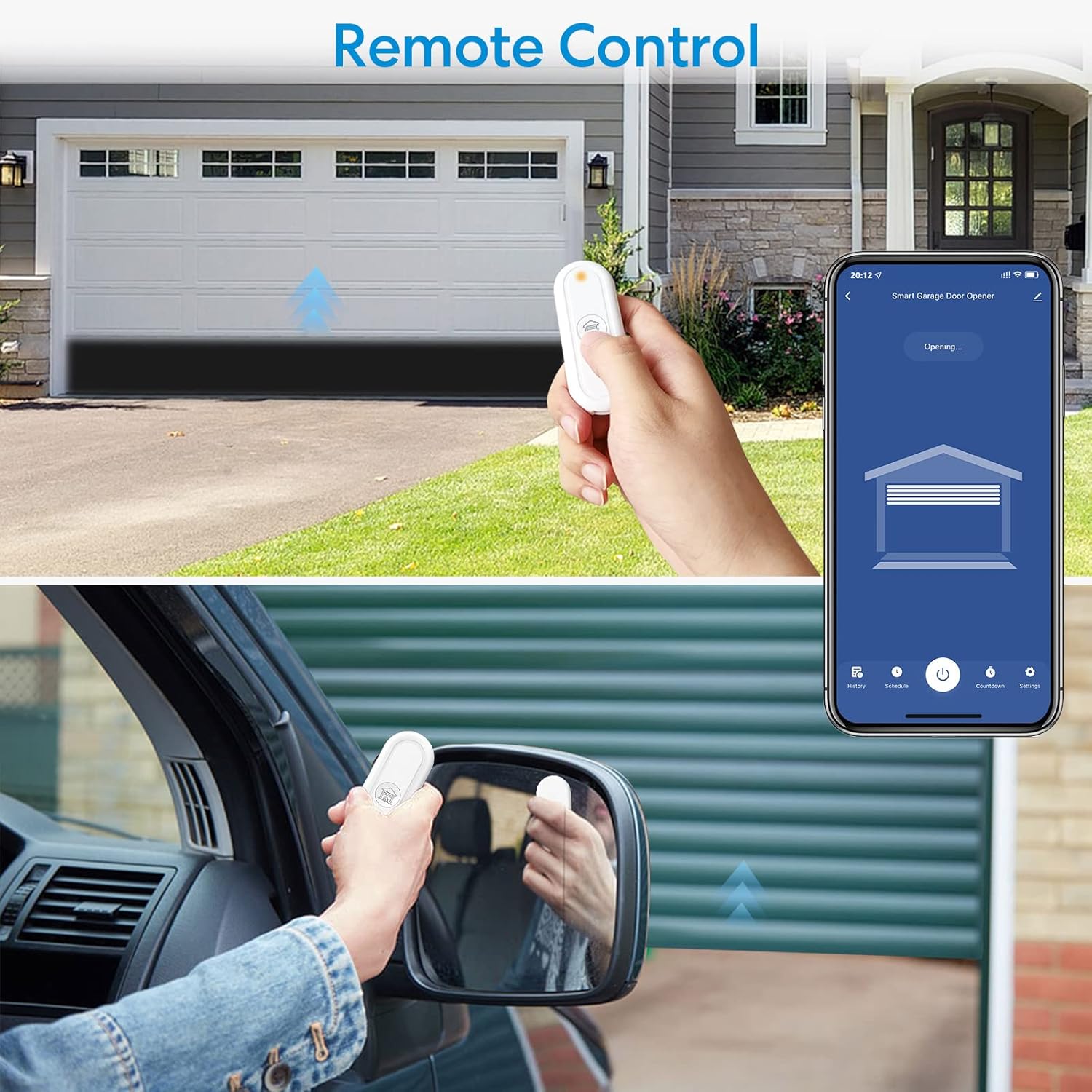
Image: Operating the garage door with the RF remote control.

Image: The compact RF remote control.
3. Kontrol Sora (Alexa & Asisten Google)
Integrate your LoraTap Garage Door Opener with Amazon Alexa or Google Assistant for hands-free control:
- Tautan Akun: In the Alexa or Google Home app, enable the "Smart Life" skill/service and link your Smart Life account.
- Panggihan Alat: Ask Alexa or Google Assistant to "Discover devices" or manually add the device in their respective apps.
- Paréntah sora: Anggo paréntah sapertos:
- "Alexa, open the Garage Door."
- "Hey Google, close the Garage Door."

Image: Voice control functionality with smart assistants.
Pangropéa
- Wireless Sensor Battery: The wireless door sensor is powered by a CR2032 button cell battery. If the sensor stops reporting status or its indicator light is dim, replace the battery.
- beberesih: Lap alat-alatna ku lawon anu lemes sareng garing. Entong nganggo pembersih atanapi pangleyur anu abrasif.
- Pembaruan firmware: Periodically check the Smart Life app for available firmware updates for the smart module to ensure optimal performance and security.
Pamérésan masalah
| Masalah | Mungkin Cukang lantaranana | Solusi |
|---|---|---|
| Alat offline dina aplikasi. | No Wi-Fi connection, weak Wi-Fi signal, power disconnected. | Check Wi-Fi router, ensure device is within 10m of router, check power connection. Re-pair if necessary. |
| Garage door not responding to app/remote. | Incorrect wiring, module not powered, garage door opener issue, RF remote battery low. | Verify wiring to garage door opener, check module power, test garage door opener with its original wall button, replace RF remote battery. |
| Incorrect door status in app. | Wireless sensor misaligned or battery low. | Ensure sensor and magnet are properly aligned when door is closed. Replace CR2032 battery in the sensor. |
| Teu bisa nyambung ka Wi-Fi. | Incorrect Wi-Fi band (5GHz), wrong password, weak signal. | Ensure you are connecting to a 2.4GHz Wi-Fi network. Double-check password. Move device closer to router. |
spésifikasi
| Fitur | Rincian |
|---|---|
| Modél | GDC411WQ1 |
| merek | LoraTap |
| Masukan Voltage | DC 5V 1A |
| Konektipitas | Wi-Fi (2.4GHz wungkul) |
| Wireless Sensor Battery | CR2032 (kalebet) |
| Max. Wireless Sensor Range | 15 méter |
| Max. RF Remote Range | 30 méter |
| Alat nu cocog | Garage Door Openers with dry contact input |
| Dimensi produk | 10.16 x 5 x 0.03 cm (main module) |
| Beurat | 180 g |
Garansi sareng Rojongan
LoraTap products are designed for reliability and performance. For warranty information and technical support, please refer to the contact details provided with your purchase or visit the official LoraTap websitus. Punten tahan bukti pameseran anjeun pikeun klaim garansi.


